My notes on this, prototypes, inheritance, async code, and network requests, with examples of common pitfalls.
Running the examples: Run language examples independently, one code block at a time, in a modern browser or Node.js. Browser-only, Node.js-only, and API examples are identified explicitly. Examples follow strict-mode semantics; ES modules enable strict mode automatically. /api/... denotes a same-origin endpoint supplied by your application, not an existing service on this blog.
01 this and function calls
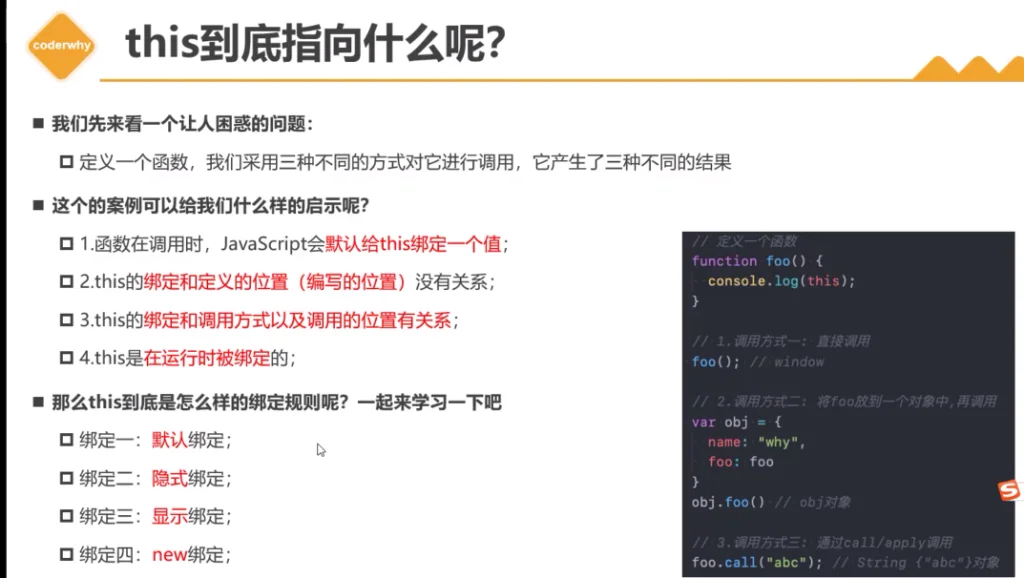
For an ordinary function, this primarily follows the call expression. First check whether the function is an arrow or a bound function, then examine the call.
| Call | Value of this | Caveat |
|---|---|---|
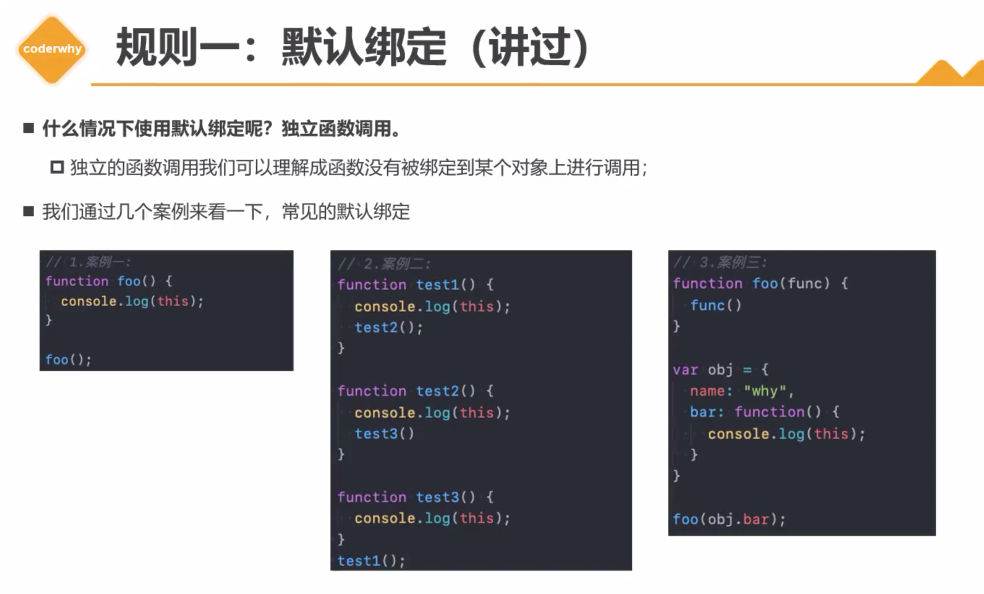
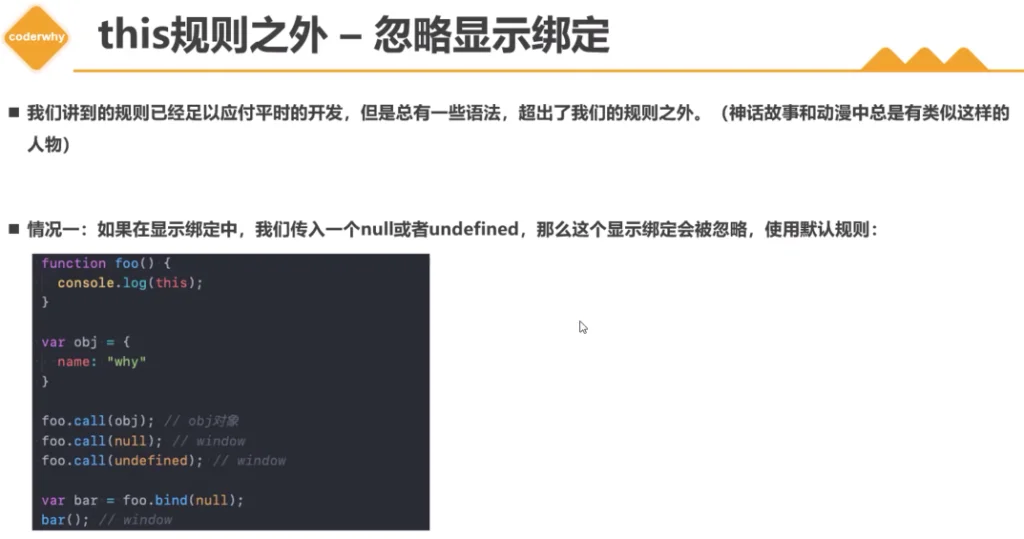
fn() | undefined in strict mode | Non-strict functions substitute globalThis for null / undefined |
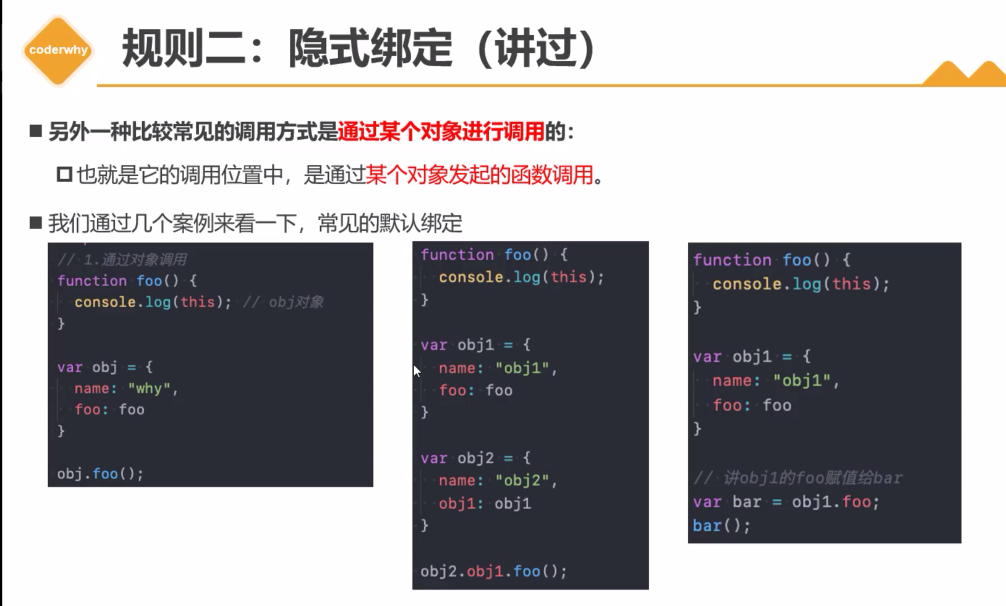
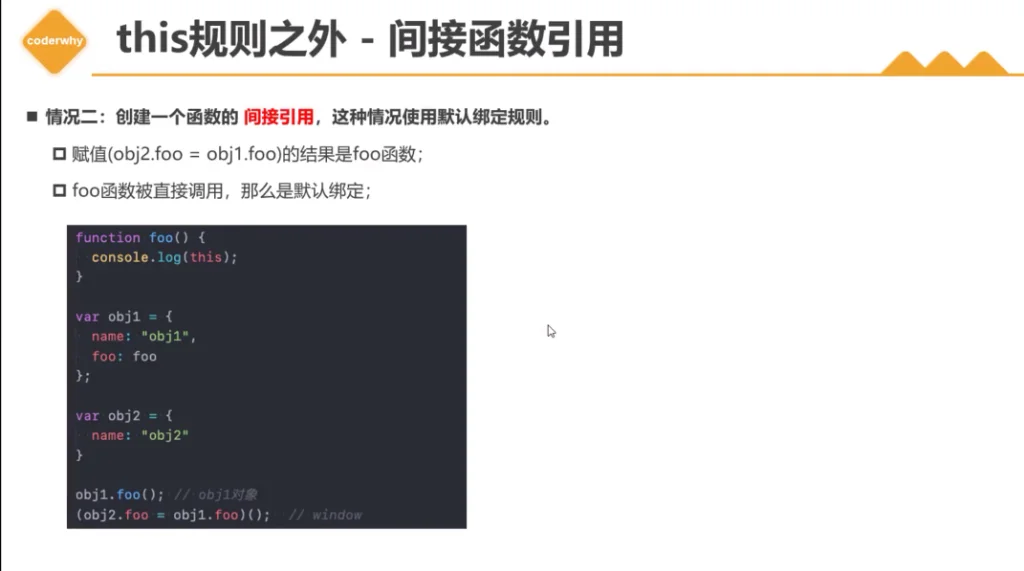
obj.fn() | Receiver obj at the call site | Extracting the function and calling it separately loses the receiver |
fn.call(value, ...args) | Explicitly supplied value | Non-strict functions also box primitive values |
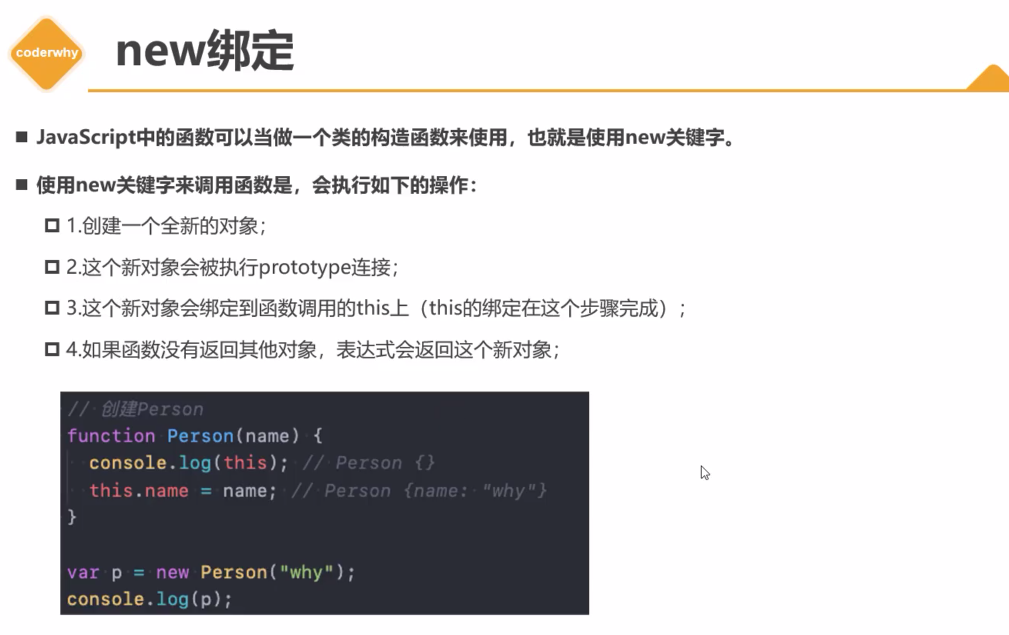
new Fn(...args) | Instance under construction | An explicitly returned object can replace that instance |
Default binding
"use strict"
function getThis() {
  return this
}
const first = { name: "first", getThis }
const second = { name: "second" }
const detached = first.getThis
console.log(first.getThis() === first)
console.log(detached() === undefined)
console.log(getThis.call(second) === second)
console.log(getThis.call(null) === null)
console.log(getThis.call(7) === 7)
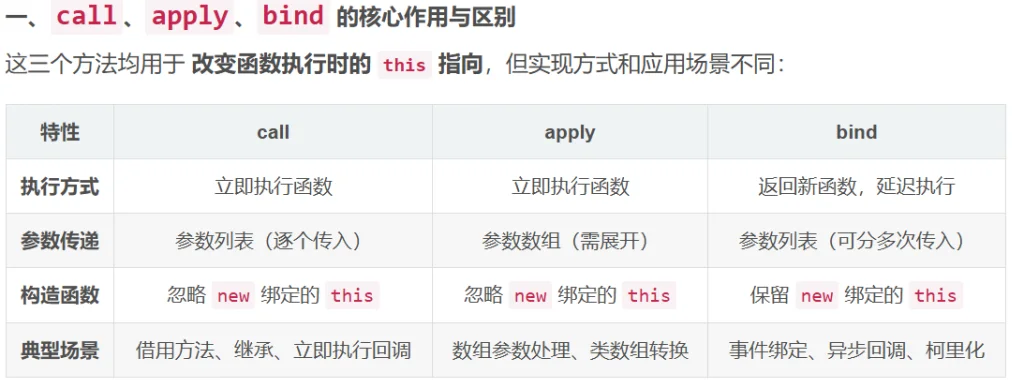
All five expressions print true. obj.fn reads a property; obj.fn() calls it. Callback receivers depend on the API invoking them: for example, forEach accepts a thisArg. Callbacks do not all use the same binding rule.
Implicit receiver binding
Constructor binding
function Person(name) {
  this.name = name
}
const receiver = {}
const BoundPerson = Person.bind(receiver, "Jack")
const person = new BoundPerson()
console.log(person.name, person instanceof Person) // "Jack", true
console.log(receiver.name) // undefined
Explicit binding
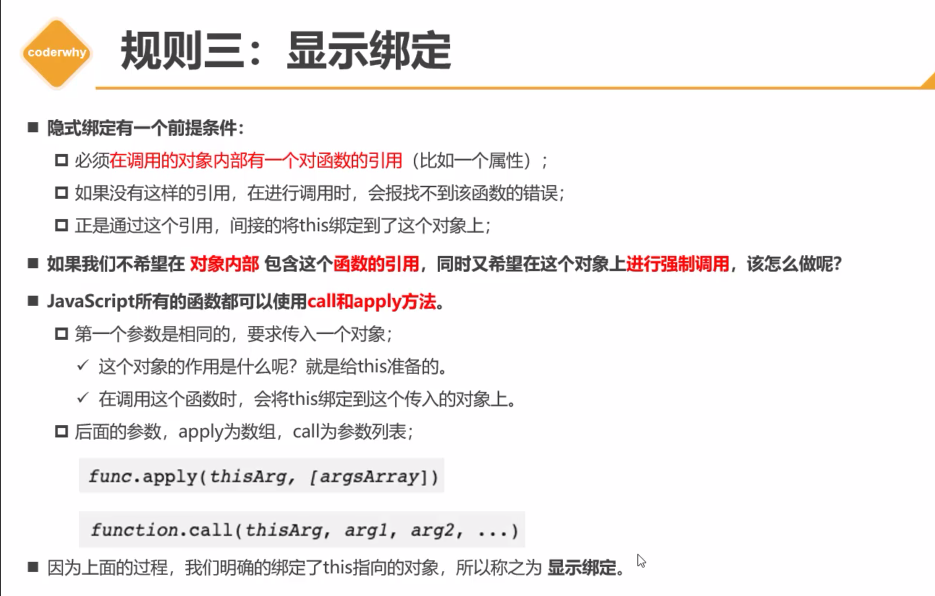
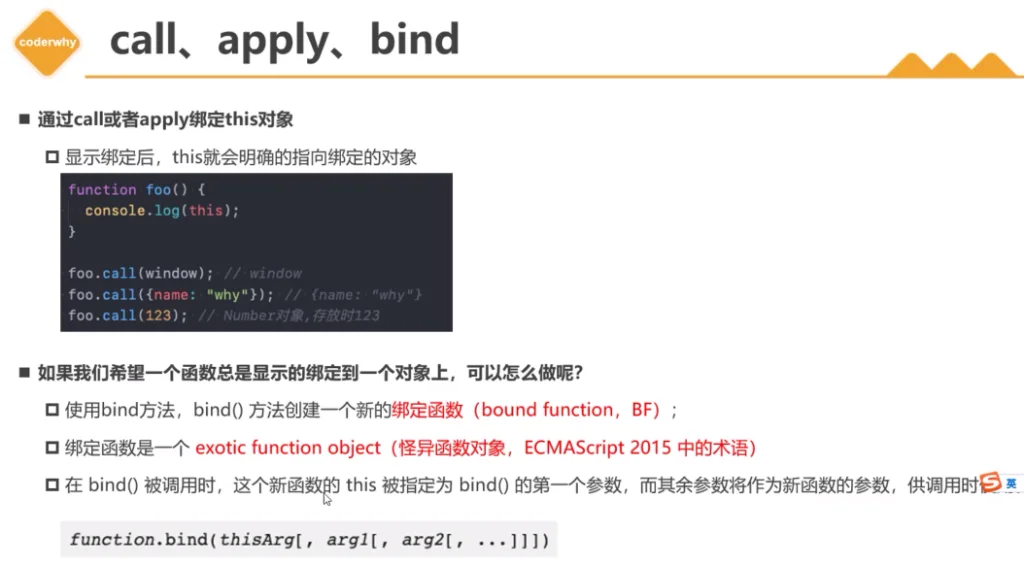
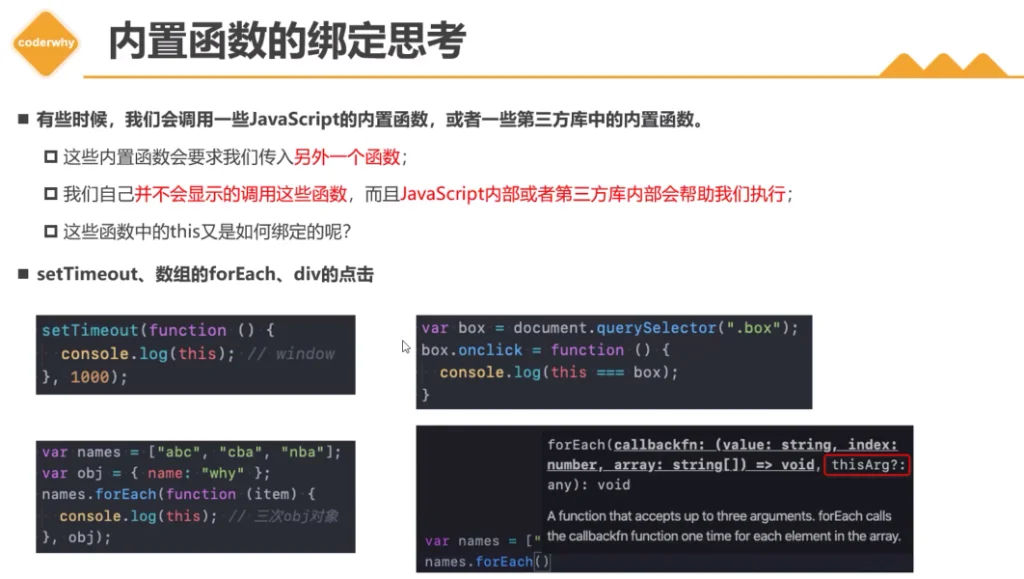
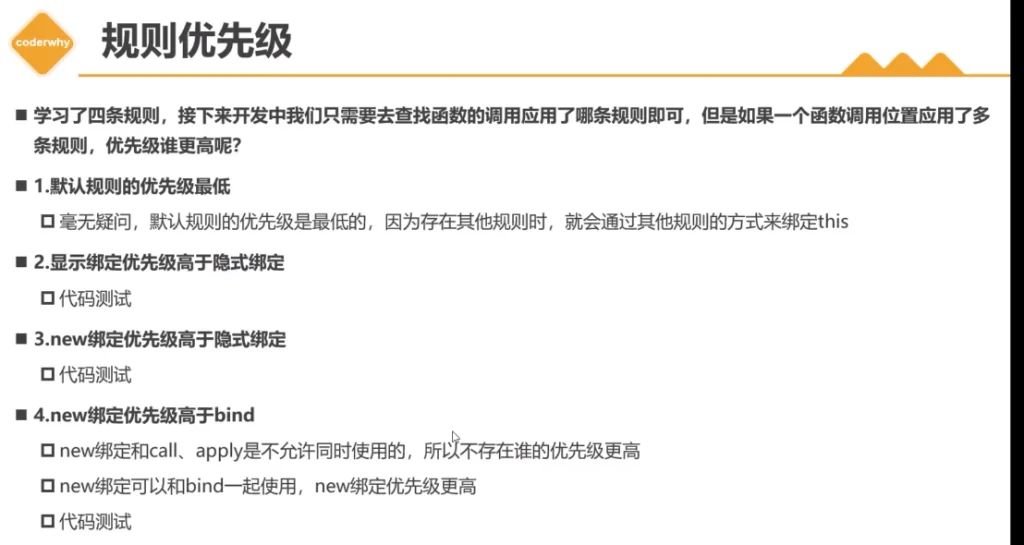
call takes arguments individually; apply takes an array-like argument list, with null / undefined meaning an empty list. Both invoke immediately and return the result. bind creates a new function and can preset arguments. When a bound function is constructed with new, its bound receiver is ignored but preset arguments remain, provided the original function is constructable.
call, apply, and bind
function greet(prefix, suffix) {
  return prefix + this.name + suffix
}
const user = { name: "Jack" }
console.log(greet.call(user, "Hi, ", "!"))
console.log(greet.apply(user, ["Hi, ", "!"]))
const greetJack = greet.bind(user, "Hi, ")
console.log(greetJack("!"))
Callback binding in built-in APIs
Binding precedence
Boundary cases and indirect references
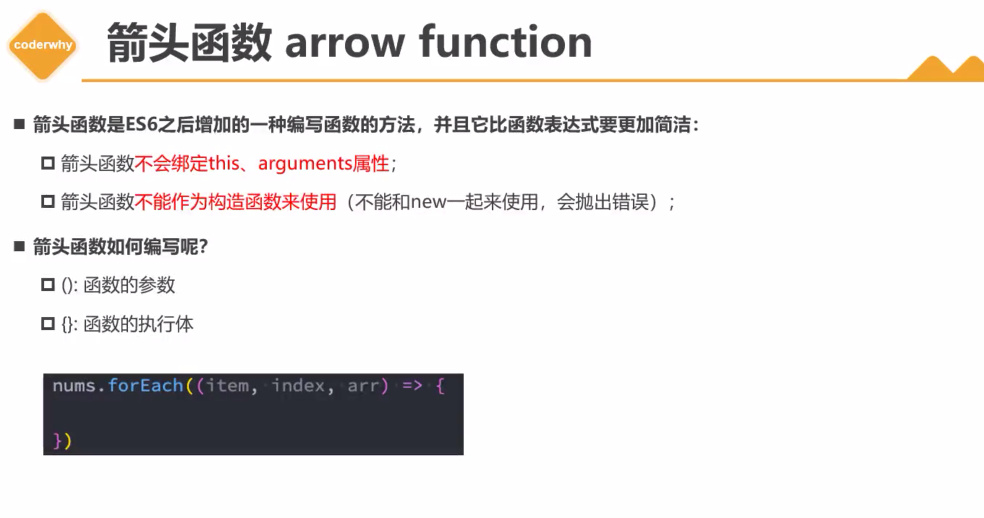
Arrow functions and runtime boundaries
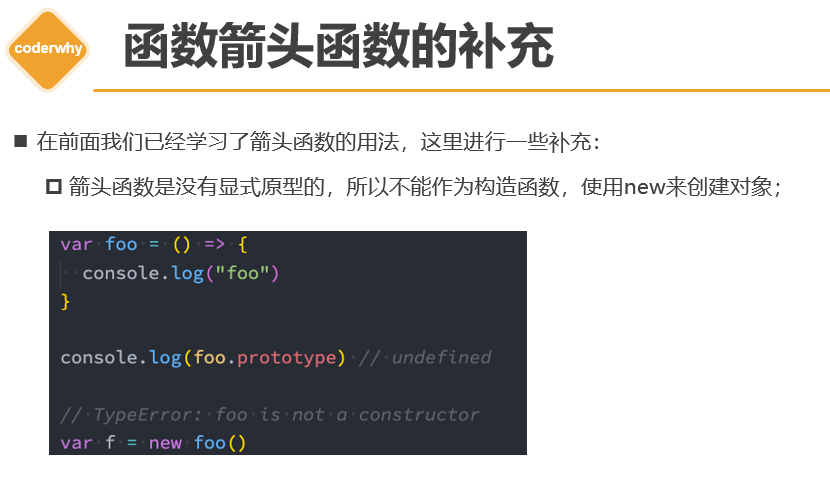
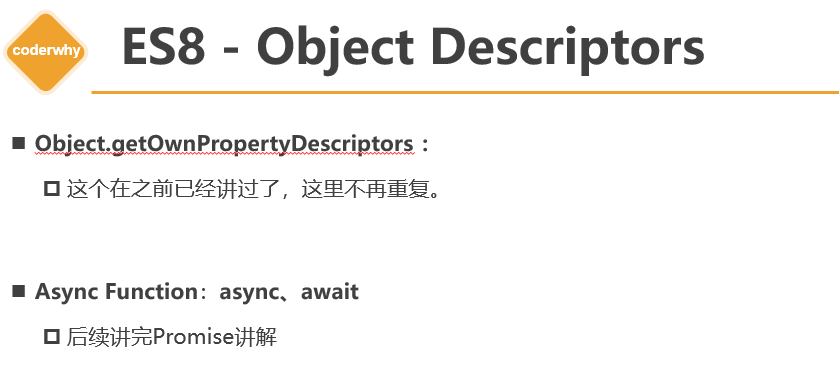
Arrows have no own this, arguments, or construction capability; they resolve outer bindings lexically. call / apply / bind cannot replace an arrow's this, though they can pass or preset arguments. An object literal creates no new this scope.
Top-level this is normally window in a browser classic script, undefined in an ES module, and module.exports in Node.js CommonJS. Whether top-level var becomes a global-object property also depends on the script environment.
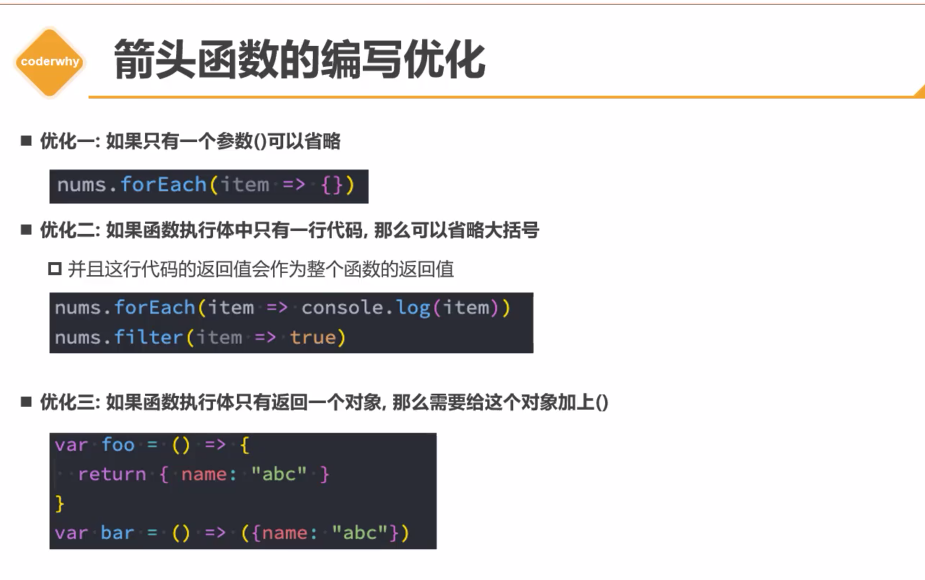
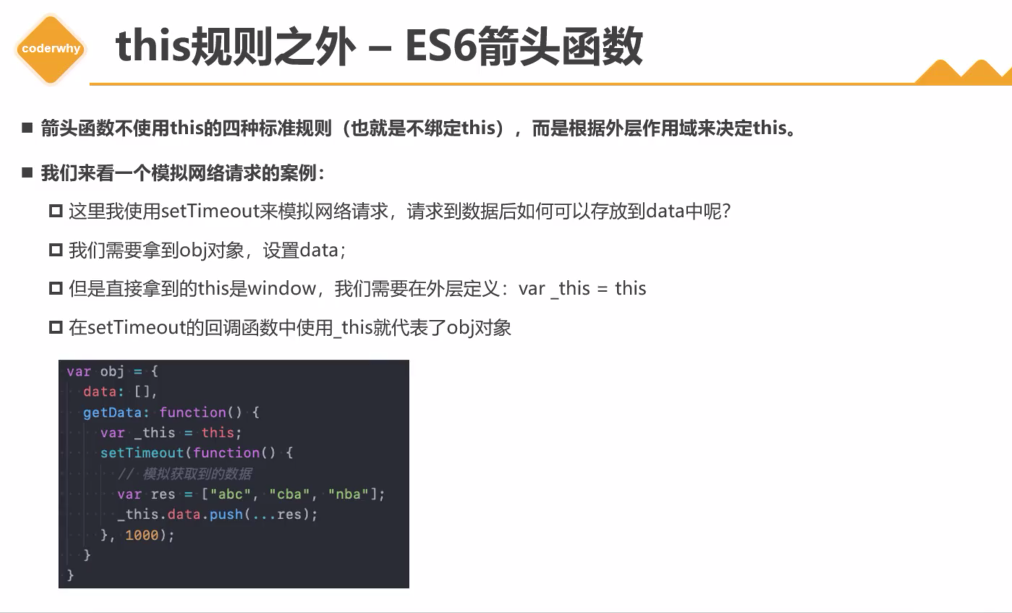
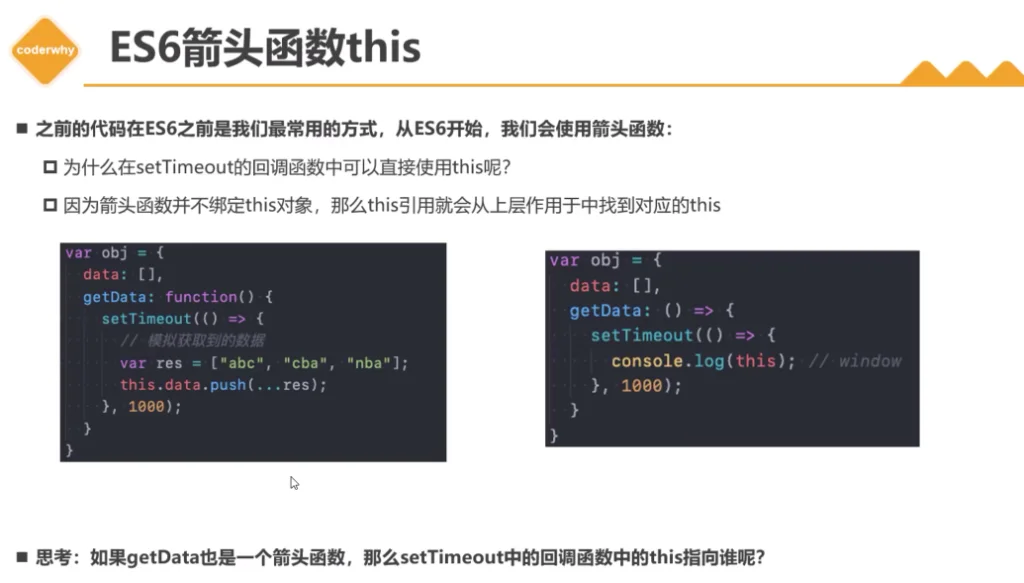
"use strict"
const first = {
  name: "first",
  ordinary() {
    return function () {
      return this?.name
    }
  },
  lexical() {
    return () => this.name
  },
}
const second = { name: "second" }
console.log(first.ordinary()()) // undefined
console.log(first.ordinary().call(second)) // "second"
console.log(first.lexical()()) // "first"
console.log(first.lexical.call(second)()) // "second"
console.log(first.lexical().call(second)) // "first"
Reference: MDN · this.
02 Browser parsing and rendering
How a page is parsed
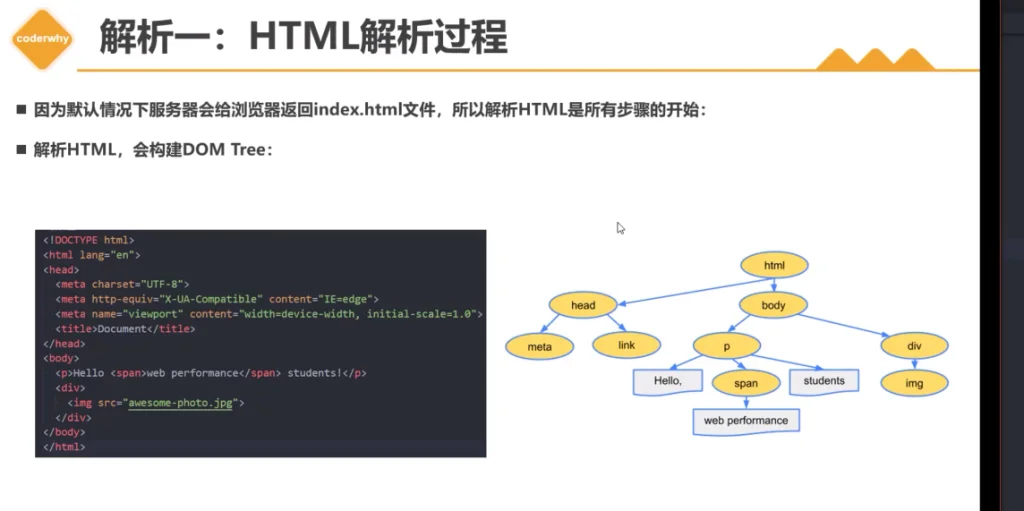
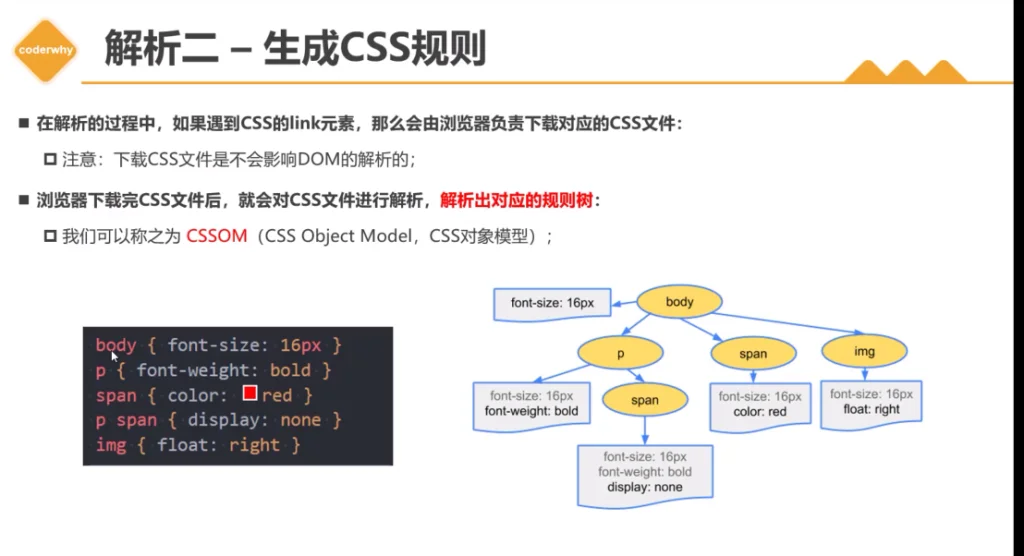
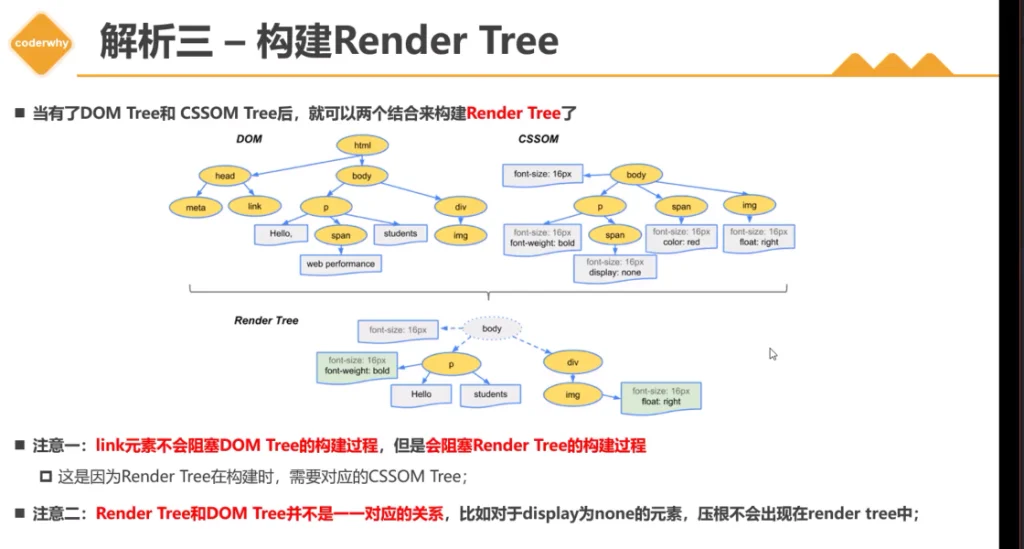
The rendering engine handles HTML, CSS, and drawing; the JavaScript engine executes language code. Their responsibilities differ. The following path is a useful model, though implementations can work incrementally, overlap work, or skip stages.
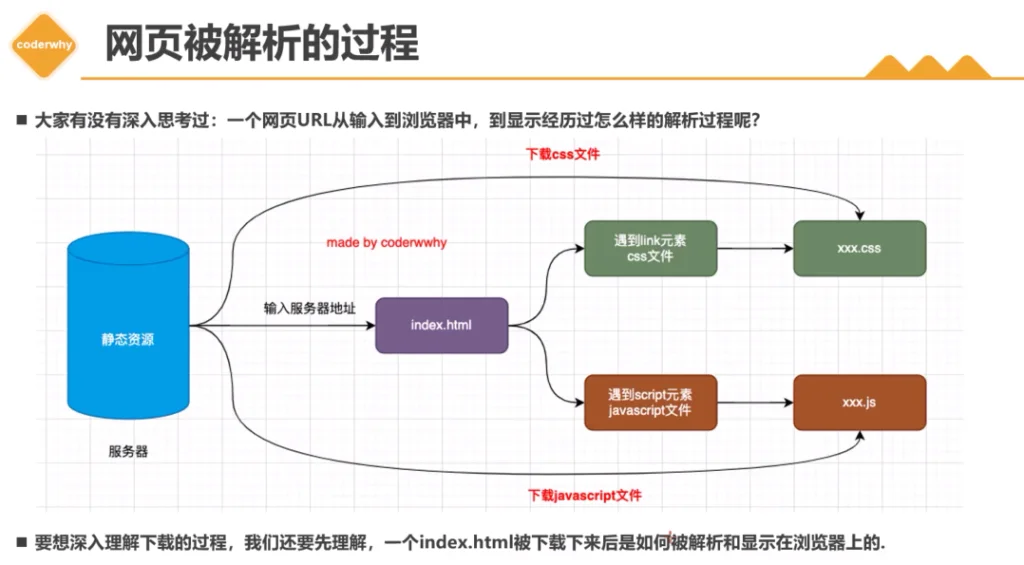
Browser engines
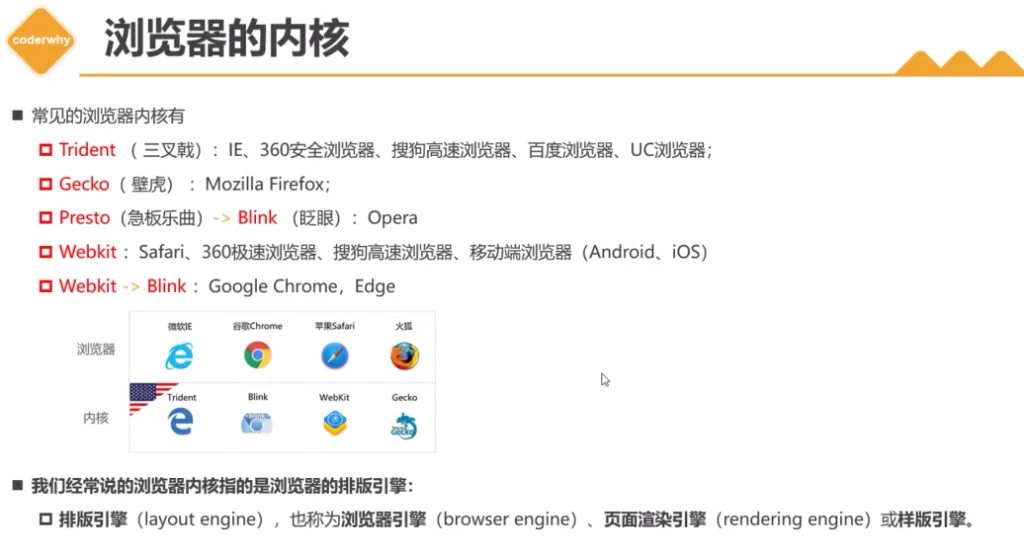
The rendering pipeline
HTML → DOM
CSS  → CSSOM
DOM + CSSOM → Style → Layout → Paint → Composite
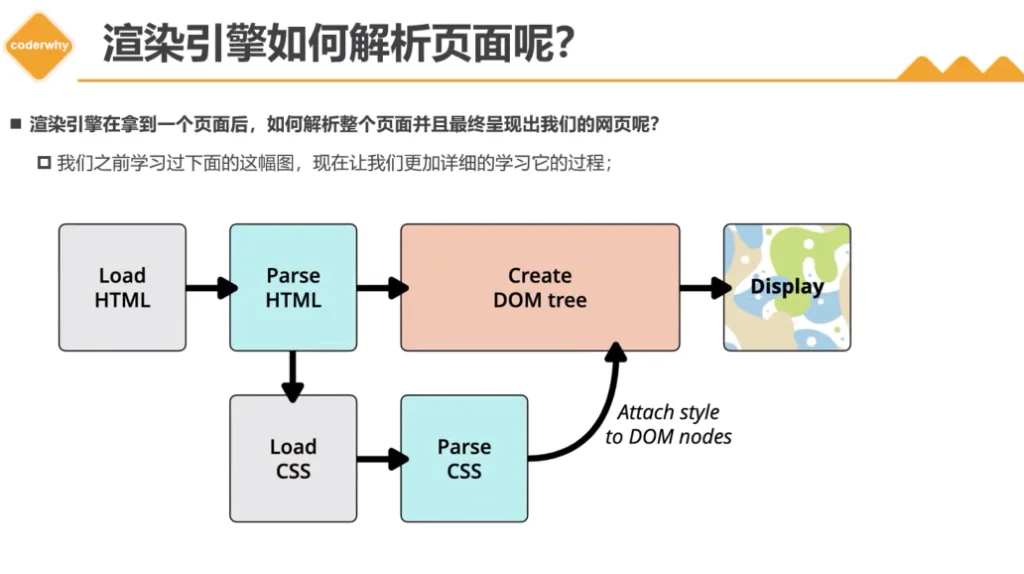
Rendering stages
| Stage | Responsibility | Typical influences |
|---|---|---|
| Style | Compute final styles | Selectors and class changes |
| Layout / reflow | Calculate geometry | Dimensions and document flow |
| Paint | Generate drawing content | Colors and shadows |
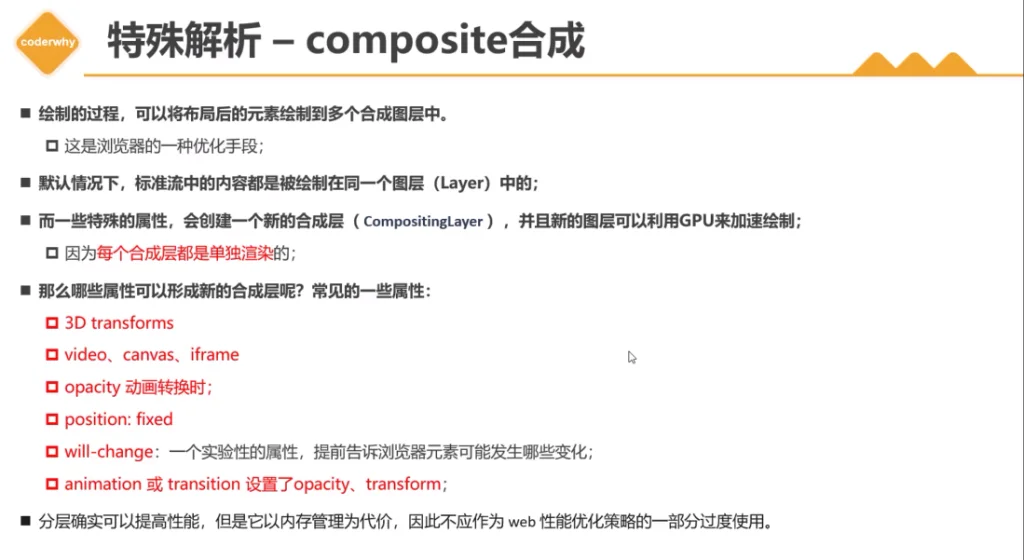
| Composite | Combine layers for display | Some transform and opacity animations |
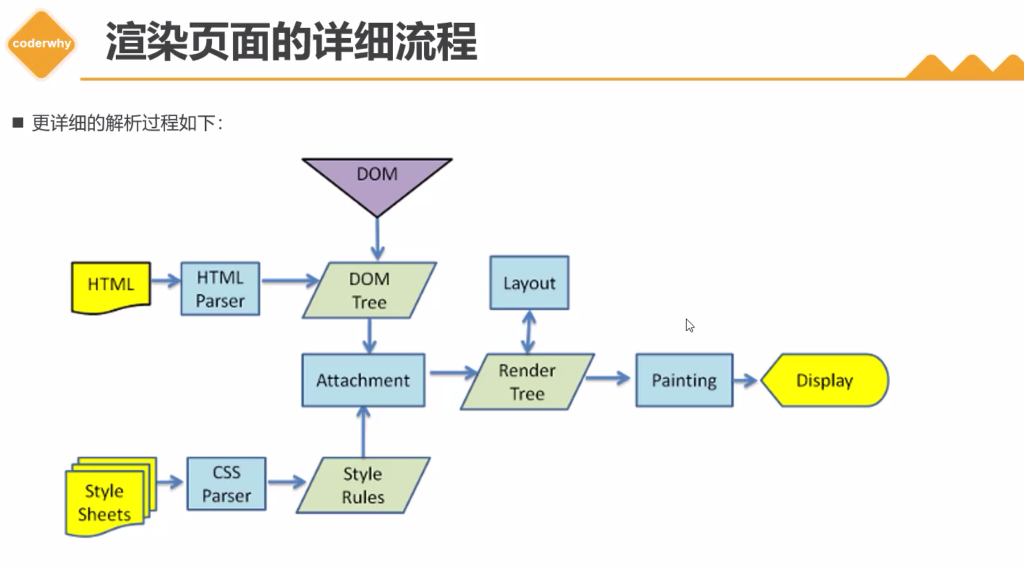
Parsing details
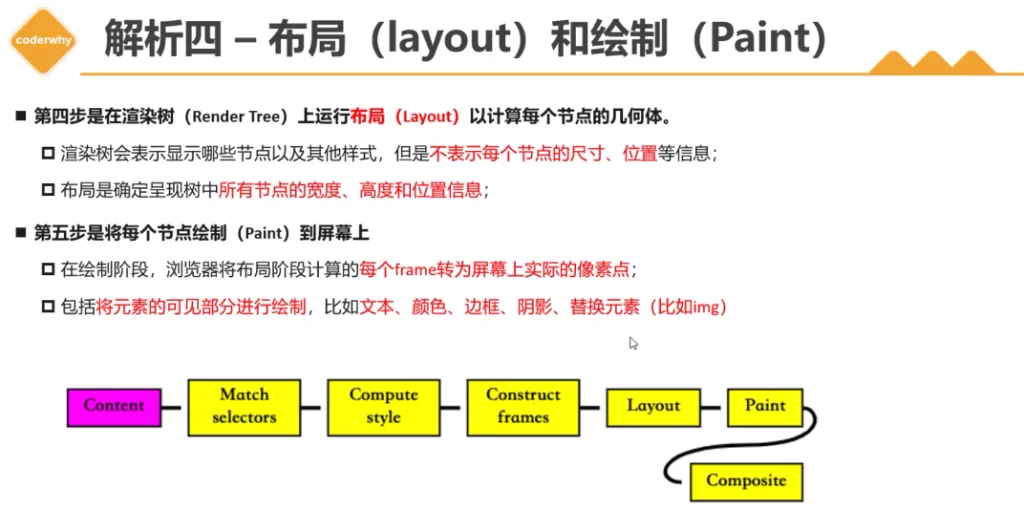
Layout and paint
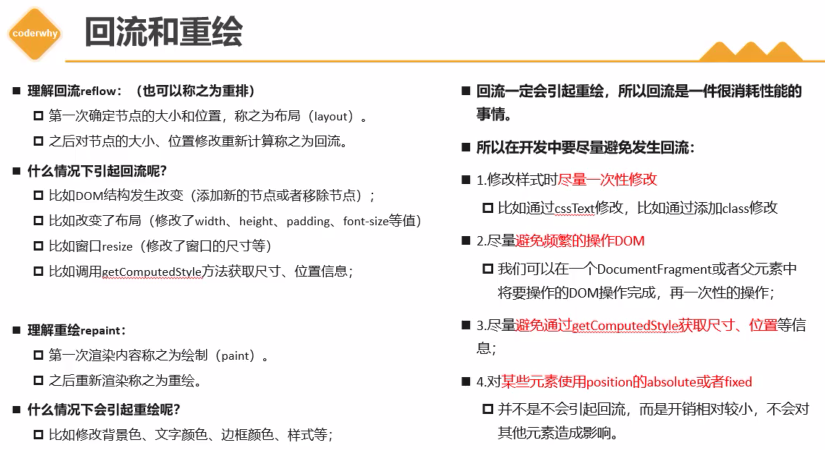
Compositing and optimization
Optimization: Batch geometry reads before writes. Reading offsetWidth after a DOM change may force synchronous layout. transform and opacity often avoid layout or paint, but compositor-only updates are not guaranteed. Use will-change selectively; excessive layers consume resources. Rendering performance.
How scripts affect parsing
| External script | Download and execution | Ordering and DOMContentLoaded |
|---|---|---|
| Classic, no async/defer | Parser pauses; script executes after download | Document order |
| Classic, defer | Downloads during parsing; executes after parsing | Document order; DOMContentLoaded waits |
| Classic, async | Executes when ready, potentially interrupting parsing | No document-order guarantee |
| type=module, no async | Deferred by default; dependencies are loaded too | DOMContentLoaded waits for normal module-script processing |
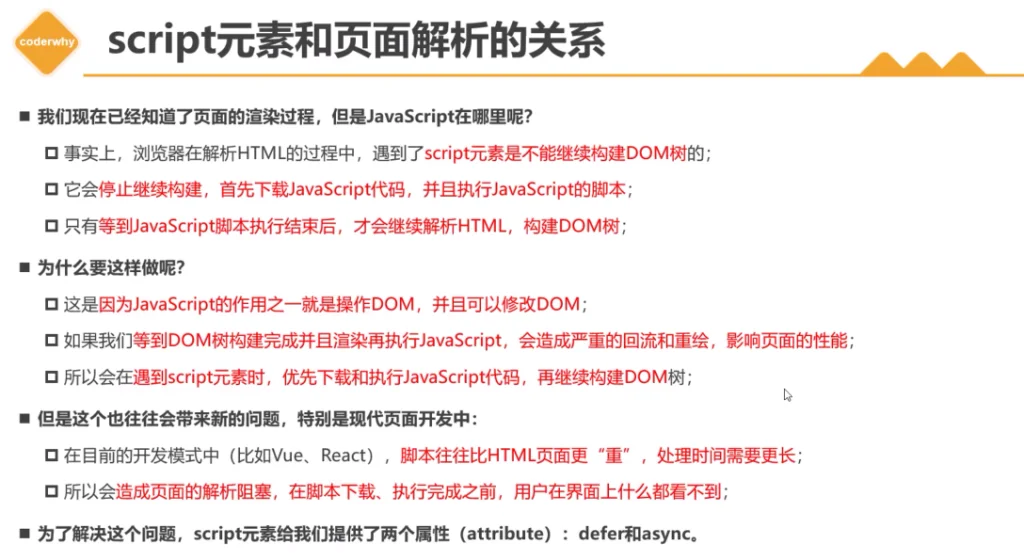
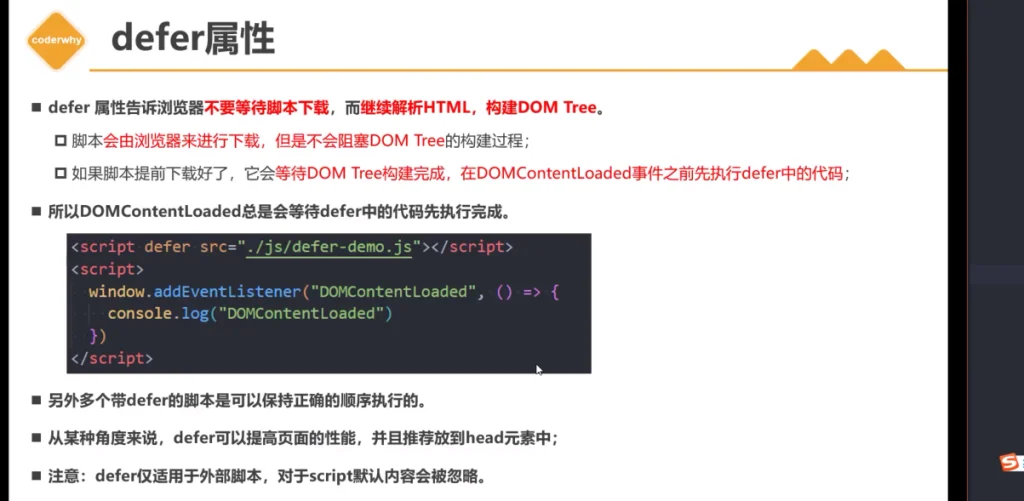
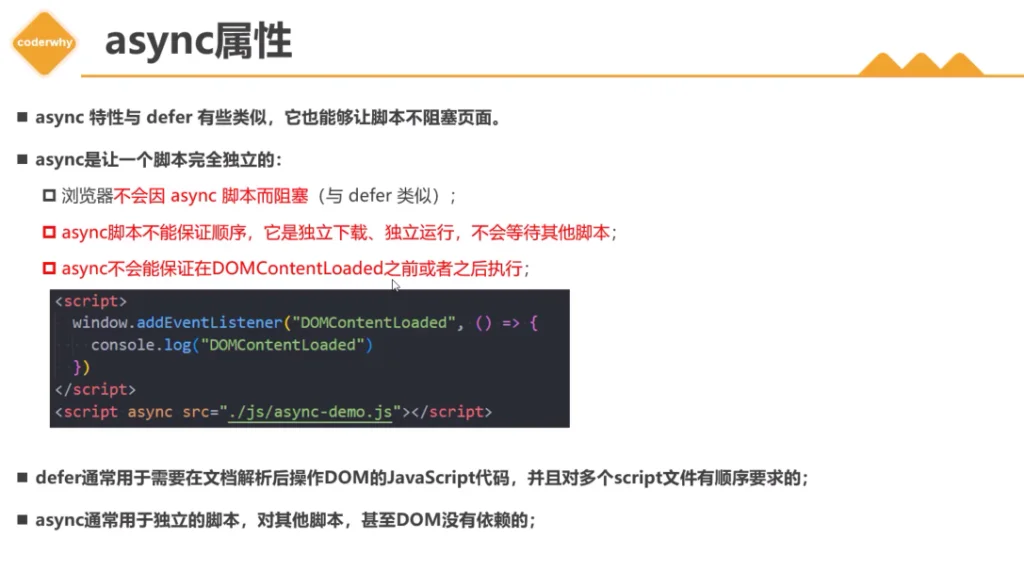
This table describes parser-inserted scripts; dynamically inserted scripts have different rules. defer does not apply to inline classic scripts and is unnecessary for module scripts. DOMContentLoaded does not wait for every image; top-level await can also defer a module's later code until after that event. Script element reference.
03 Engines, execution contexts, and closures
V8 execution and compilation tiers
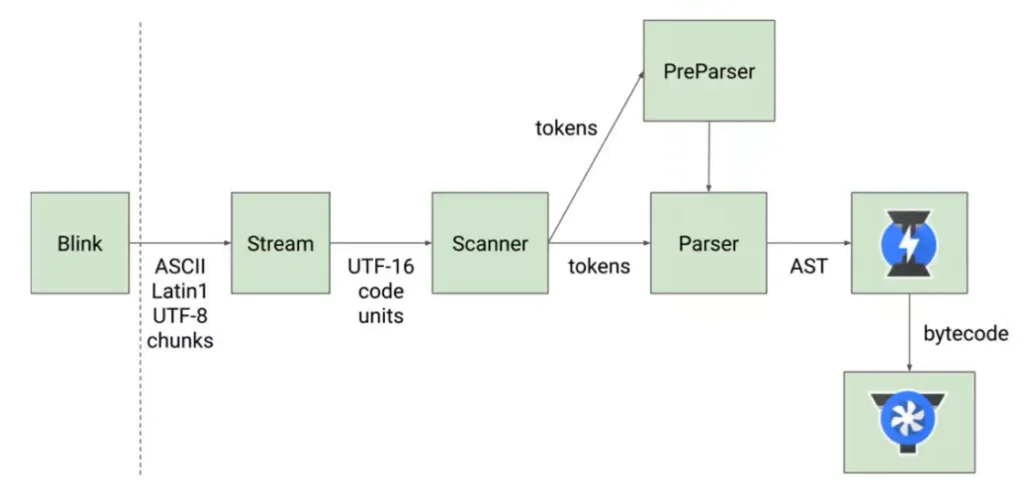
Source is scanned and parsed before execution through bytecode and machine code. V8 uses the Ignition interpreter and compilation tiers including Sparkplug, Maglev, and TurboFan. Policies depend on version, platform, and runtime feedback. Invalidated optimization assumptions can trigger deoptimization.
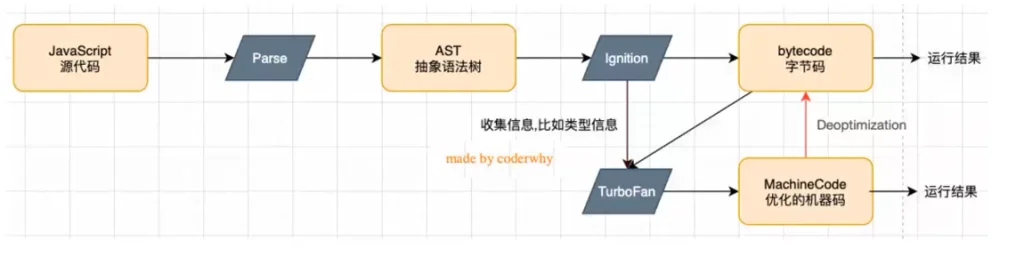
V8 architecture and parsing
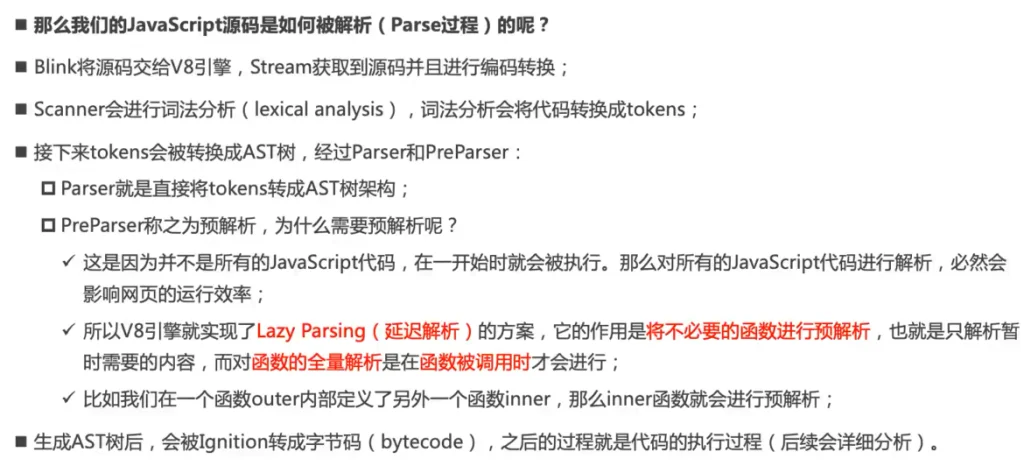
Lazy parsing is different from tree shaking: Lazy parsing postpones full analysis of functions; tree shaking eliminates unused code during a build based on static module relationships. Saying that an uncalled function has no AST is too broad. V8 · Maglev.
The global object and execution contexts
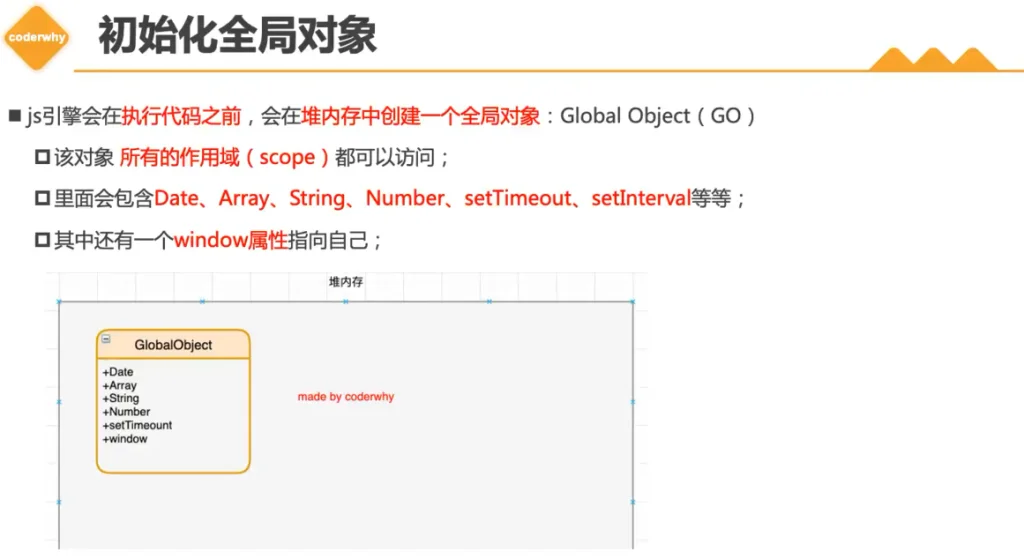
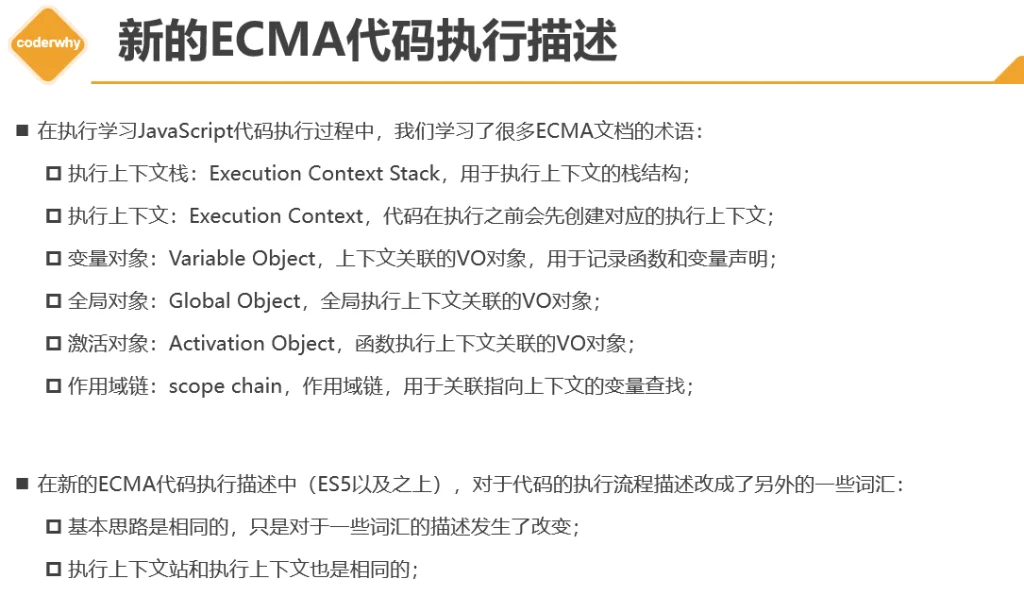
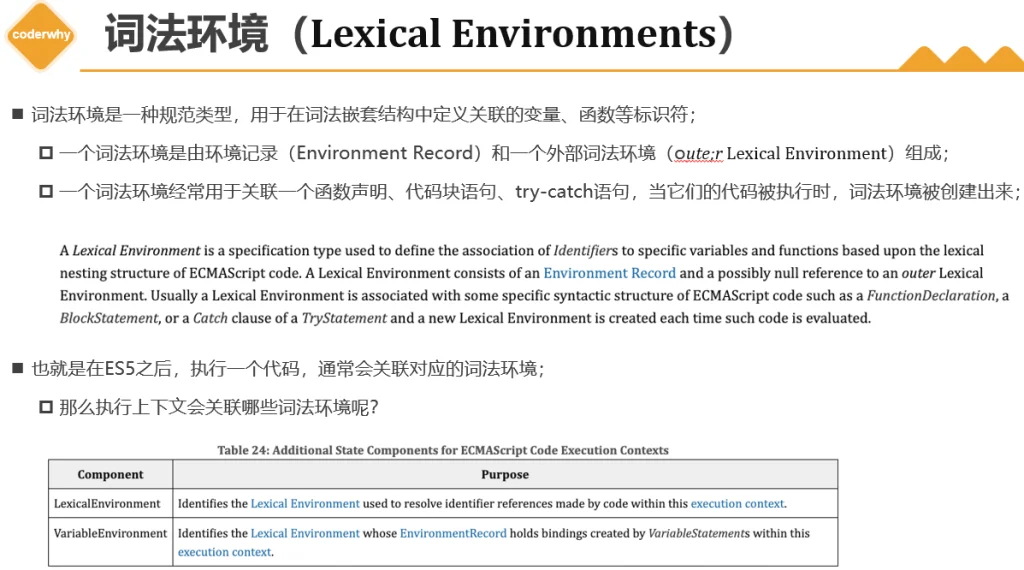
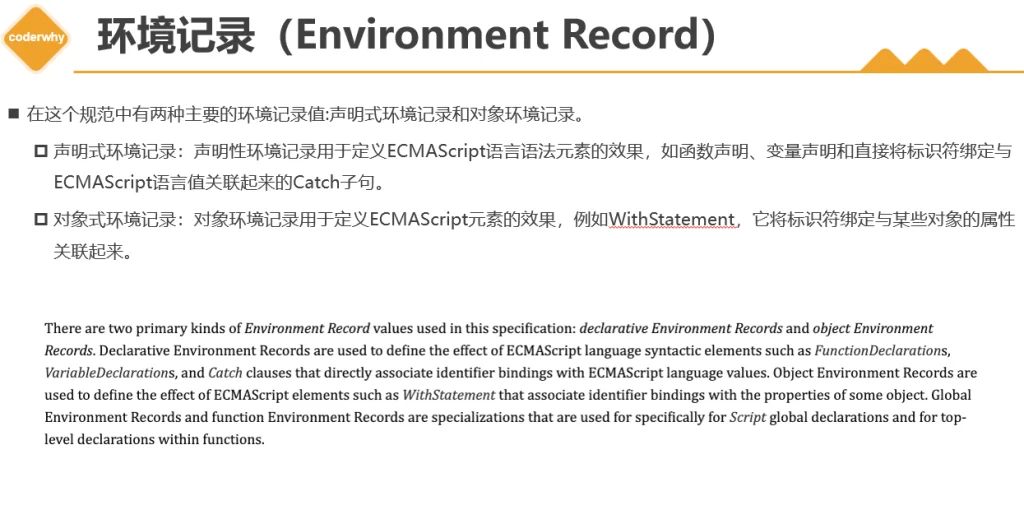
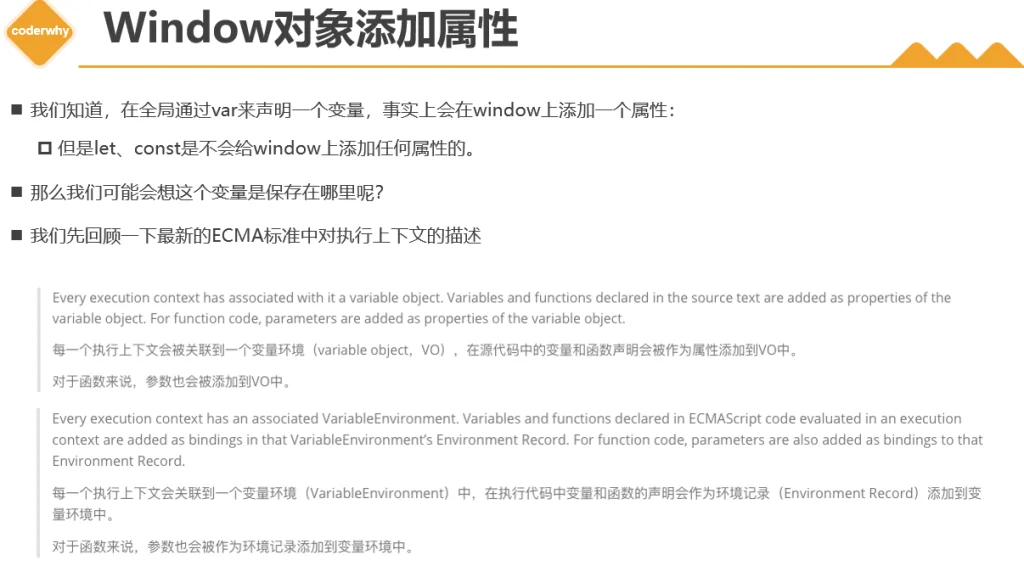
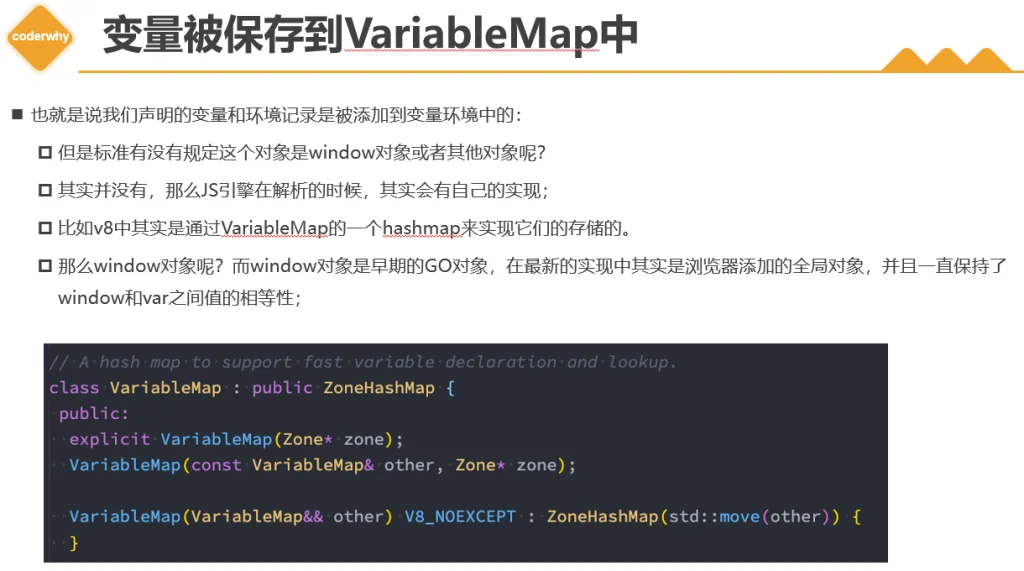
An execution context represents running code's state; lexical environments contain identifier bindings and links to outer environments. GO / VO / AO in older teaching material are explanatory models, not necessarily observable ordinary objects in modern engines. Global bindings do not all live on window.
Lexical environments, hoisting, and closures
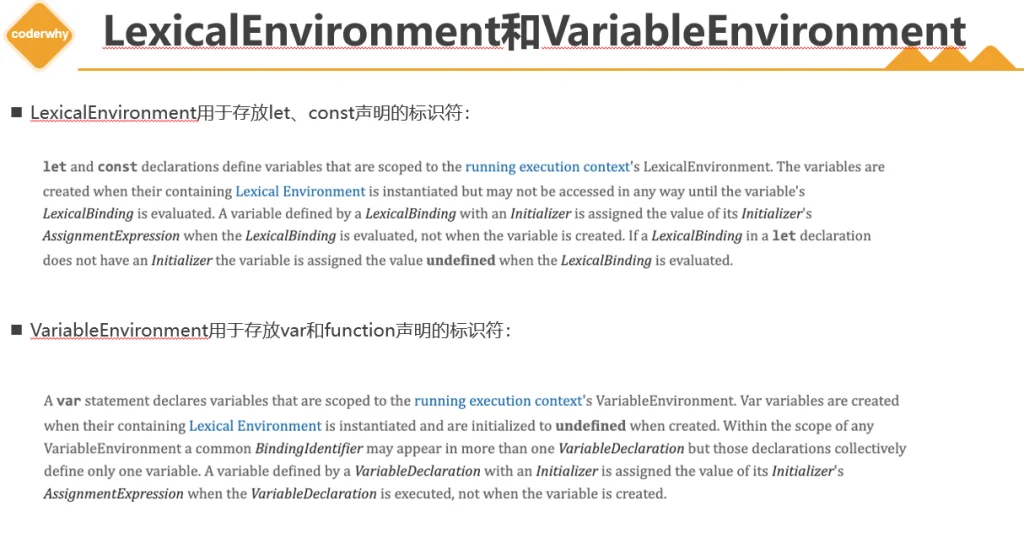
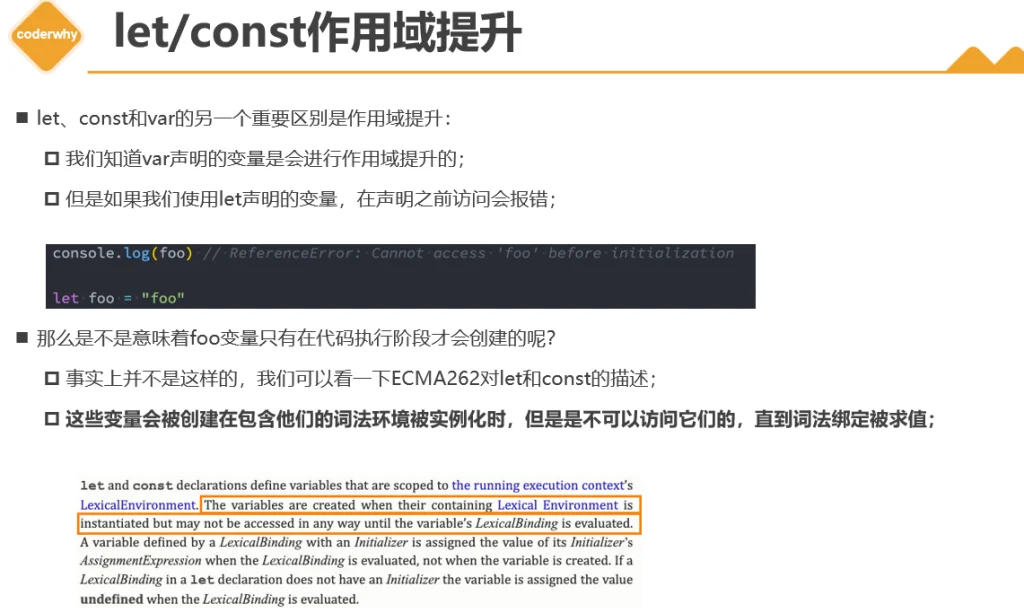
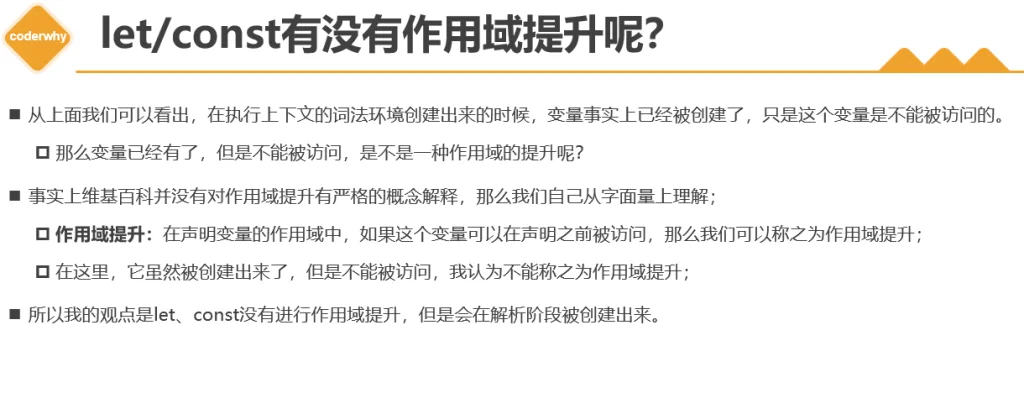
var bindings are created and initialized to undefined before execution. let / const bindings are also created in advance but remain in the temporal dead zone until their declarations execute; access throws ReferenceError. Function declarations can usually be called early; function expressions require their assignments to have executed.
"use strict"
console.log(count) // undefined
var count = 1
try {
  console.log(value)
} catch (error) {
  console.log(error.name) // "ReferenceError"
}
let value = 2

function createCounter() {
  let current = 0
  return () => ++current
}
const first = createCounter()
const second = createCounter()
console.log(first(), first(), second()) // 1 2 1
A closure preserves access to lexical bindings, not necessarily a snapshot of their initial values. Separate calls can create independent environments. Closures are not inherently memory leaks; investigate unnecessarily retained objects, listeners, and caches.
04 Advanced functions and composition
Function object properties
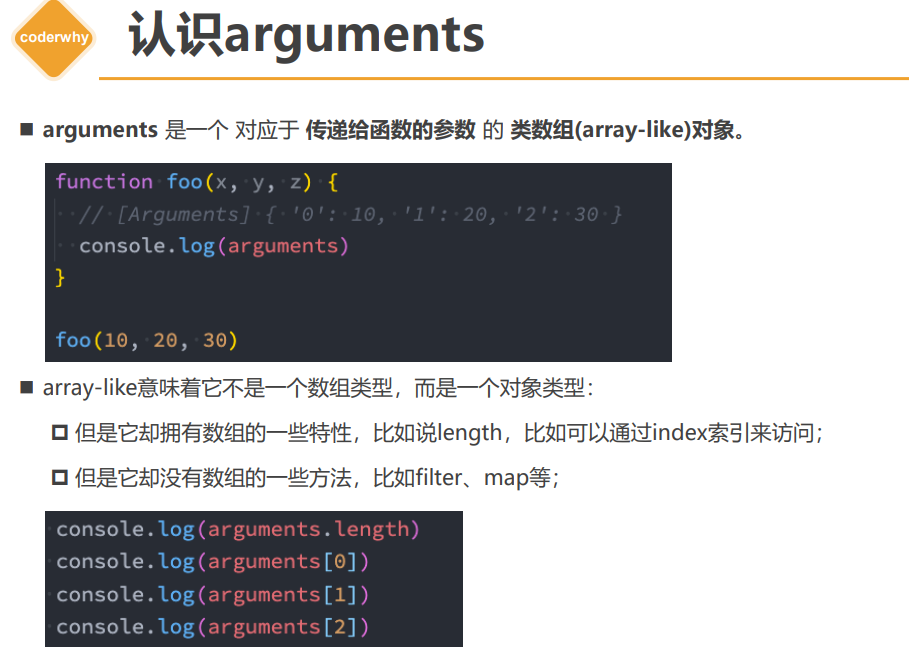
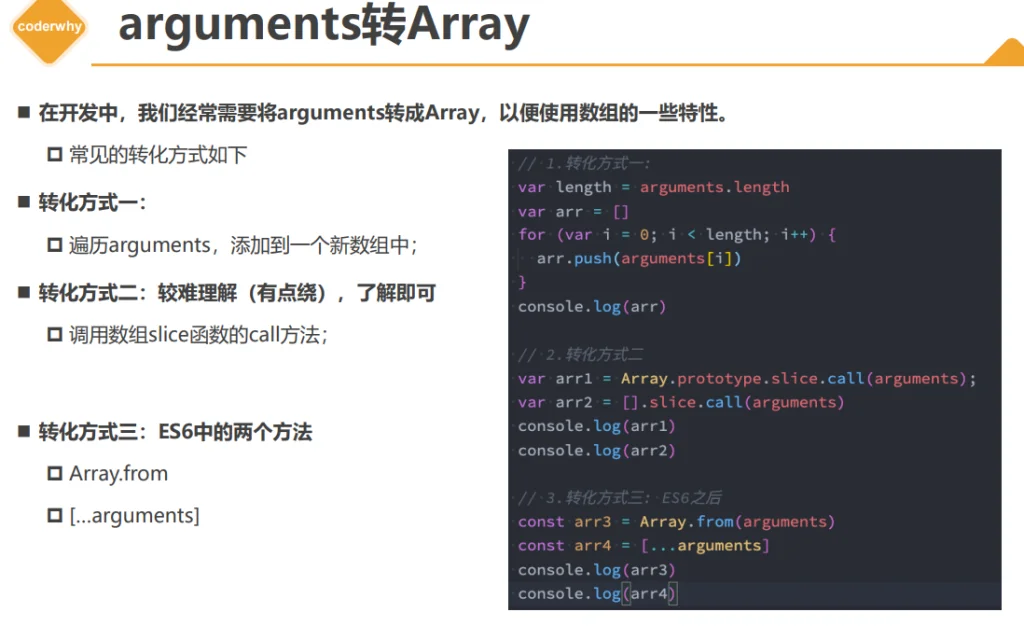
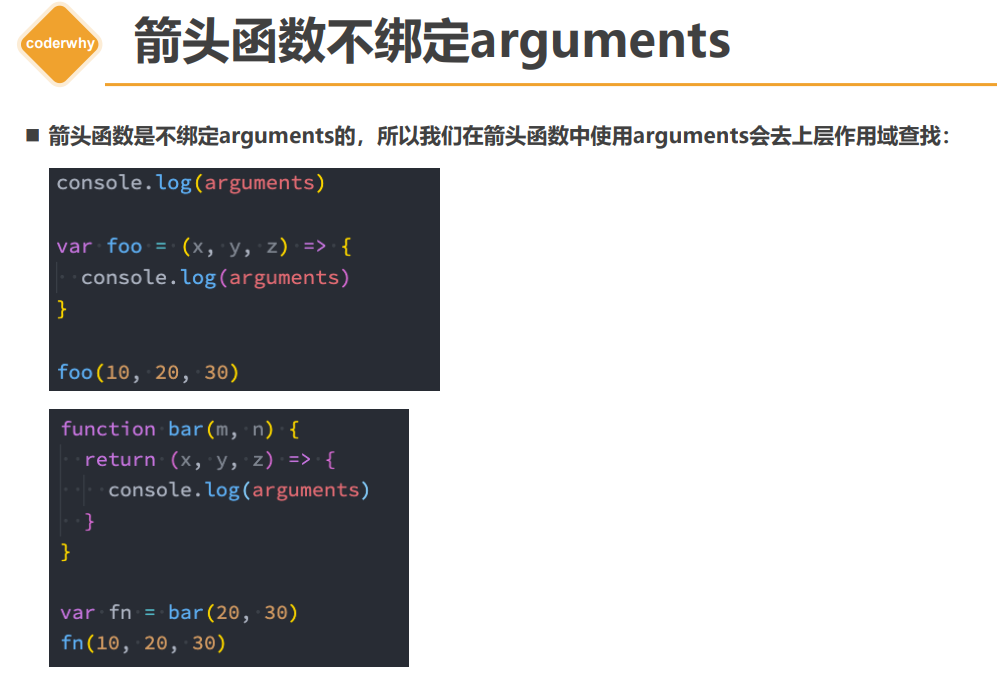
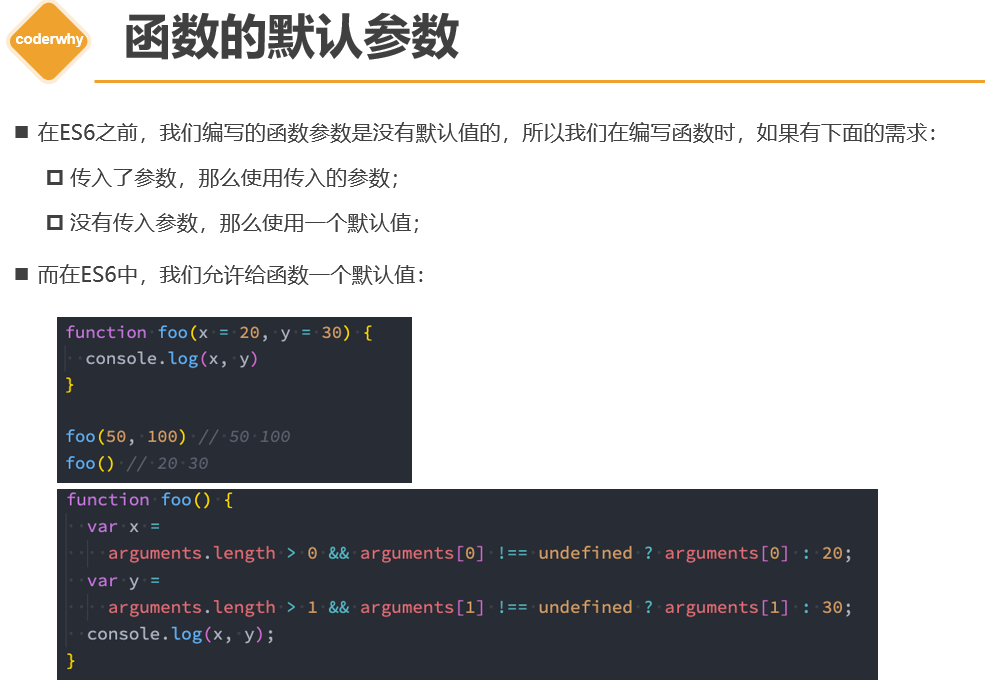
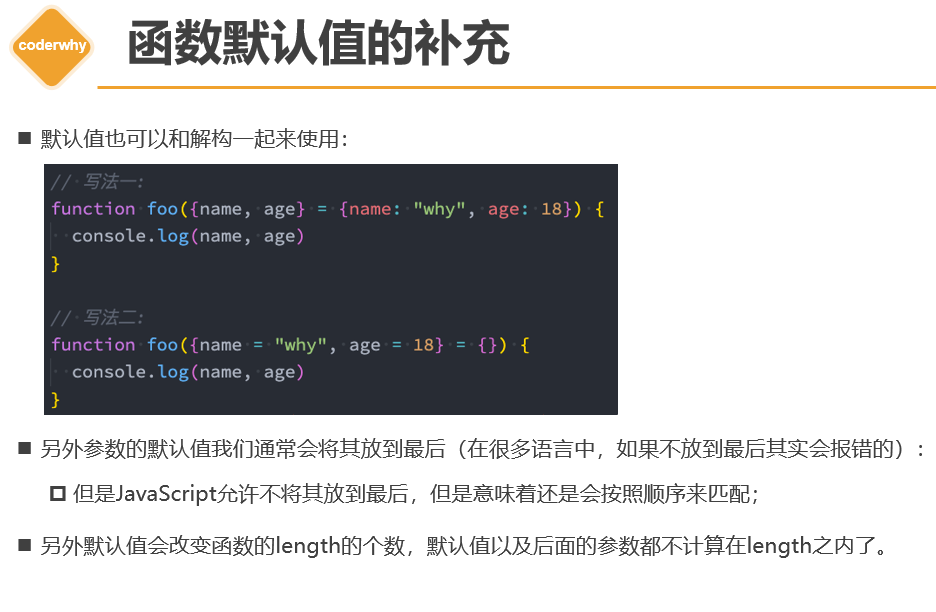
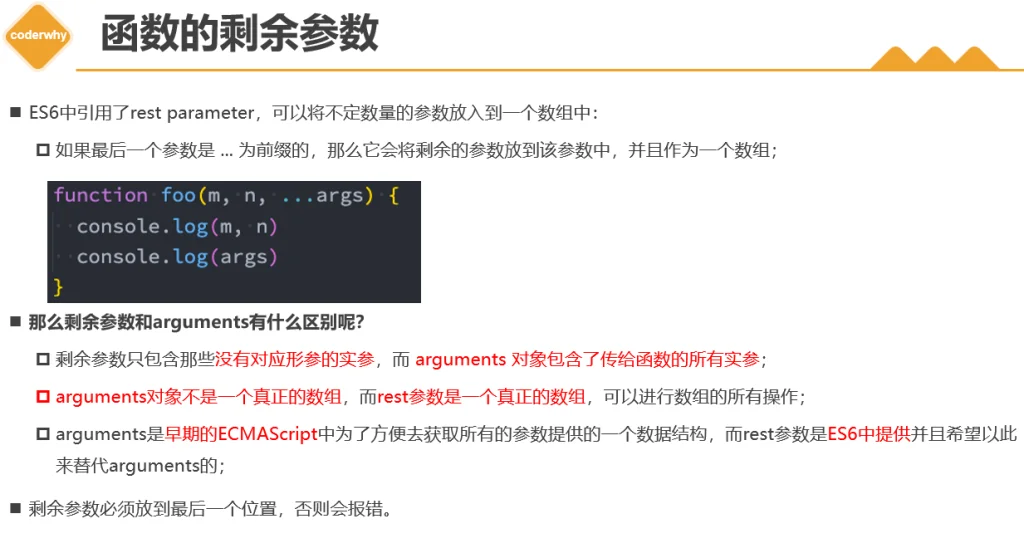
Functions are objects and can have properties. name identifies a function. length counts parameters before the first default parameter and excludes rest parameters. An ordinary function's arguments is array-like and can be converted with Array.from(). Arrows have no own arguments. Rest parameters provide a real array and are usually clearer in new code.
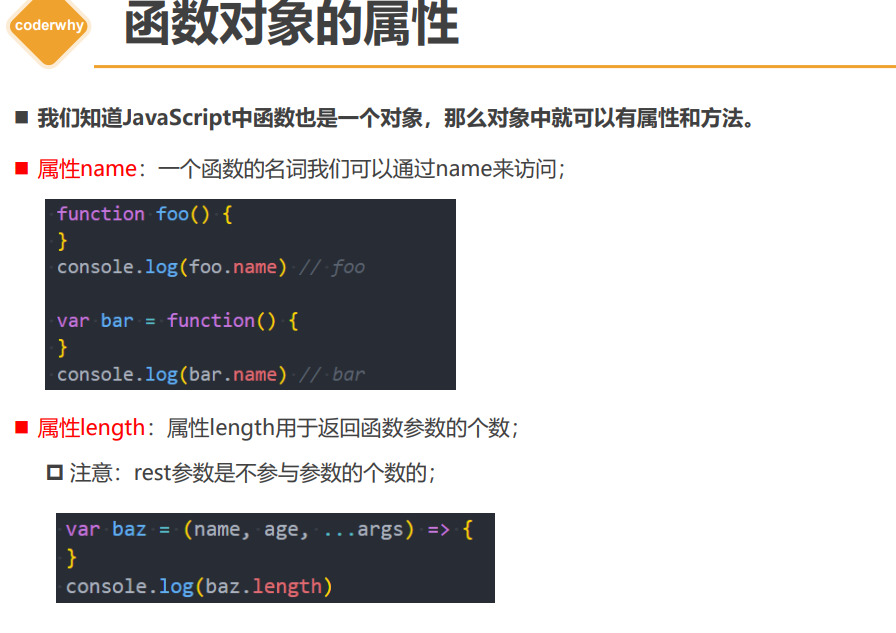
function sample(a, b = 1, ...rest) {
  return [a, b, rest]
}
console.log(sample.name, sample.length) // "sample", 1
arguments and rest parameters
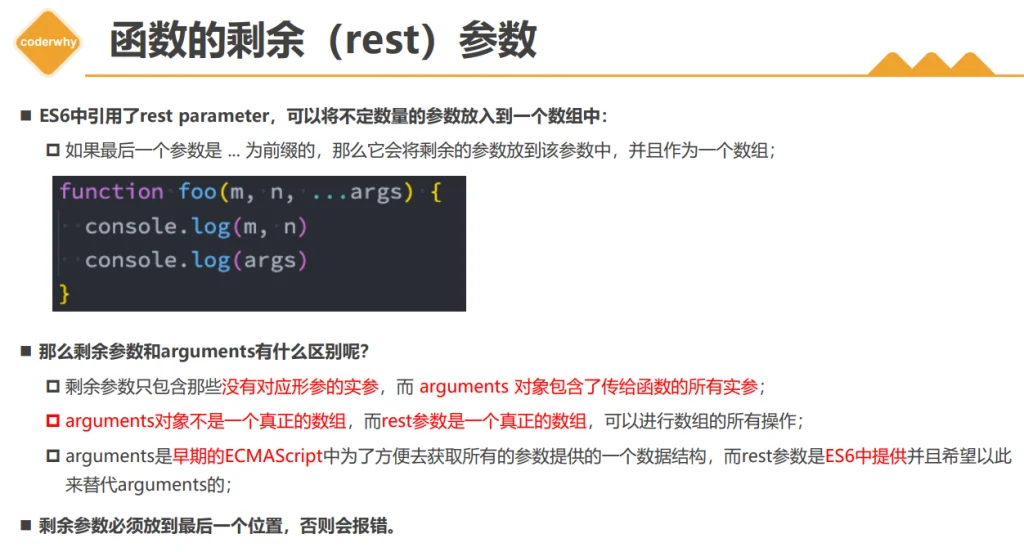
function sum(...values) {
  return values.reduce((total, value) => total + value, 0)
}
console.log(sum(), sum(1, 2, 3)) // 0 6
Pure functions and side effects
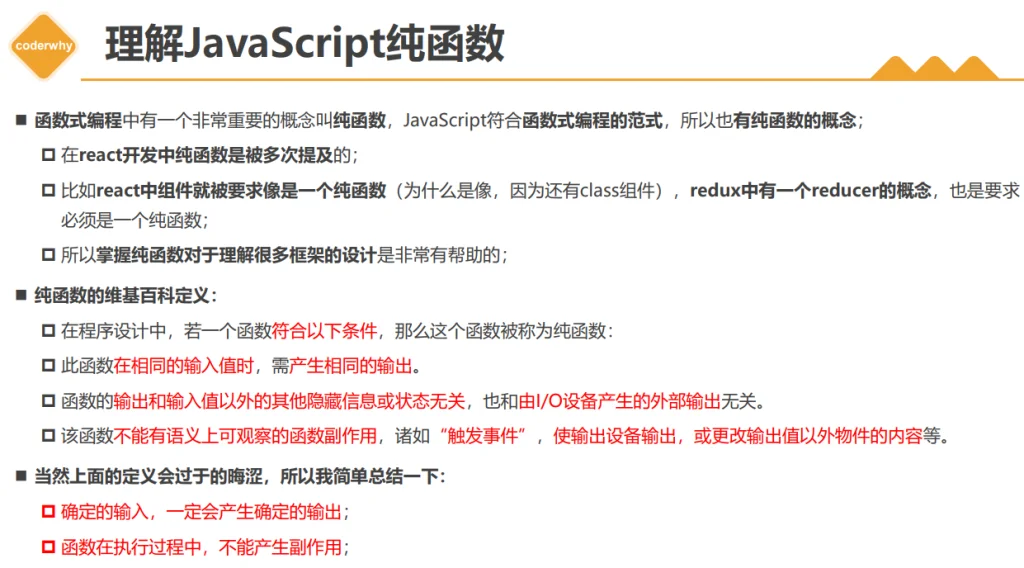
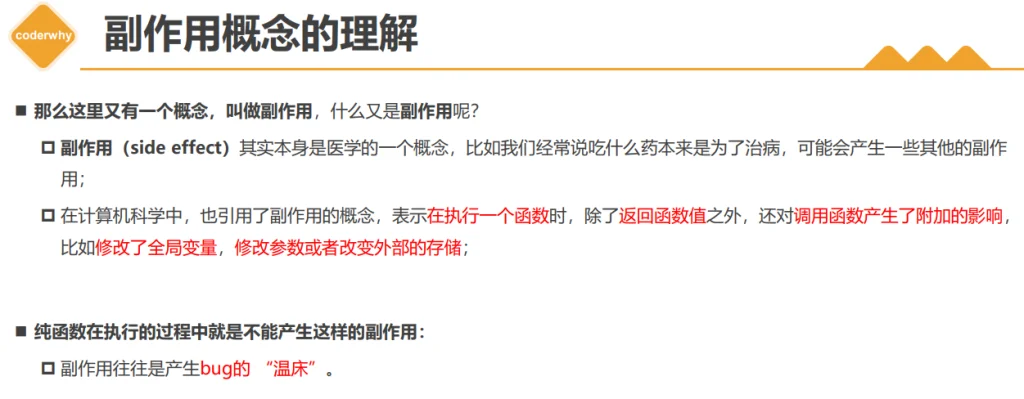
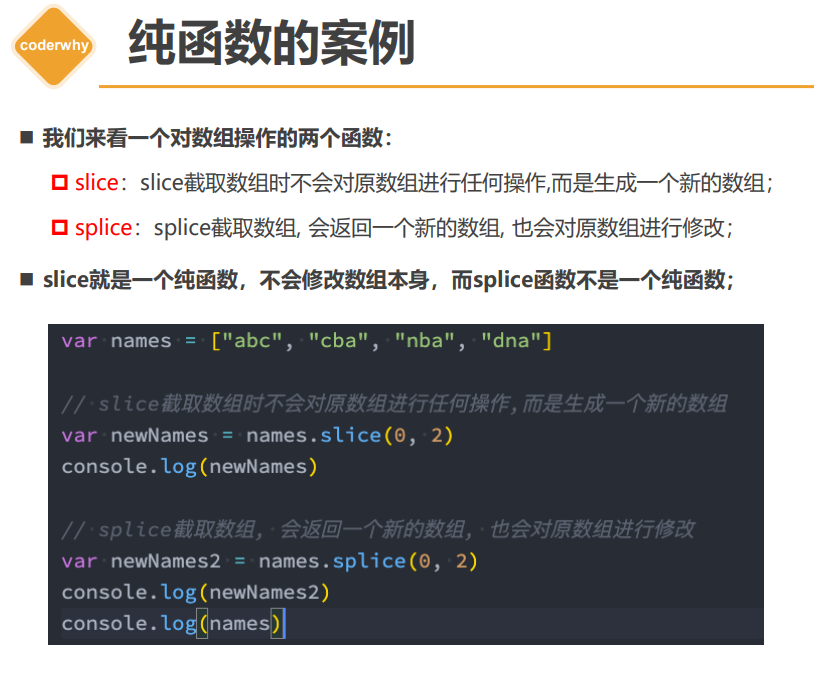
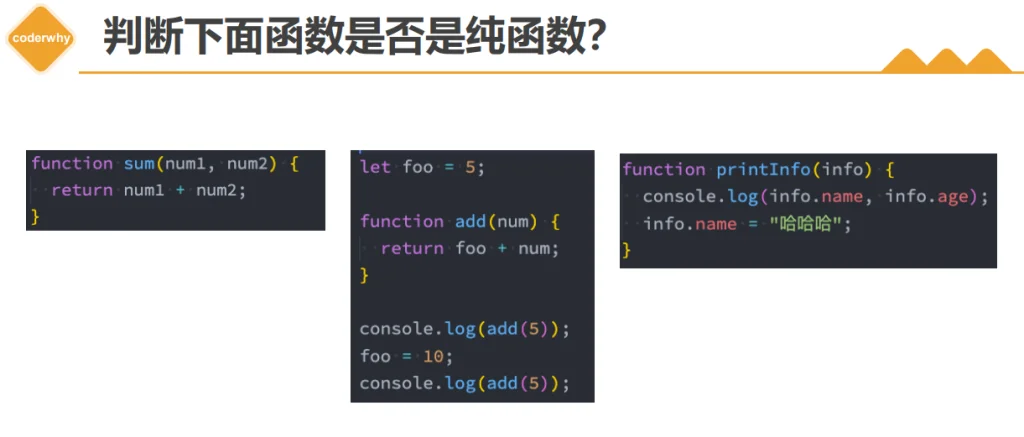
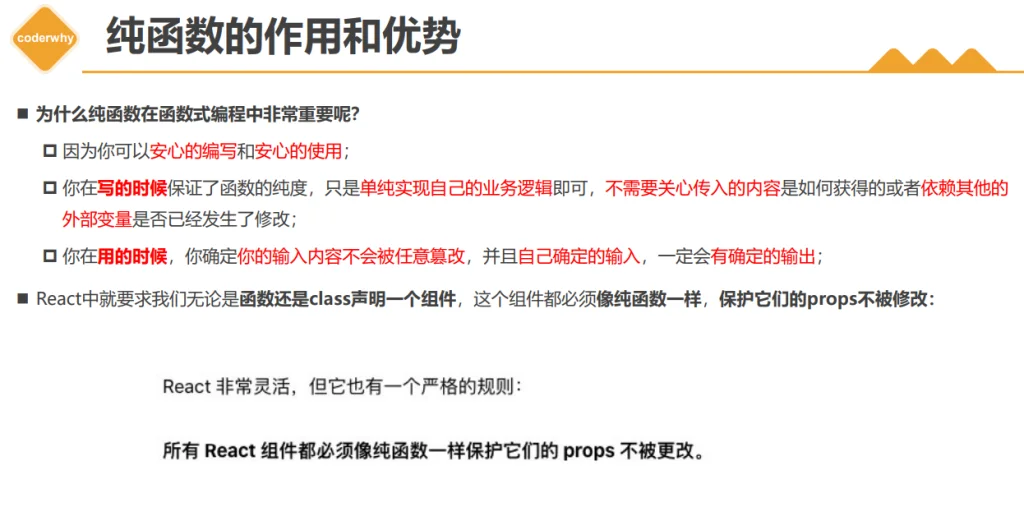
A pure function produces the same result for the same input and has no observable side effects. Mutating an argument, writing external state, making a request, and logging are side effects. A pure function also cannot depend on changing external state.
Currying and partial application
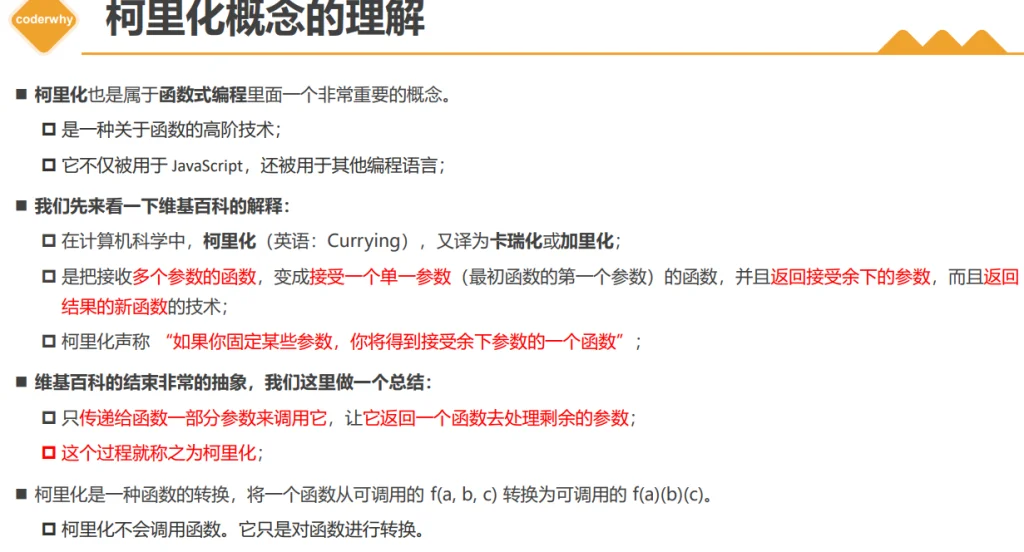
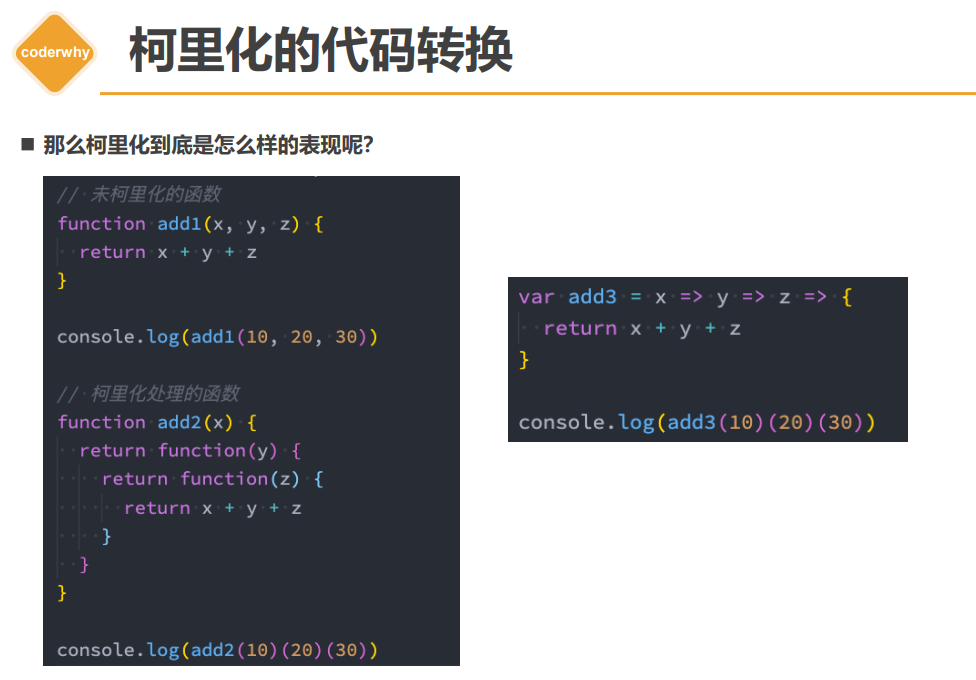
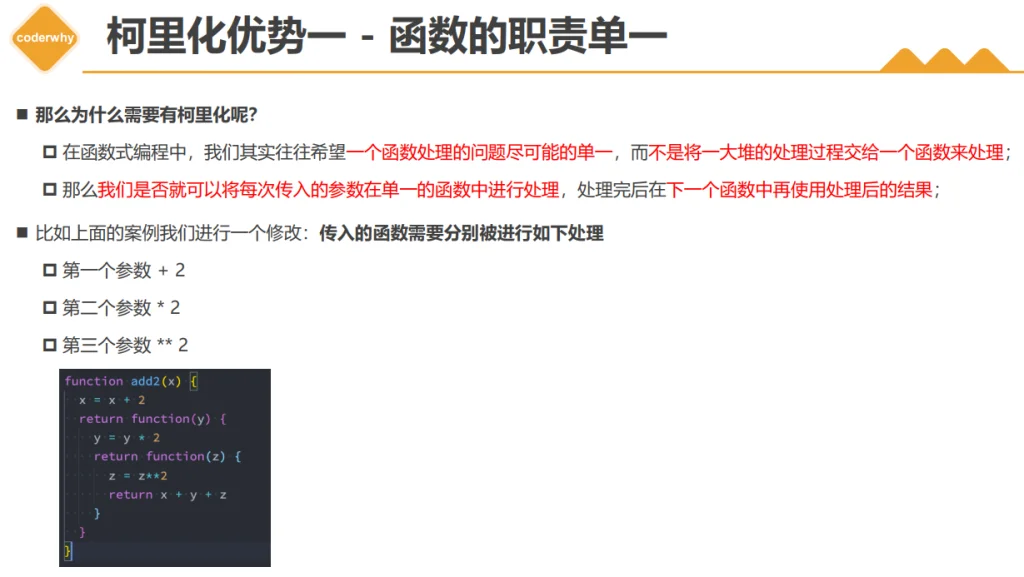
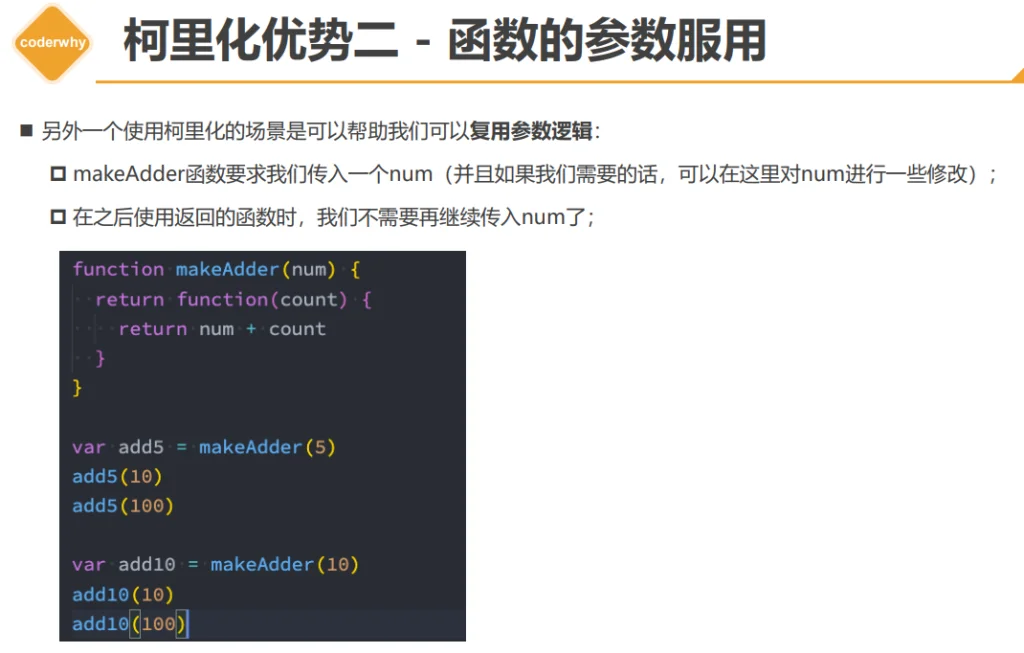
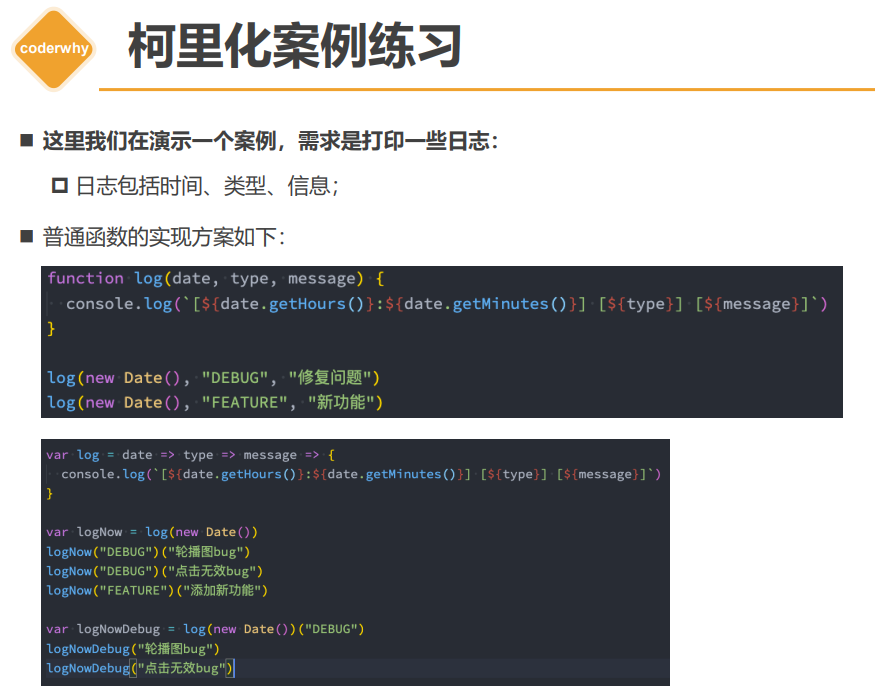
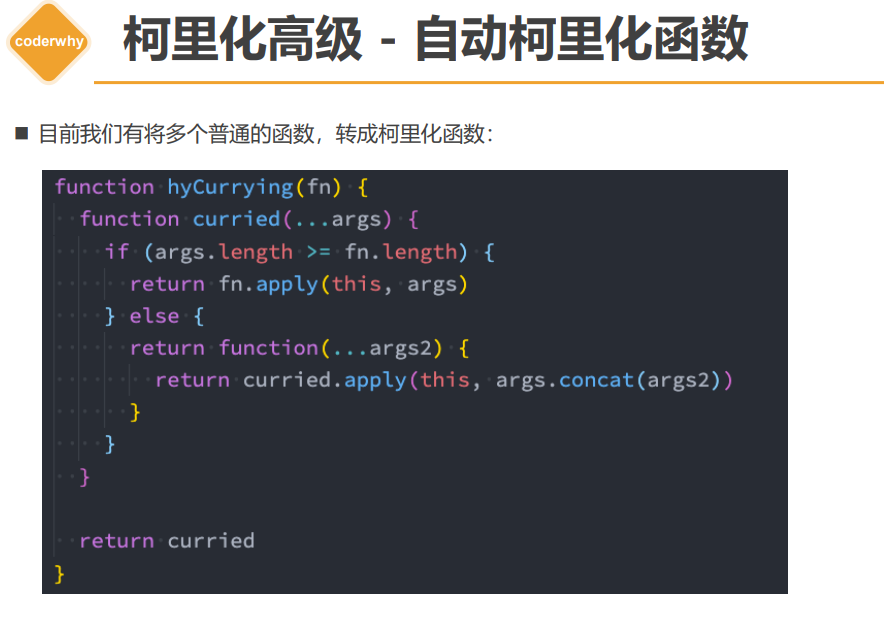
Currying converts a multi-parameter function into successive functions that receive parameters; partial application presets some arguments. Both help reuse configuration but do not automatically improve performance. The fixed-arity helper below keeps argument chains independent. Specify arity explicitly for default parameters, rest parameters, or overload-like behavior.
Reusing curried functions
Automatic currying
function curry(fn, arity = fn.length) {
  if (!Number.isInteger(arity) || arity < 0) {
    throw new RangeError("Invalid arity")
  }
  function collect(previous) {
    return function (...next) {
      const args = [...previous, ...next]
      return args.length >= arity ? fn(...args) : collect(args)
    }
  }
  return collect([])
}
const add = curry((a, b, c) => a + b + c)
const addOne = add(1)
console.log(addOne(2)(3), addOne(4, 5)) // 6 10
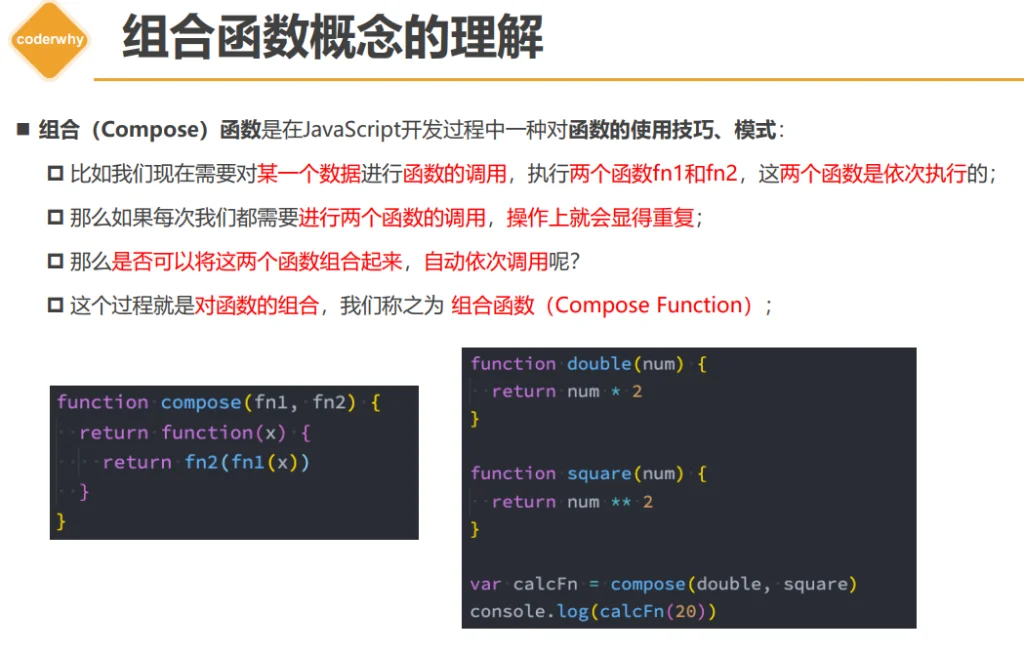
pipe and compose
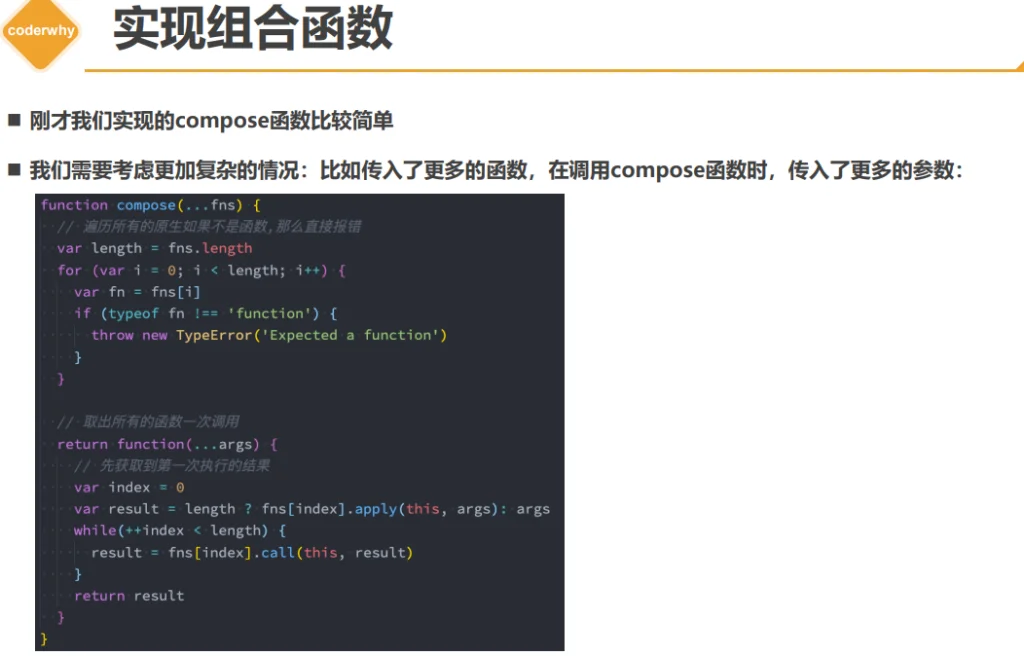
pipe applies functions left to right; compose applies them right to left. The helpers below accept unary synchronous functions, with an empty list acting as the identity. Asynchronous pipelines need separate Promise handling.
const pipe =
  (...fns) =>
  (value) =>
    fns.reduce((result, fn) => fn(result), value)
const compose =
  (...fns) =>
  (value) =>
    fns.reduceRight((result, fn) => fn(result), value)
const double = (value) => value * 2
const square = (value) => value ** 2
console.log(pipe(double, square)(3)) // 36
console.log(compose(double, square)(3)) // 18
console.log(pipe()(3)) // 3
The limits of with
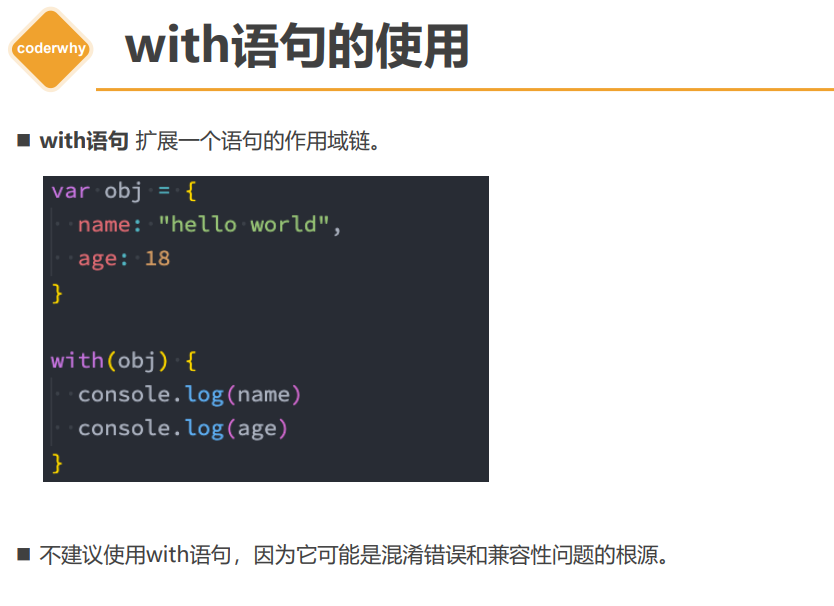
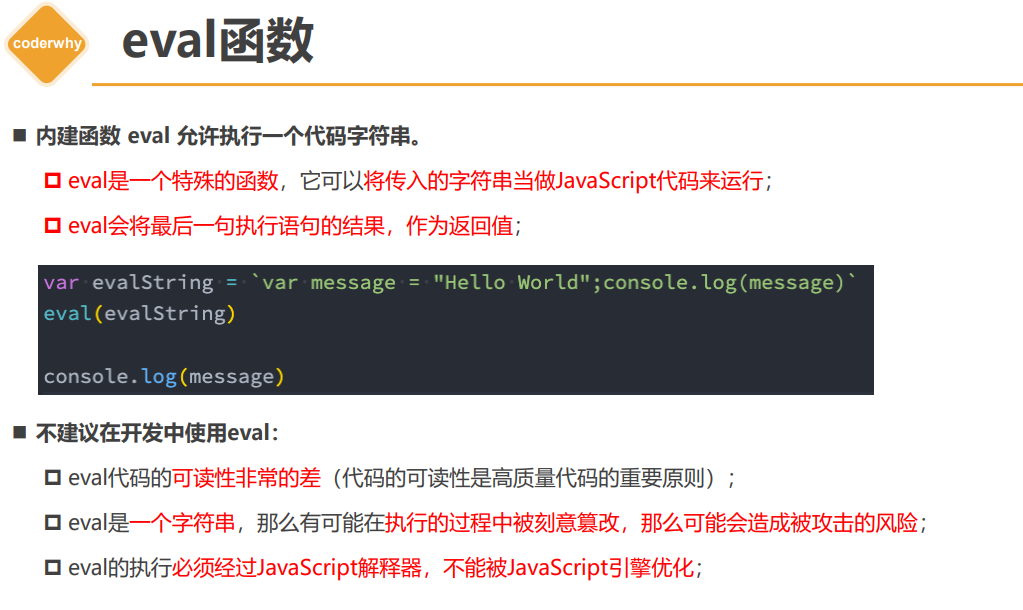
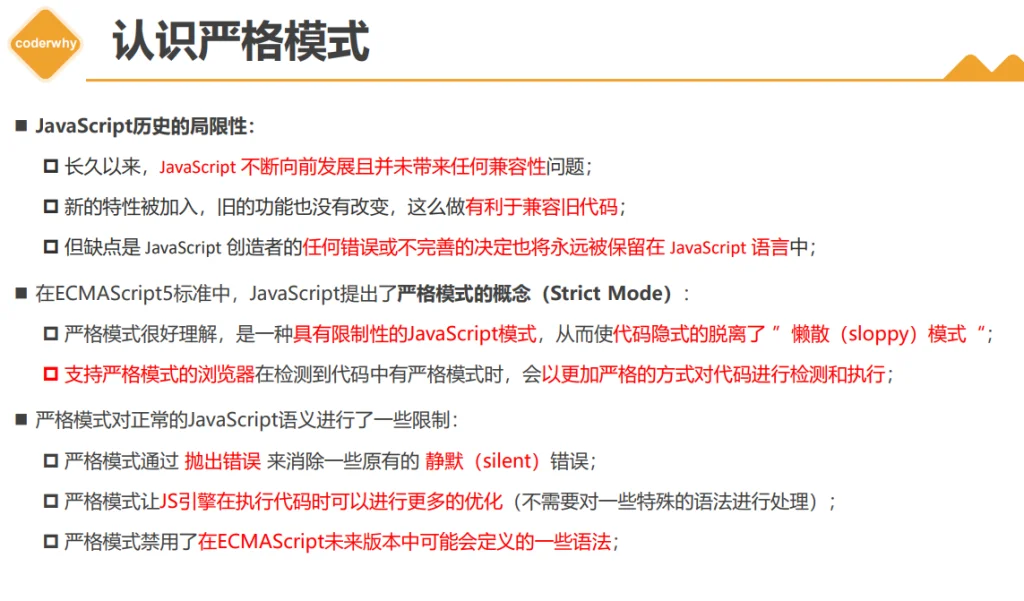
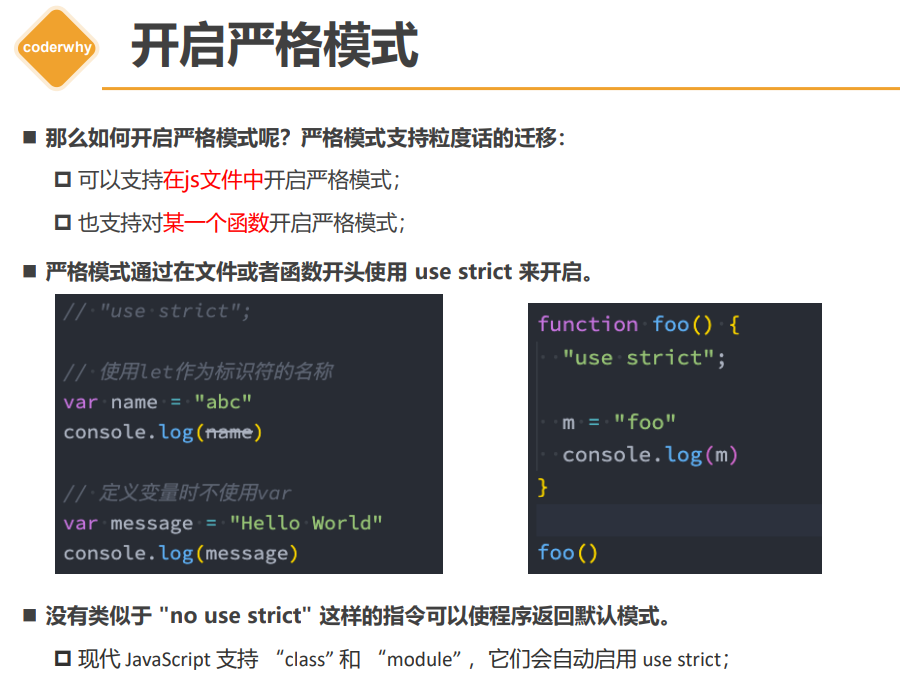
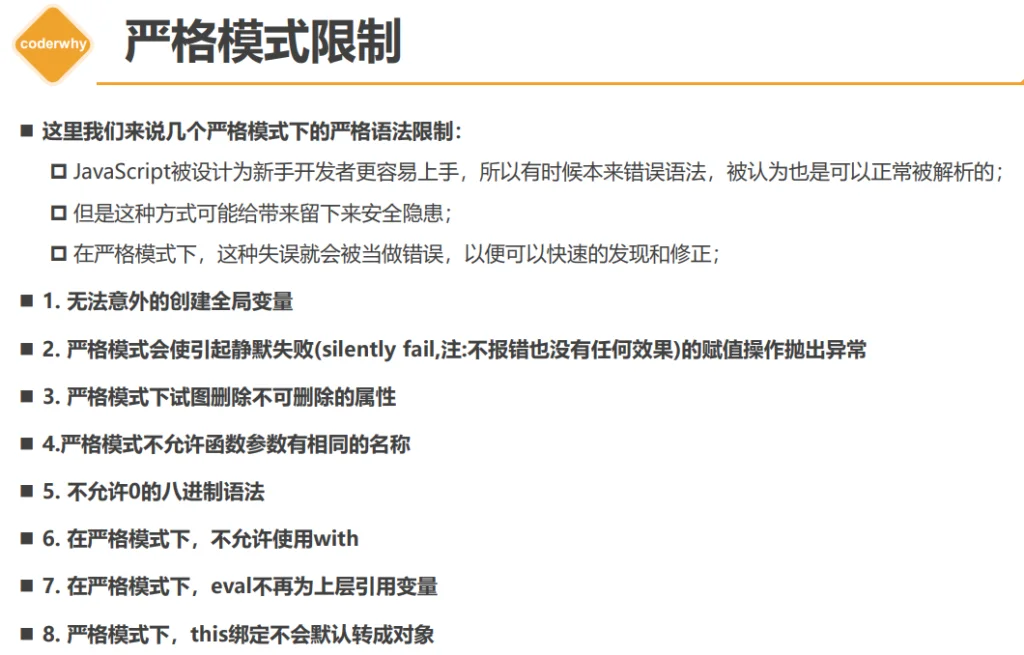
Strict mode prohibits with. eval executes strings as code, makes analysis harder, and must not receive untrusted input. Parse JSON with JSON.parse() and access properties through explicit objects.
The limits of eval
Strict mode
05 Object properties and descriptors
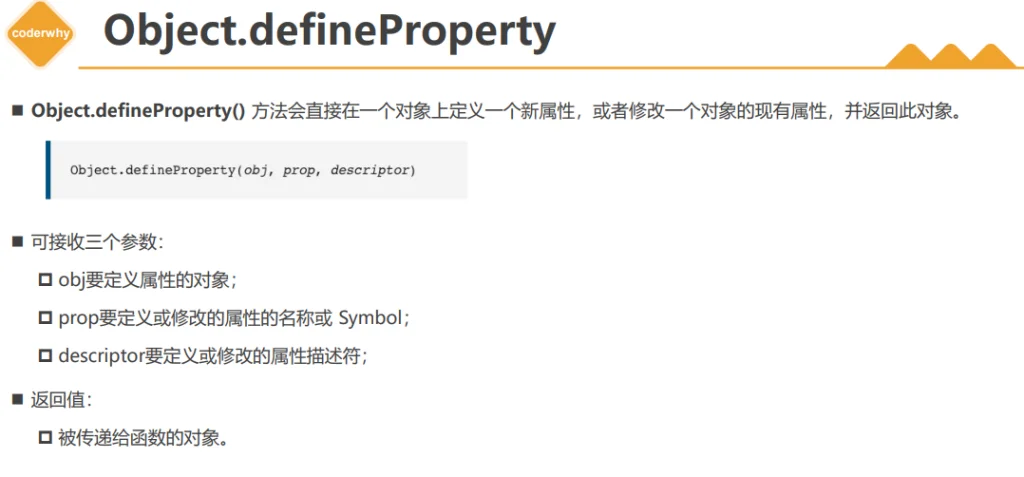
Object.defineProperty
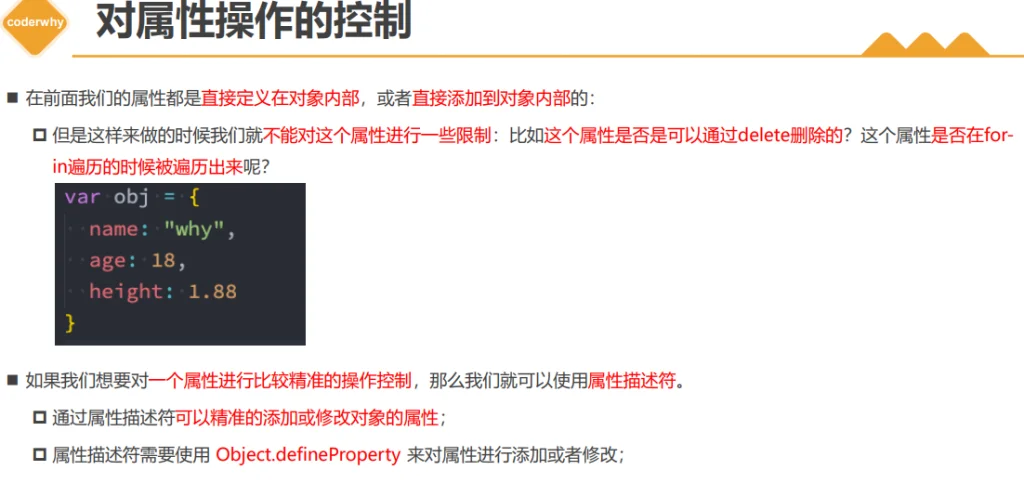
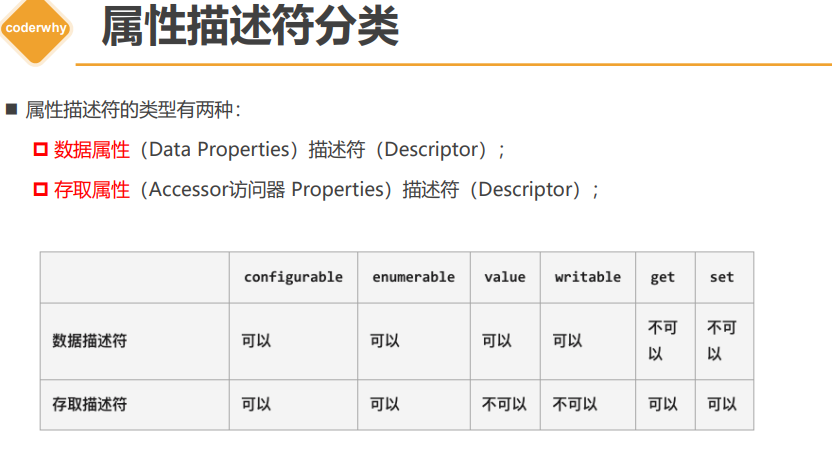
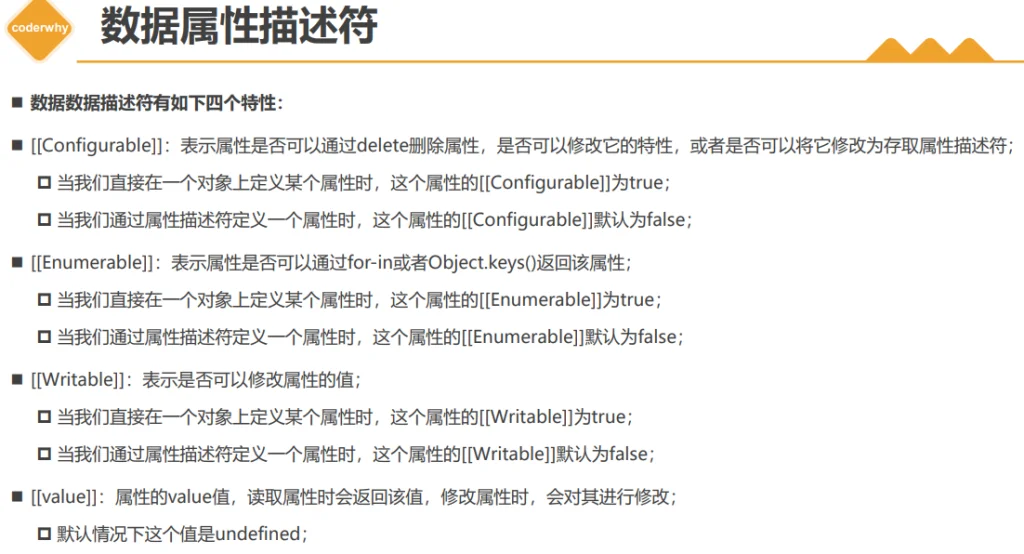
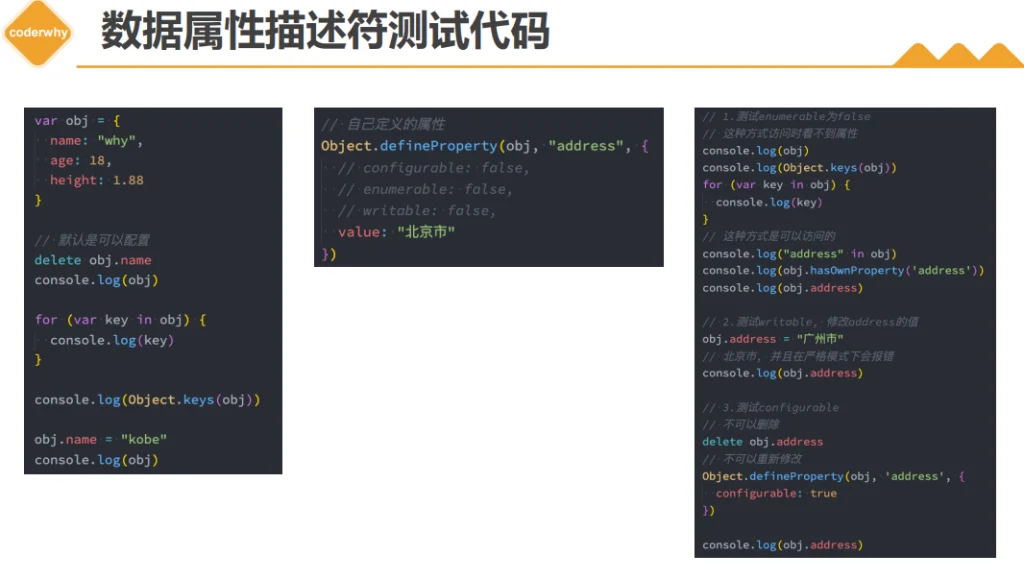
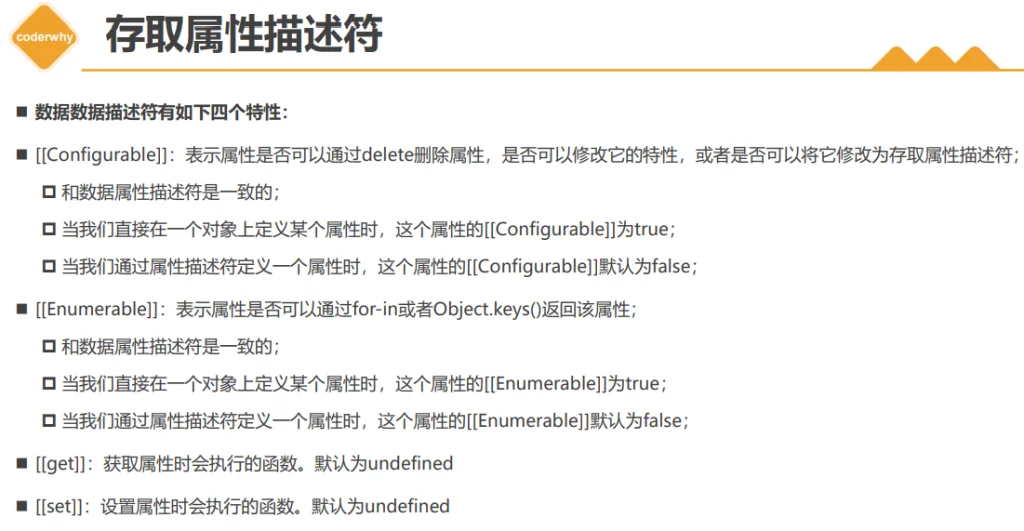
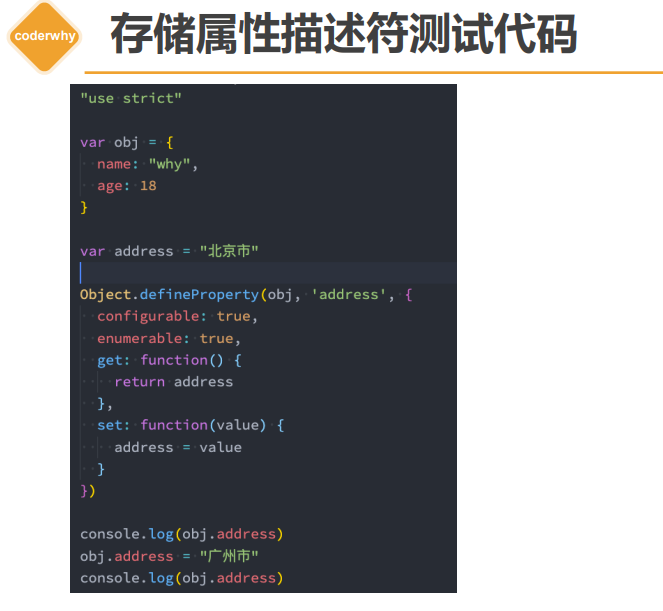
Data descriptors use value / writable; accessor descriptors use get / set. Do not mix the two groups. Both support enumerable and configurable. When Object.defineProperty() creates a property, omitted boolean flags default to false; when updating one, unspecified fields normally keep their existing values. Ordinary data properties in object literals normally have all three flags set to true.
Data property descriptors
"use strict"
const user = {}
Object.defineProperty(user, "id", { value: 1, enumerable: true })
let name = "Jack"
Object.defineProperty(user, "name", {
  enumerable: true,
  configurable: true,
  get() {
    return name
  },
  set(value) {
    name = String(value).trim()
  },
})
user.name = " Jill "
console.log(user.id, user.name) // 1 "Jill"
console.log(Object.keys(user)) // ["id", "name"]
try {
  user.id = 2
} catch (error) {
  console.log(error.name)
} // "TypeError"
Accessor property descriptors
Bulk definitions and descriptor inspection
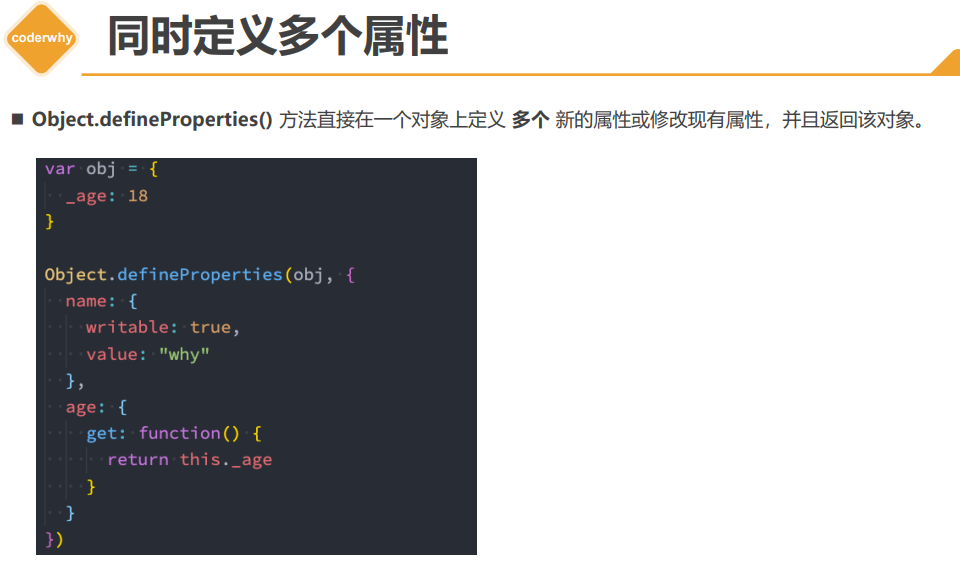
Object.defineProperties() defines several properties. Object.getOwnPropertyDescriptor() / Object.getOwnPropertyDescriptors() inspect descriptors. Object.keys() returns own enumerable string keys; Reflect.ownKeys() includes all own string and symbol keys.
Object integrity and shallow freezing
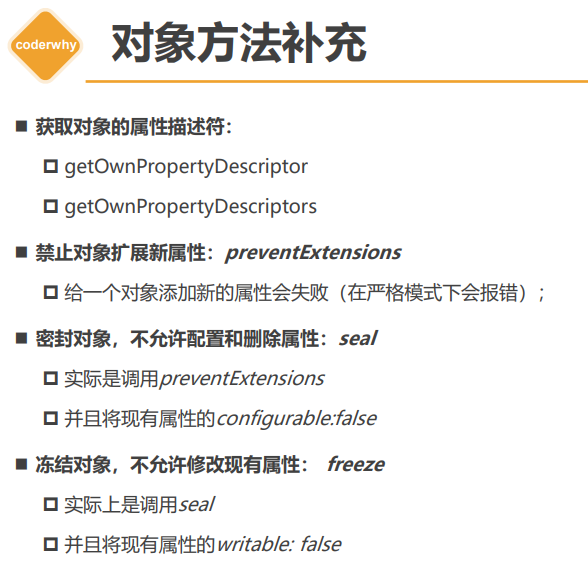
| Operation | Add properties | Delete or reconfigure | Write existing writable data properties |
|---|---|---|---|
| preventExtensions | No | Existing descriptors apply | Yes |
| seal | No | No | Yes |
| freeze | No | No | No |
These constraints primarily apply to own properties. Freezing is shallow: nested objects can still change, and accessor setters may still work. Strict mode generally throws for writes to read-only properties, additions to non-extensible objects, or deletion of non-configurable properties. Property descriptors.
06 Prototype chains and ES5 inheritance
Object prototypes
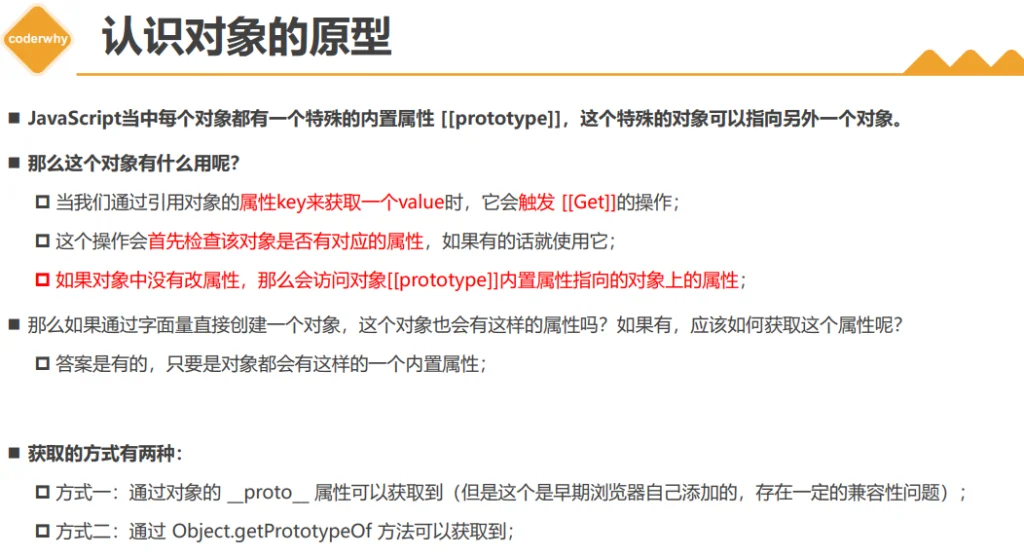
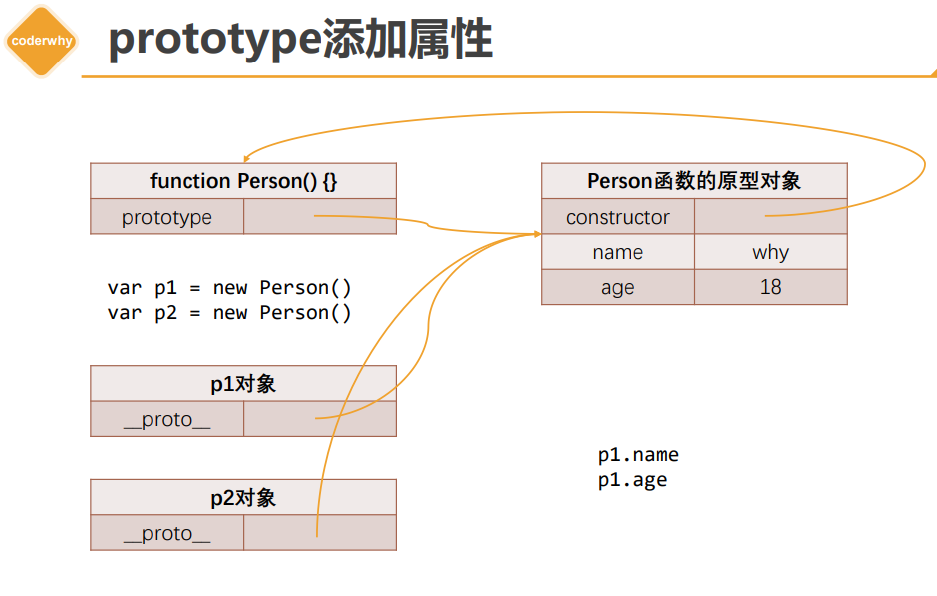
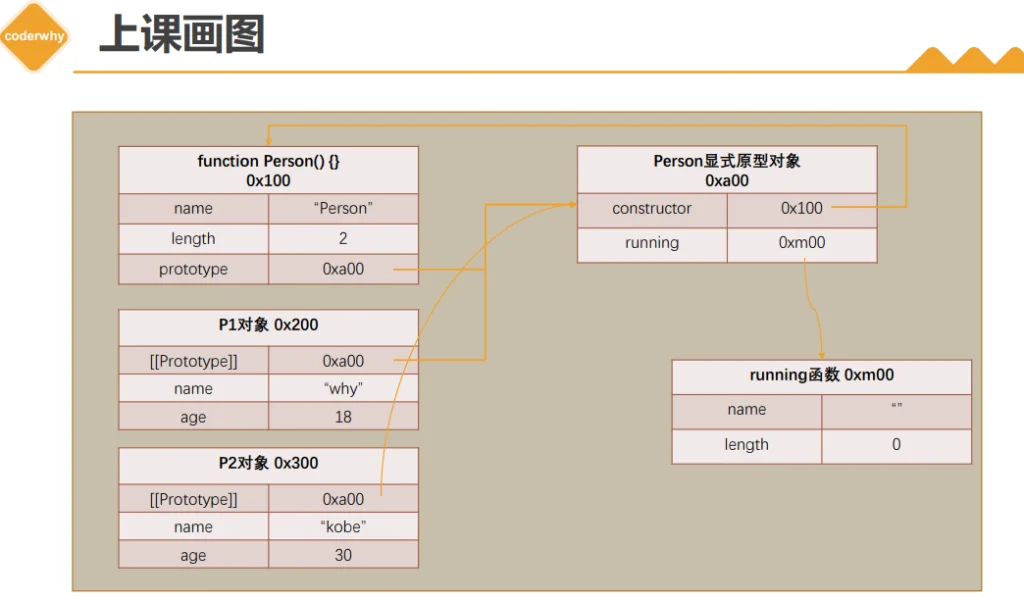
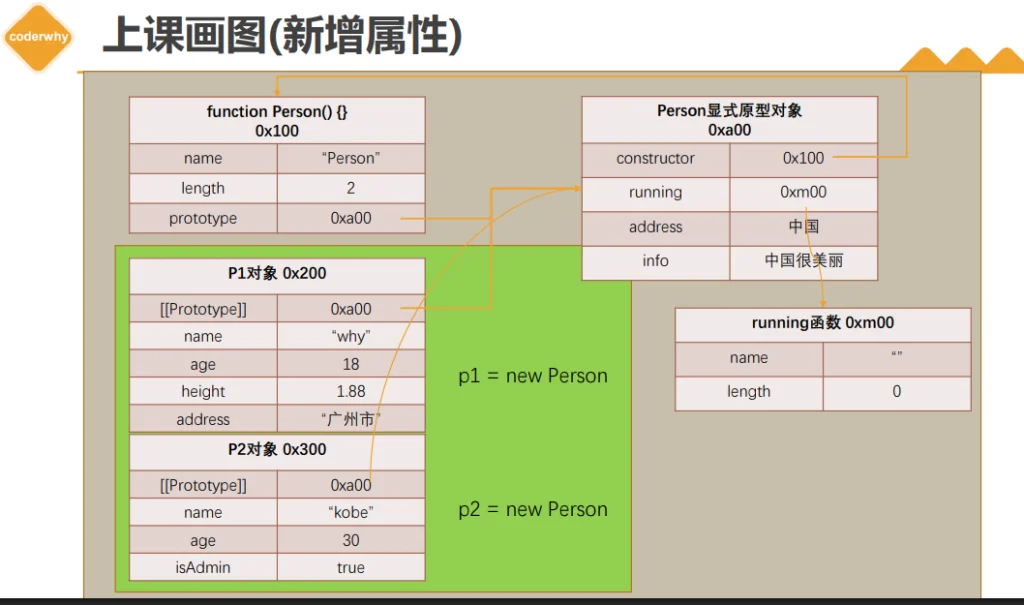
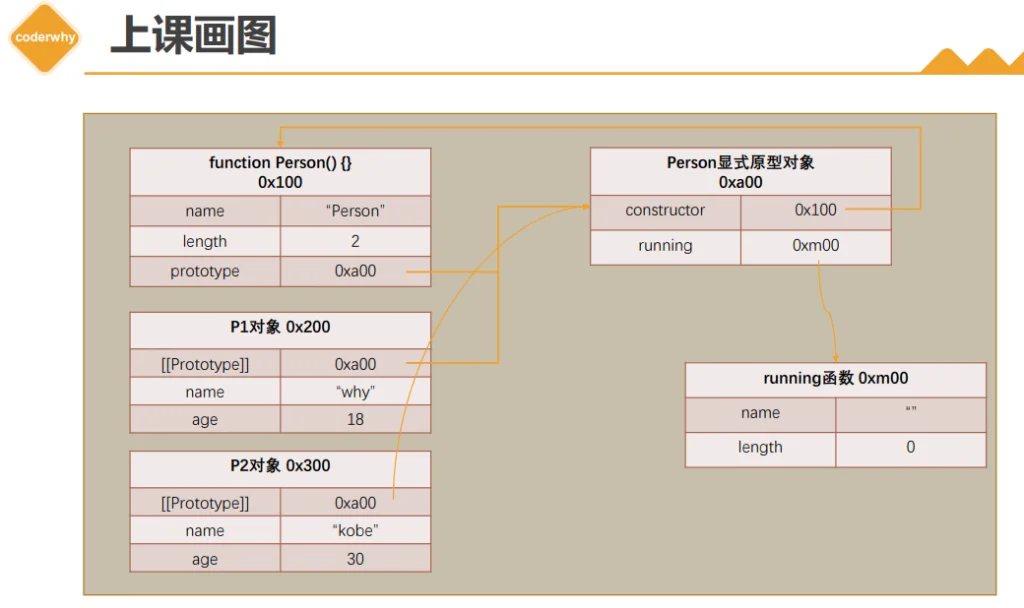
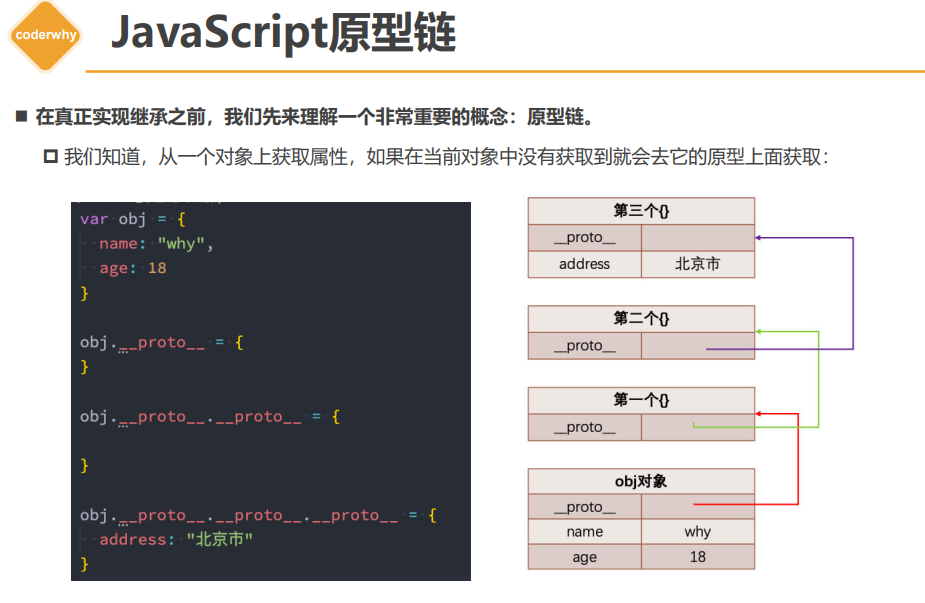
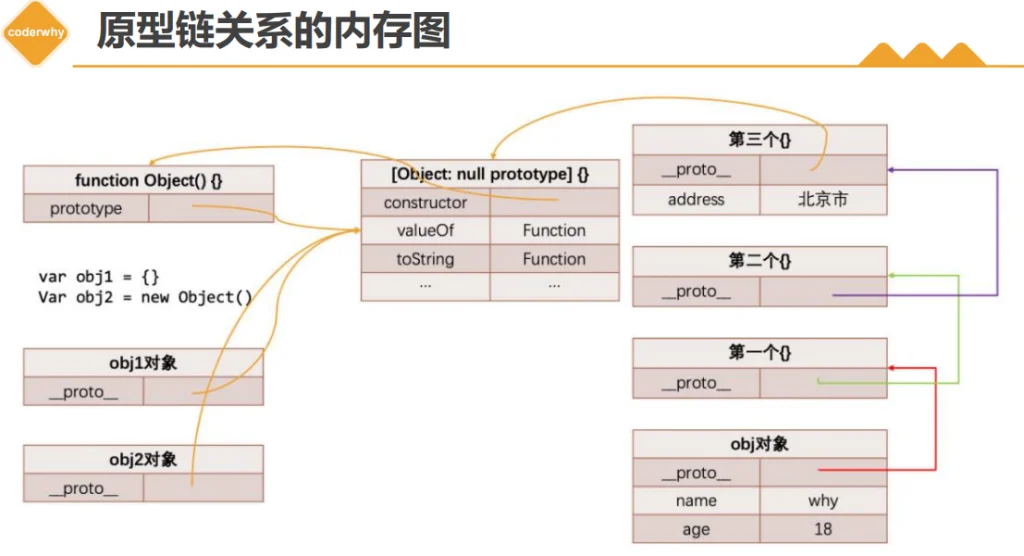
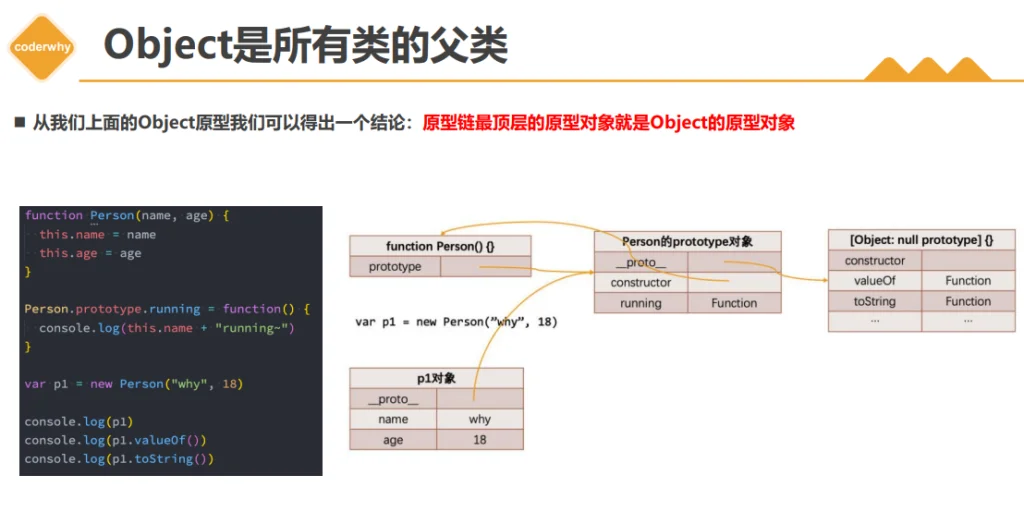
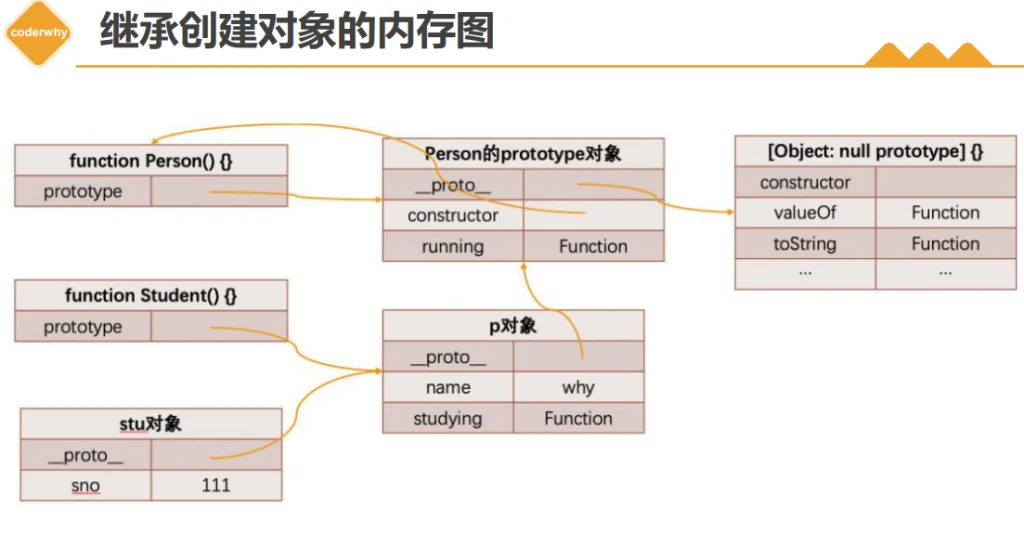
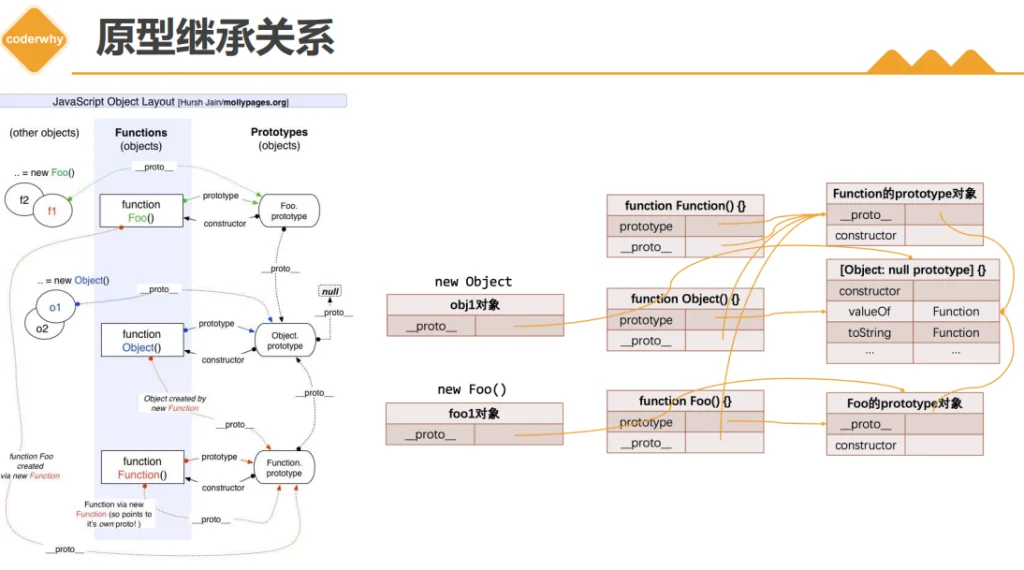
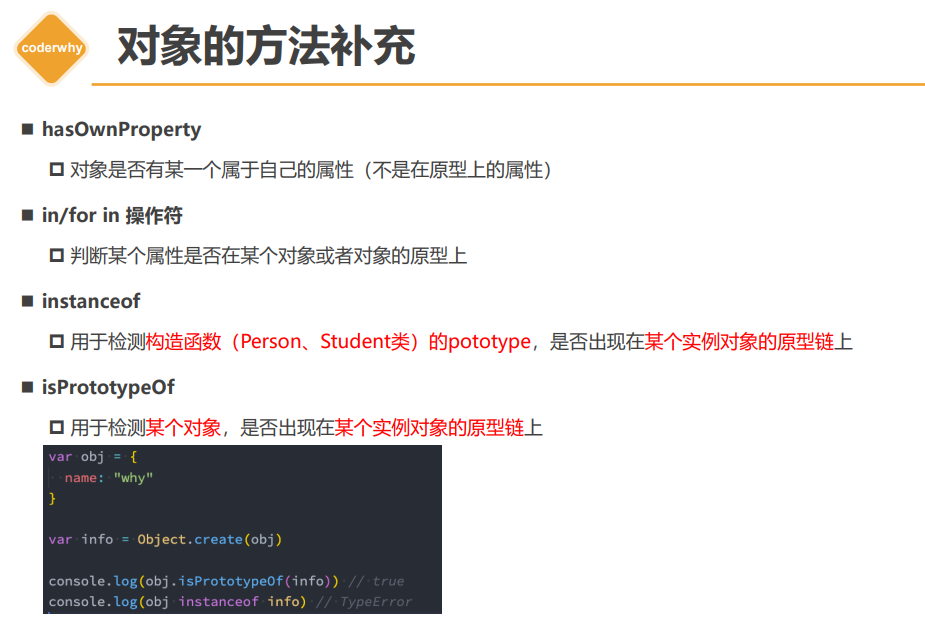
An object's internal [[Prototype]] is another object or null. Property reads check the object first, then follow its prototype chain. If nothing is found before null, the result is undefined. Prefer Object.getPrototypeOf() over the legacy __proto__ accessor, and do not add application properties to Object.prototype.
Function prototypes and instance construction
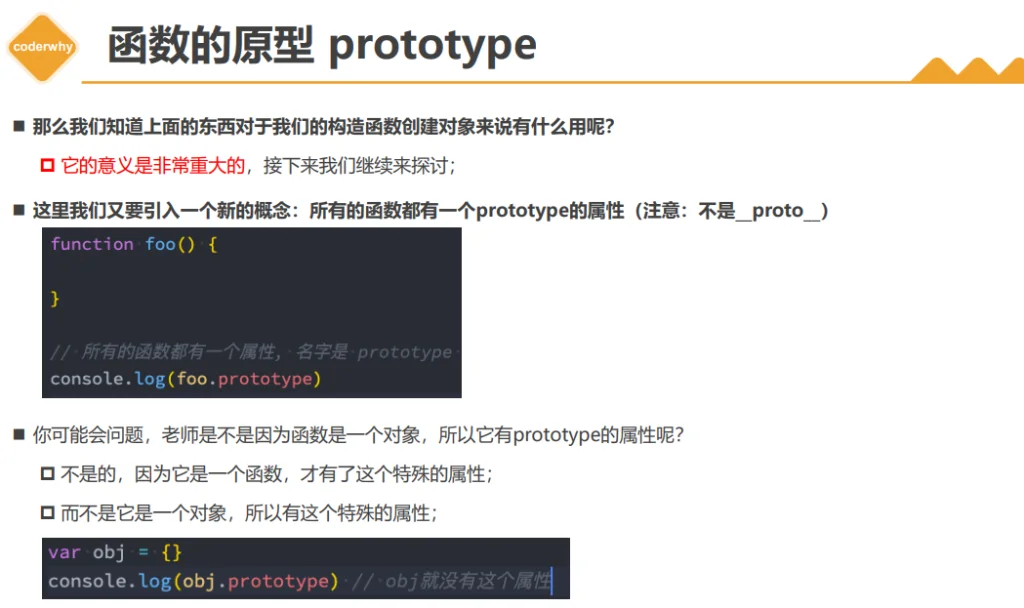
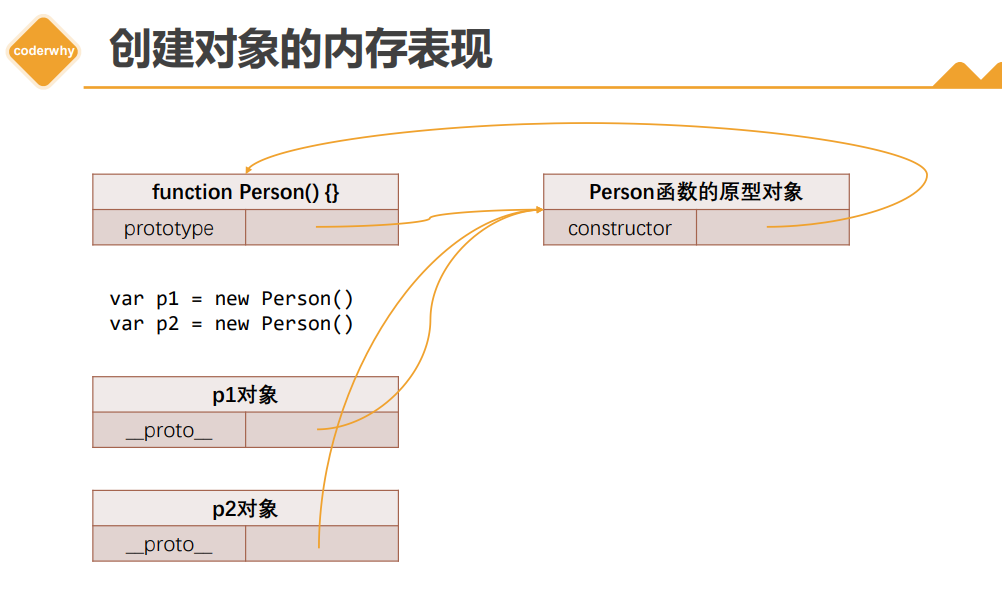
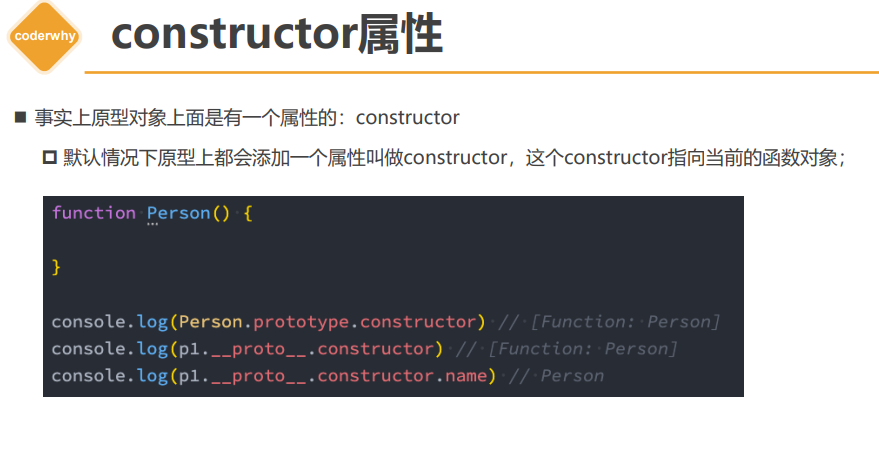
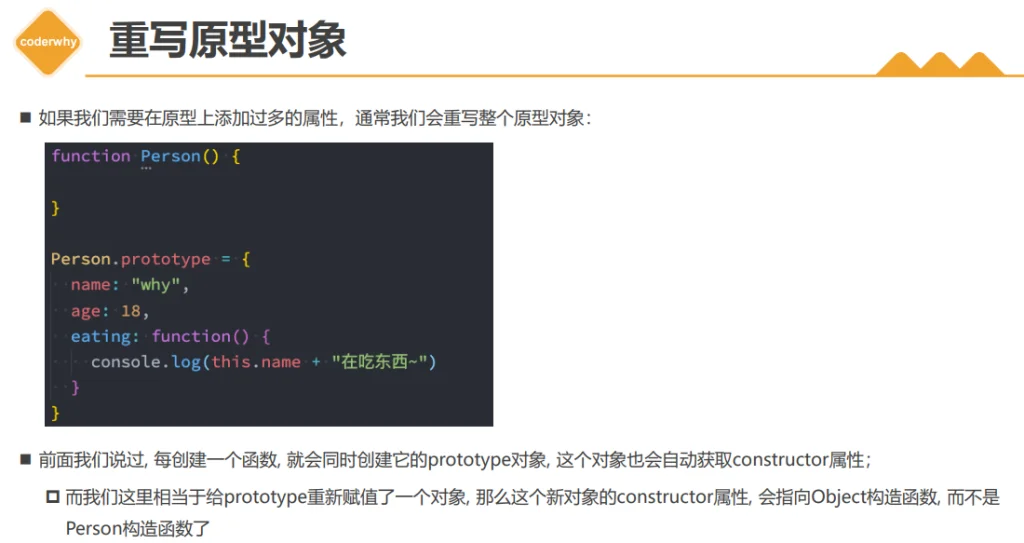
A constructor is itself an object. Its internal prototype and its .prototype property are different concepts. An ordinary constructor's .prototype connects new instances to their prototype; arrows and other functions do not necessarily have all constructor capabilities.
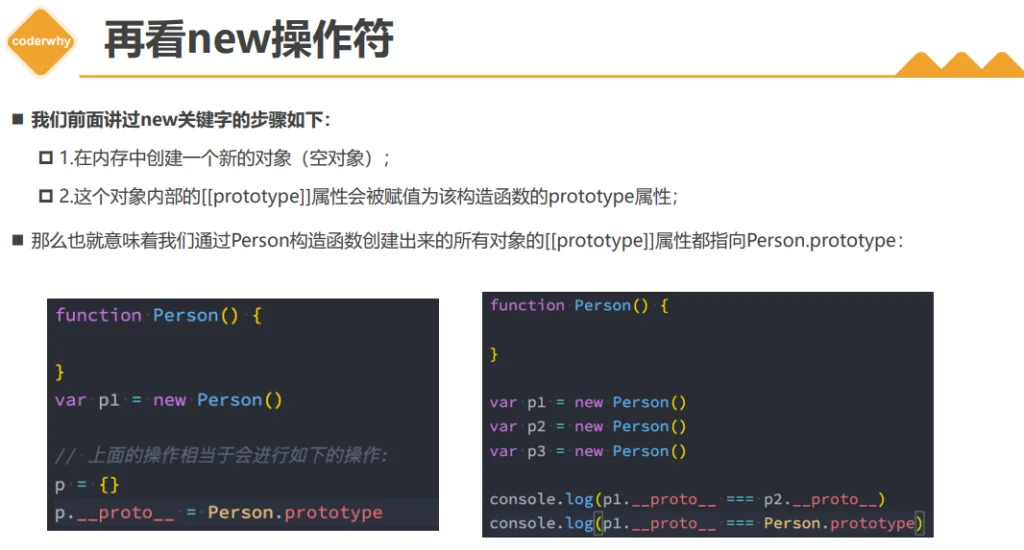
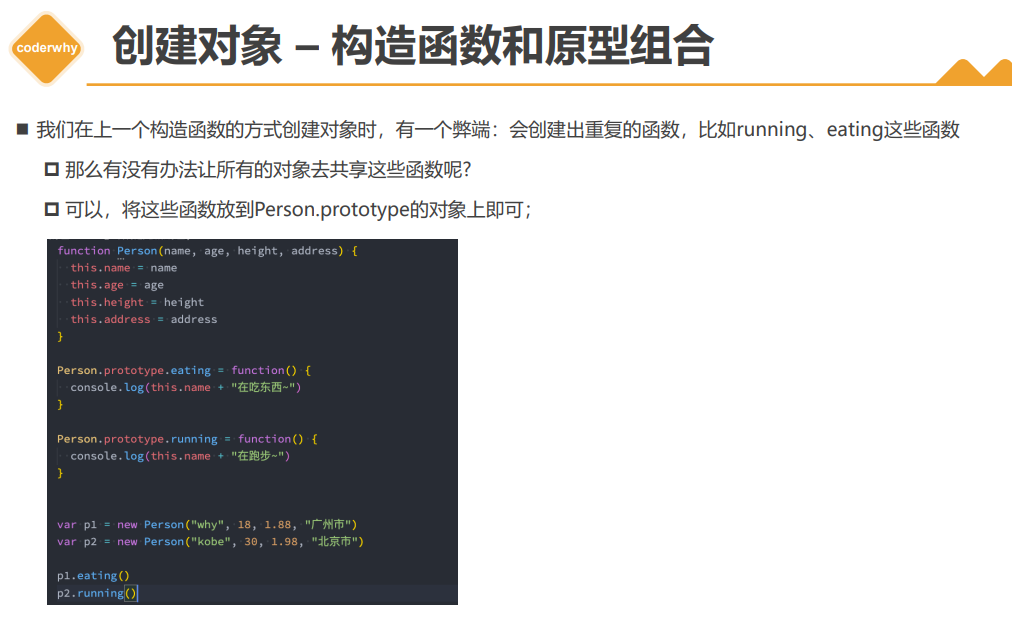
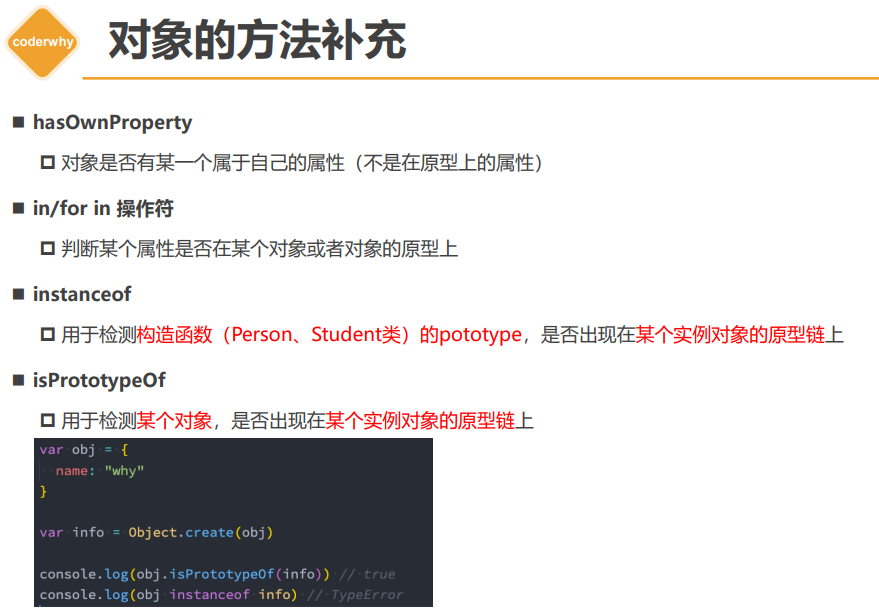
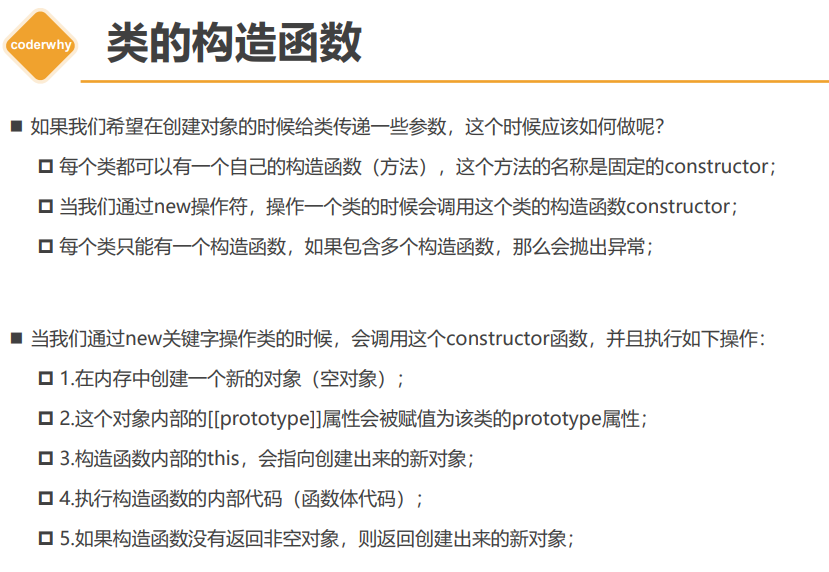
For an ordinary constructor, new creates an object, connects its prototype, runs the constructor with that object as this, and returns the instance unless an object is explicitly returned. The specification includes further details such as new.target. instanceof primarily checks a prototype chain, can be customized, and is affected by cross-realm objects; it is not a universal type test.
Encapsulation, inheritance, and polymorphism
function Person(name) {
  this.name = name
}
Person.prototype.describe = function () {
  return this.name
}
function Student(name, subject) {
  Person.call(this, name)
  this.subject = subject
}
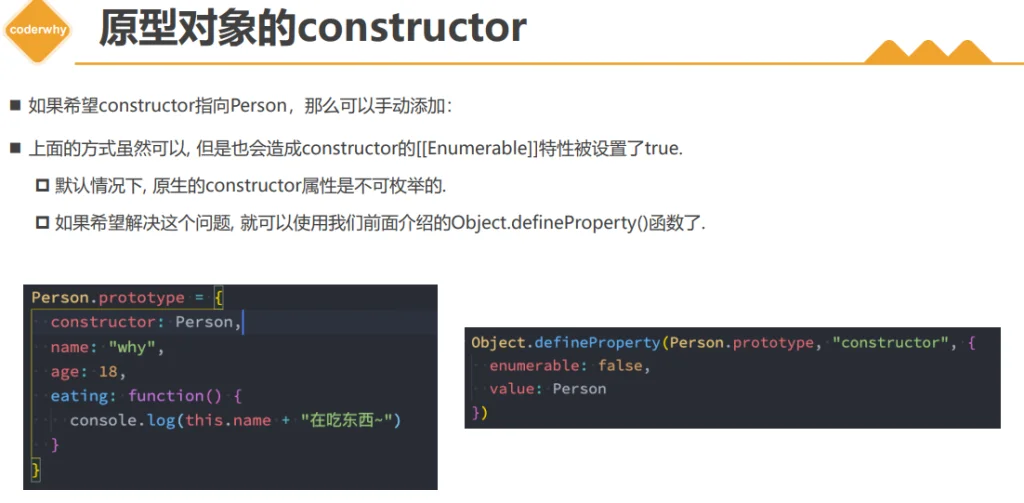
Student.prototype = Object.create(Person.prototype, {
  constructor: { value: Student, writable: true, configurable: true },
})
const student = new Student("Jack", "JavaScript")
console.log(student.describe()) // "Jack"
console.log(Object.getPrototypeOf(student) === Student.prototype) // true
console.log(student instanceof Person) // true
console.log(Object.getPrototypeOf(Person) === Function.prototype) // true
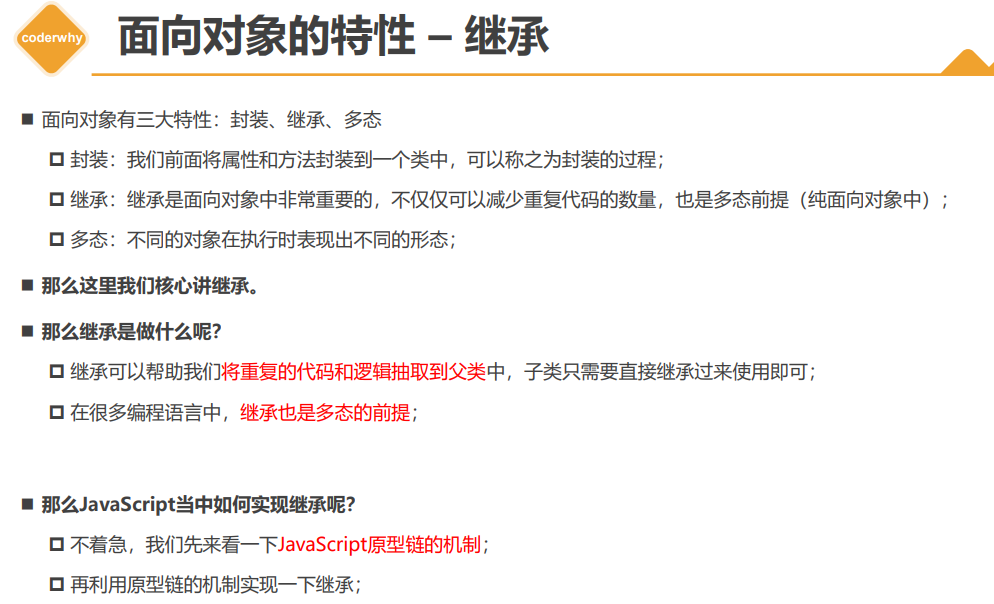
Prototype-chain lookup
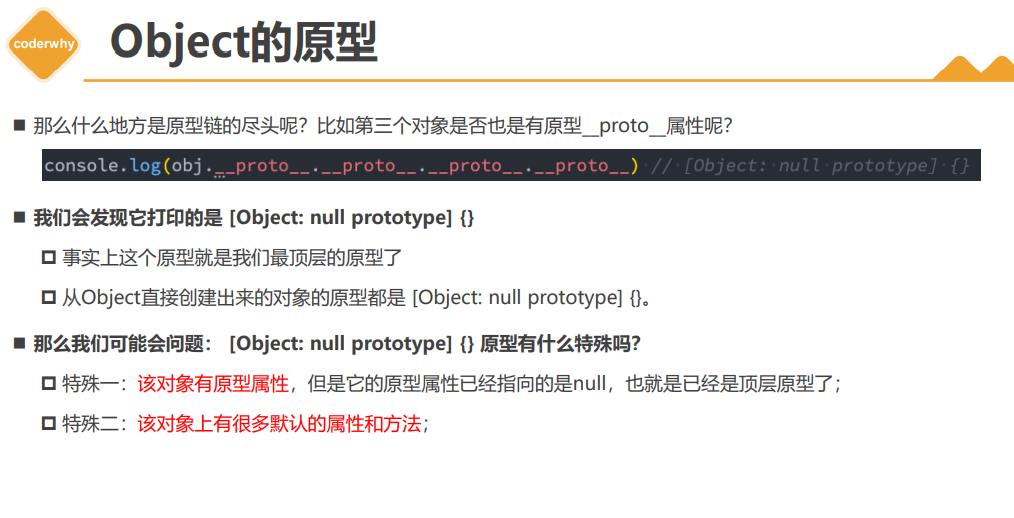
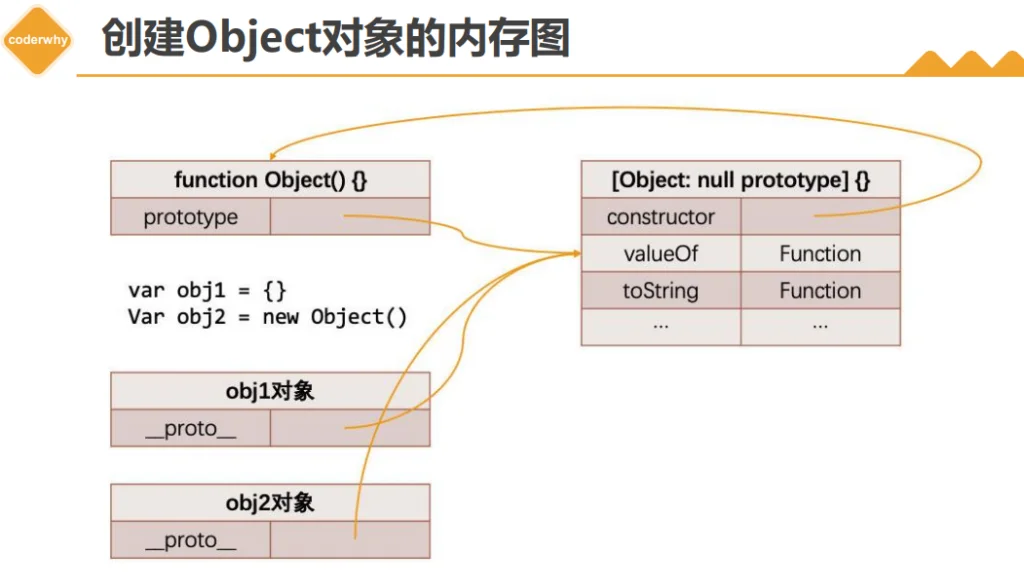
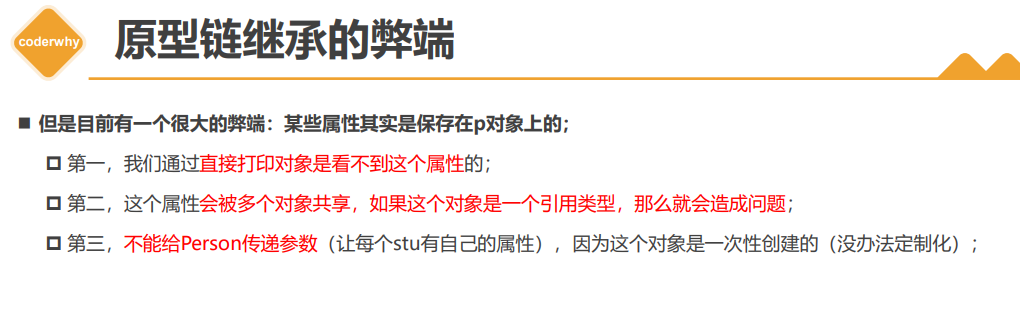
Constructor borrowing
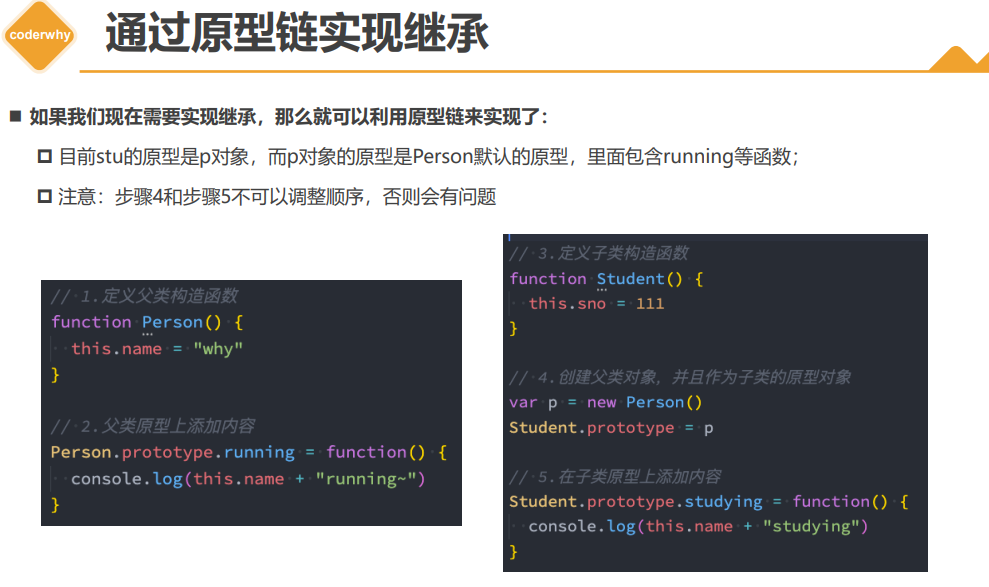
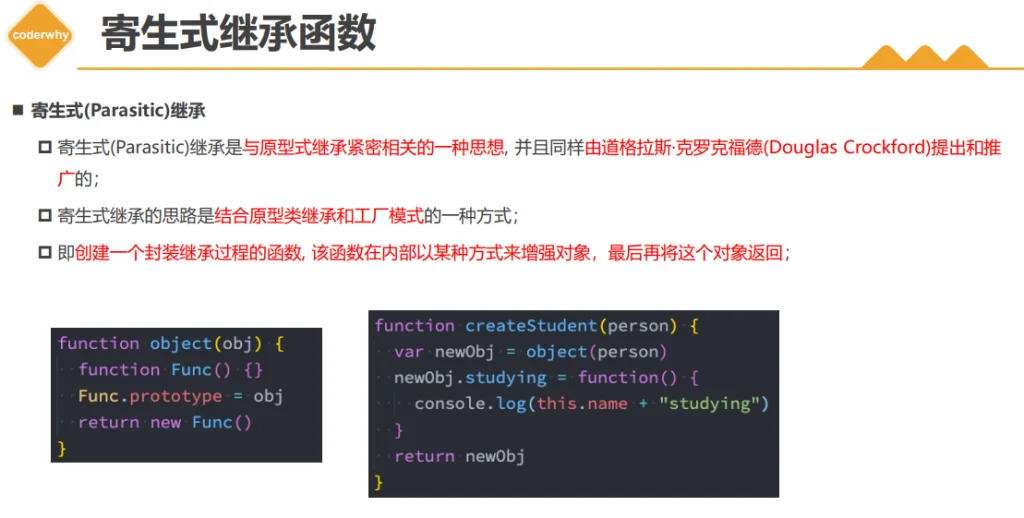
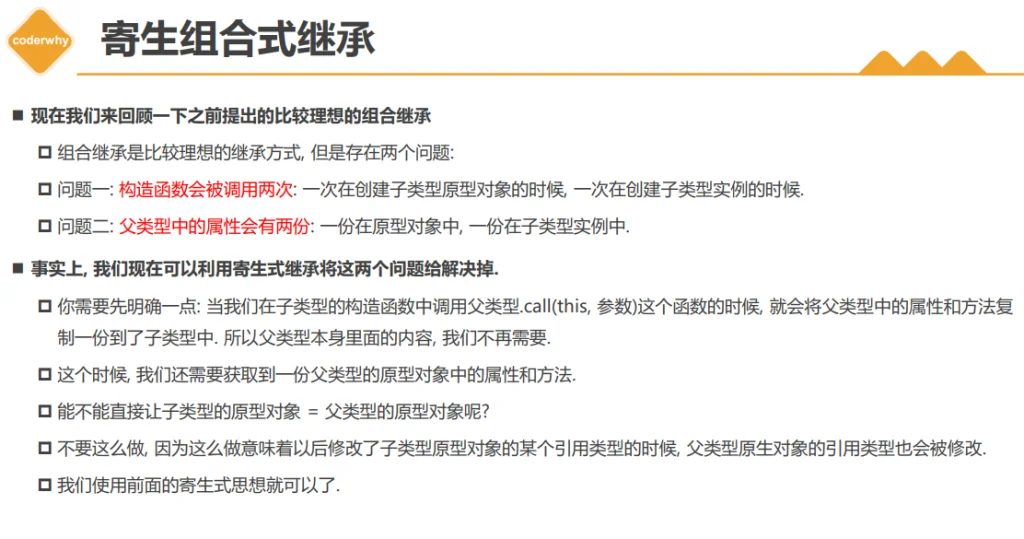
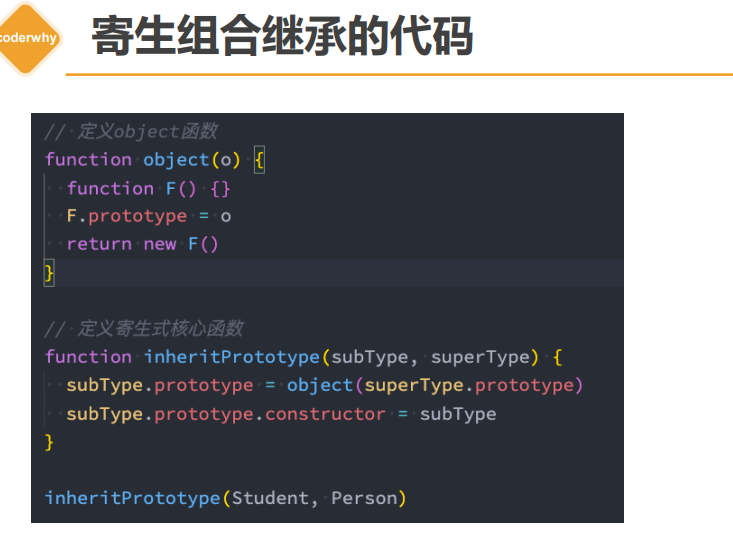
This is a common parasitic-combination inheritance pattern: borrow the parent constructor for instance initialization, then connect shared methods with Object.create(), without invoking the parent just to build the child prototype. Constructor borrowing alone does not inherit prototype methods; using new Parent() as the child prototype may share reference-valued state. Prototypal inheritance starts from an existing object; parasitic inheritance adds capabilities to the derived object.
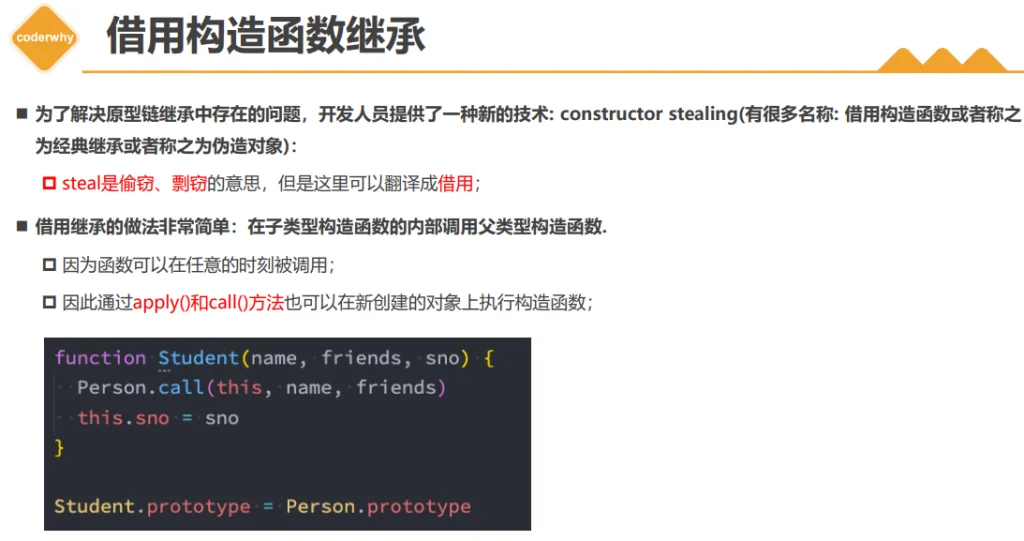
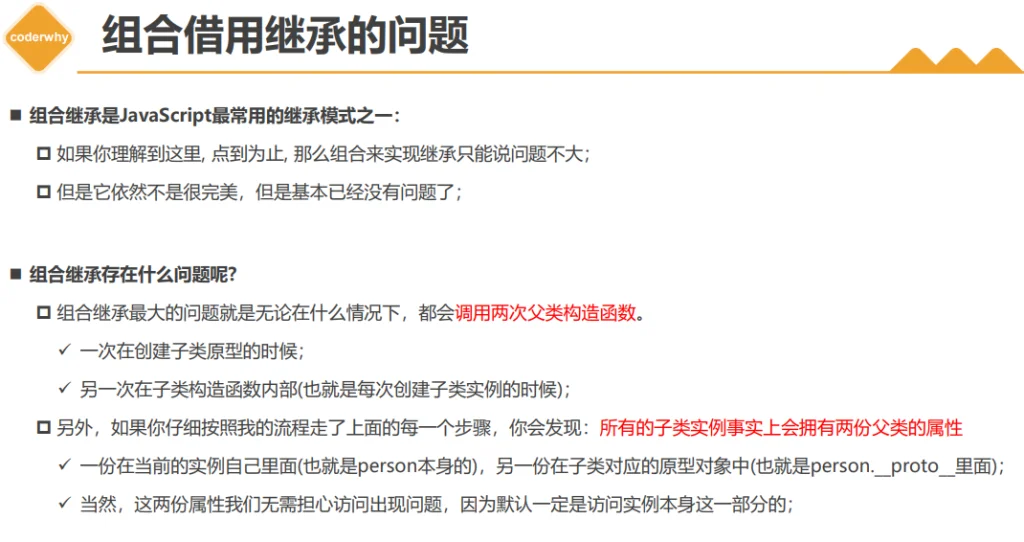
Prototypal inheritance
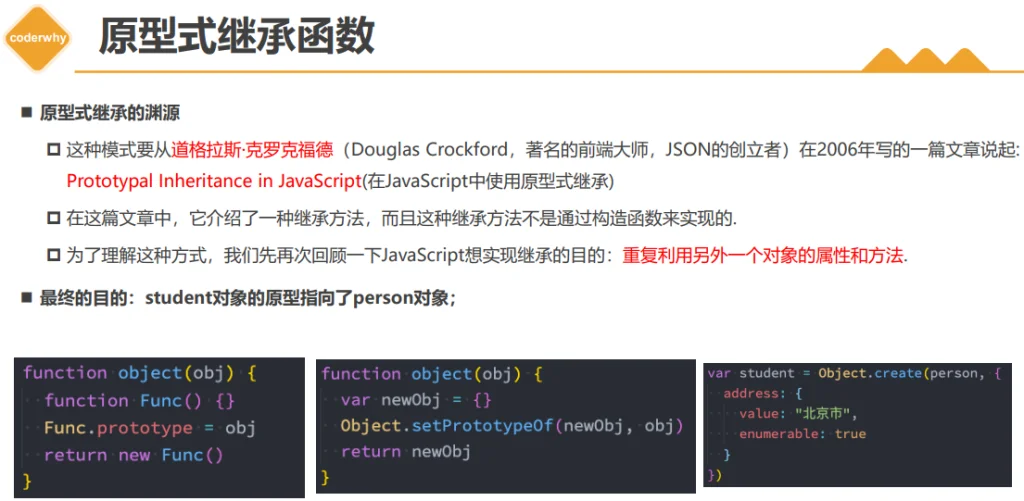
Parasitic and parasitic-combination inheritance
Additional object methods
07 Classes, inheritance, and polymorphism
Classes and instance members
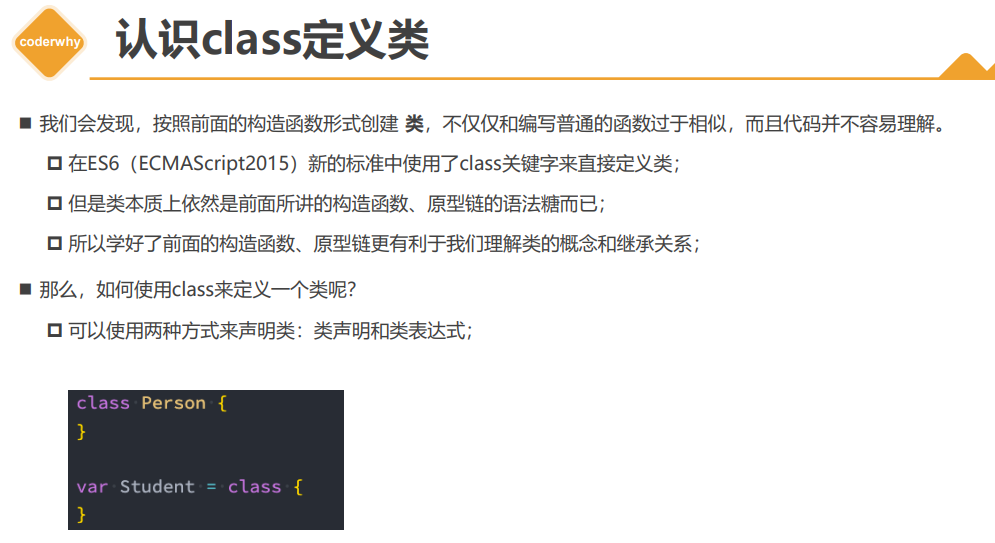
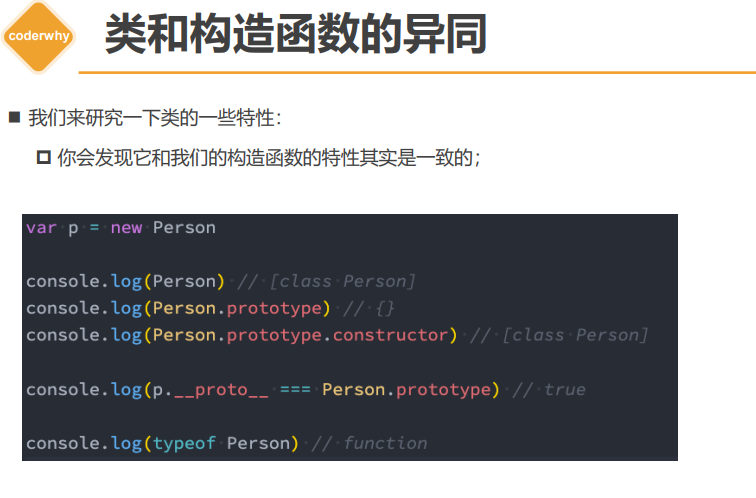
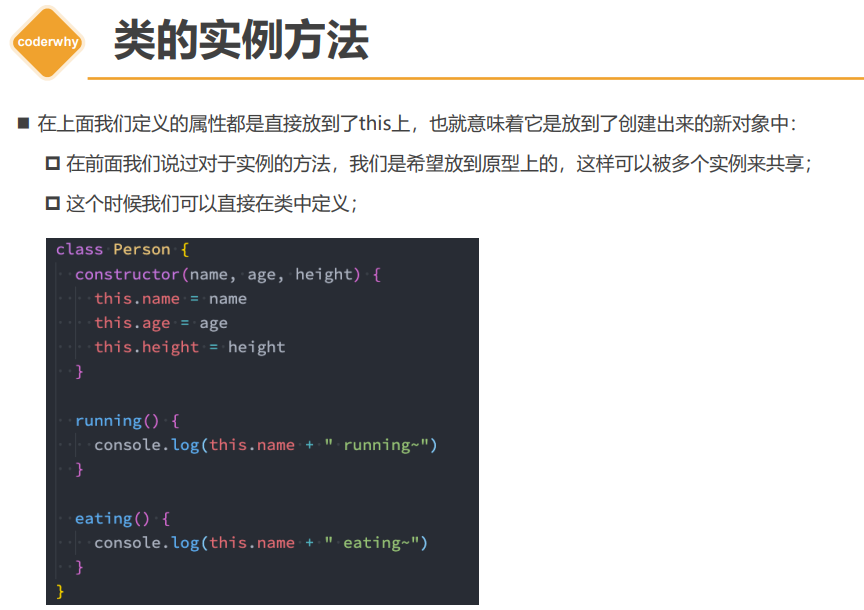
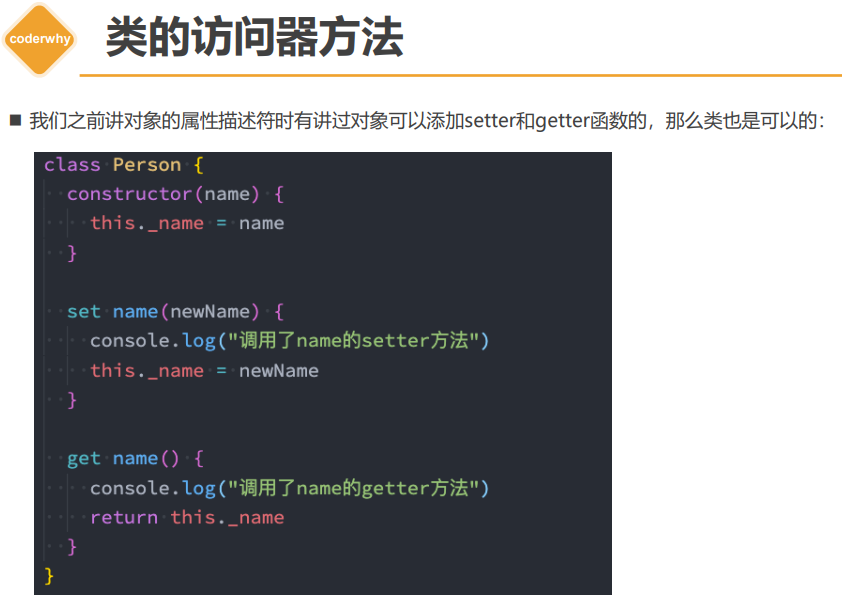
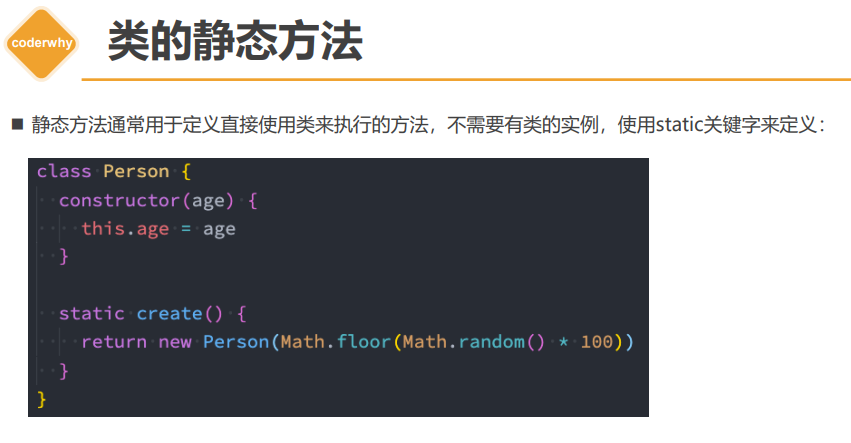
Classes use prototypes while adding semantics such as strict mode, mandatory new construction, and private fields. Instance methods normally live on the prototype, instance fields on each instance, and static members on the class. A leading underscore is only a convention; #field provides language-level privacy.
Accessors and private fields
class Person {
  #name
  constructor(name) {
    this.name = name
  }
  get name() {
    return this.#name
  }
  set name(value) {
    this.#name = String(value).trim()
  }
  describe() {
    return this.name
  }
  static from(value) {
    return new this(value.name)
  }
}
class Student extends Person {
  constructor(name, subject) {
    super(name)
    this.subject = subject
  }
  describe() {
    return super.describe() + ": " + this.subject
  }
}
const student = new Student(" Jack ", "JavaScript")
console.log(student.describe()) // "Jack: JavaScript"
console.log(Person.from({ name: "Jill" }).name) // "Jill"
Static methods
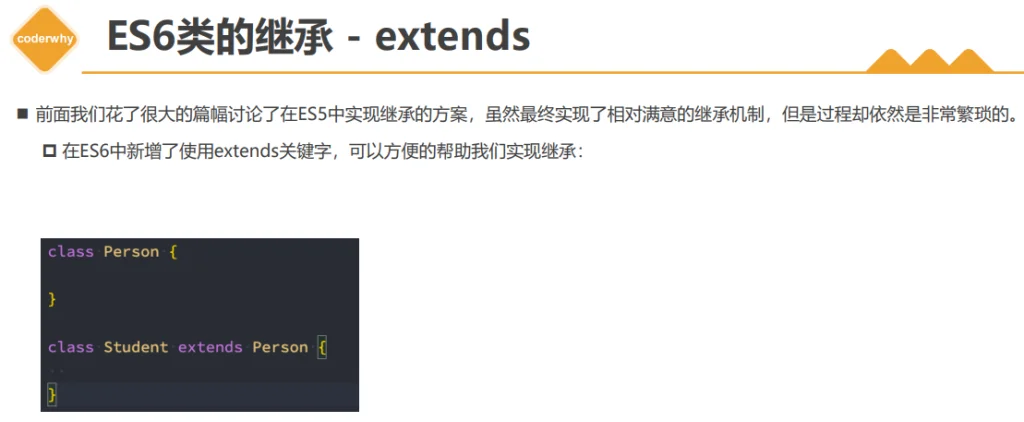
Inheritance with extends
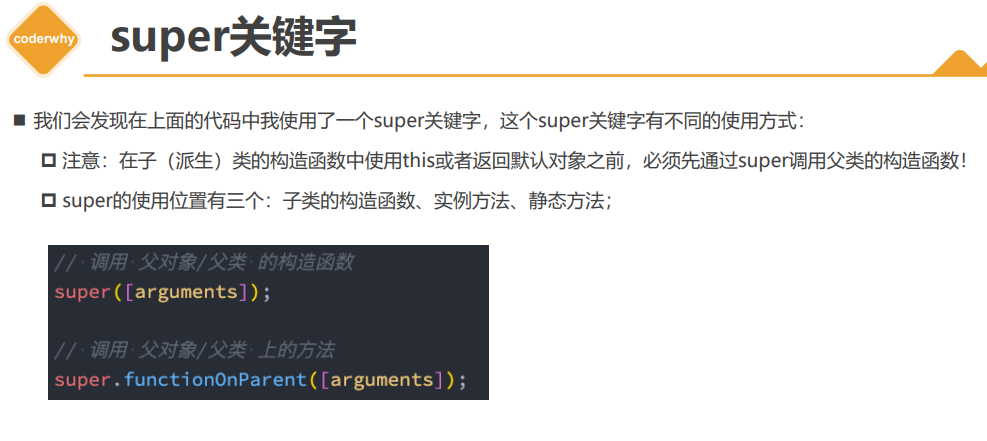
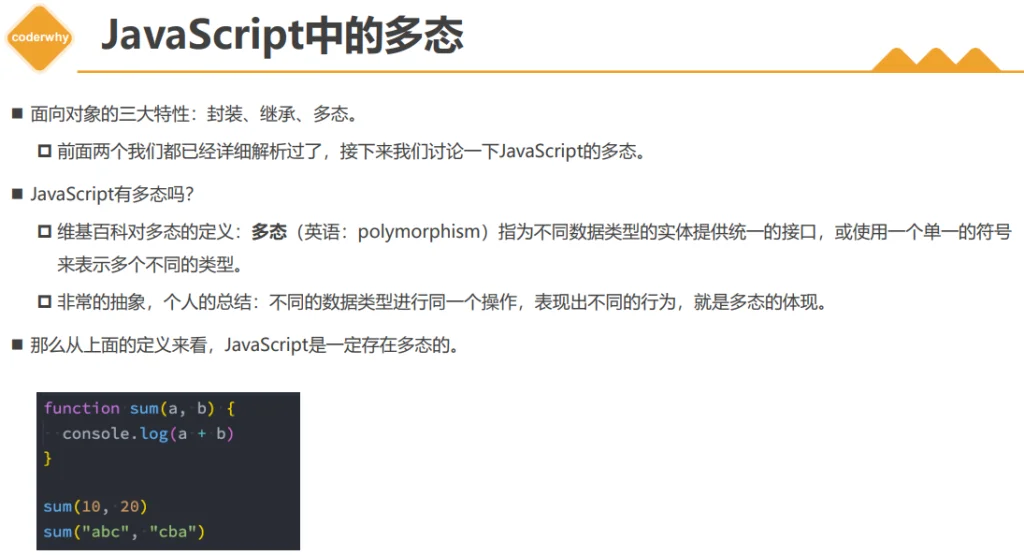
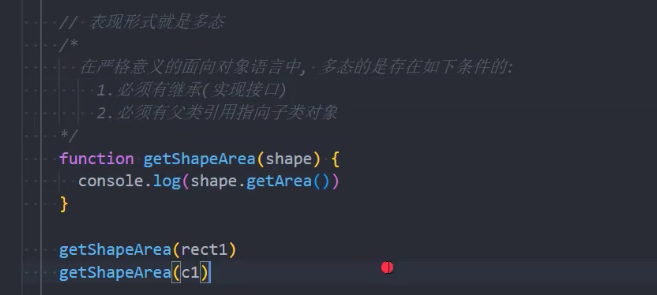
A derived constructor should call super() before accessing this. super.method() looks up a parent method but calls it with the current instance as receiver. Inheritance describes shared capabilities; polymorphism allows different objects to implement the same operation. JavaScript polymorphism does not require a common base class.
The super keyword
Mixin composition
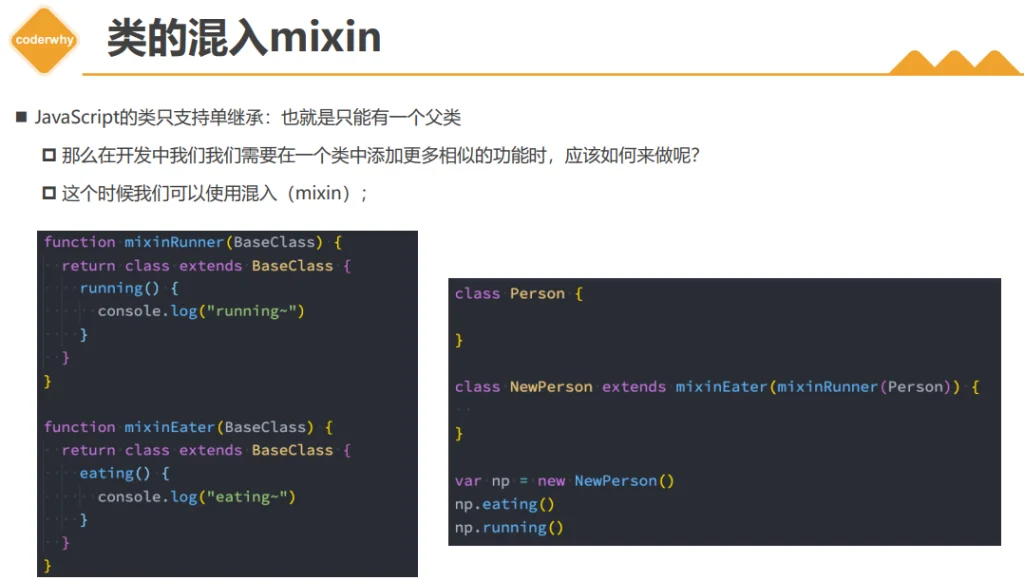
A mixin often takes a class and returns an extended class. It composes capabilities rather than providing built-in multiple inheritance; consider member conflicts and initialization order.
const Timestamped = (Base) =>
  class extends Base {
    createdAt = Date.now()
  }
class Note extends Timestamped(class {}) {
  constructor(title) {
    super()
    this.title = title
  }
}
console.log(new Note("JavaScript").title) // "JavaScript"
Polymorphism in JavaScript
08 Object syntax enhancements
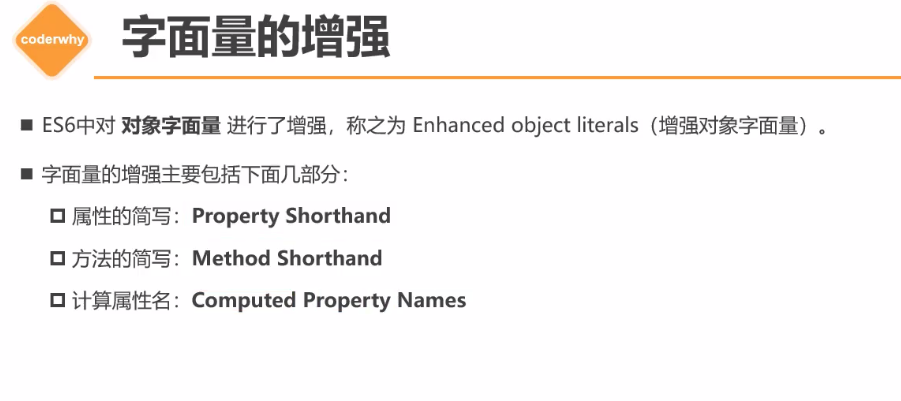
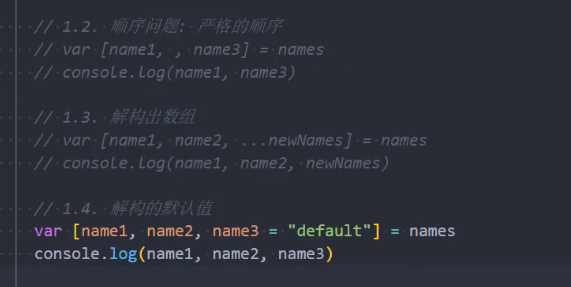
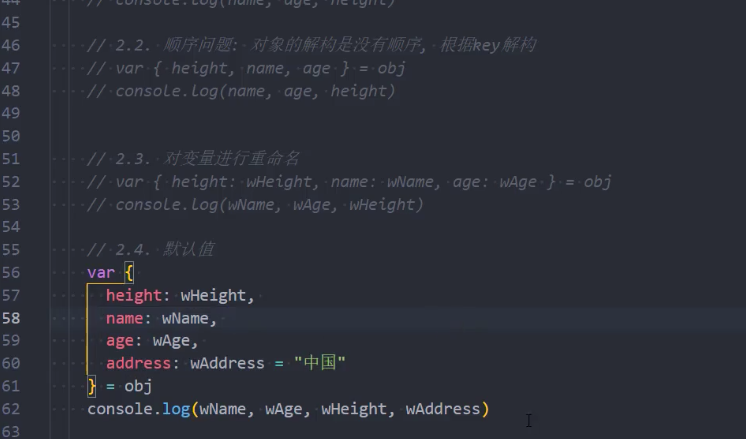
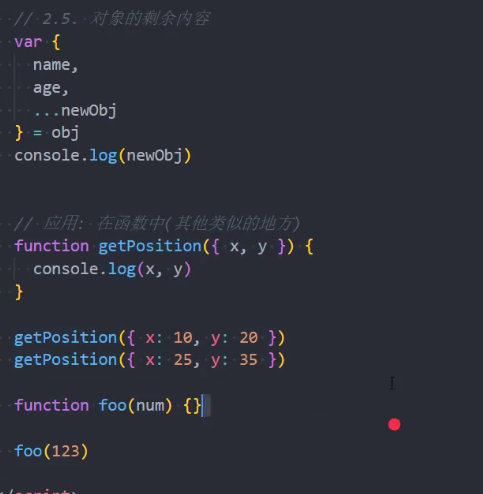
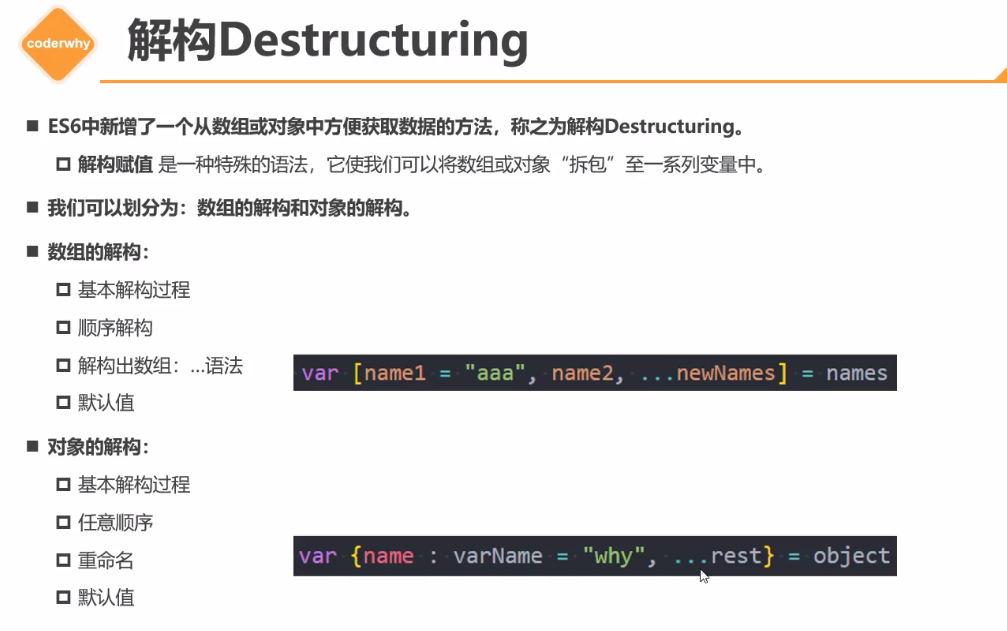
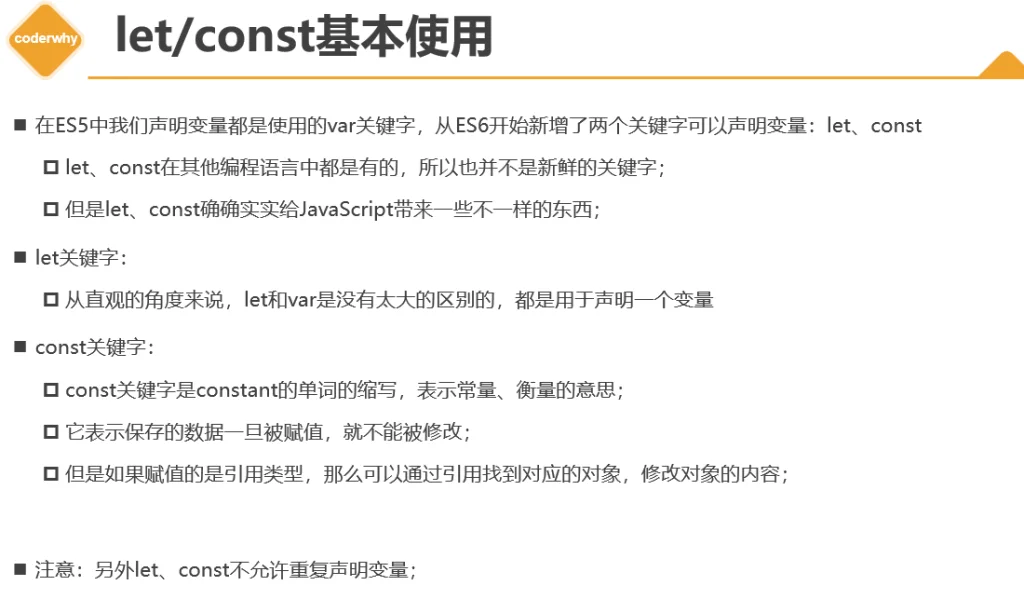
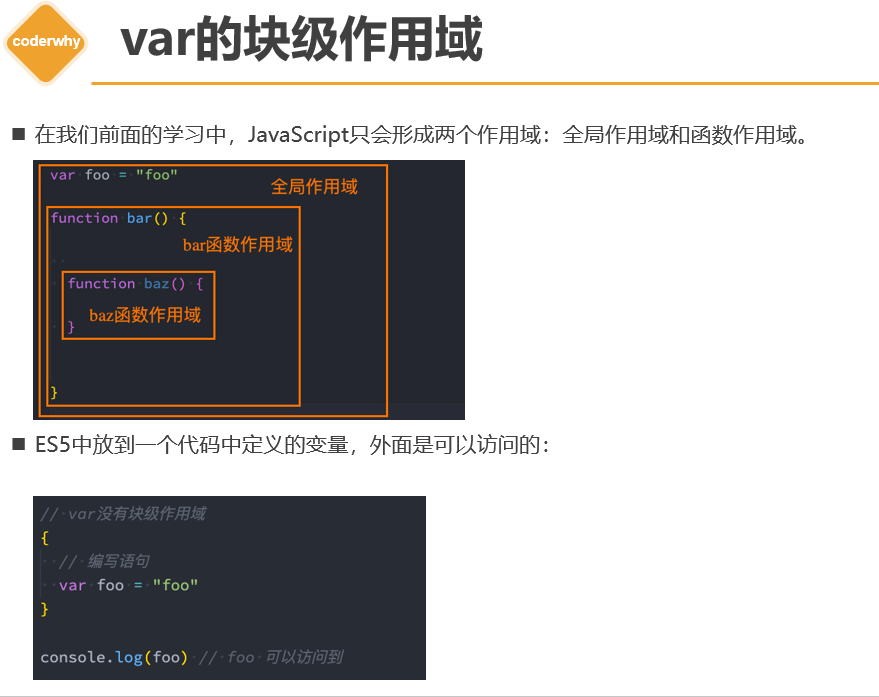
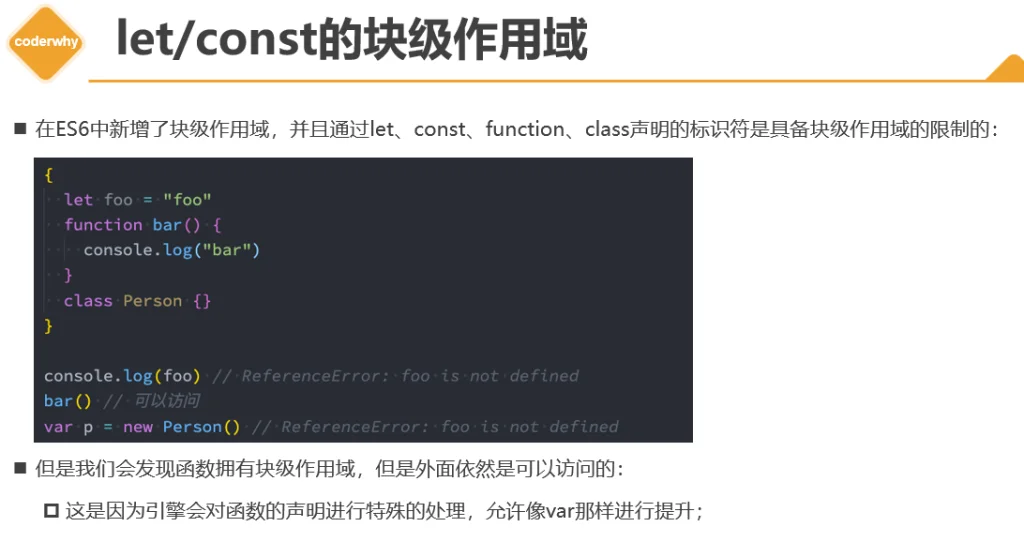
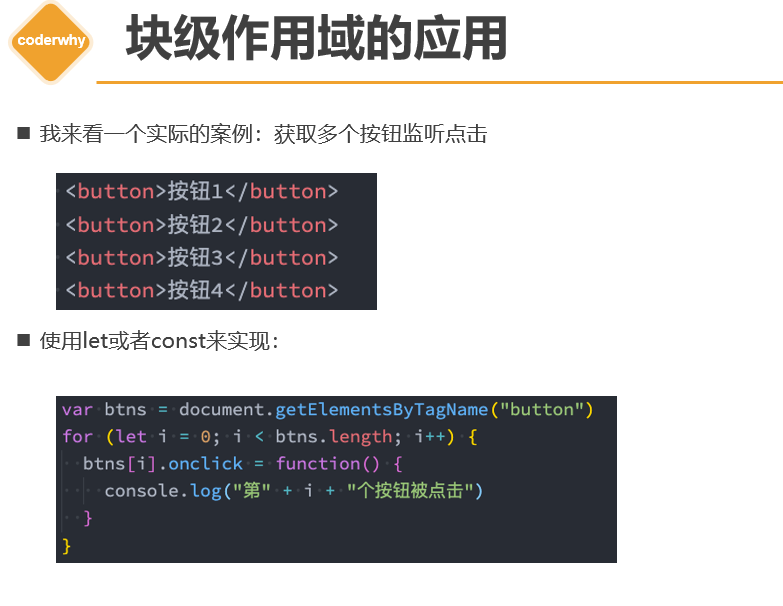
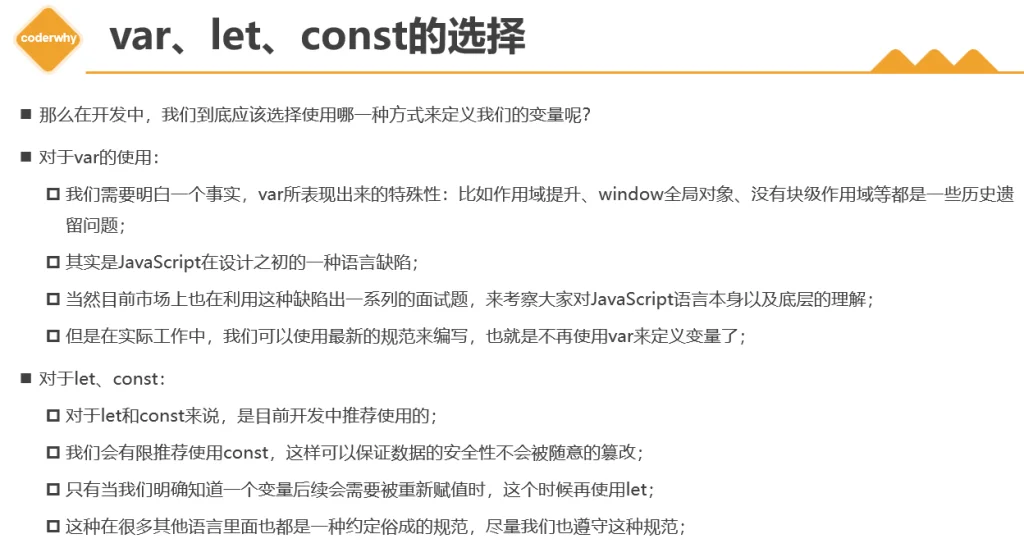
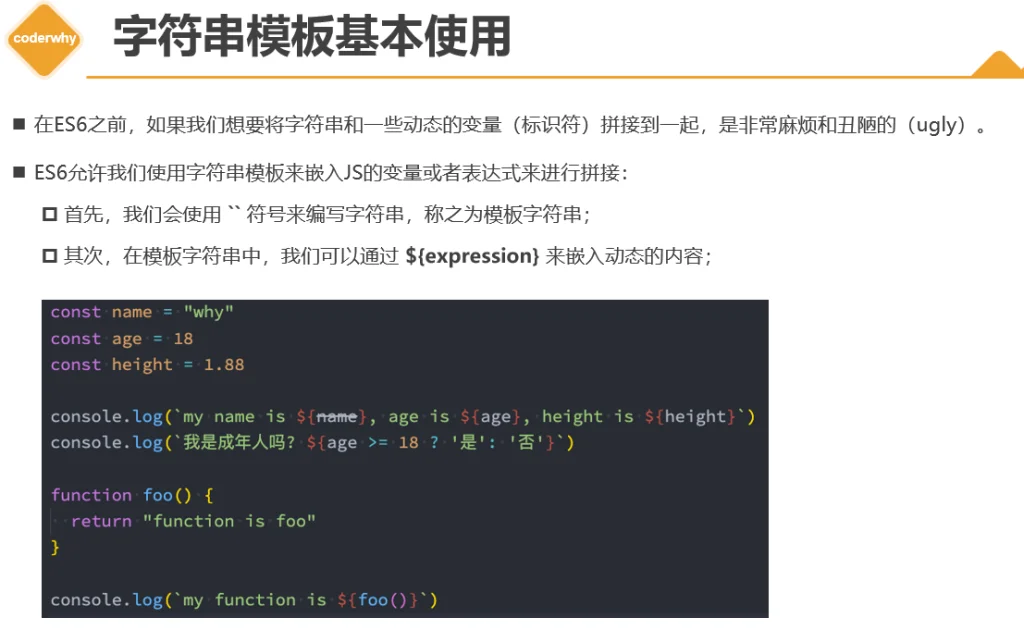
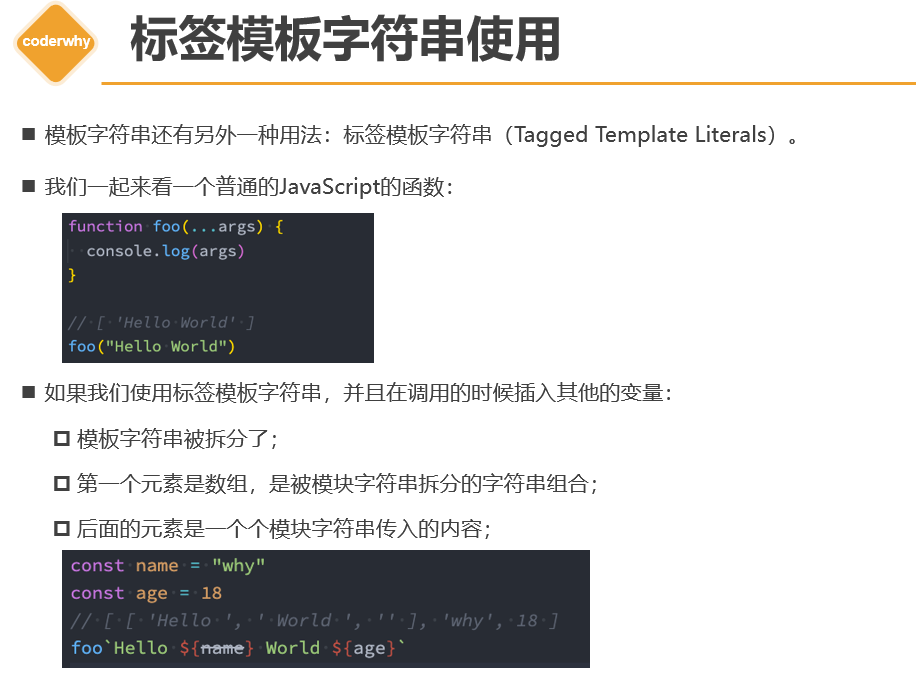
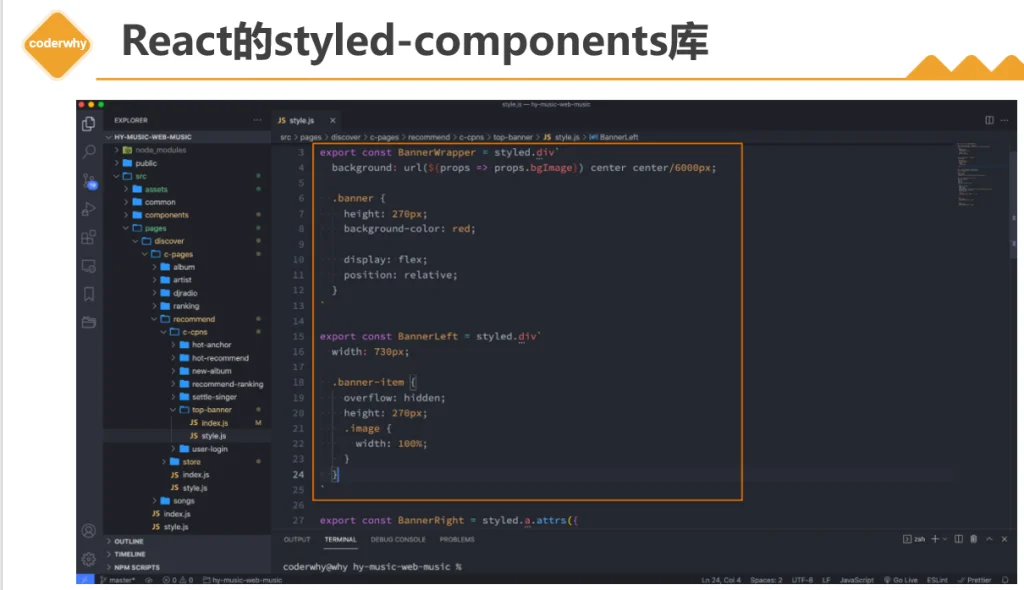
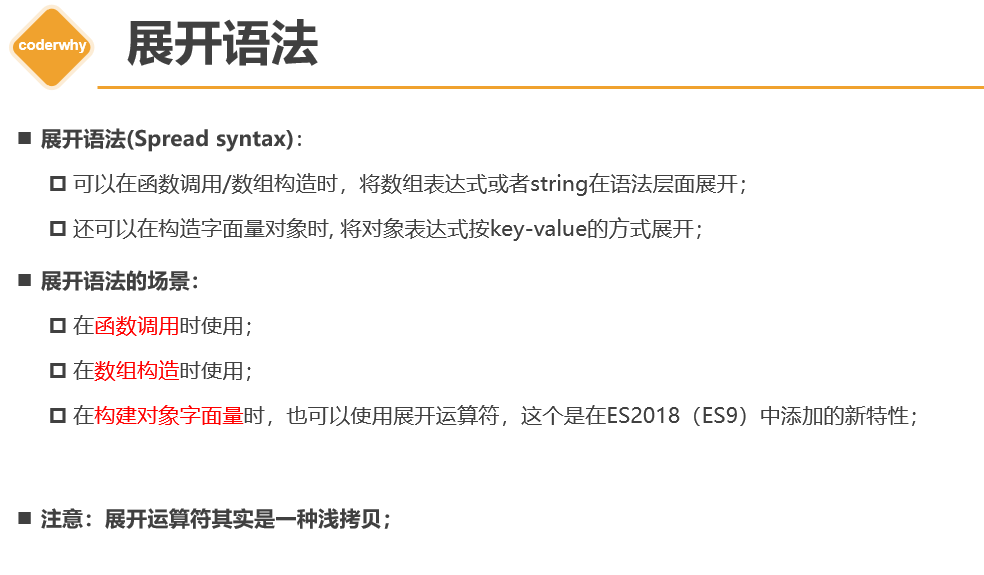
let / const provide block scope. Destructuring defaults apply only to undefined. Property shorthand, computed names, template literals, and rest / spread reduce repetition but do not create deep copies. Numeric literals support 0b, 0o, 0x, and the _ separator.
09 Array and object destructuring
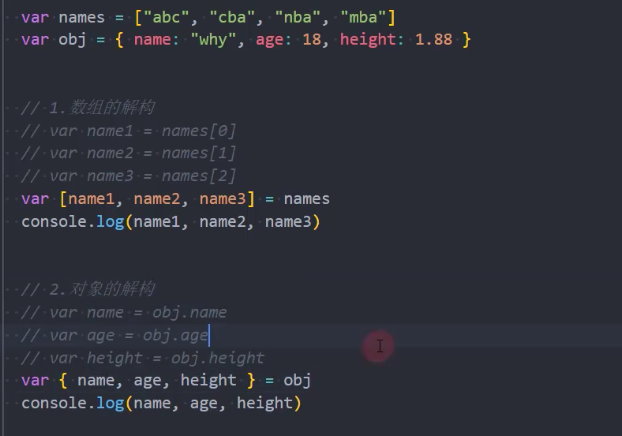
const name = "Jack"
const user = { name, ["user" + "Id"]: 1 }
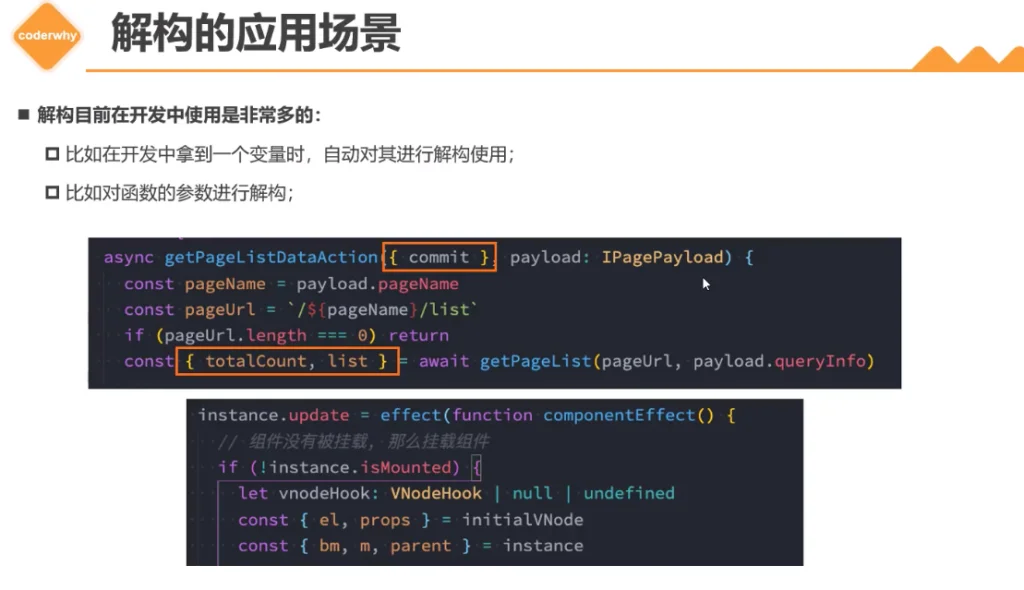
const { name: displayName, age = 18 } = user
const [first, ...rest] = [10, 20, 30]
console.log(displayName, age, first, rest) // "Jack", 18, 10, [20, 30]
console.log("Hello, " + displayName) // "Hello, Jack"
10 Revisiting handwritten call, apply, and bind
Attaching a temporary property to a receiver fails around strict mode, primitives, frozen objects, collisions, exception cleanup, and missing return values. The wrappers below use Reflect.apply() to demonstrate forwarding. They depend on native invocation support and are not standalone polyfills.
bindForCall demonstrates receiver binding and partial application for ordinary calls only. It cannot construct and does not reproduce native bind's name, length, or instanceof behavior. Use native bind in applications and avoid modifying Function.prototype.
const callWith = (fn, receiver, ...args) => Reflect.apply(fn, receiver, args)
const applyWith = (fn, receiver, args) =>
  Reflect.apply(fn, receiver, args ?? [])
function bindForCall(fn, receiver, ...preset) {
  return (...later) => Reflect.apply(fn, receiver, [...preset, ...later])
}
function sum(a, b) {
  return this.base + a + b
}
console.log(callWith(sum, { base: 10 }, 1, 2)) // 13
console.log(applyWith(sum, { base: 10 }, [1, 2])) // 13
console.log(bindForCall(sum, { base: 10 }, 1)(2)) // 13
11 ES2015–ES2022 reference
Features by edition
The table groups common language features by version for quick reference.
| Edition | Representative features | Remember |
|---|---|---|
| ES2015 / ES6 | let, const, arrows, classes, destructuring, Promise, Symbol, collections, Proxy, Reflect | Foundations of modern syntax and object behavior |
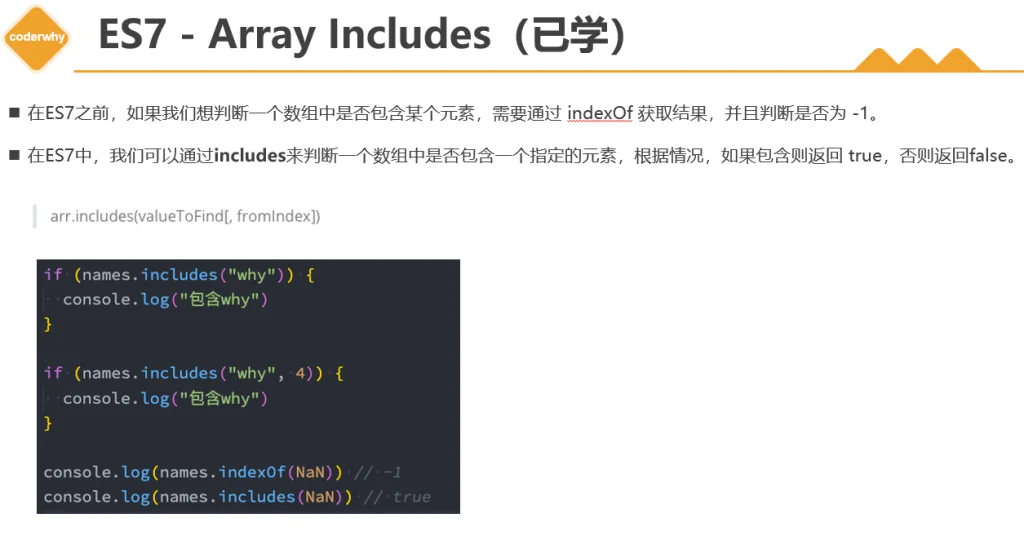
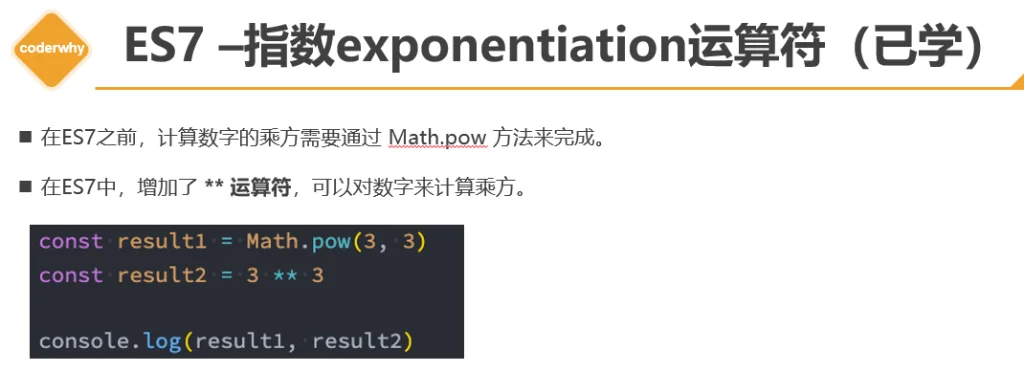
| ES2016 / ES7 | includes, ** | includes can find NaN |
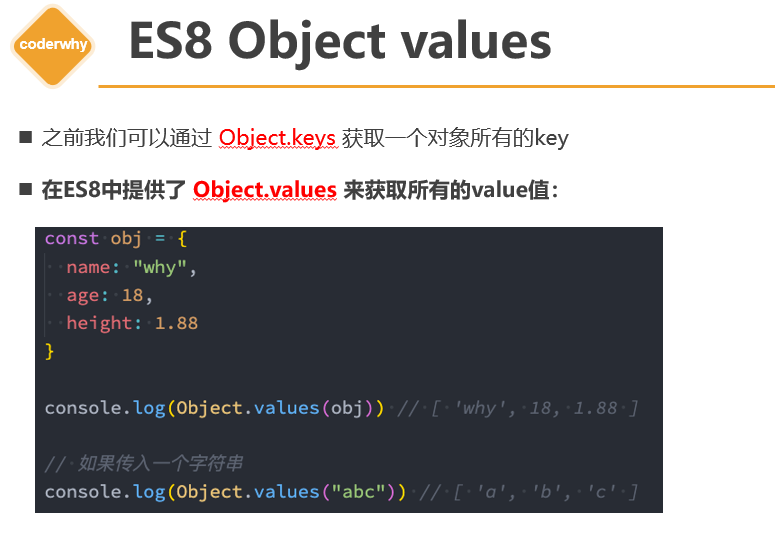
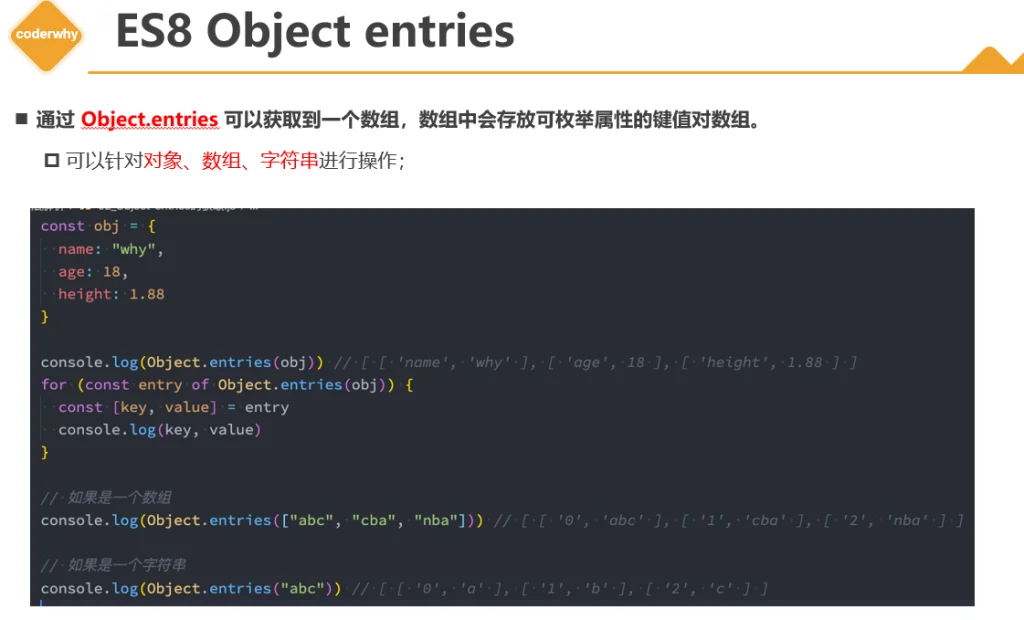
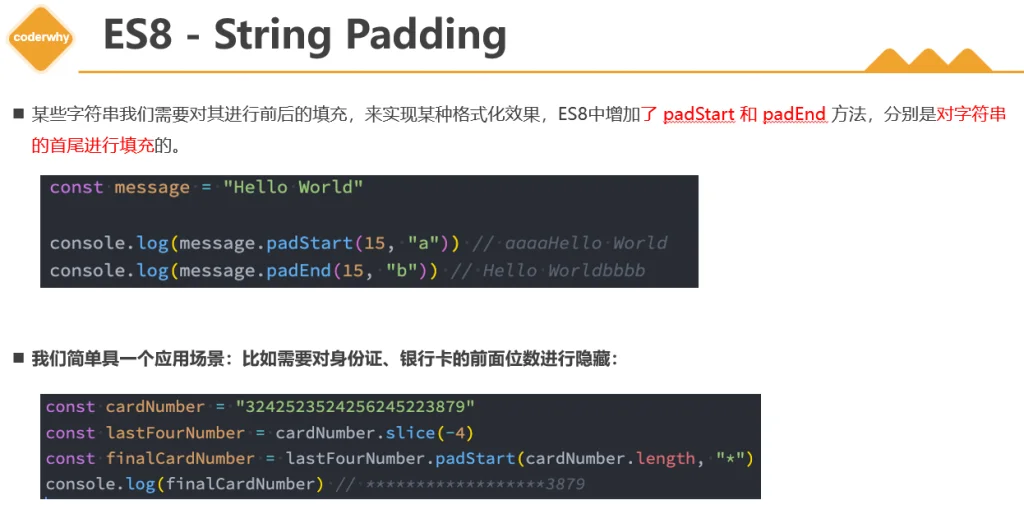
| ES2017 / ES8 | async/await, Object.values/entries, padStart/padEnd | entries uses own enumerable string-keyed properties |
| ES2018 / ES9 | Object rest/spread, async iteration, Promise.finally | Object spread is shallow |
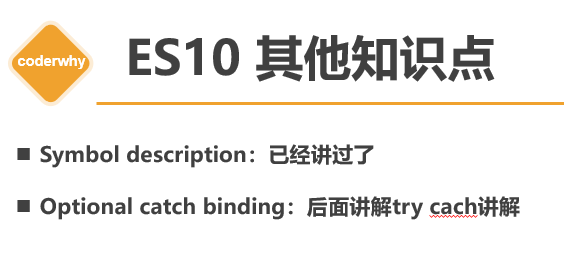
| ES2019 / ES10 | flat/flatMap, Object.fromEntries, trimStart/trimEnd | flat defaults to one level |
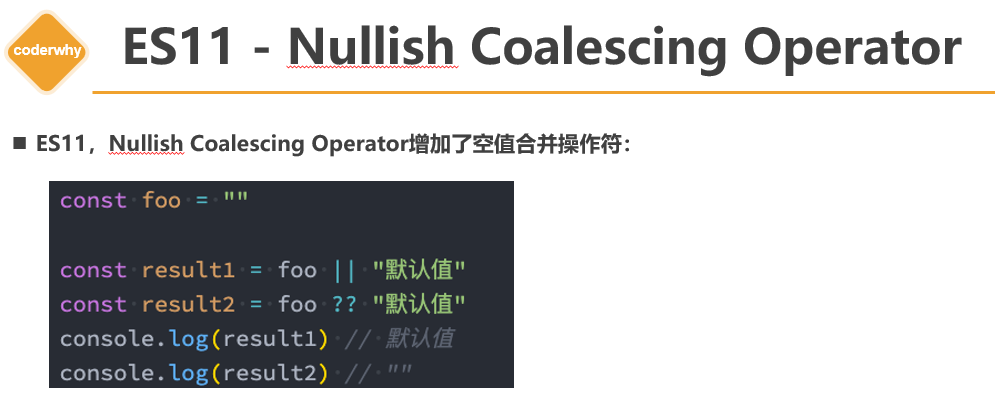
| ES2020 / ES11 | BigInt, ??, ?., allSettled, dynamic import | ?? falls back only for null/undefined |
| ES2021 / ES12 | replaceAll, logical assignment, numeric separators, WeakRef, FinalizationRegistry, Promise.any | GC timing is not dependable |
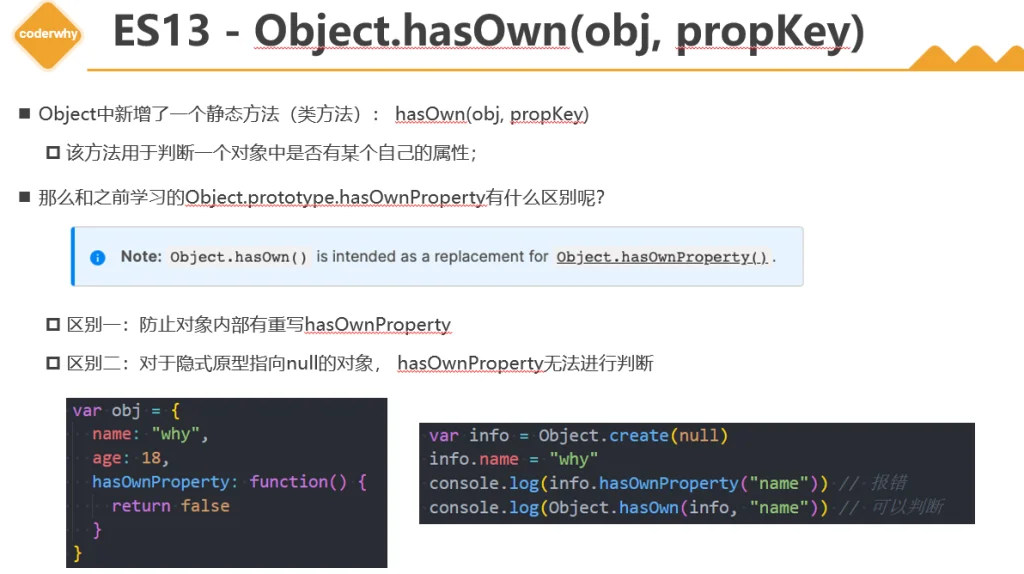
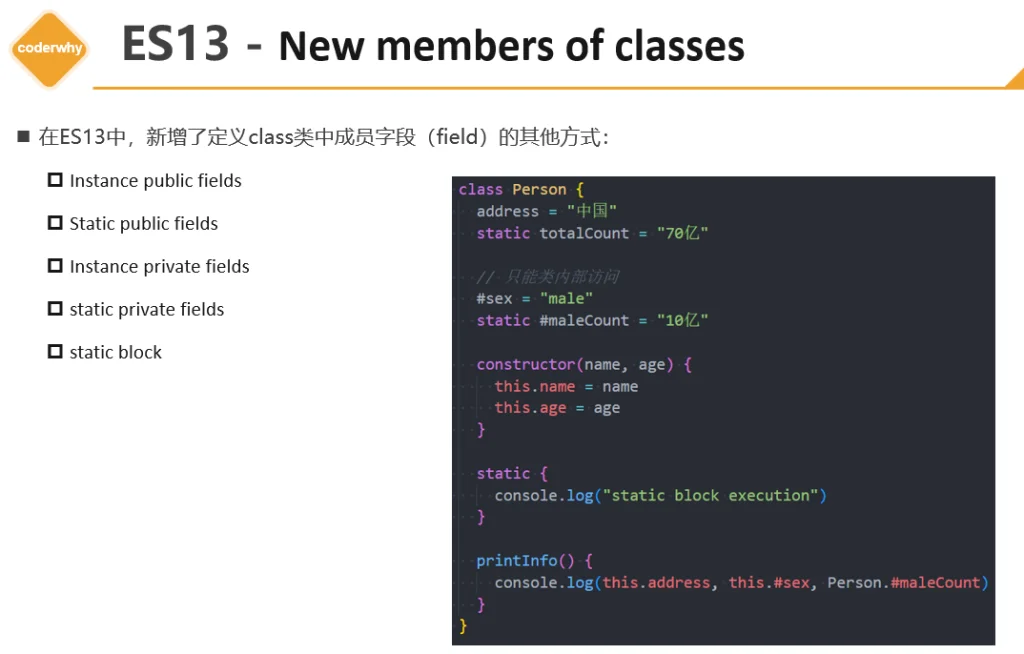
| ES2022 / ES13 | Class fields, private members, static blocks, at, Object.hasOwn, top-level await | Top-level await requires modules |
let, const, and block scope
Template literals
Additional function syntax
Numeric literals
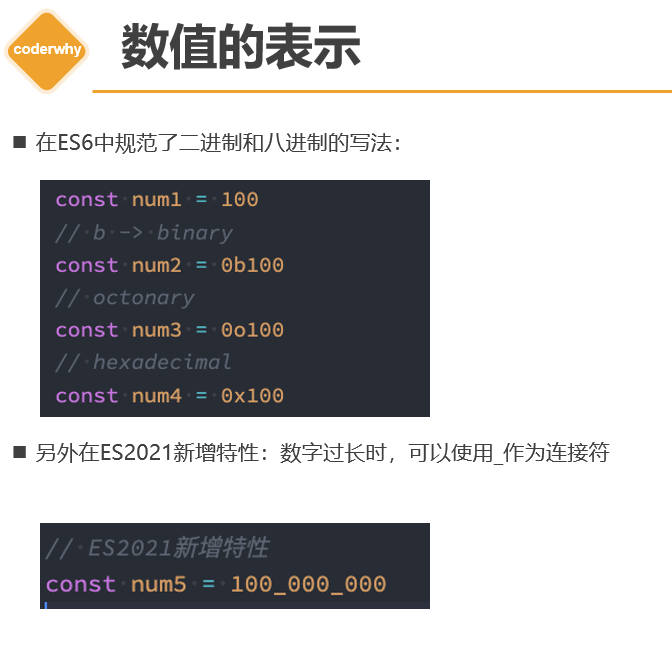
console.log(0b100, 0o100, 0x100, 1_000_000) // 4 64 256 1000000
References and copying
See the later copying section for references, shallow copies, deep copies, and examples.
Symbols and property keys
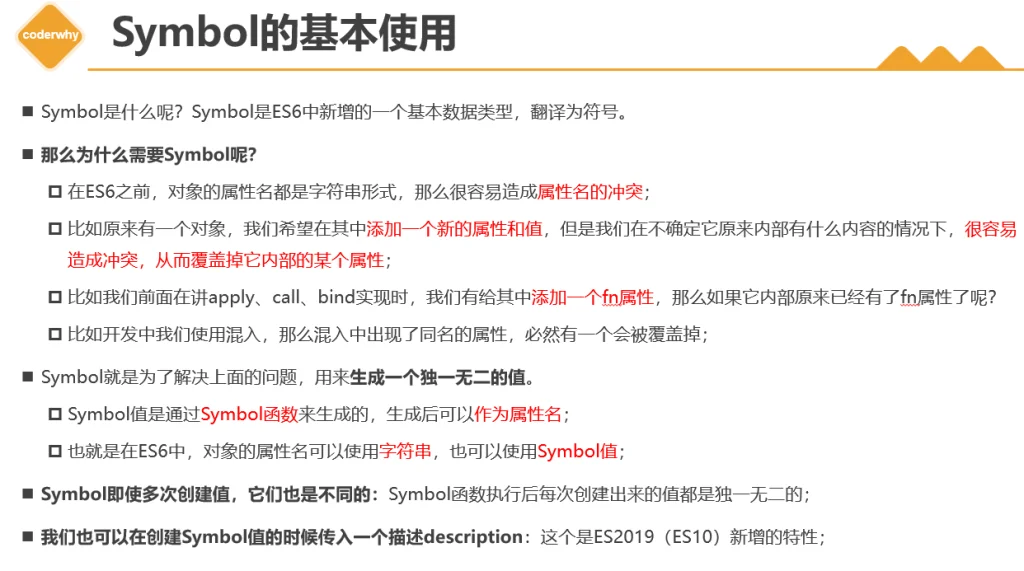
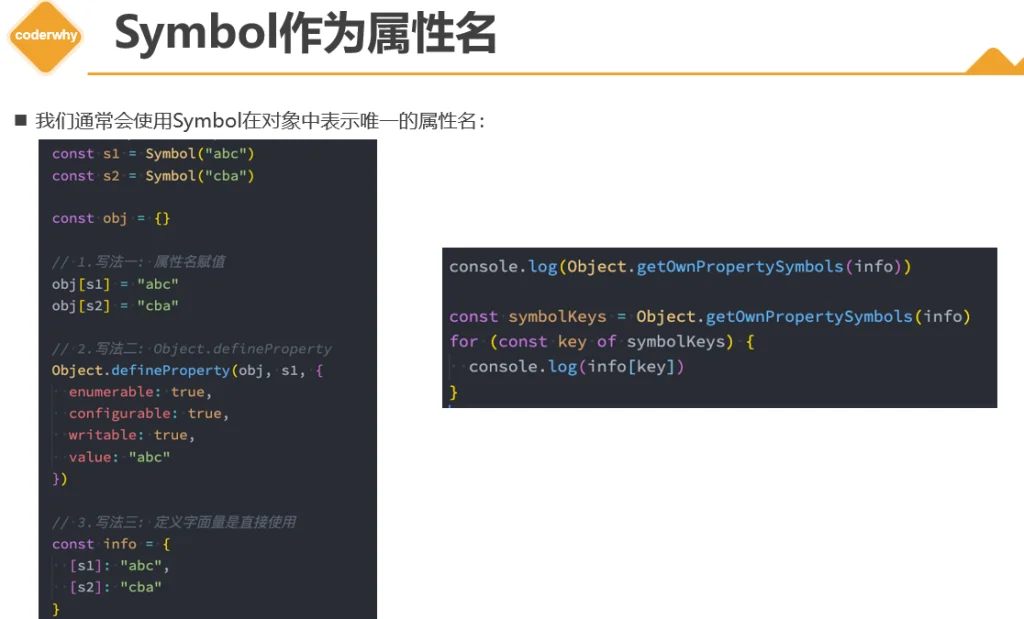
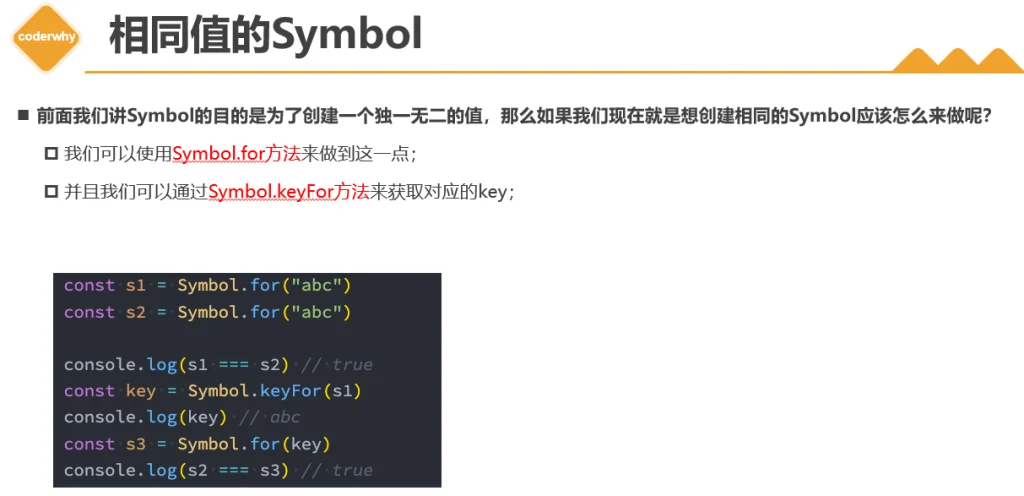
Object property keys are strings or symbols; other values generally become strings when used as ordinary object keys. Symbol() creates a distinct value each time. Symbol.for() reuses a value from the global symbol registry, and Symbol.keyFor() reads its registry key. Symbol properties are discoverable through reflection and are not private.
const id = Symbol("id")
const user = { name: "Jack", [id]: 1 }
console.log(Object.keys(user)) // ["name"]
console.log(Reflect.ownKeys(user).length) // 2
console.log(Symbol("id") === Symbol("id")) // false
console.log(Symbol.for("app") === Symbol.for("app")) // true
console.log(Symbol.keyFor(Symbol.for("app"))) // "app"
Set collections
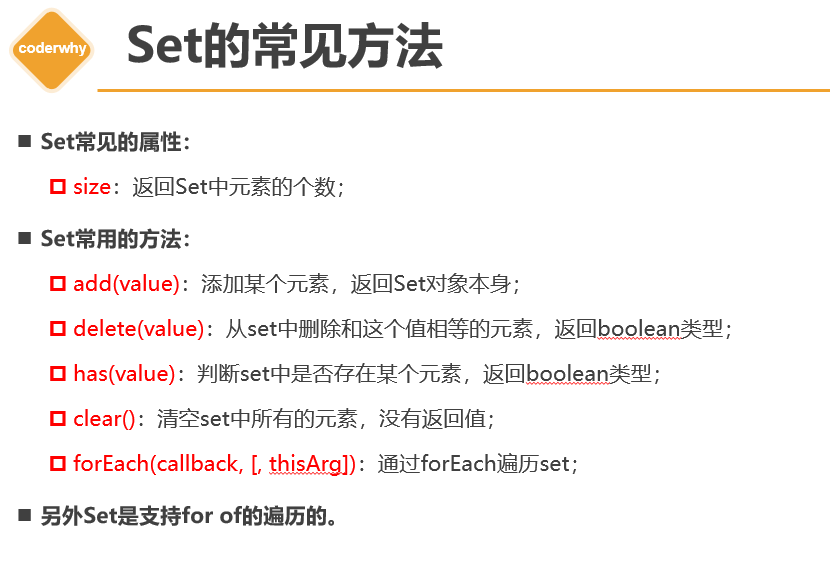
| Structure | Contents | Iteration and size |
|---|---|---|
| Set | Unique values | Iterable, size |
| Map | Arbitrary keys mapped to values | Iterable, size |
| WeakSet | Weakly holdable values | Not enumerable, no size |
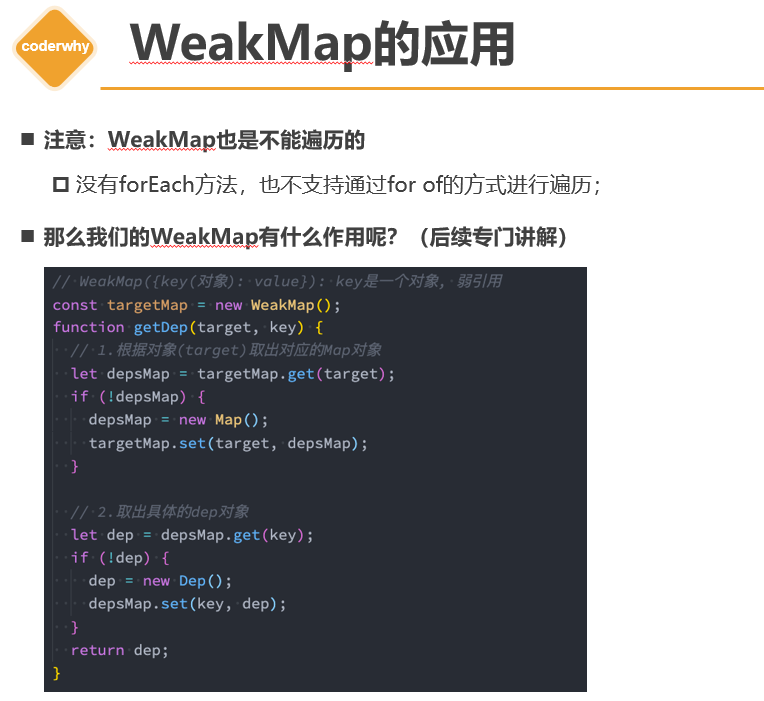
| WeakMap | Weakly holdable keys mapped to arbitrary values | Not enumerable, no size |
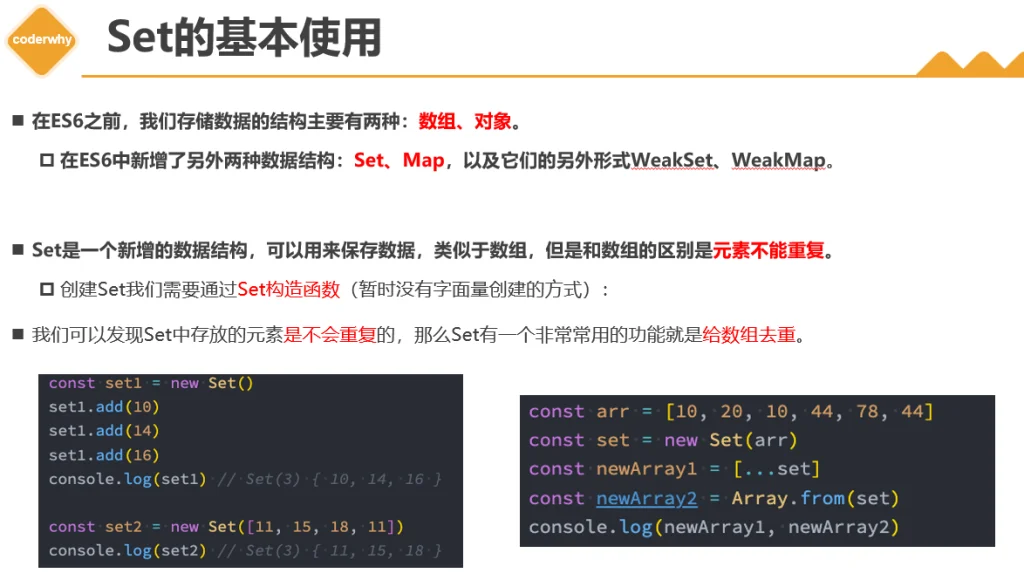
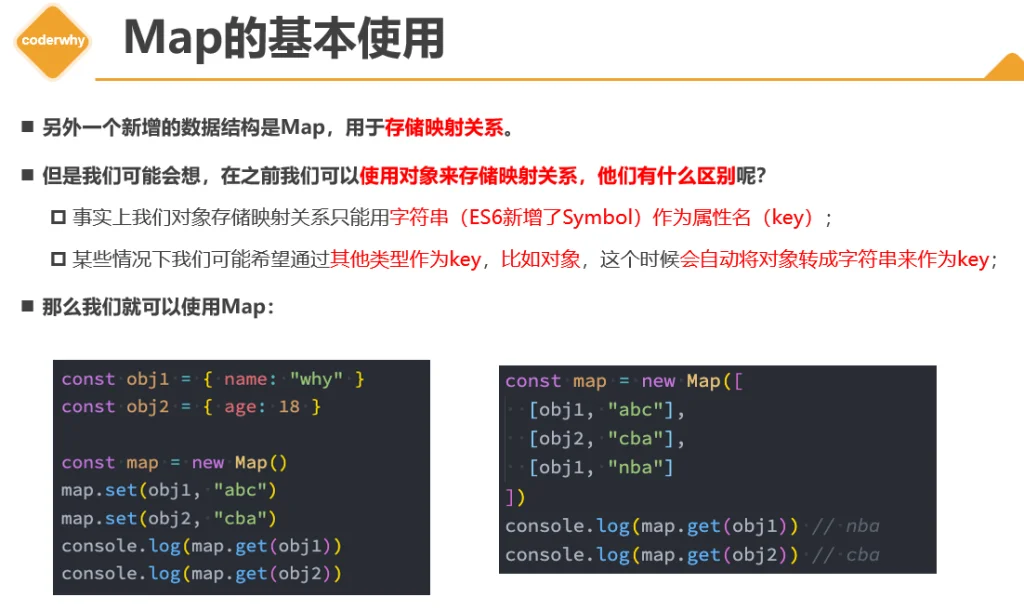
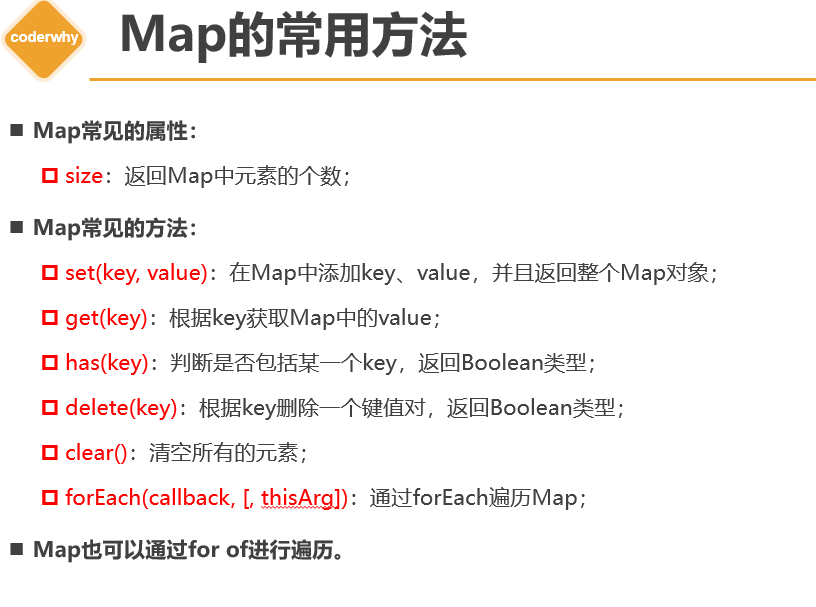
Set / Map use SameValueZero: NaN equals itself, +0 and -0 match, and objects compare by identity. Common operations include add / set, has, get, delete, and clear, as applicable to each structure.
const unique = new Set([1, 1, NaN, NaN])
console.log(unique.size, [...unique]) // 2, [1, NaN]
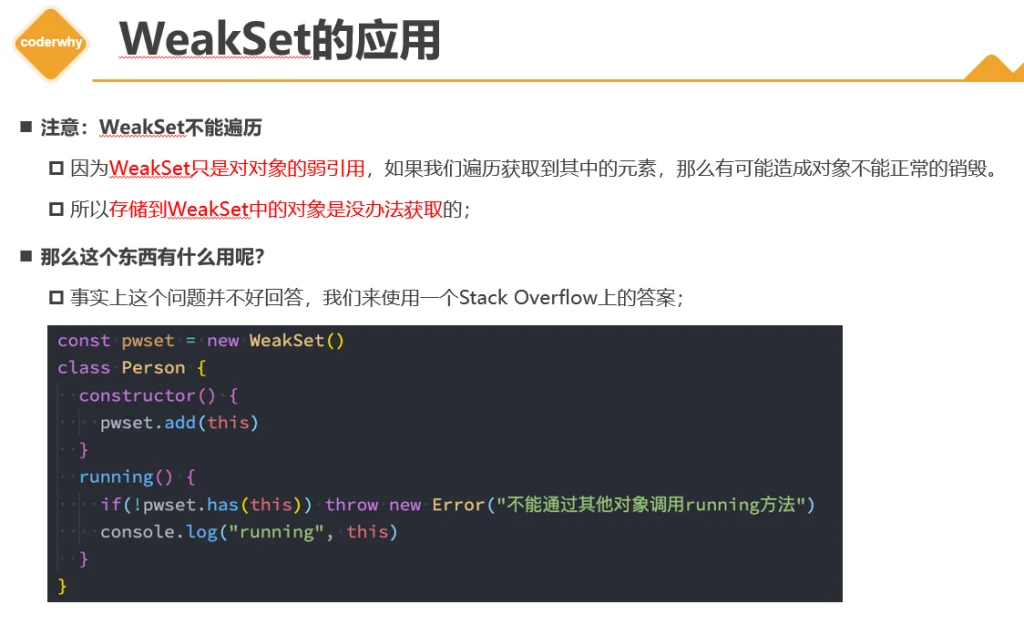
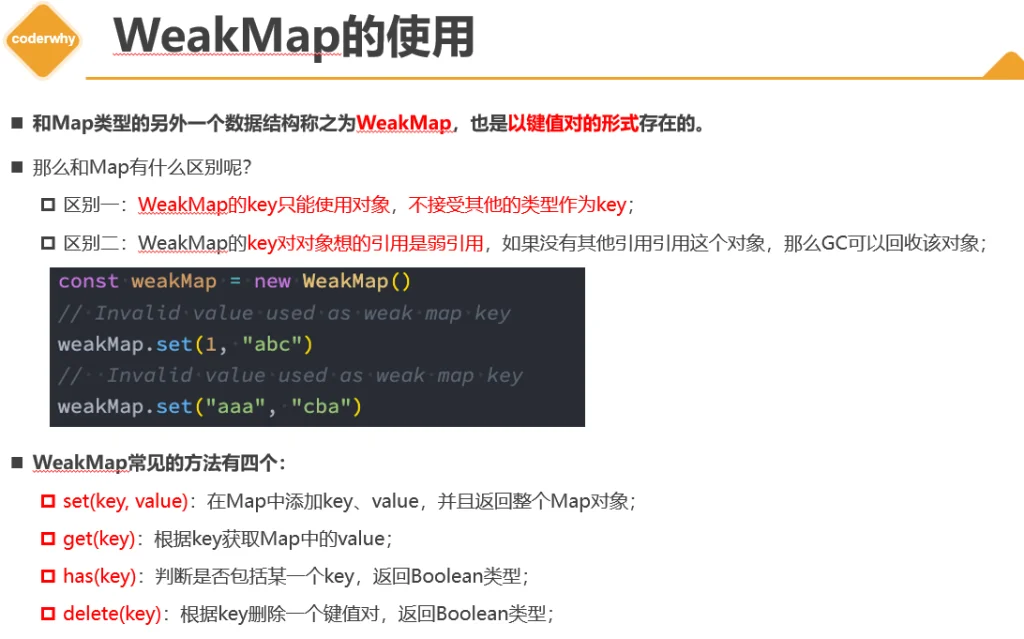
Weak collections and collection eligibility
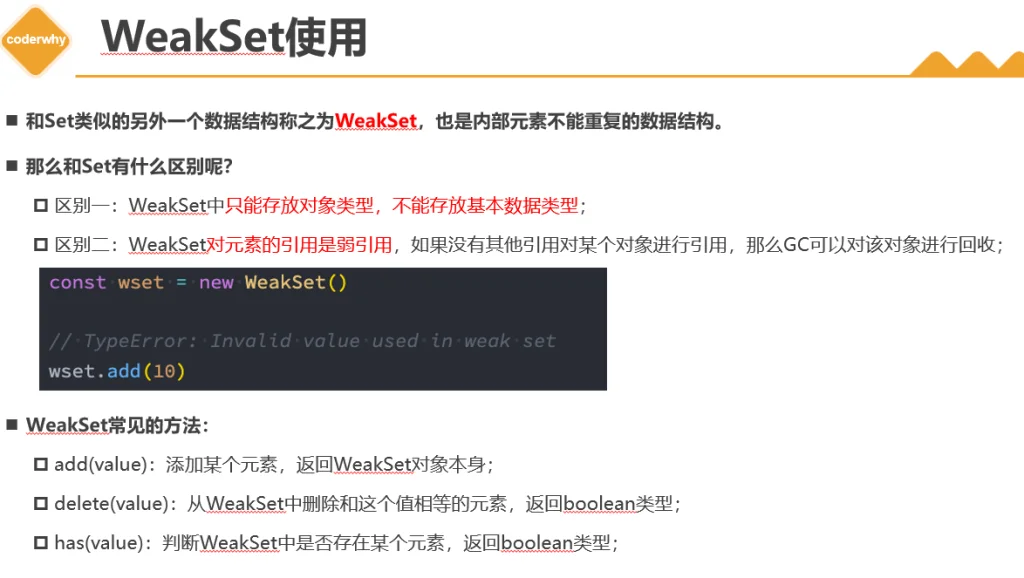
Weak collections do not keep a member or key alive merely by storing it. Modern specifications also permit weakly holdable non-registered symbols; object usage is more broadly compatible. They are not universally limited to objects, and assigning null does not force immediate collection. WeakMap reference.
Map collections
const key = {}
const map = new Map([[key, "metadata"]])
console.log(map.get(key), map.get({})) // "metadata", undefined
ES2016: includes and exponentiation
console.log([NaN].includes(NaN), 2 ** 3) // true 8
ES2017: Object.values and Object.entries
console.log(Object.values({ a: 1 })) // [1]
String padding
console.log("7".padStart(3, "0")) // "007"
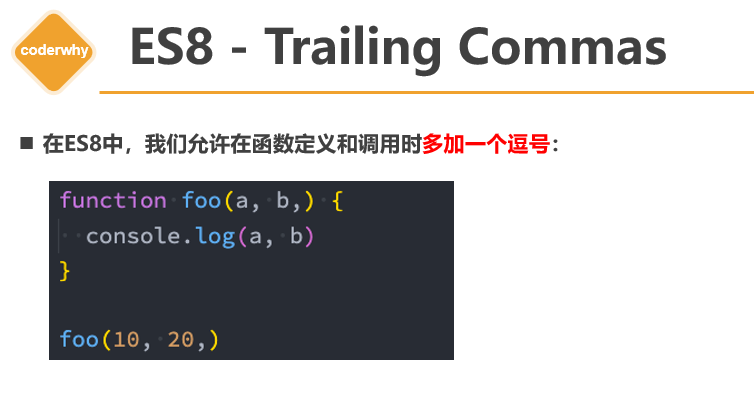
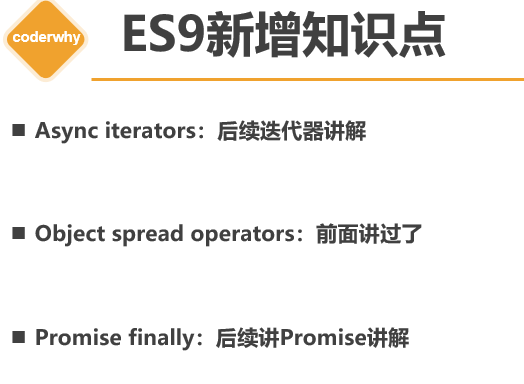
ES2018: object spread and async iteration
ES2019: flat and flatMap
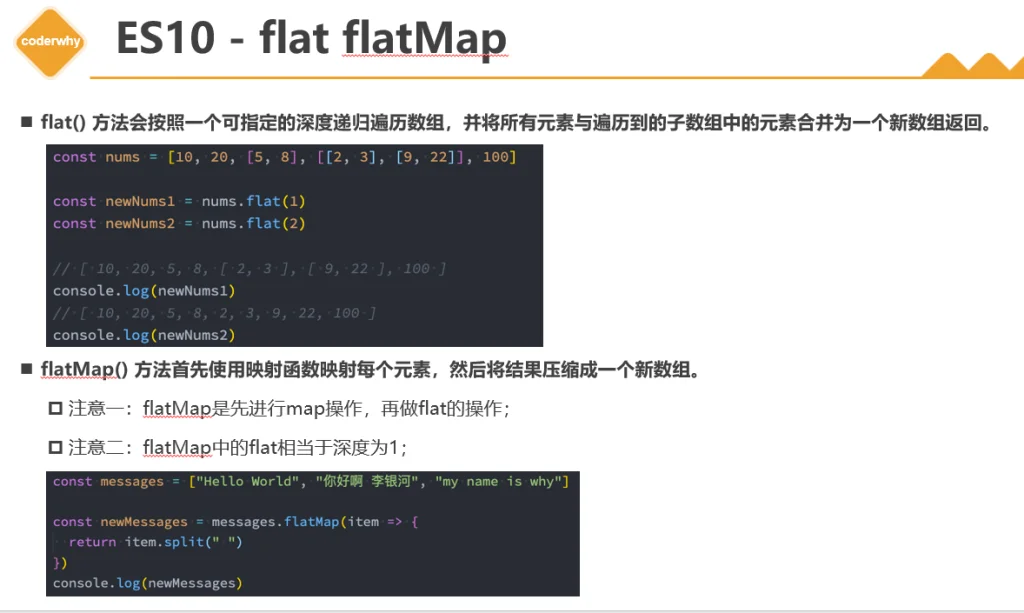
console.log([1, [2, [3]]].flat()) // [1, 2, [3]]
console.log(["a b", "c"].flatMap((item) => item.split(" "))) // ["a", "b", "c"]
Object.fromEntries
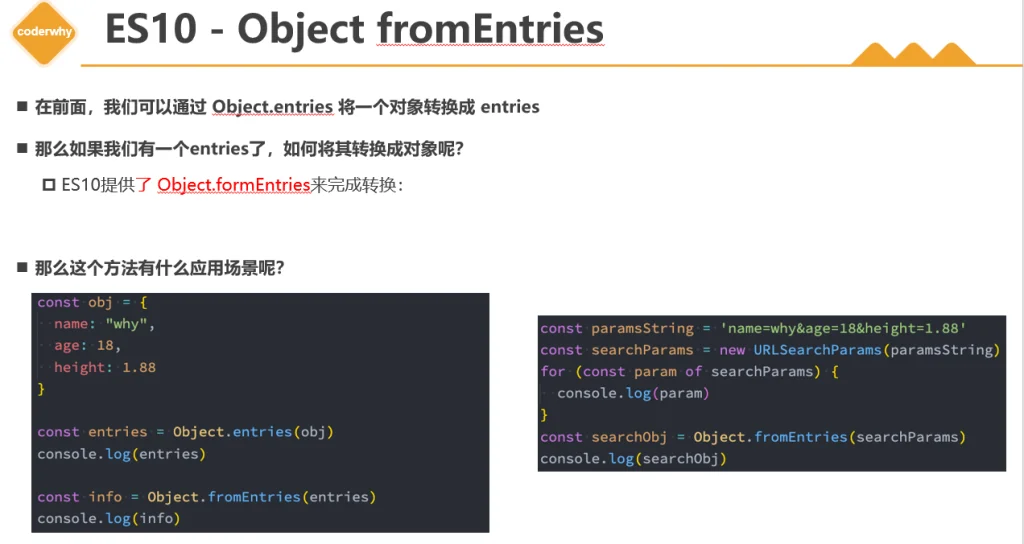
console.log(Object.fromEntries([["a", 1]])) // { a: 1 }
trimStart and trimEnd
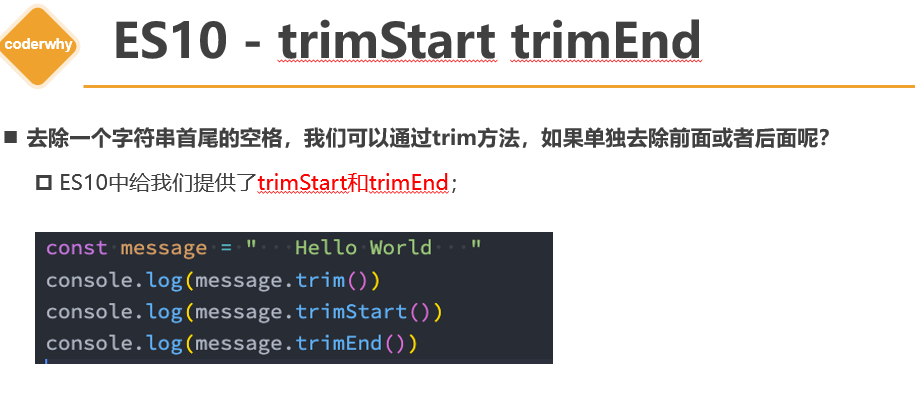
console.log(" hello ".trimStart().trimEnd()) // "hello"
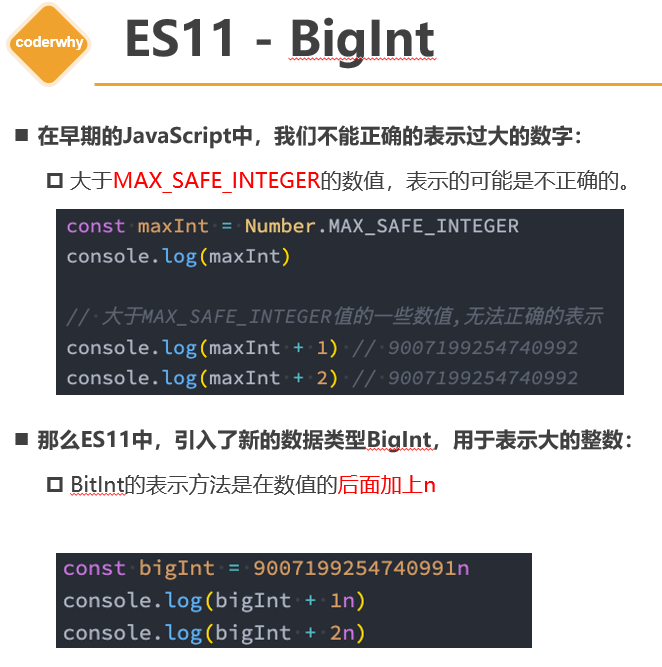
ES2020: BigInt and nullish coalescing
console.log(9_007_199_254_740_993n + 1n) // 9007199254740994n
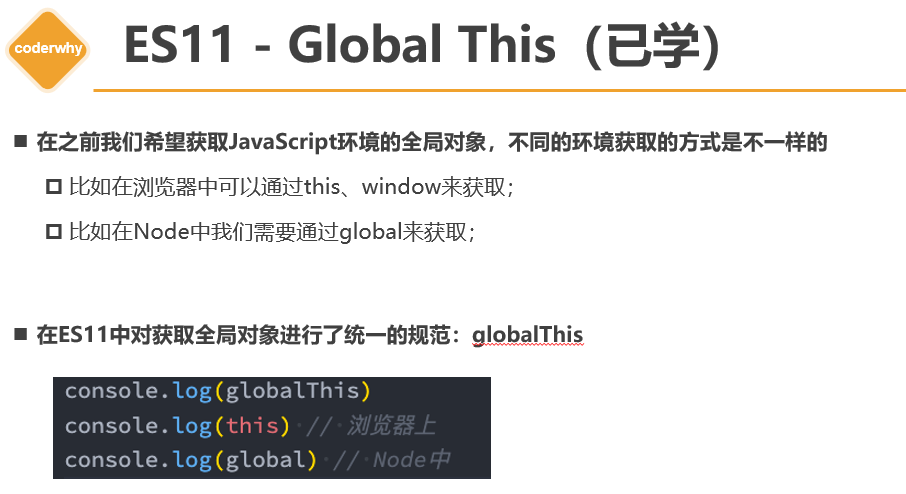
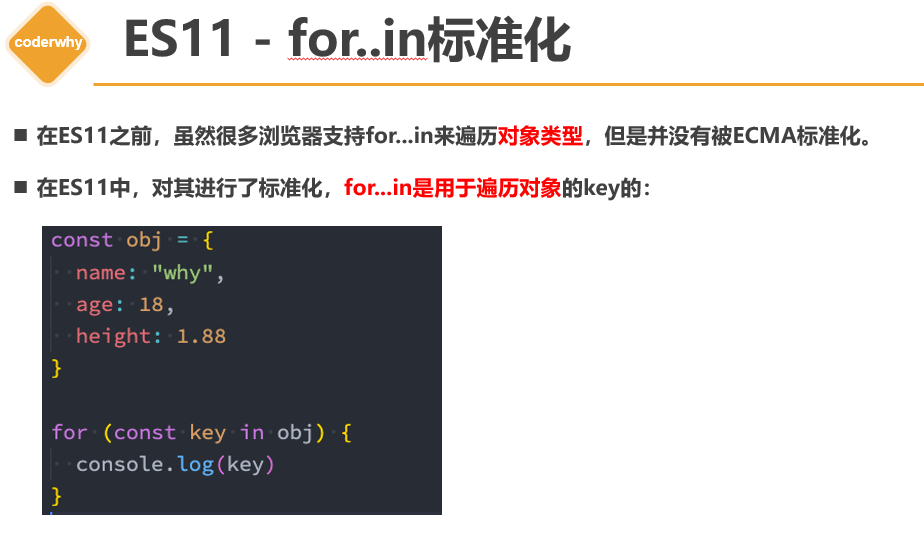
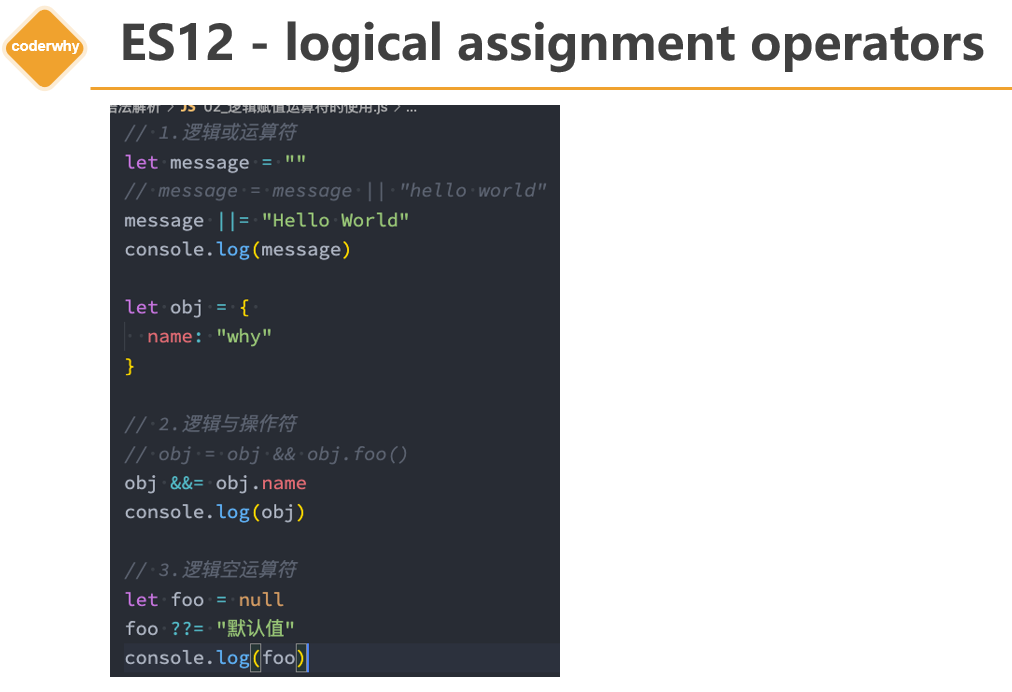
Do not directly mix BigInt and Number in arithmetic. && and || return an operand, not necessarily a boolean; &&=, ||=, and ??= short-circuit their assignments. for...in enumerates enumerable string keys, potentially including inherited keys; for...of consumes iterable values. The correct spellings are Object.fromEntries and trimStart.
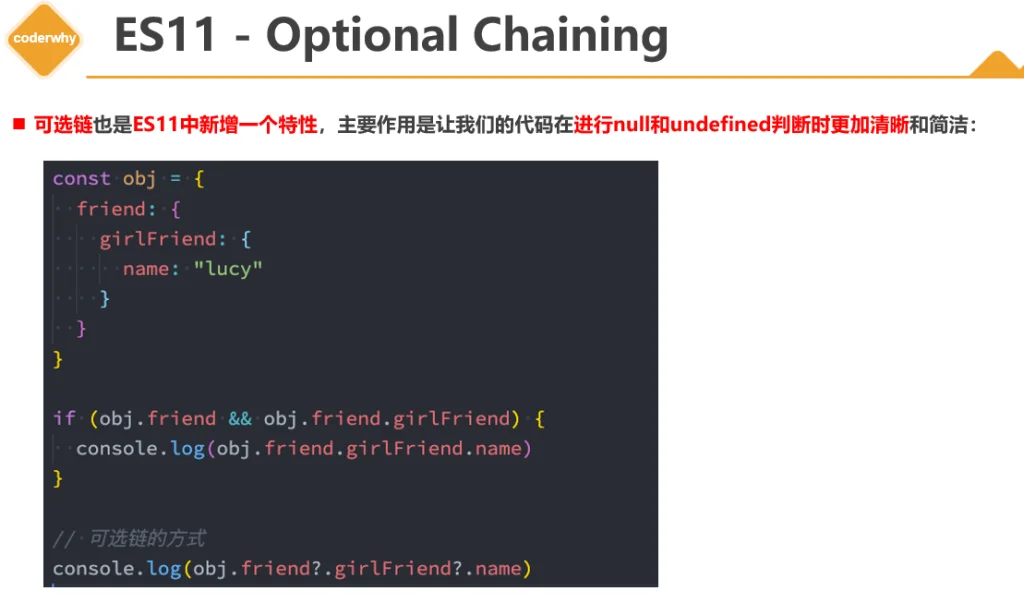
Optional chaining
for...in and for...of
ES2021: FinalizationRegistry
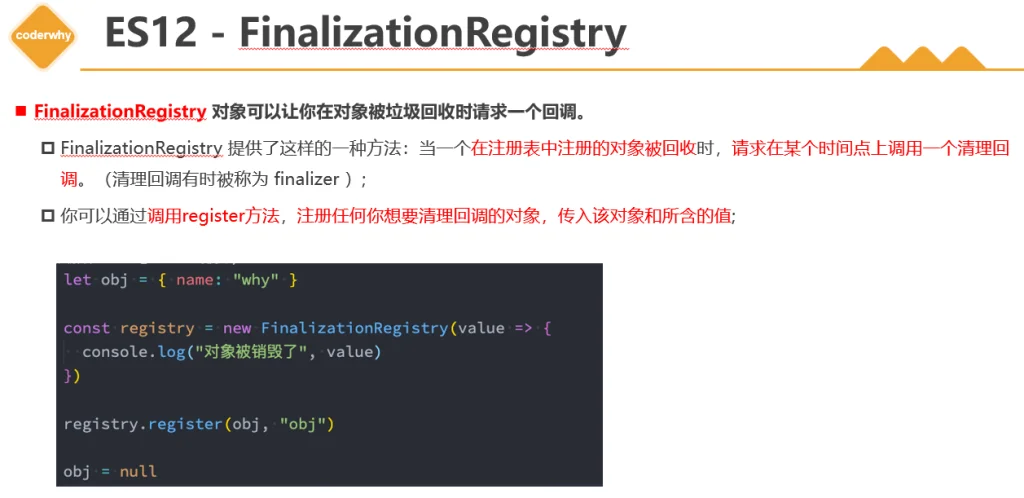
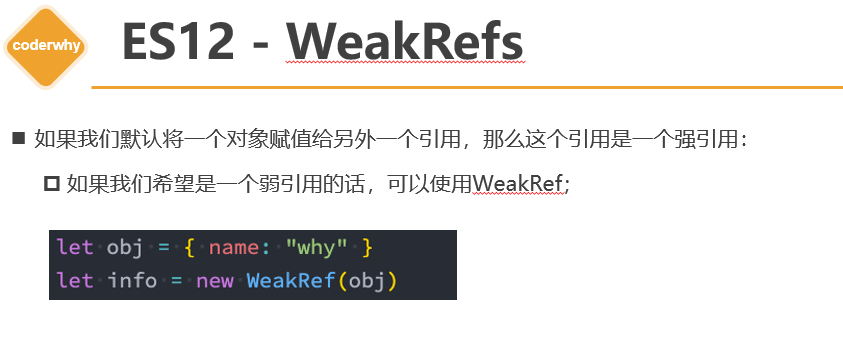
FinalizationRegistry takes a target, a held value for cleanup, and an optional unregister token. Cleanup timing and execution are not guaranteed. A held value must not strongly reference the target, directly or indirectly. Do not use it for essential resource cleanup. FinalizationRegistry reference.
const metadata = new WeakMap()
let user = { name: "Jack" }
metadata.set(user, { visits: 1 })
console.log(metadata.get(user).visits) // 1
const registry = new FinalizationRegistry((label) => console.log(label))
registry.register(user, "user released")
user = null
Logical assignment and replaceAll
console.log("a-a".replaceAll("a", "b")) // "b-b"
const options = { count: 0 }
options.count ??= 10
console.log(options.count) // 0
console.log(options.user?.name ?? "Guest") // "Guest"
ES2022: class fields, at, and Object.hasOwn
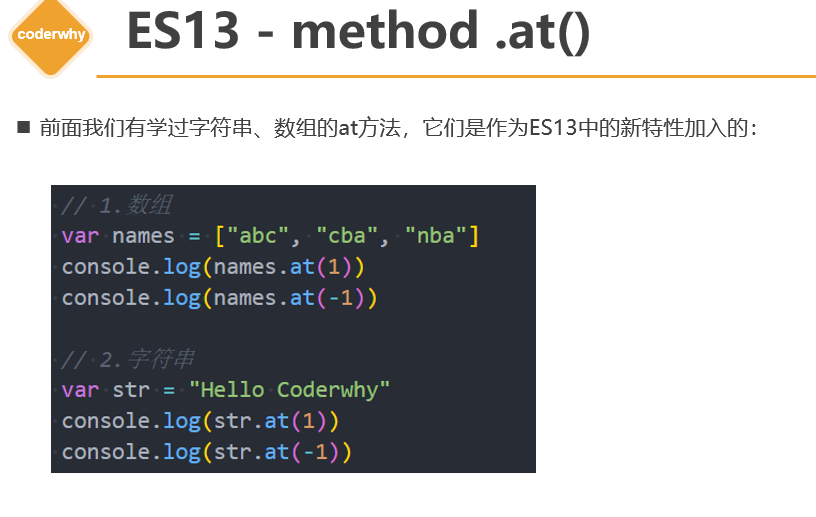
console.log([10, 20].at(-1)) // 20
console.log(Object.hasOwn({ value: 1 }, "value")) // true
12 Proxy
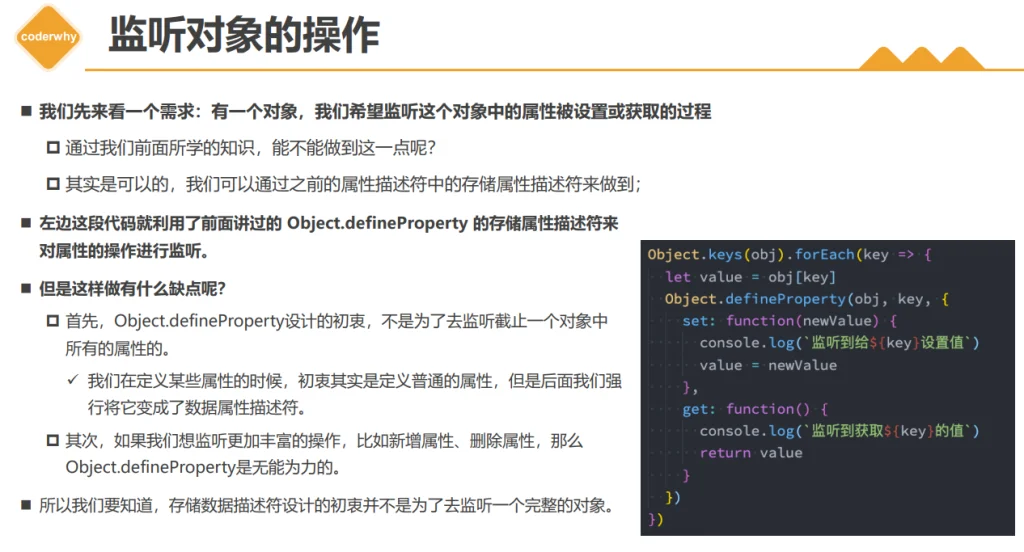
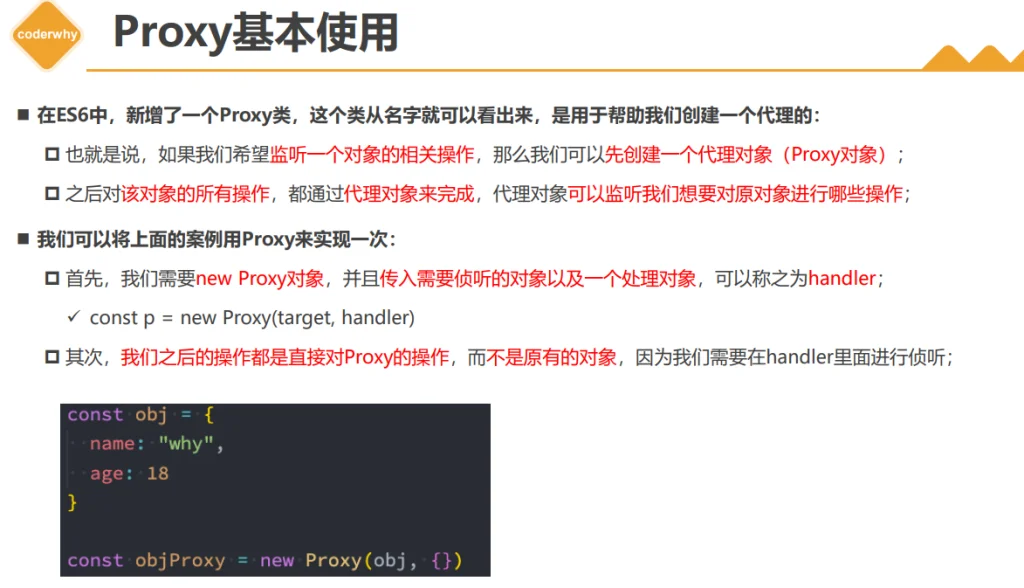
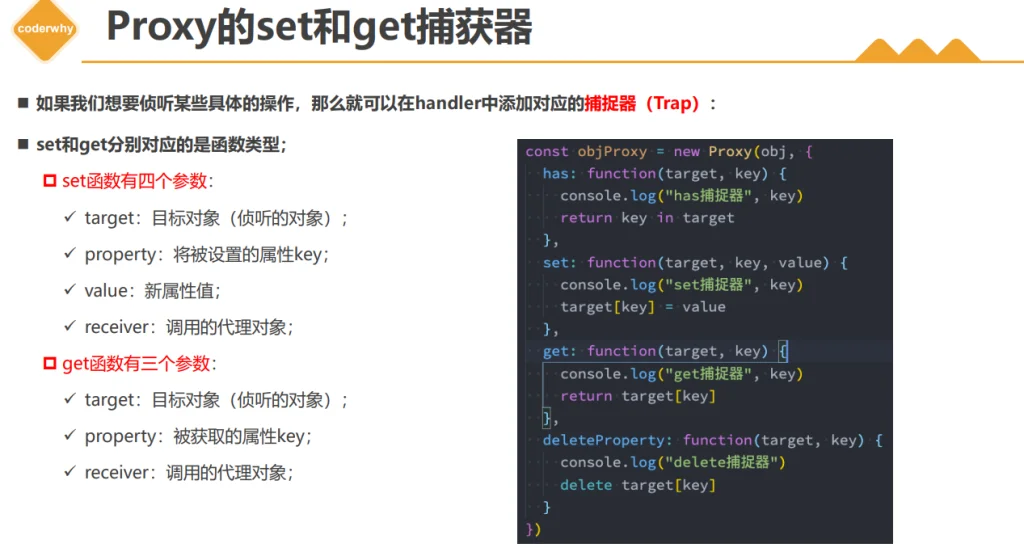
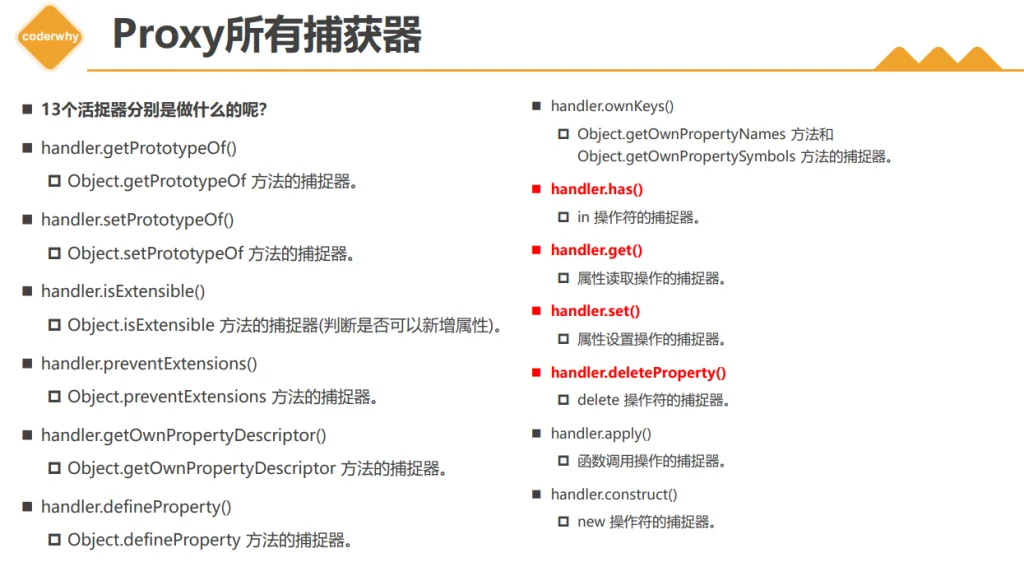
A Proxy intercepts internal operations performed through it. Direct operations on the original object bypass it, and nested objects are not automatically proxied. Traps such as get, set, has, deleteProperty, apply, and construct must respect object invariants.
Property access and trap results
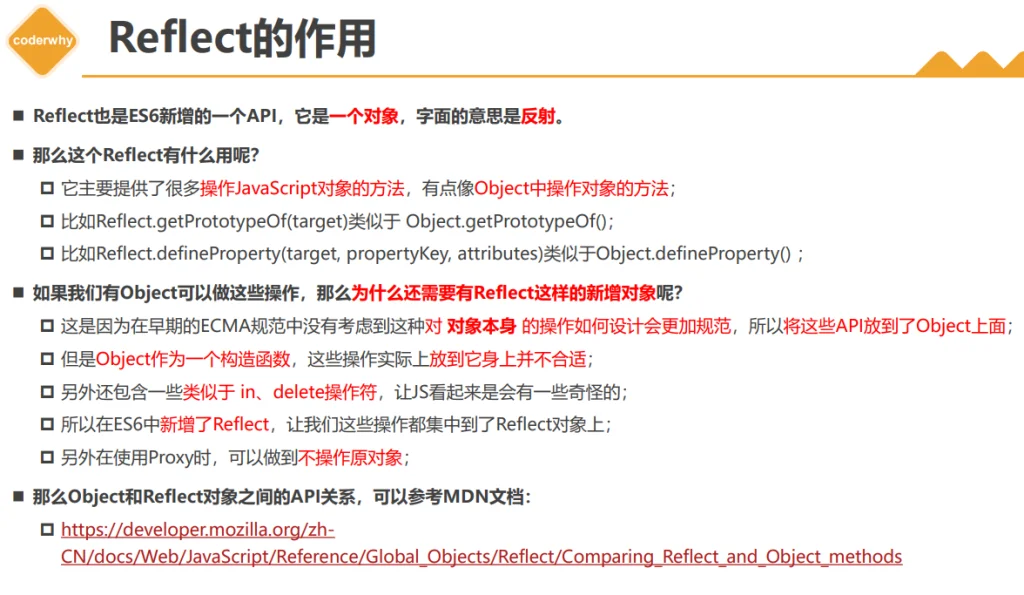
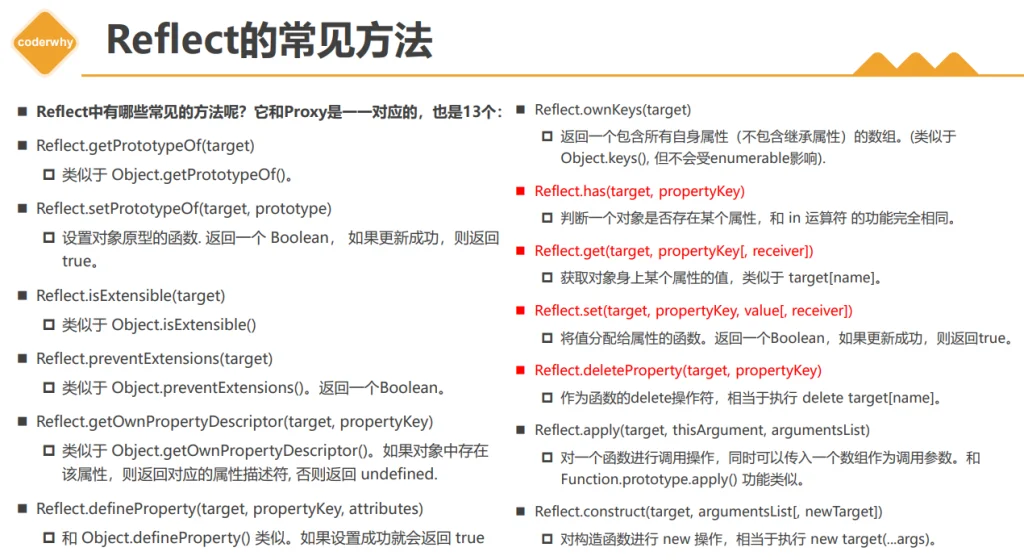
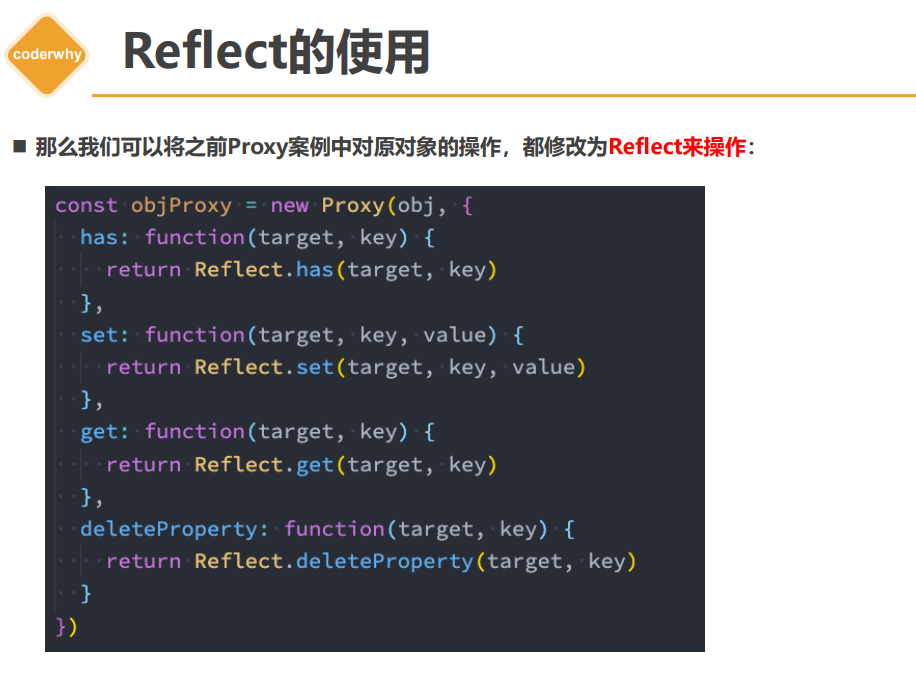
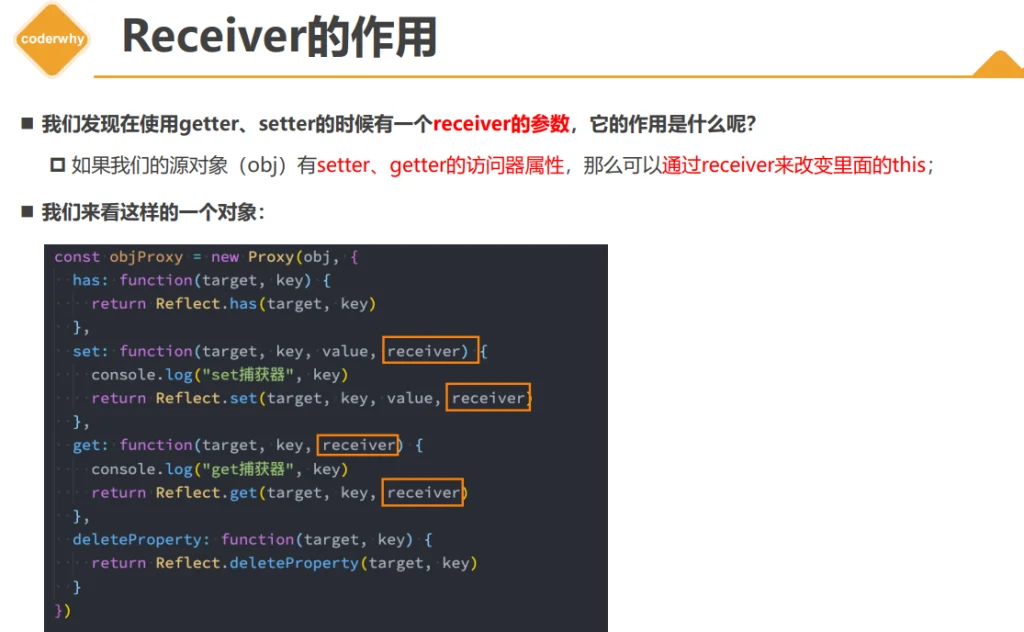
set / deleteProperty should return a boolean success result; a falsy set result causes assignment to throw in strict mode. The receiver parameter of Reflect.get/set preserves accessor receiver semantics. Reflect really does read or modify the target; it does not avoid interacting with the original object.
"use strict"
const target = {
  first: "Jack",
  get label() {
    return this.first.toUpperCase()
  },
}
const proxy = new Proxy(target, {
  get(object, key, receiver) {
    return Reflect.get(object, key, receiver)
  },
  set(object, key, value, receiver) {
    if (key === "first" && typeof value !== "string") return false
    return Reflect.set(object, key, value, receiver)
  },
  has(object, key) {
    return Reflect.has(object, key)
  },
  deleteProperty(object, key) {
    return Reflect.deleteProperty(object, key)
  },
})
proxy.first = "Jill"
console.log(proxy.label, "first" in proxy) // "JILL", true
try {
  proxy.first = 123
} catch (error) {
  console.log(error.name)
} // "TypeError"
13 Reflect
Reflection and forwarding default operations
Forwarding calls and construction
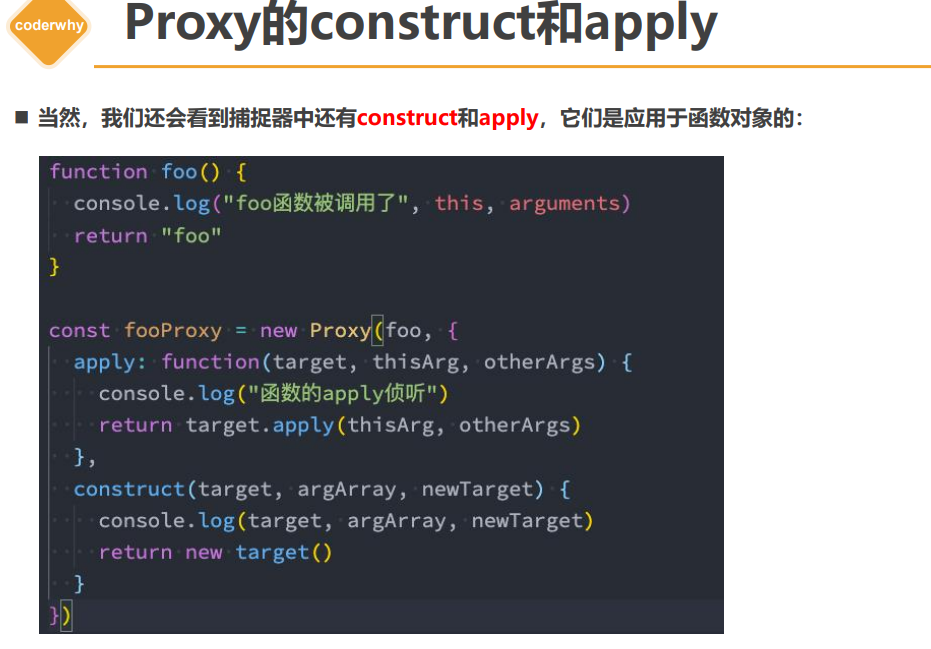
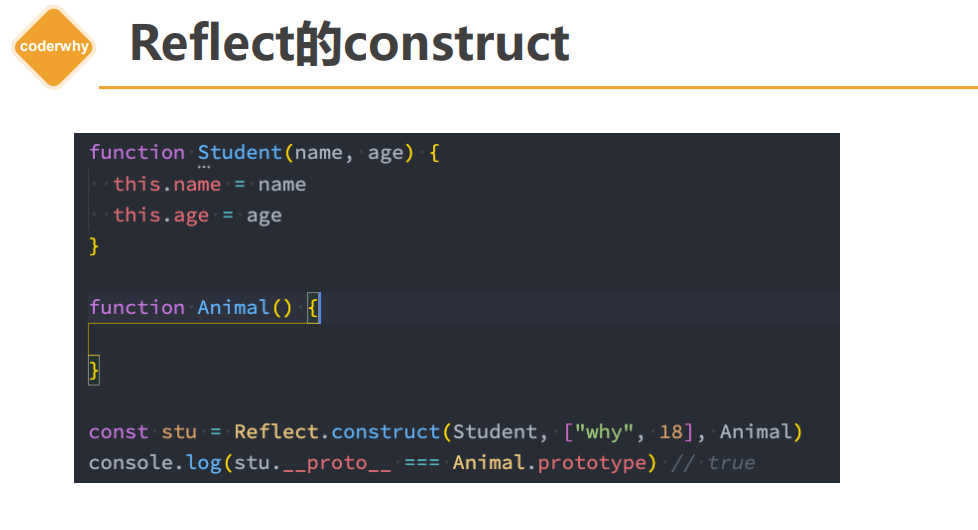
A function proxy's apply should return the call result, and construct must return an object. Reflect.construct(Target, args, NewTarget) separates the constructor performing initialization from the newTarget determining the prototype. The third argument's body does not run automatically.
function Person(name) {
  this.name = name
}
function Student() {}
const PersonProxy = new Proxy(Person, {
  apply(target, receiver, args) {
    return Reflect.apply(target, receiver, args)
  },
  construct(target, args, newTarget) {
    return Reflect.construct(target, args, newTarget)
  },
})
console.log(new PersonProxy("Jack").name) // "Jack"
const student = Reflect.construct(Person, ["Jill"], Student)
console.log(student.name, Object.getPrototypeOf(student) === Student.prototype) // "Jill", true
14 Promise states and propagation
console.log("start")
const task = new Promise((resolve) => {
  console.log("executor")
  resolve(2)
})
task
  .then((value) => value * 2)
  .then((value) => {
    console.log(value)
    throw new Error("failed")
  })
  .catch((error) => {
    console.log(error.message)
    return "recovered"
  })
  .finally(() => console.log("cleanup"))
  .then((value) => console.log(value))
console.log("end")
The three Promise states
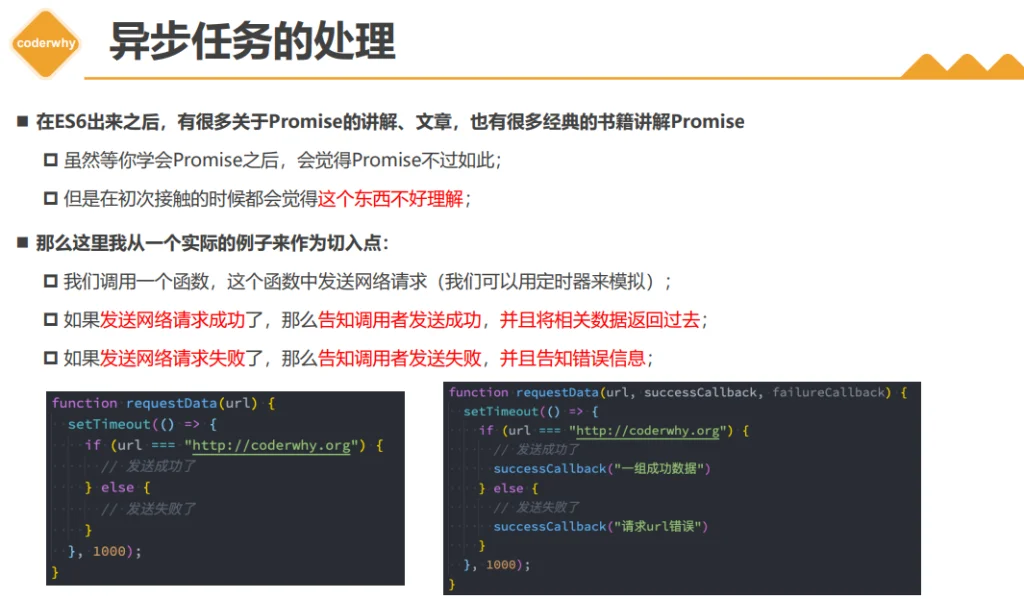
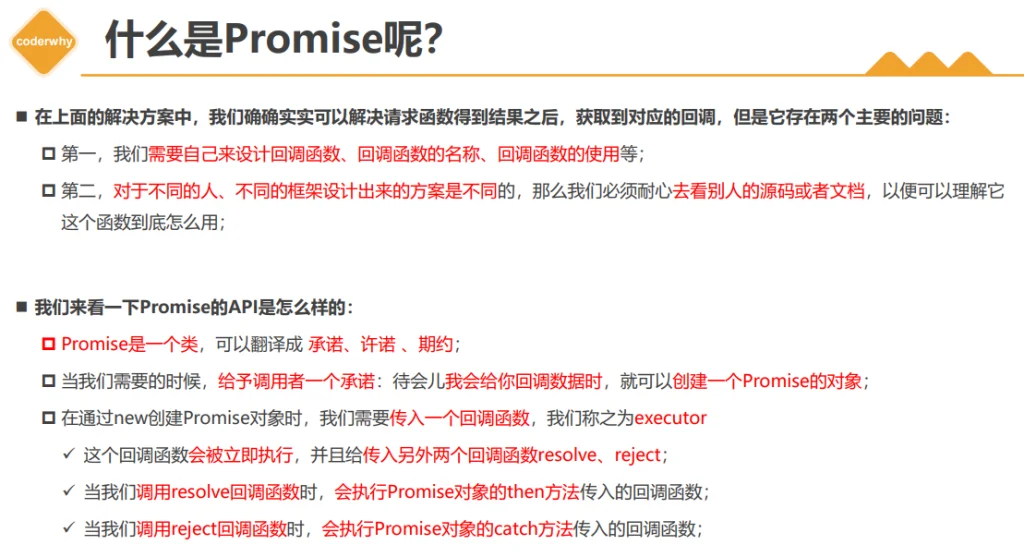
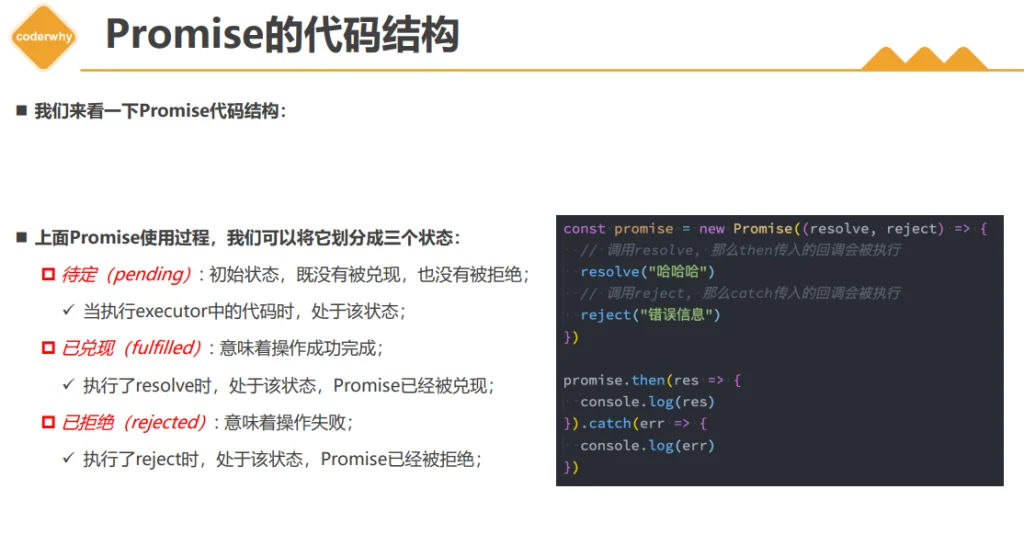
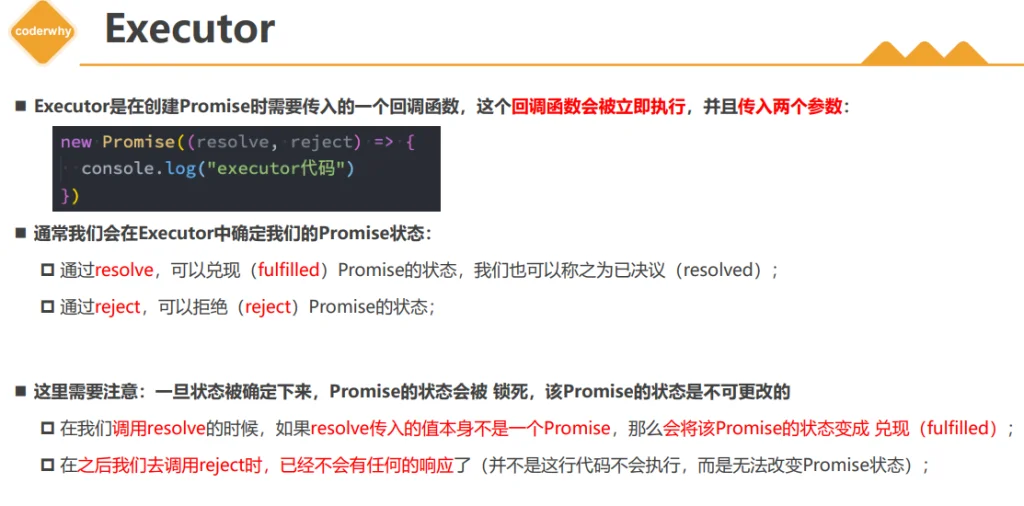
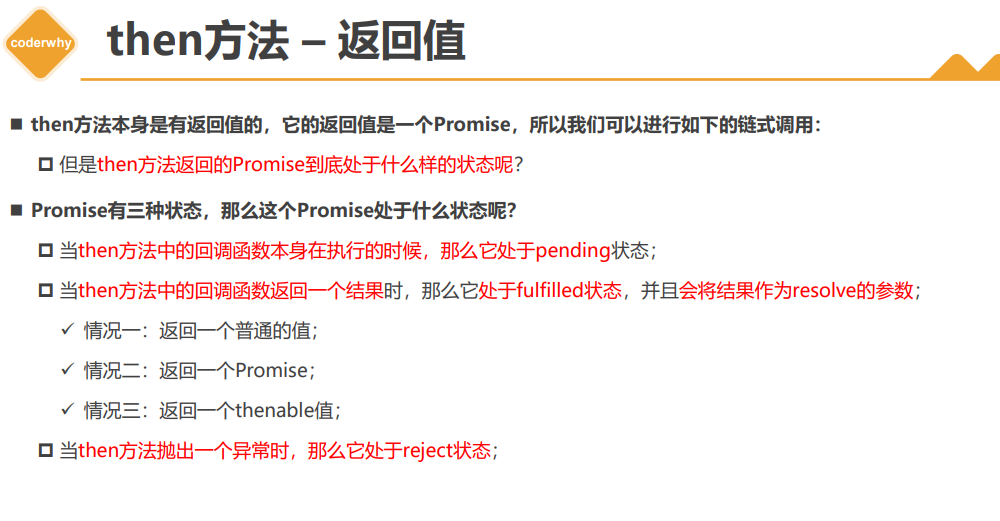
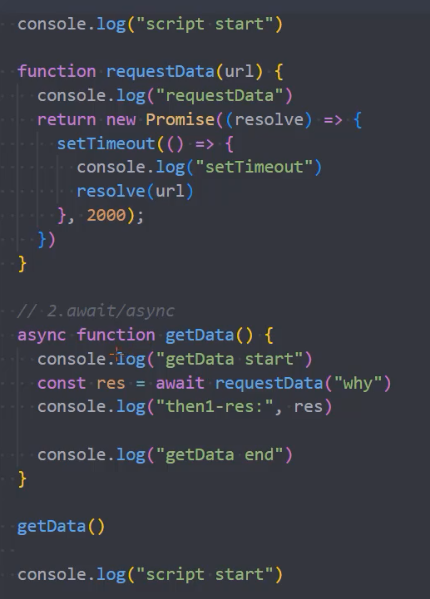
A Promise is pending, fulfilled, or rejected; the last two are collectively settled. The constructor's executor runs synchronously, while reaction callbacks in then / catch run asynchronously.
resolve and state adoption
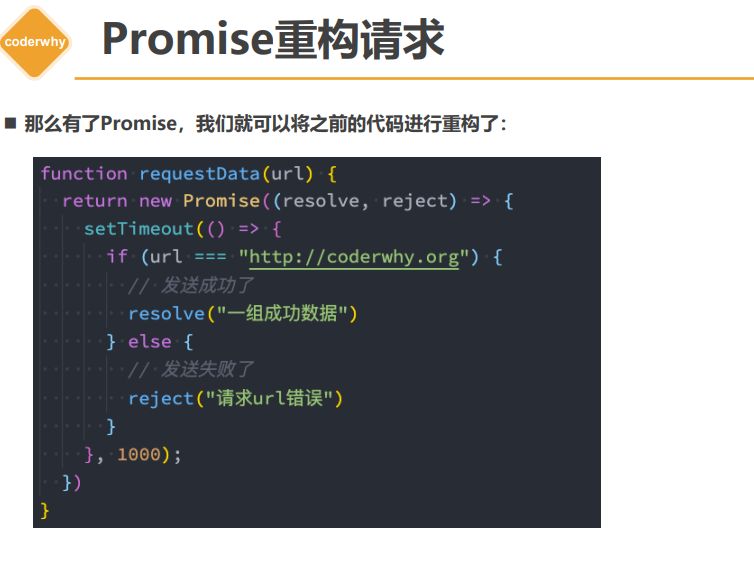
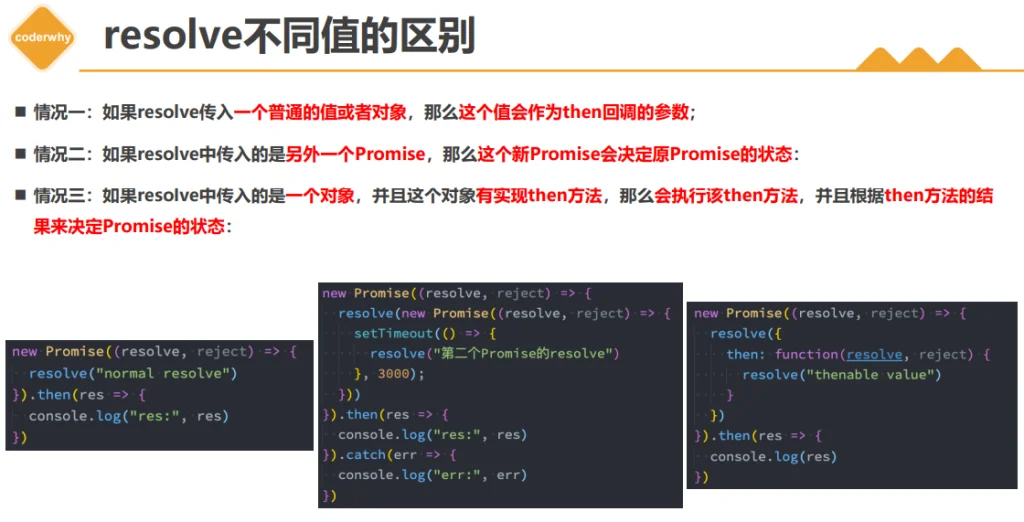
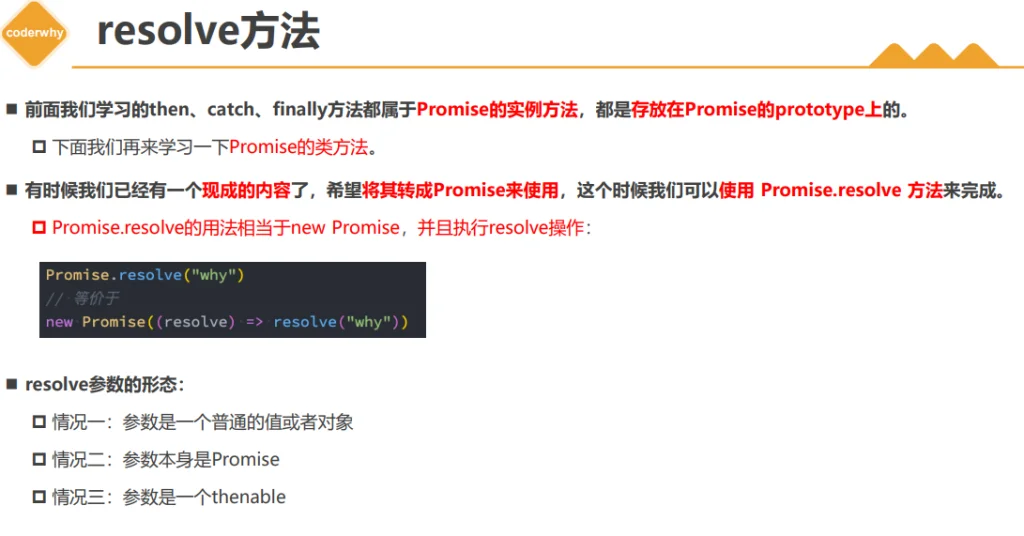
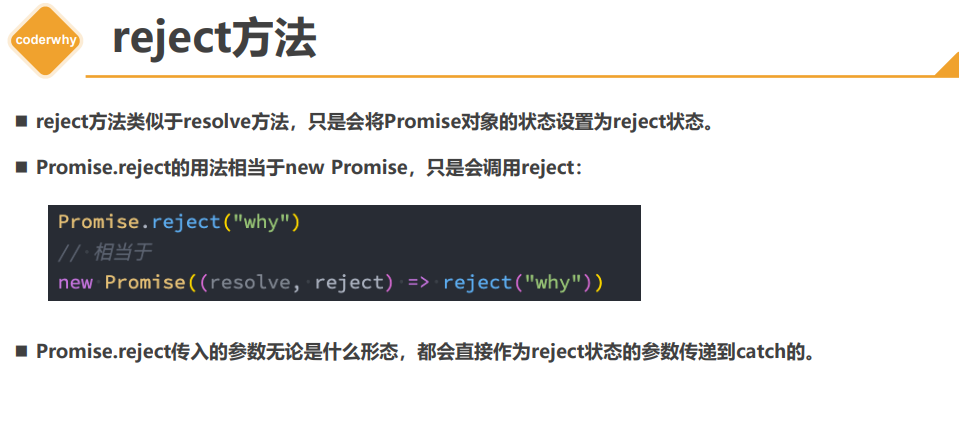
Calling resolve does not necessarily fulfill immediately: a Promise or thenable is assimilated, so resolved and fulfilled are not synonyms. reject uses the supplied value directly as its rejection reason.
then parameters
then return values and propagation
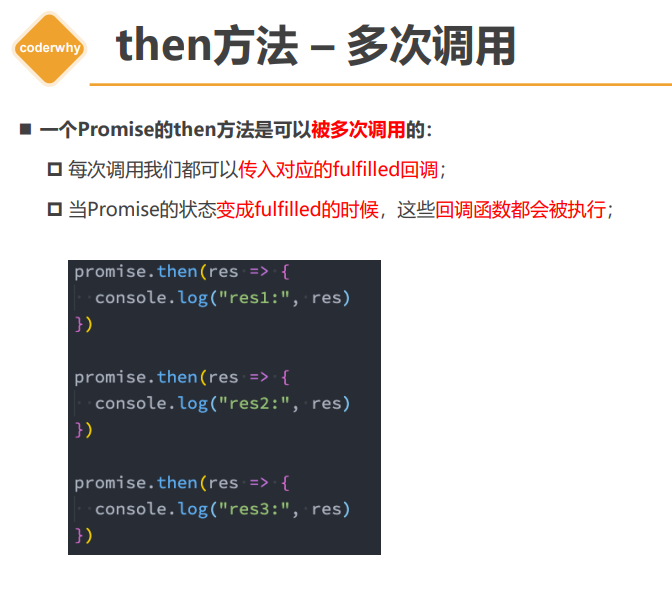
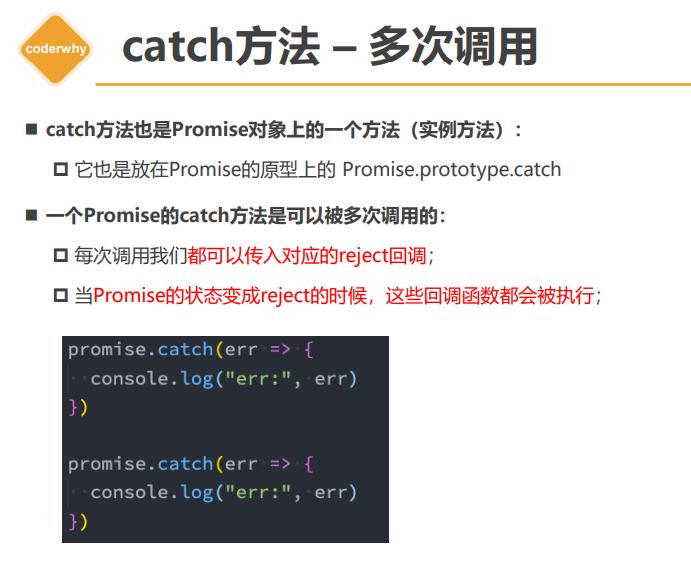
Output: start → executor → end → 4 → failed → cleanup → recovered. Each then / catch / finally returns a new Promise. Returning a value fulfills the next link; throwing rejects it; returning a Promise makes it wait. A catch return value can recover the chain, while rethrowing preserves rejection.
catch and rejection handling
catch return values
finally and outcome preservation
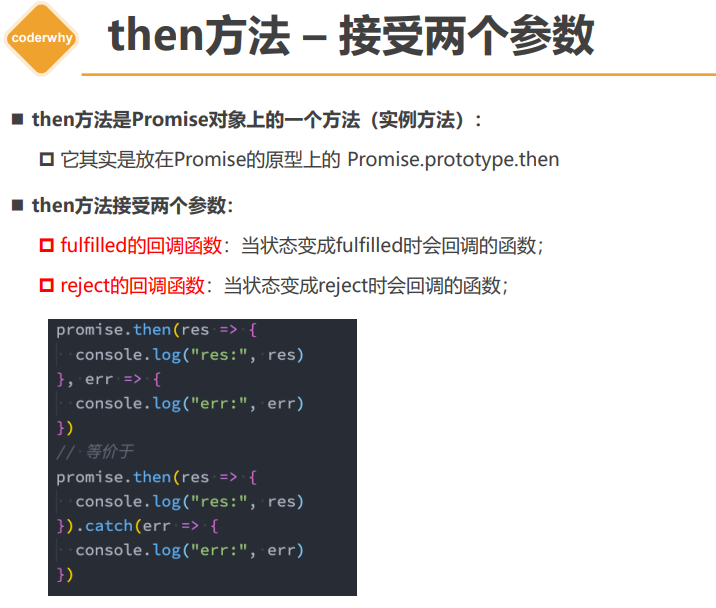
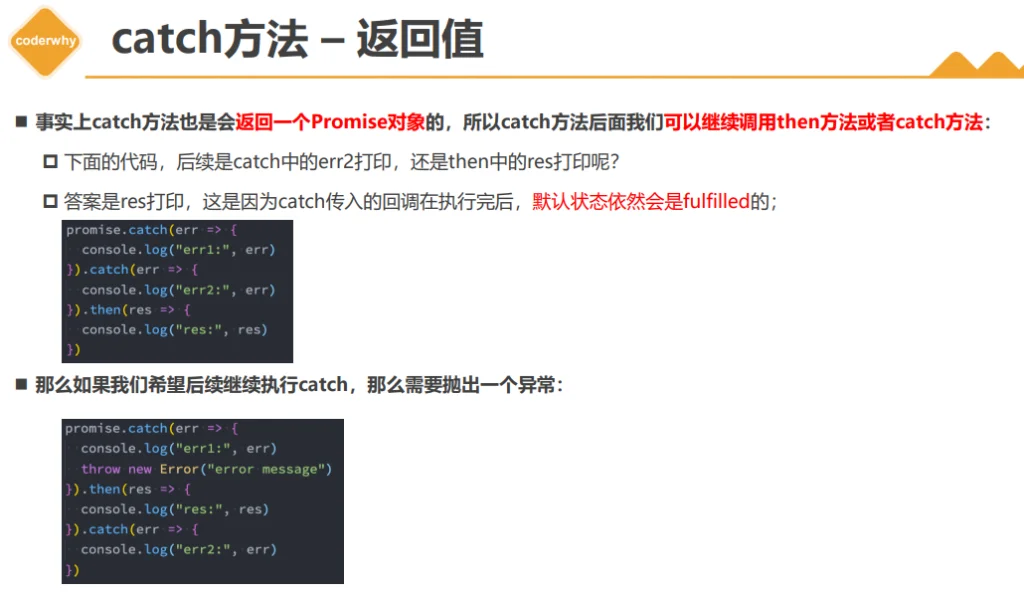
finally normally preserves the original outcome and receives no outcome argument. If it throws or returns a rejected Promise, that failure replaces the outcome. The second callback of then(onFulfilled, onRejected) does not catch errors thrown by that same onFulfilled; a later catch can. Promise reference.
Promise.resolve and Promise.reject
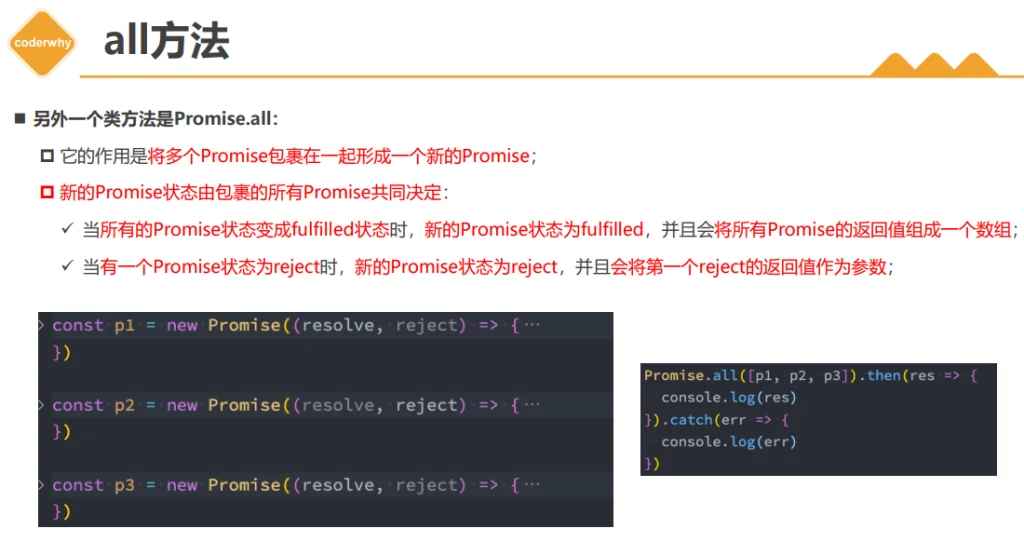
Promise.all and combinator comparison
| Method | Completion condition | Empty iterable |
|---|---|---|
| Promise.all | Every input fulfills, or first rejection | Fulfills with [] |
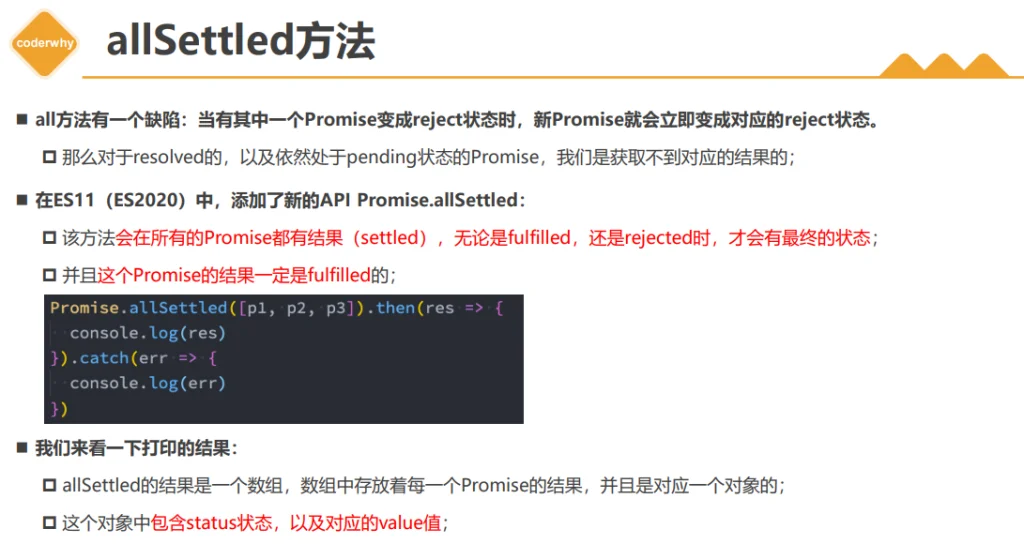
| Promise.allSettled | Every input settles | Fulfills with [] |
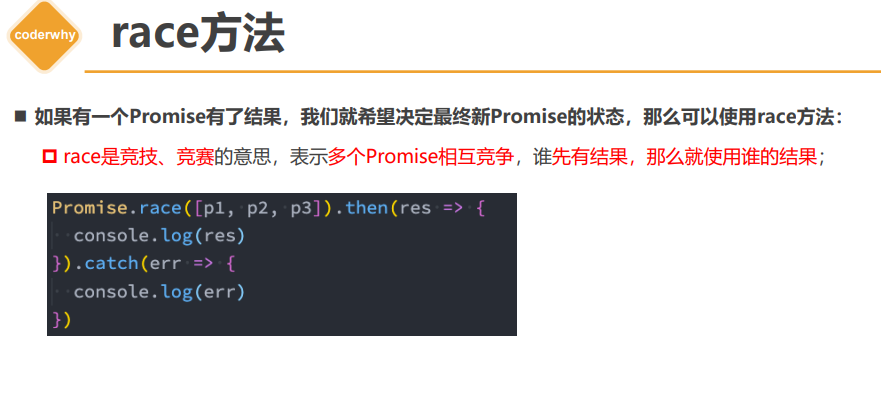
| Promise.race | First settlement | Remains pending |
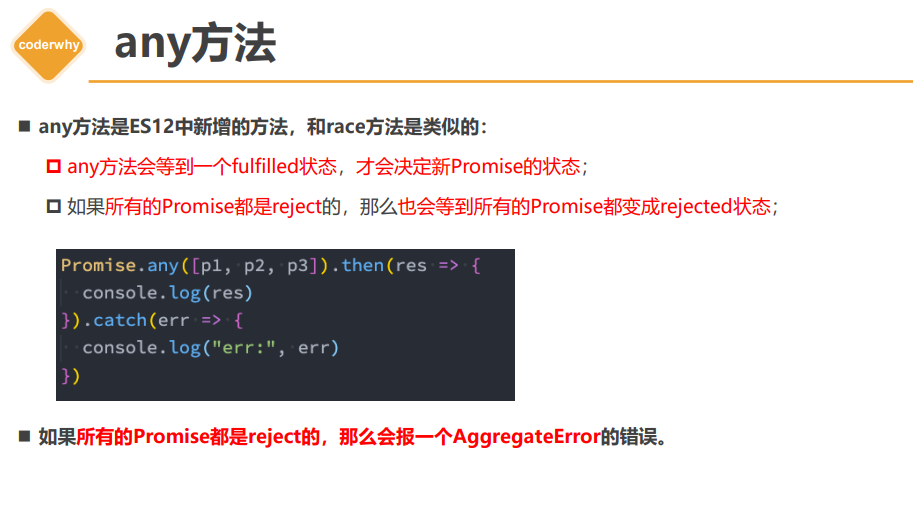
| Promise.any | First fulfillment; AggregateError if all reject | Rejects with AggregateError |
all / allSettled preserve input order. Combinators do not automatically cancel other work or limit concurrency. Promise.all() does not call input functions for you; invoke them to create tasks first.
Promise.allSettled
const tasks = [Promise.resolve("A"), Promise.reject(new Error("B"))]
Promise.allSettled(tasks).then((results) => {
  console.log(results.map((item) => item.status)) // ["fulfilled", "rejected"]
})
Promise.any(tasks).then(console.log) // "A"
Promise.all(tasks).catch((error) => console.log(error.message)) // "B"
Promise.race
Promise.any
15 Iterators and generators
The iterator protocol
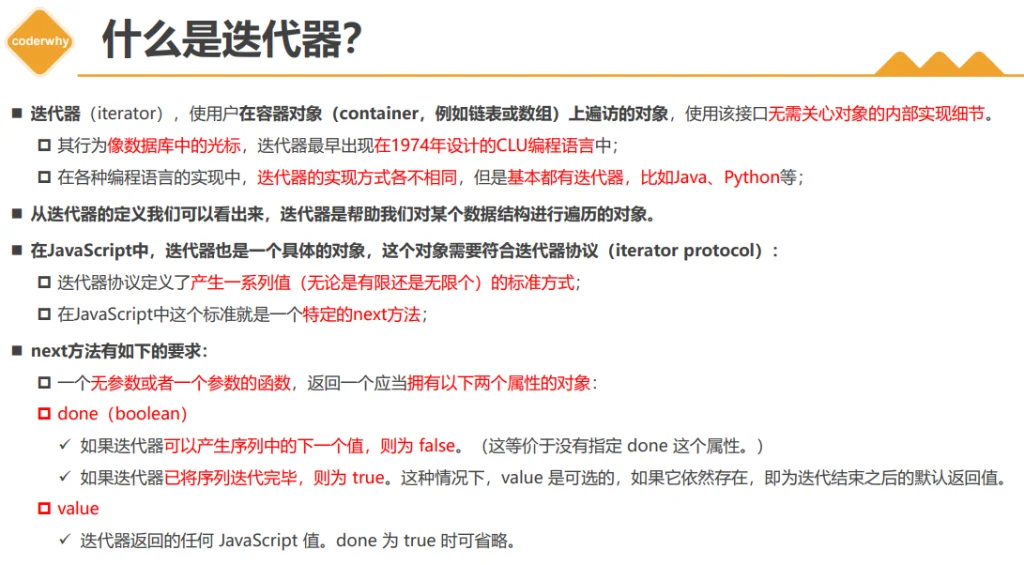
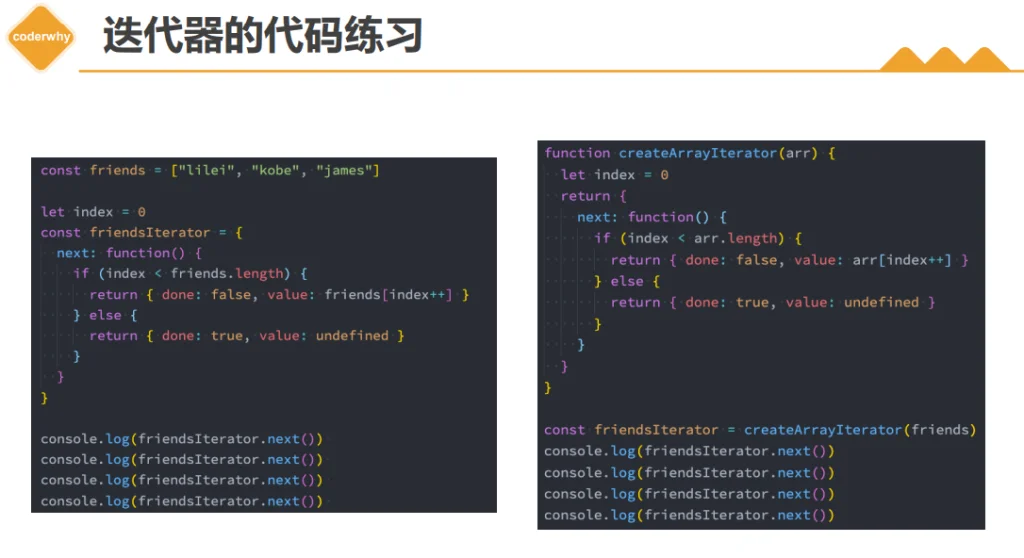
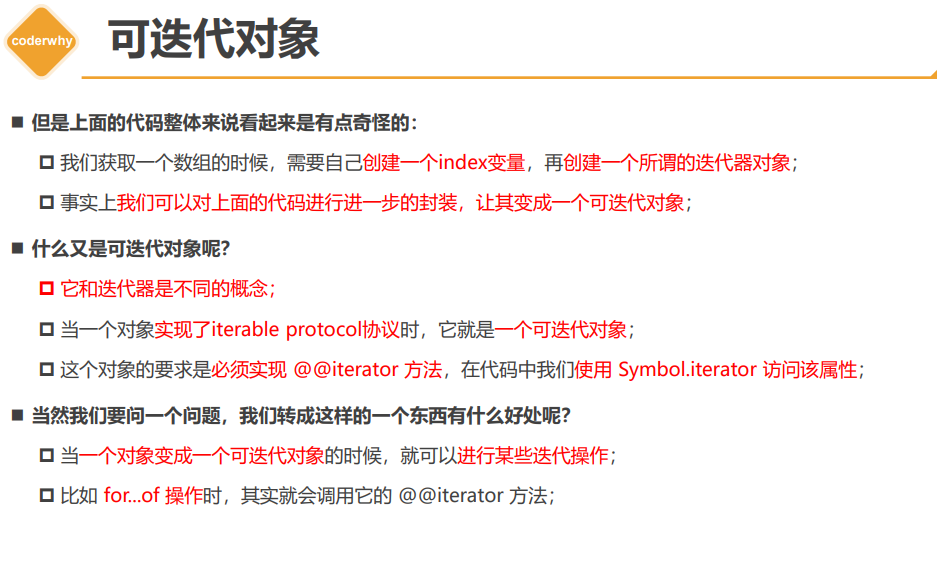
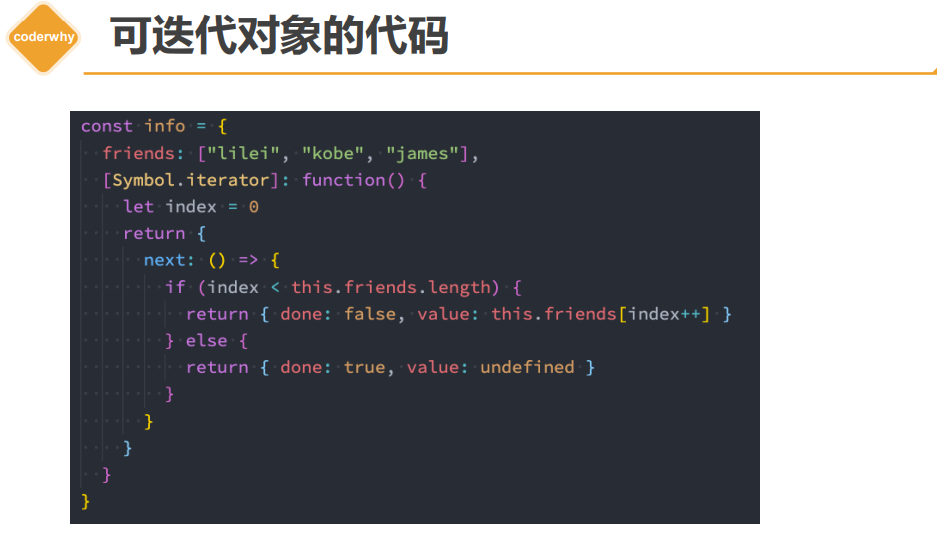
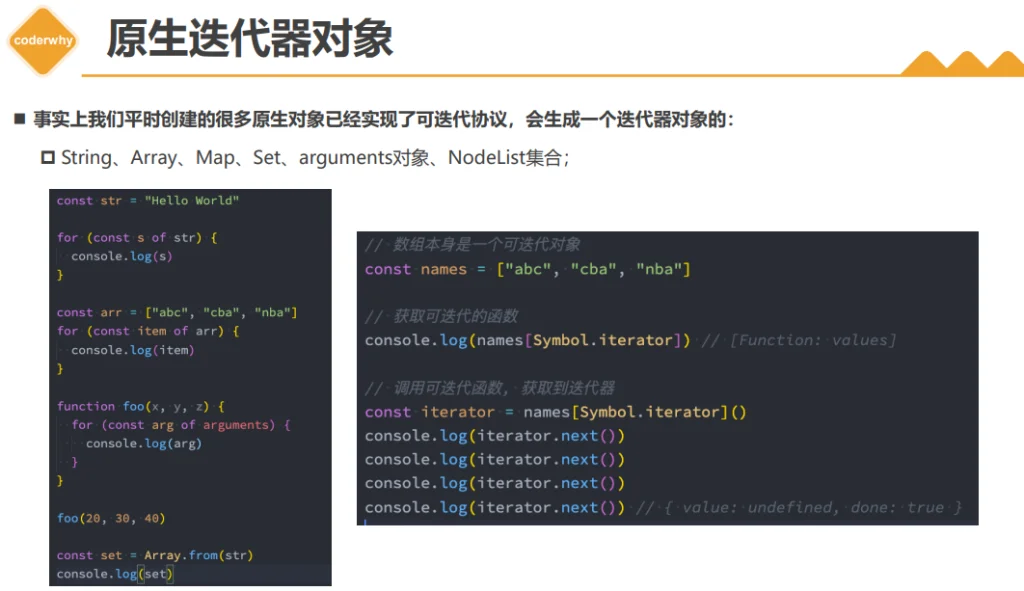
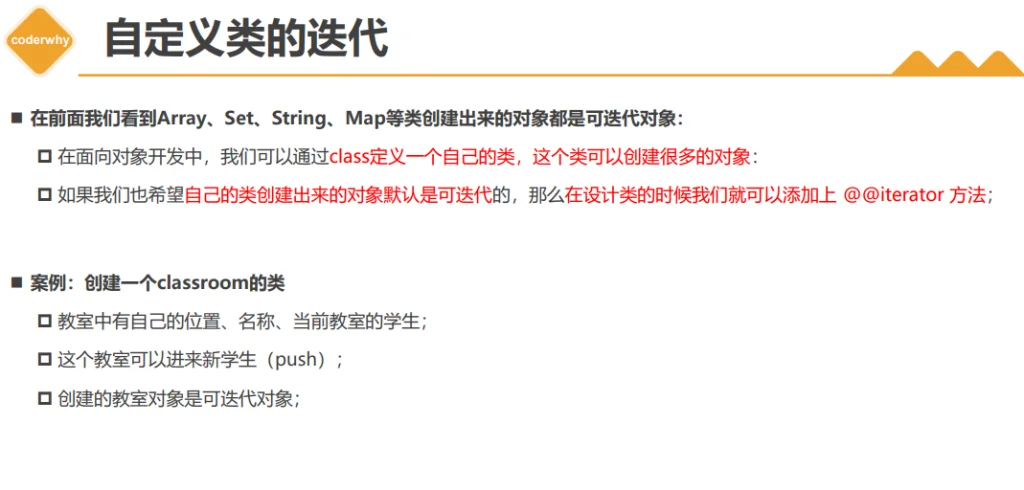
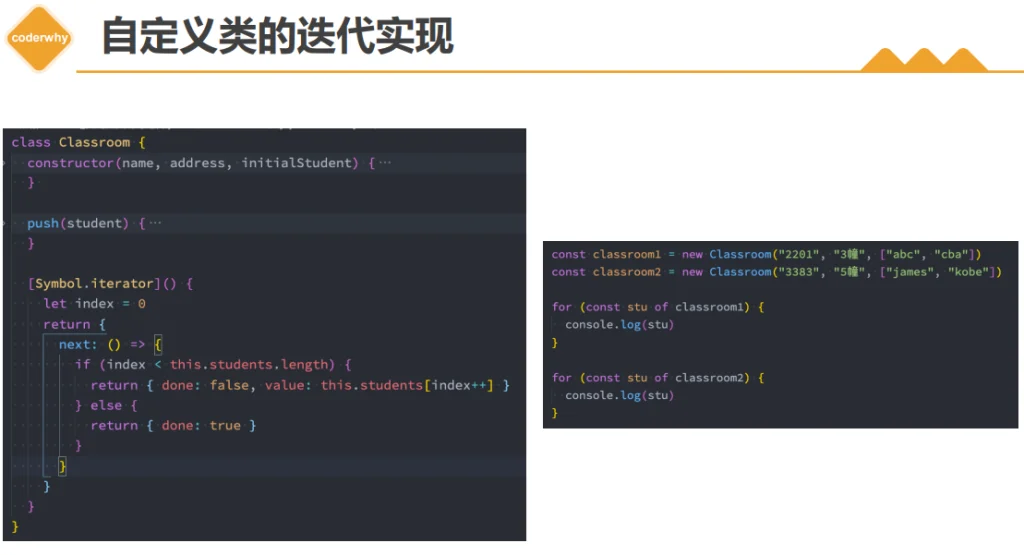
An iterator supplies next(), returning a result with done and value information. An omitted done is treated as false; an omitted value is undefined. An iterable supplies [Symbol.iterator](), which returns an iterator. One object can implement both protocols.
Iterable objects
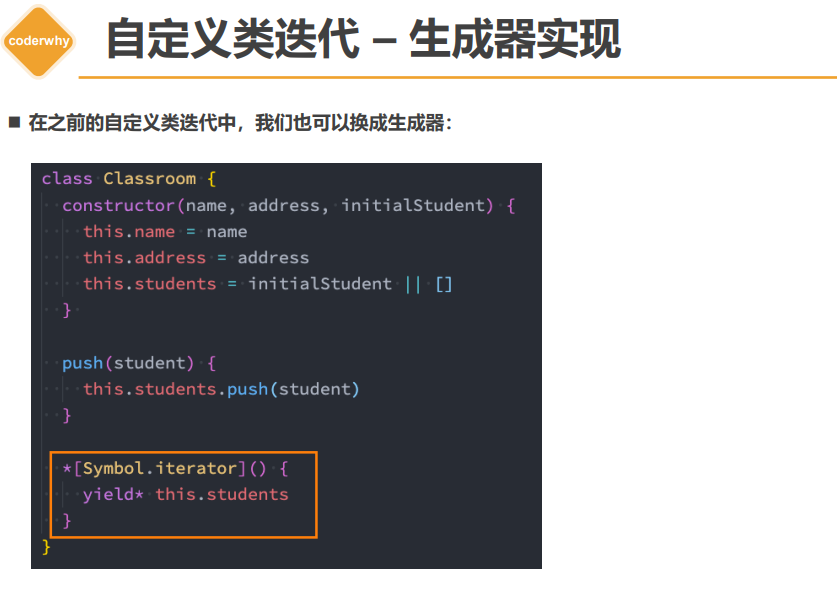
Iteration in custom classes
Early iterator closure
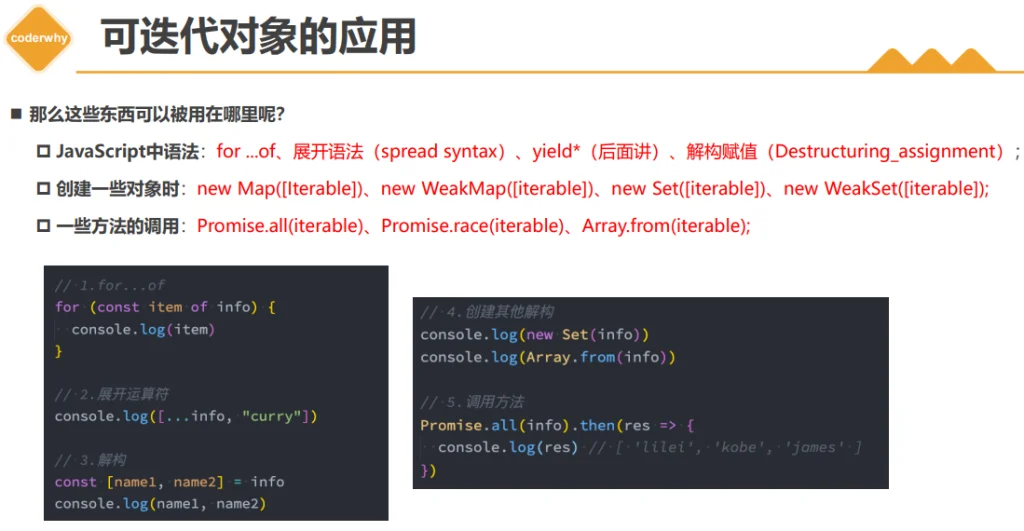
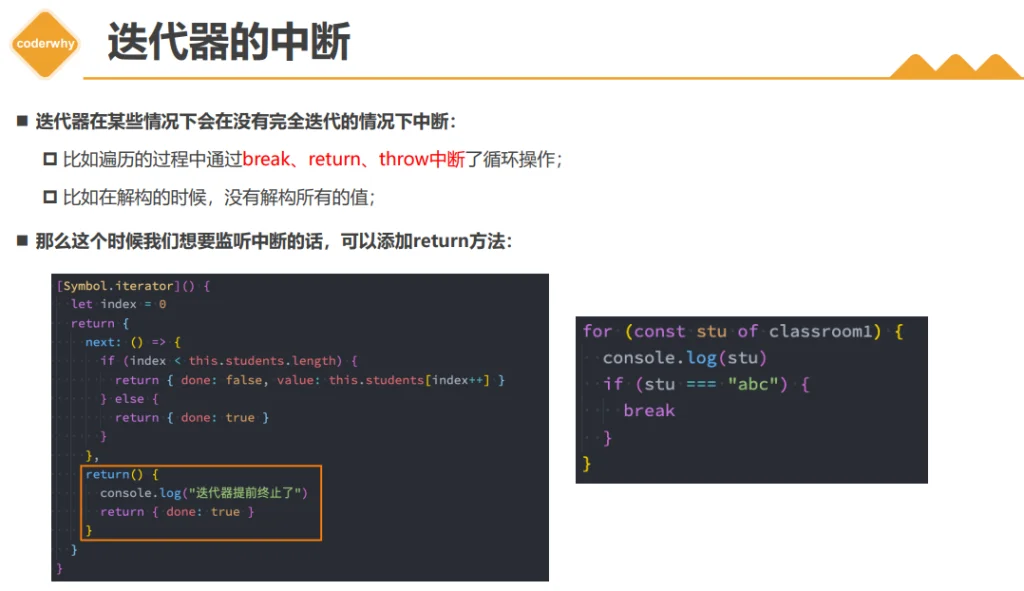
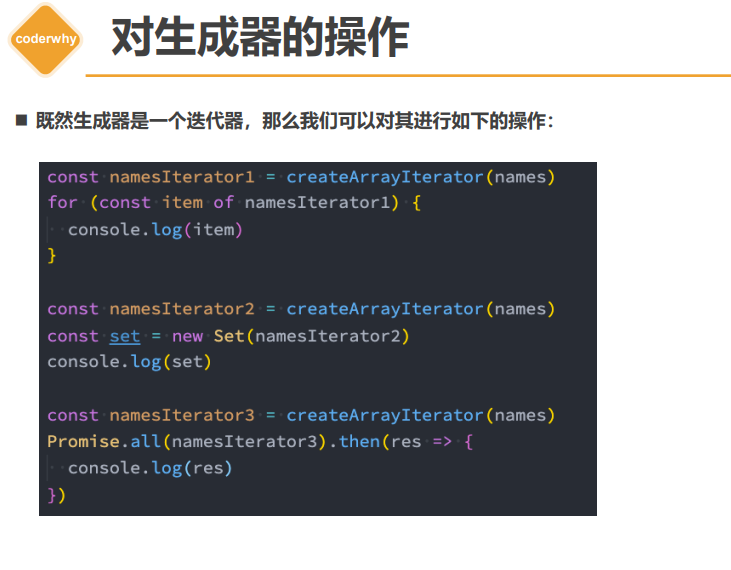
for...of, iterable spread, and array destructuring use the iterable protocol. Early exit from for...of normally invokes an iterator's optional return() for cleanup; natural exhaustion differs from early closure.
const range = {
  *[Symbol.iterator]() {
    try {
      yield 1
      yield 2
      yield 3
    } finally {
      console.log("closed")
    }
  },
}
for (const value of range) {
  console.log(value)
  if (value === 2) break
}
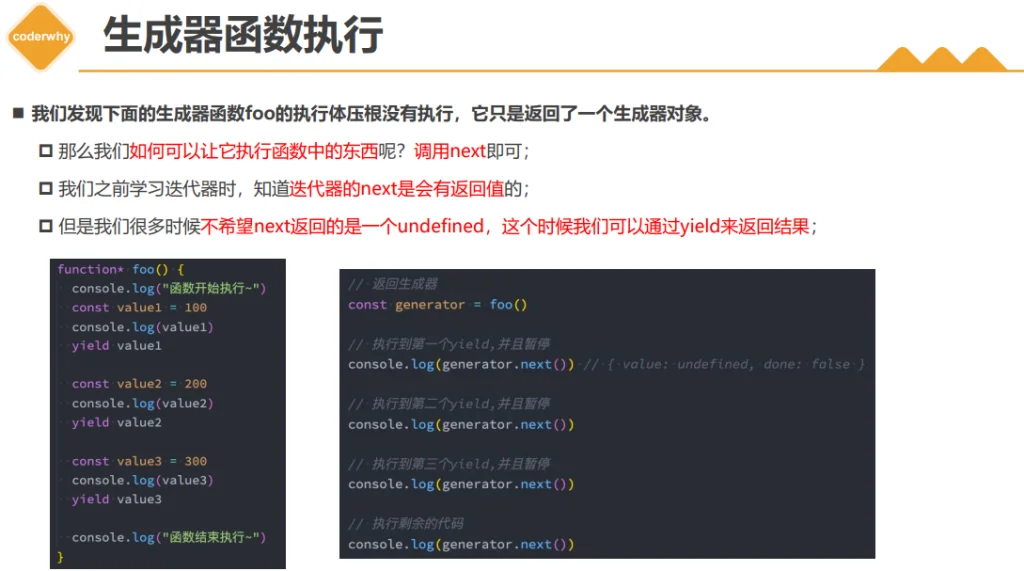
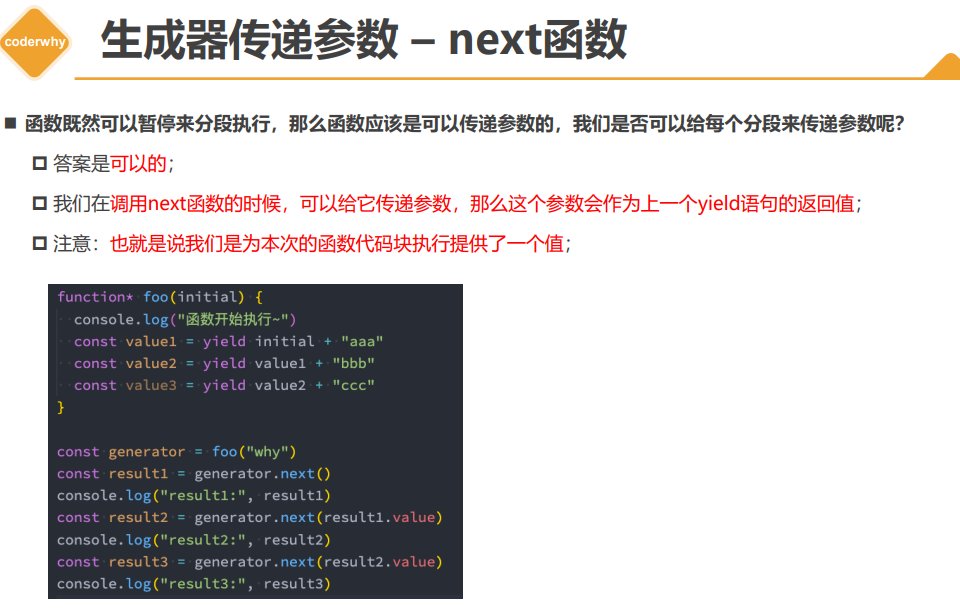
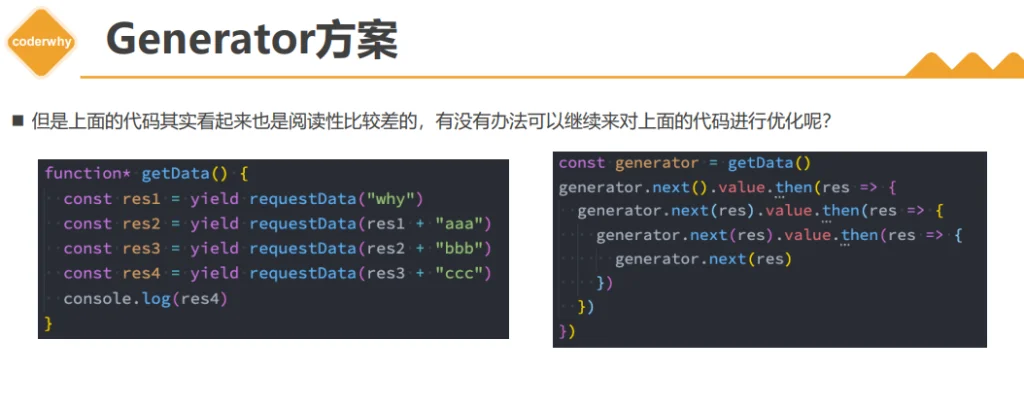
Generators and values passed to next
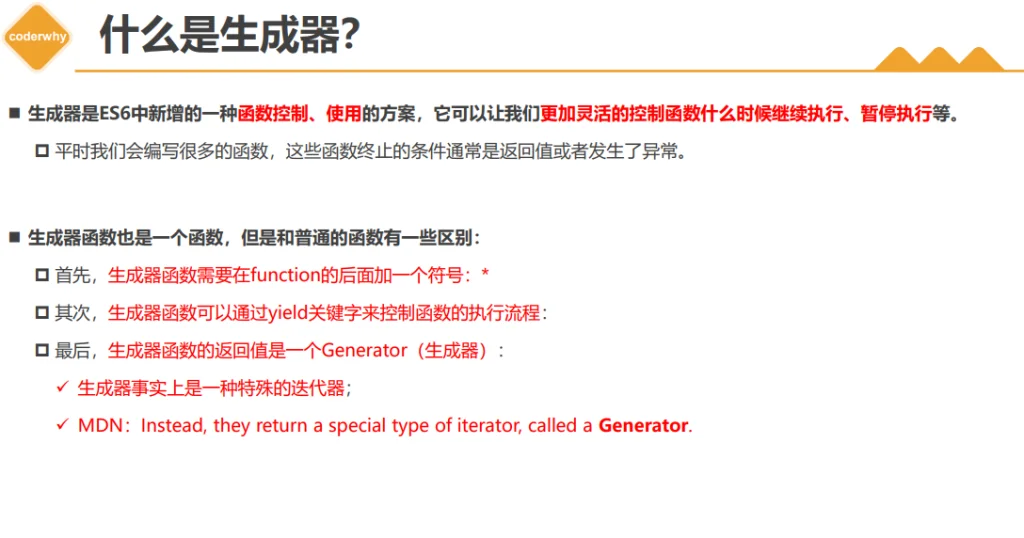
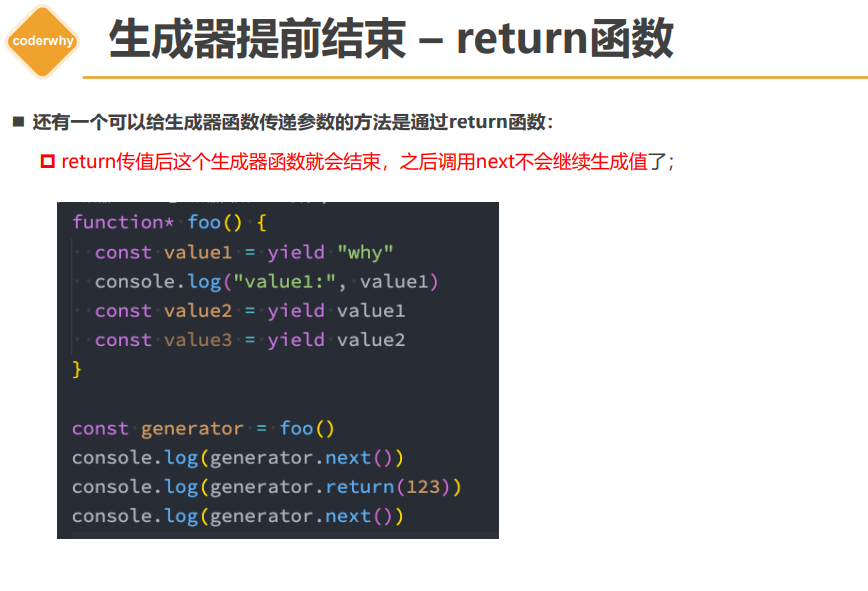
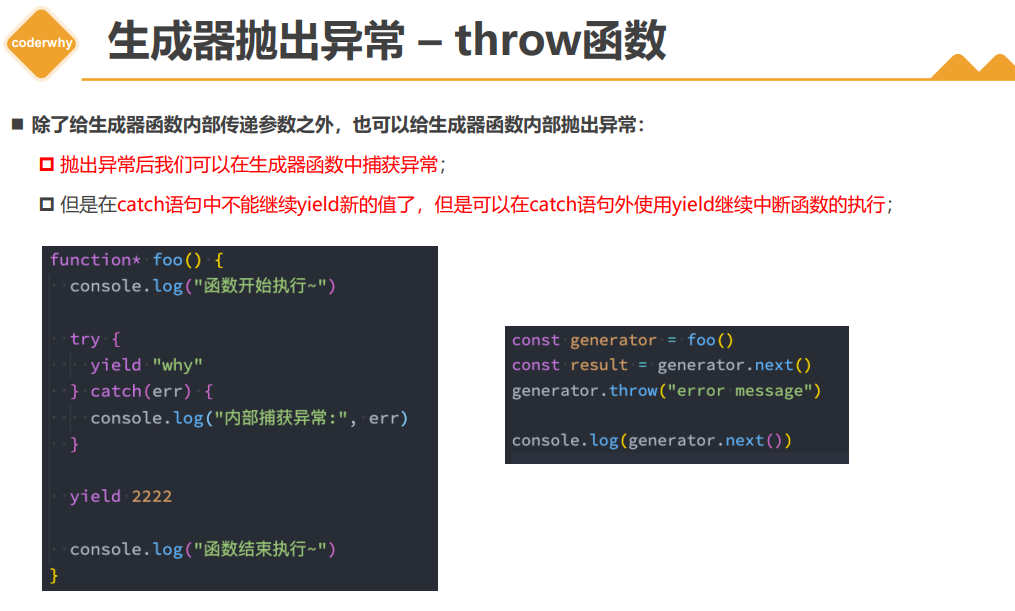
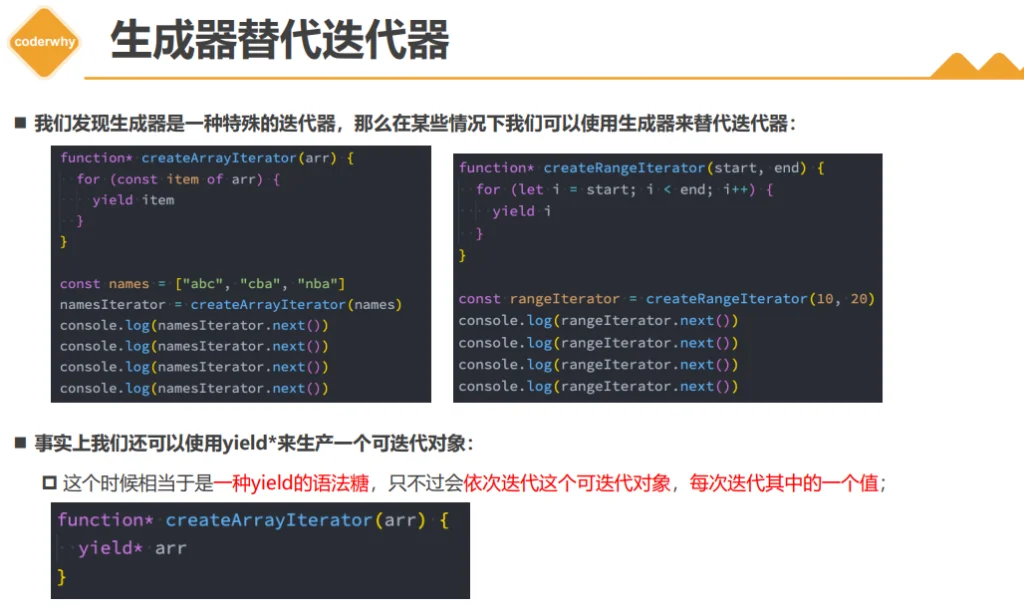
The example prints 1 → 2 → closed. Calling a generator function returns a generator object; its body starts on the first next(). yield suspends execution, and the next next(value) sends a value to the suspension point. The first next() argument has no suspension point to receive it. yield* delegates to another iterable.
function* exchange() {
  const answer = yield "question"
  yield* [answer, "done"]
  return 42
}
const iterator = exchange()
console.log(iterator.next()) // { value: "question", done: false }
console.log(iterator.next("yes")) // { value: "yes", done: false }
console.log(iterator.next()) // { value: "done", done: false }
console.log(iterator.next()) // { value: 42, done: true }
console.log(iterator.next()) // { value: undefined, done: true }
Implementing iteration with generators
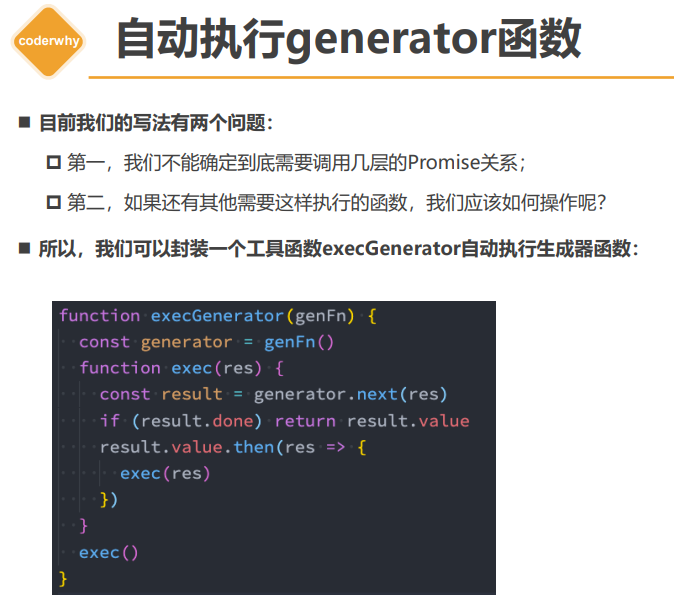
Generators and asynchronous control flow
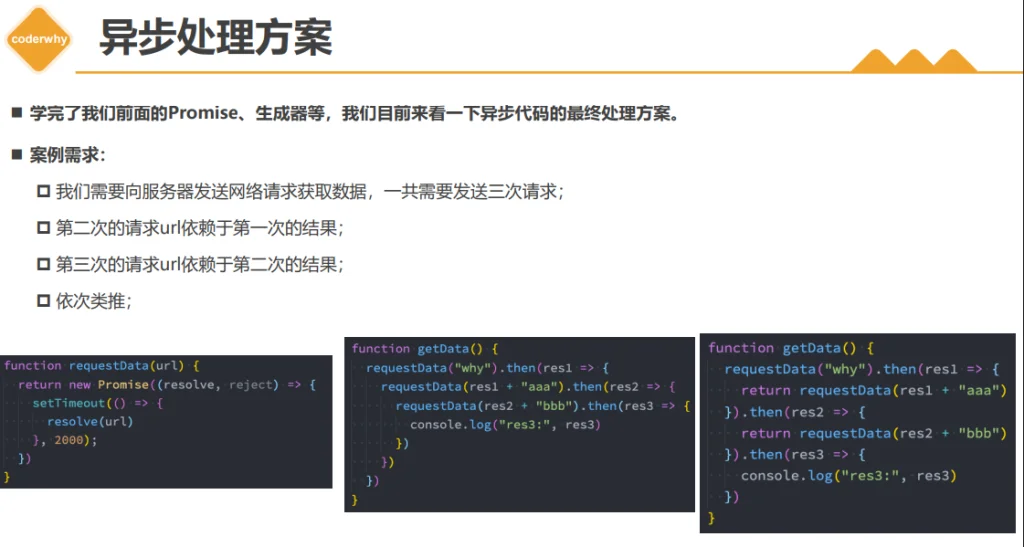
Generators do not automatically await Promises. Older generator-driven asynchronous patterns need a runner to call next / throw; async/await provides language-supported asynchronous control flow. Async iteration uses [Symbol.asyncIterator] and for await...of; it is distinct from ordinary synchronous generators.
16 async and await
Async functions and concurrent waiting
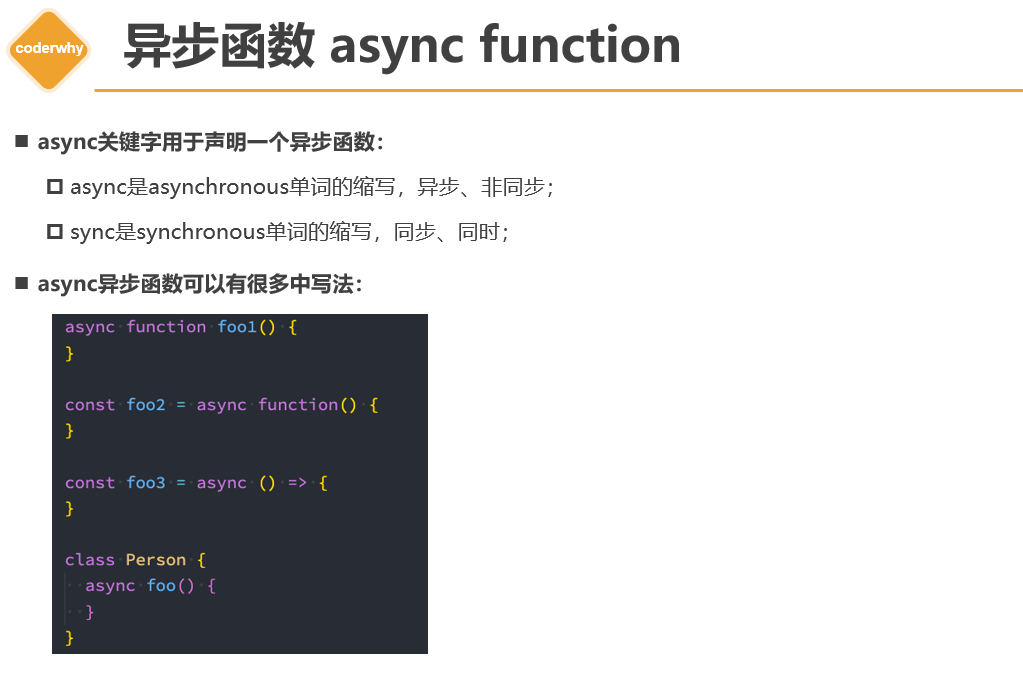
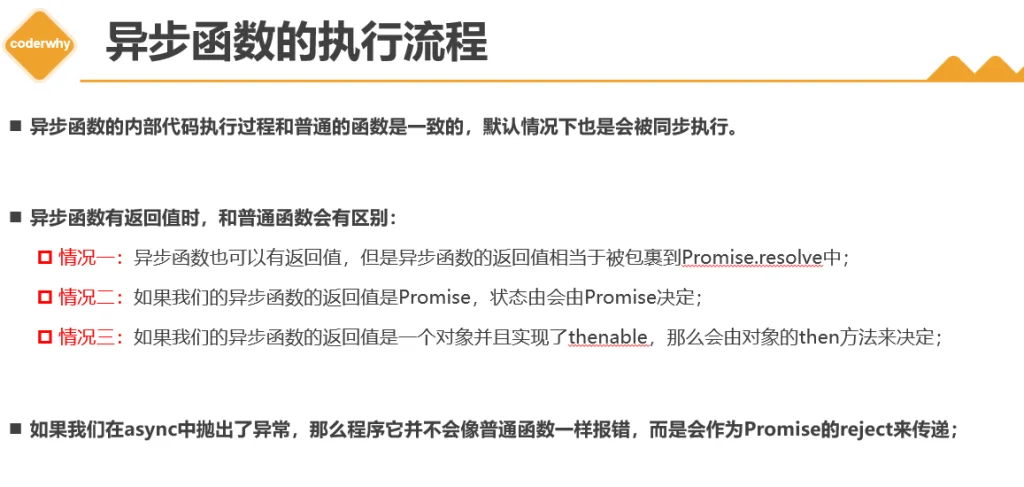
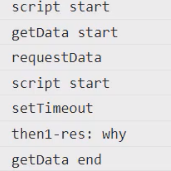
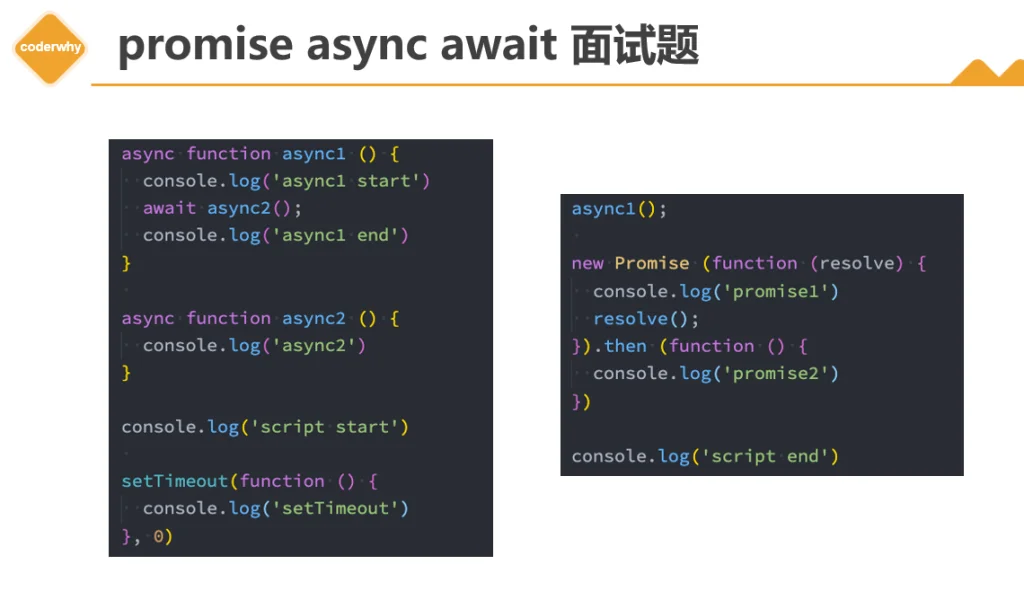
An async function always returns a Promise: a plain return value fulfills it, and an uncaught exception rejects it. await suspends the current asynchronous function and resumes it later; it neither blocks the entire thread nor moves CPU-intensive work into the background.
const wait = (value) =>
  new Promise((resolve) => setTimeout(() => resolve(value), 10))
async function run() {
  const results = await Promise.all([wait("A"), wait("B")])
  return results.join("")
}
run().then(console.log).catch(console.error) // "AB"

async function readSettings(source) {
  try {
    return JSON.parse(await source)
  } catch (cause) {
    throw new Error("Invalid settings", { cause })
  } finally {
    console.log("finished")
  }
}
readSettings(Promise.resolve("invalid")).catch((error) =>
  console.log(error.message)
)
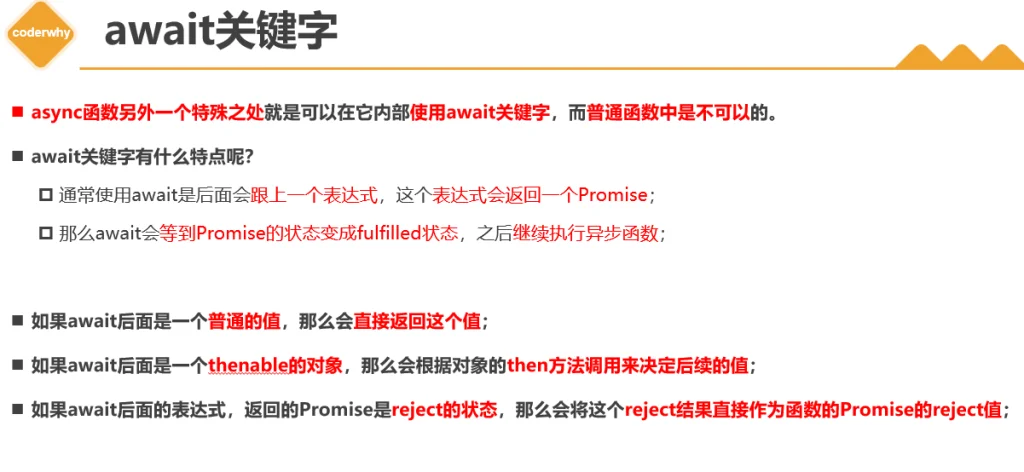
Start independent tasks before awaiting them together; keep dependent tasks sequential. forEach(async () => ...) does not wait for callback Promises. Use for...of with await for sequential work, or map with Promise.all for concurrency, with a limit for large workloads.
17 Processes and threads
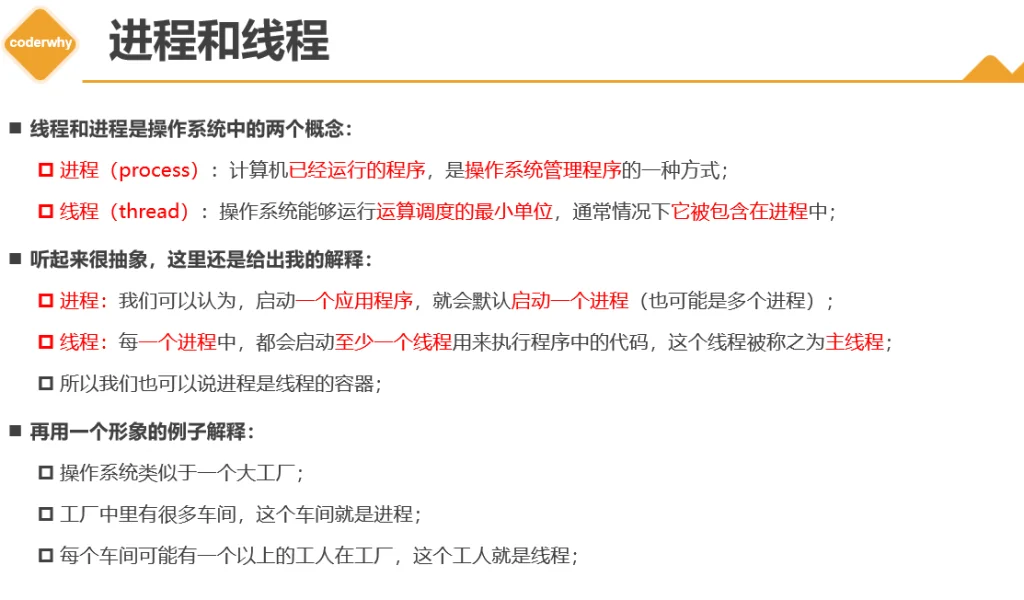
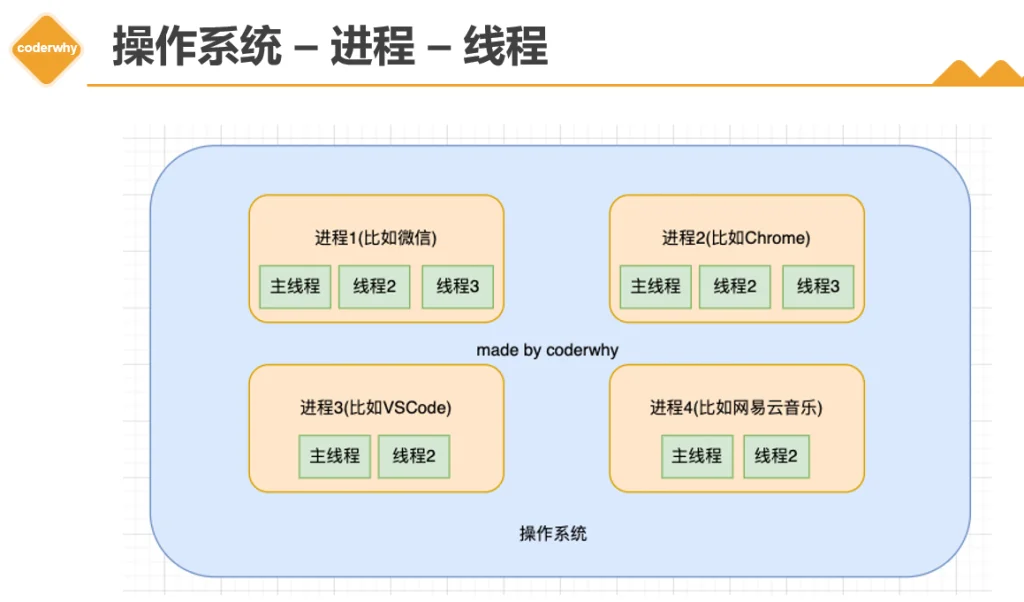
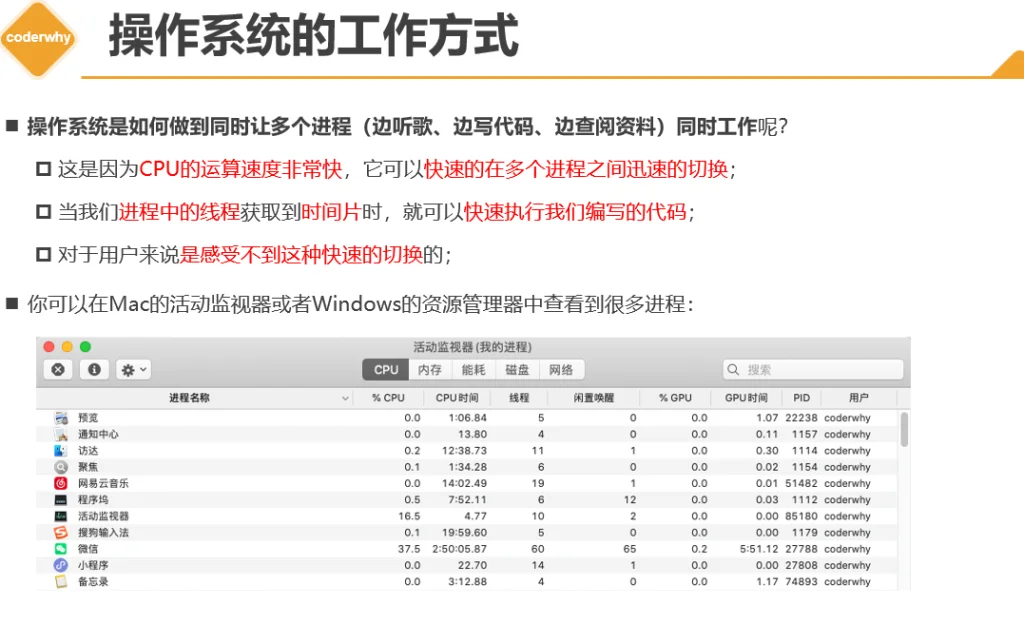
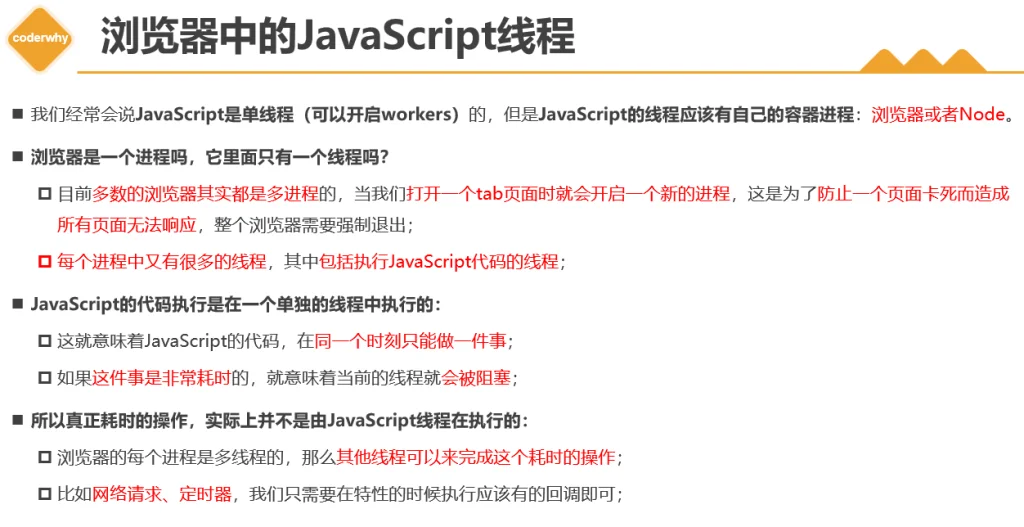
A process owns resources and an address space; threads are execution units within it. Browsers generally use multiple processes and threads. JavaScript's single-threaded description primarily concerns execution within one agent, not every thread in a browser or Node.js. Workers execute in other agents and cannot directly access the page DOM.
18 JavaScript and the browser event loop
The browser event loop
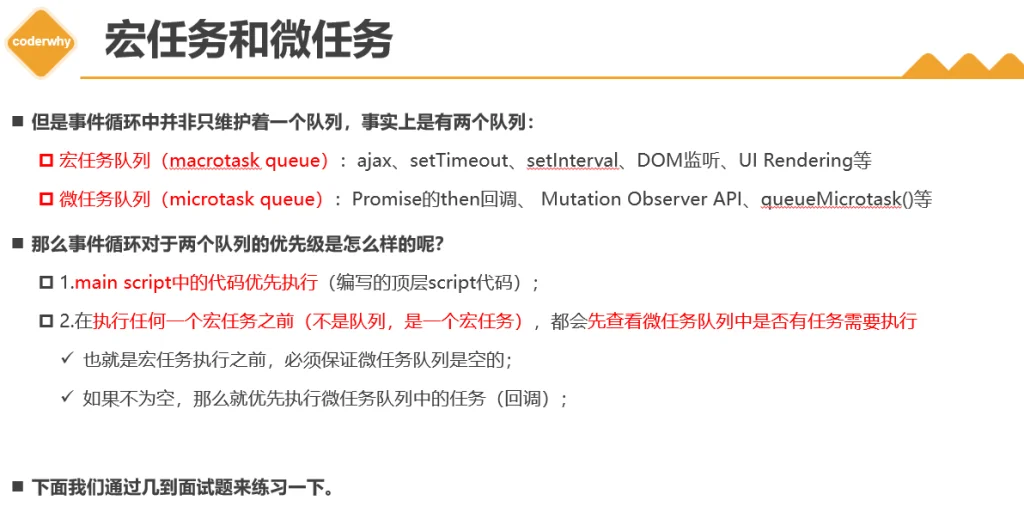
Browsers have multiple task sources, not one global macrotask queue. After a task finishes and the stack empties, applicable checkpoints drain microtasks, including newly added ones. Rendering may then occur before later tasks; painting is not guaranteed after each task.
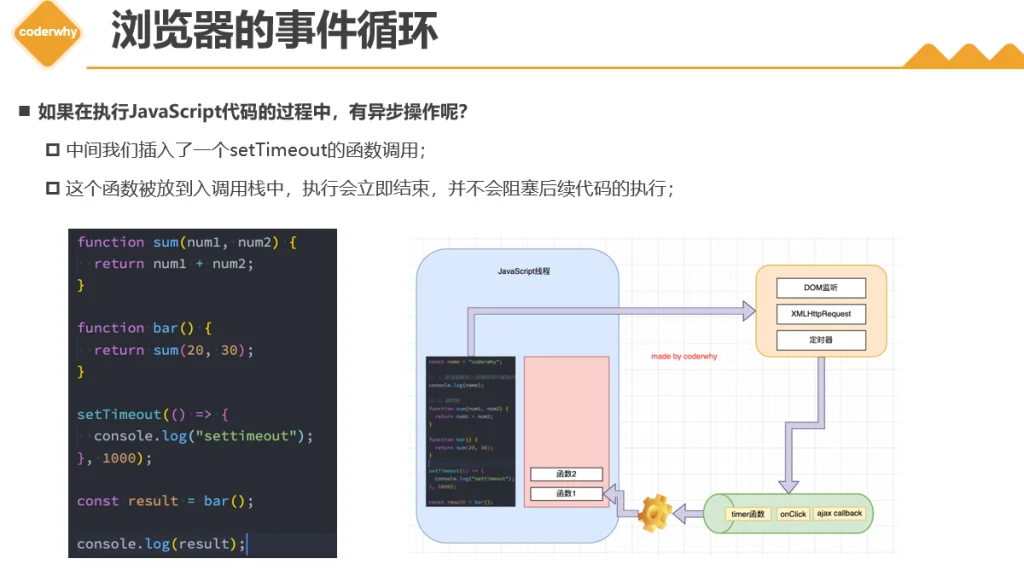
Tasks and microtasks
Promise reactions and queueMicrotask() use microtasks; timer callbacks use tasks. Macrotask is a common teaching term for task. Long tasks and endlessly queued microtasks can delay interaction and rendering.
19 Promise execution-order exercise
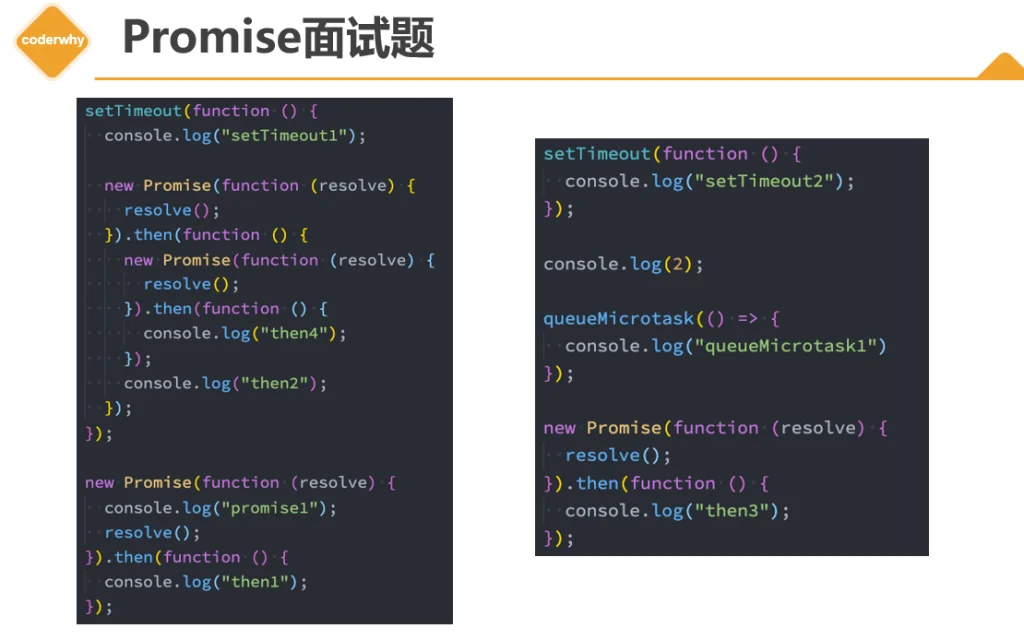
console.log("script start")
setTimeout(() => console.log("timer"), 0)
Promise.resolve()
  .then(() => {
    console.log("then 1")
    queueMicrotask(() => console.log("nested microtask"))
  })
  .then(() => console.log("then 2"))
queueMicrotask(() => console.log("microtask"))
console.log("script end")
script start
script end
then 1
microtask
nested microtask
then 2
timer
The second then callback is queued after the first callback returns, behind microtasks already queued. setTimeout(fn, 0) specifies a timing threshold, not immediate execution. Use requestAnimationFrame() to coordinate animations with rendering, without treating it as a fixed-rate timer.
20 The Node.js event loop
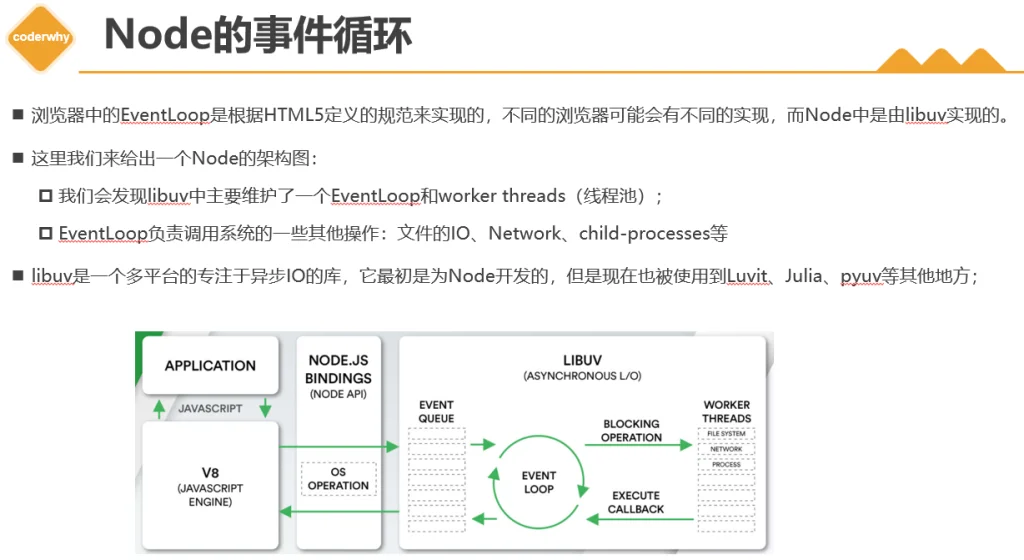
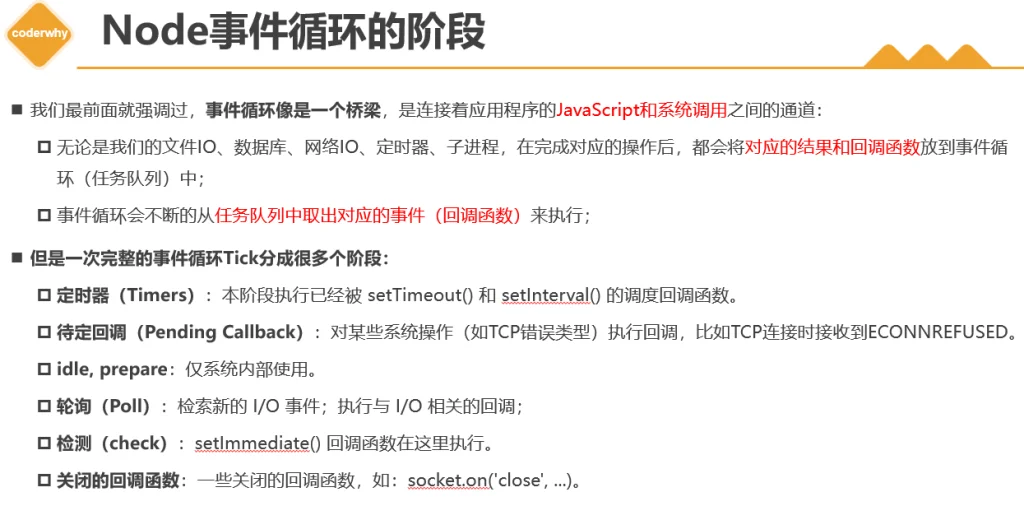
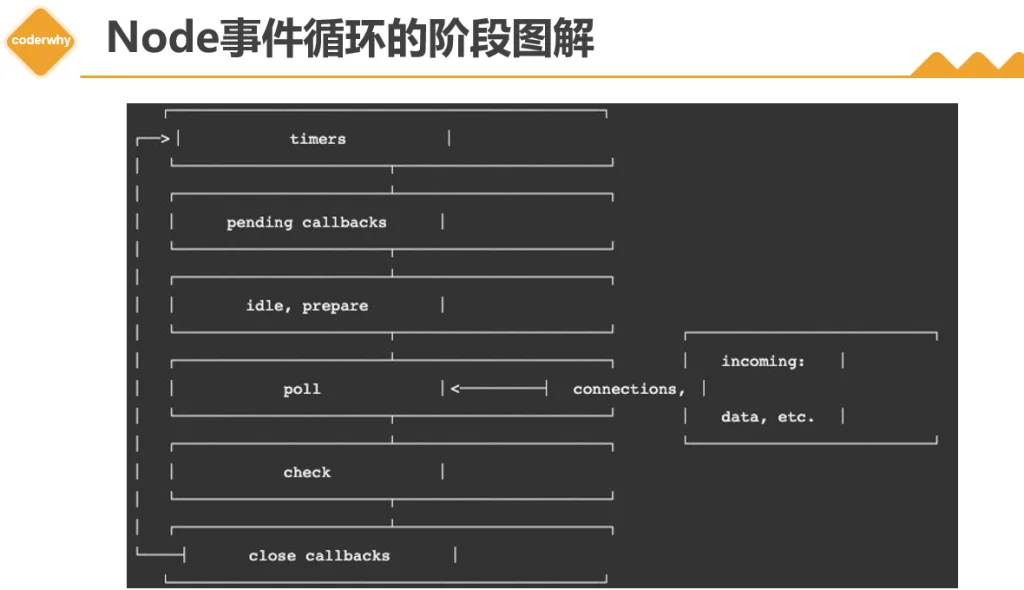
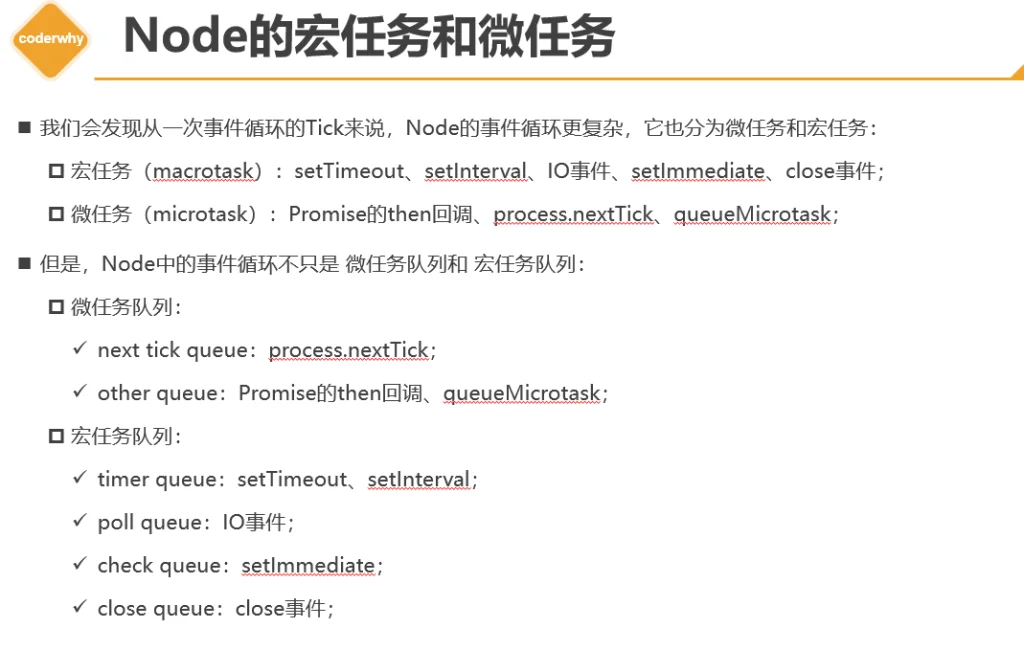
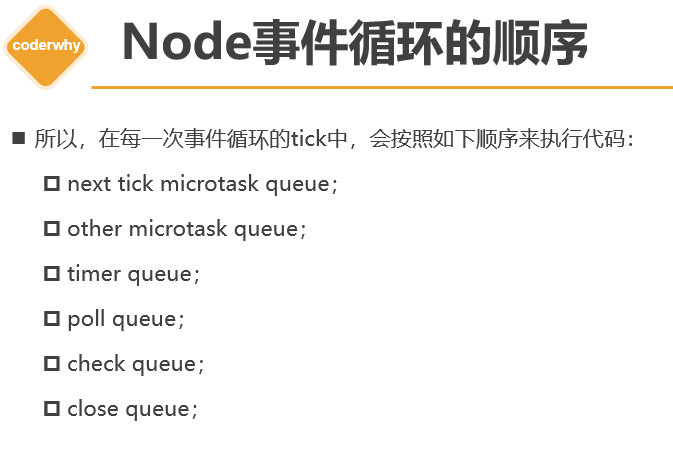
Node.js uses libuv for I/O and phase scheduling. Distinguish timers, poll, check, the separate nextTick queue, and Promise microtasks. setImmediate() belongs to check; top-level setTimeout(..., 0) and setImmediate() have no universally fixed order.
Node.js execution-order exercise
Save the example as a CommonJS .cjs file. Its usual order is sync → nextTick → promise → microtask. ES module top-level evaluation has a different scheduling context, so that order cannot be transferred blindly. Recursive nextTick scheduling can also starve I/O.
console.log("sync")
process.nextTick(() => console.log("nextTick"))
Promise.resolve().then(() => console.log("promise"))
queueMicrotask(() => console.log("microtask"))
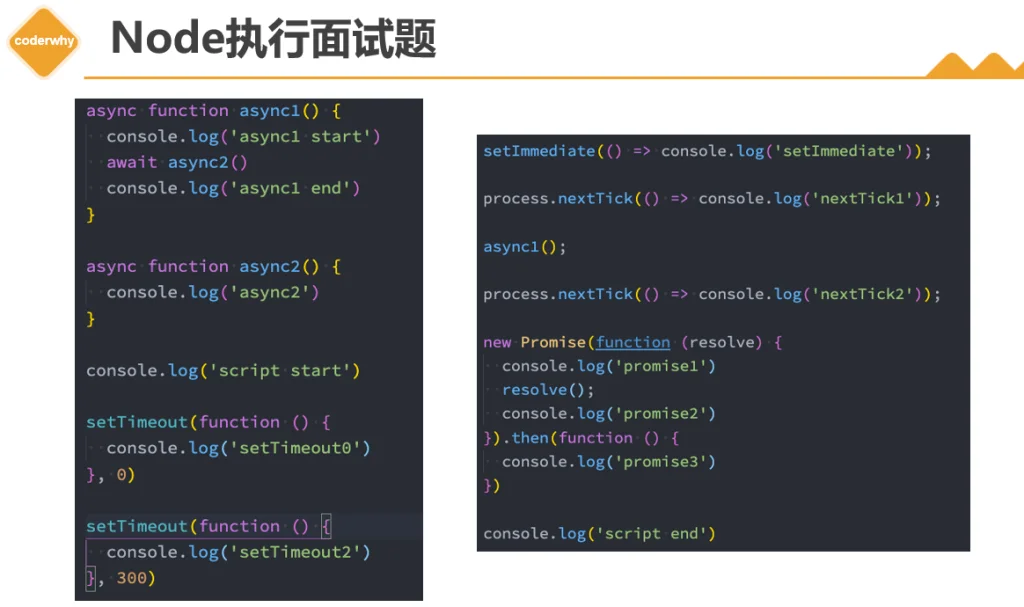
Since libuv 1.45 / Node.js 20, each loop iteration runs timers after poll, with compatibility handling before the loop begins. State the Node.js version, module format, and scheduling location when analyzing ordering. Official Node.js event-loop guide.
21 throw and error handling
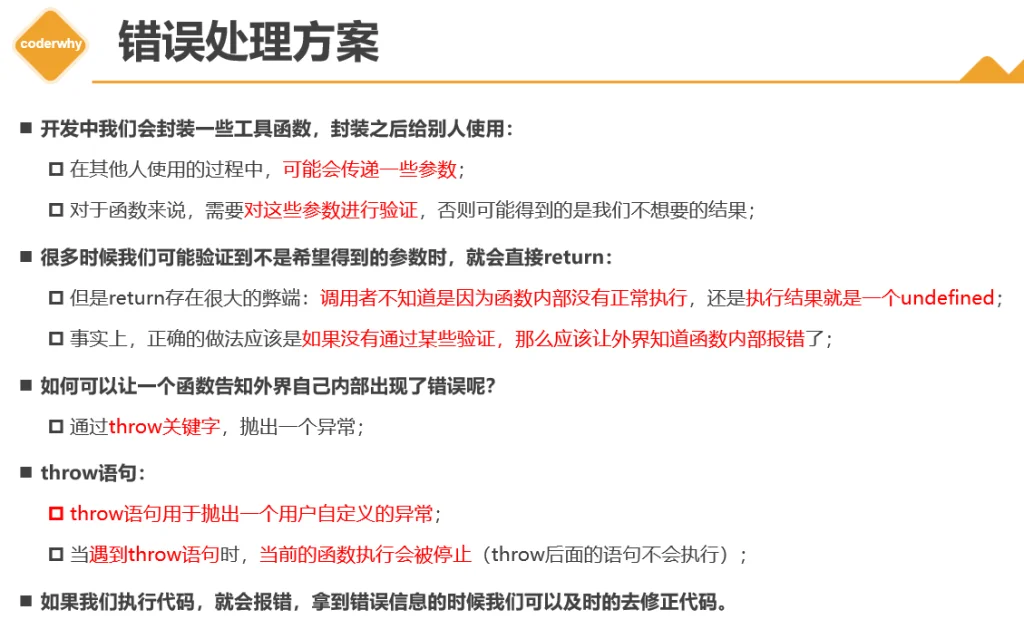
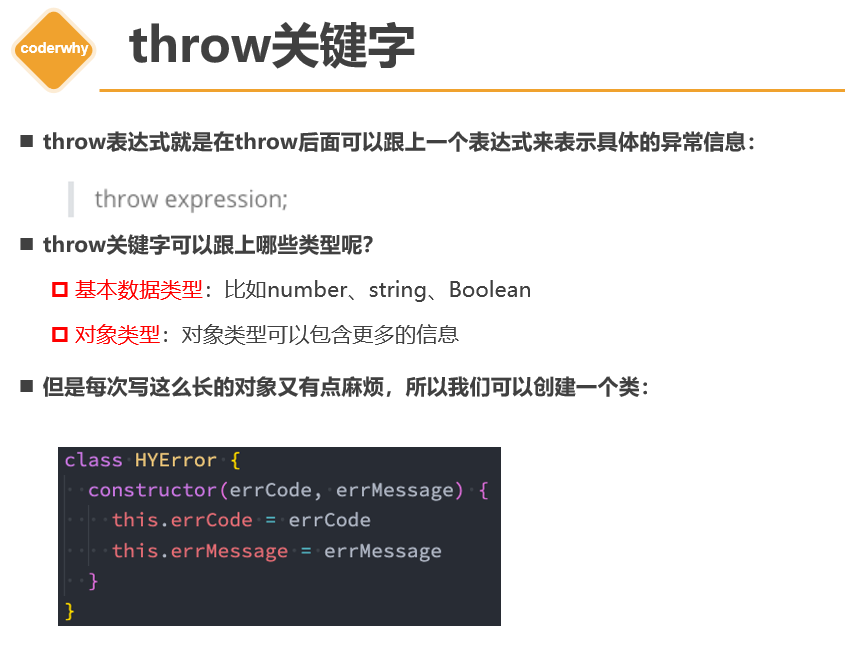
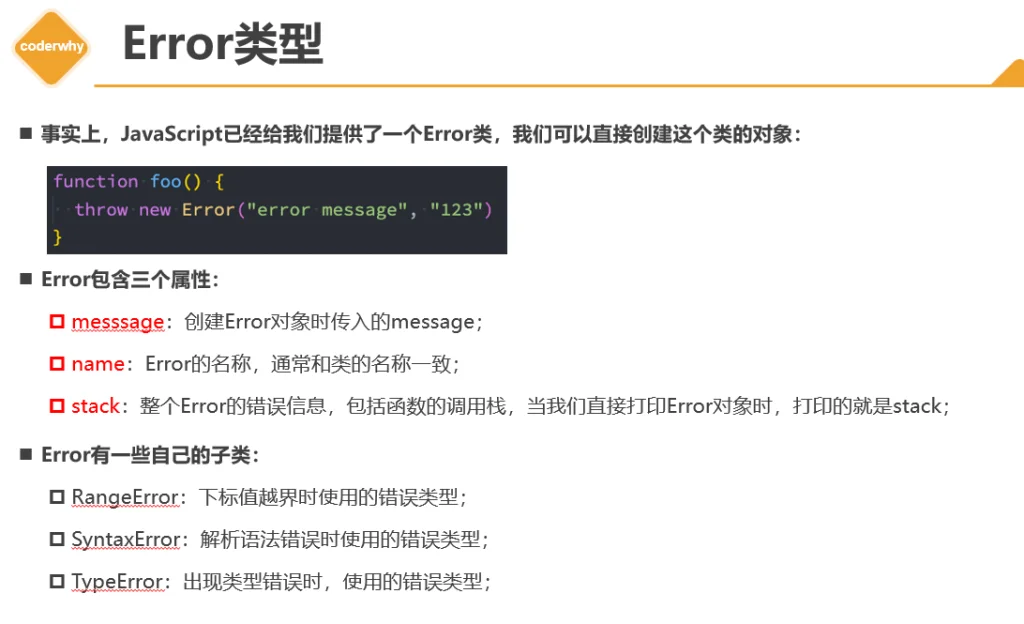
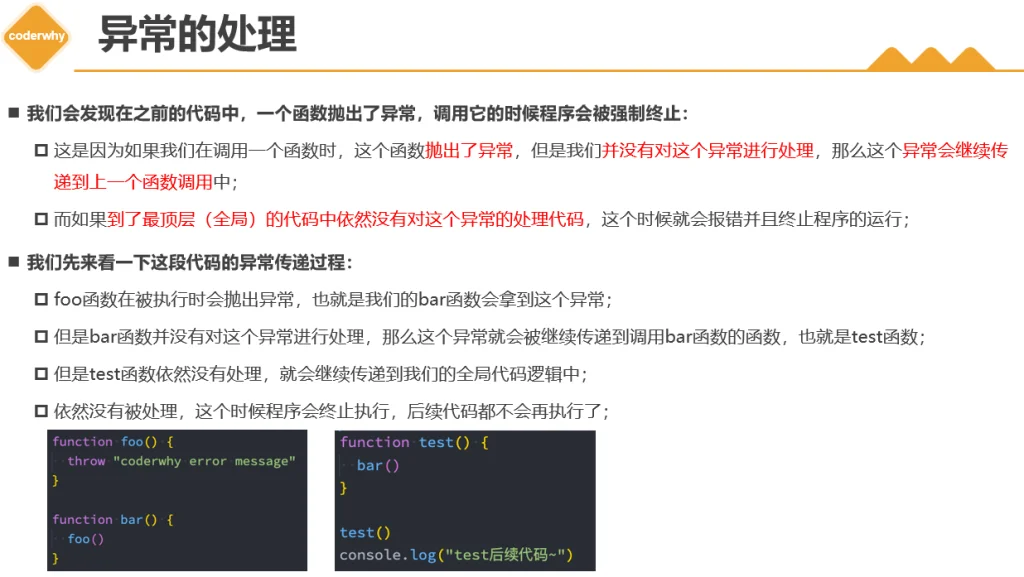
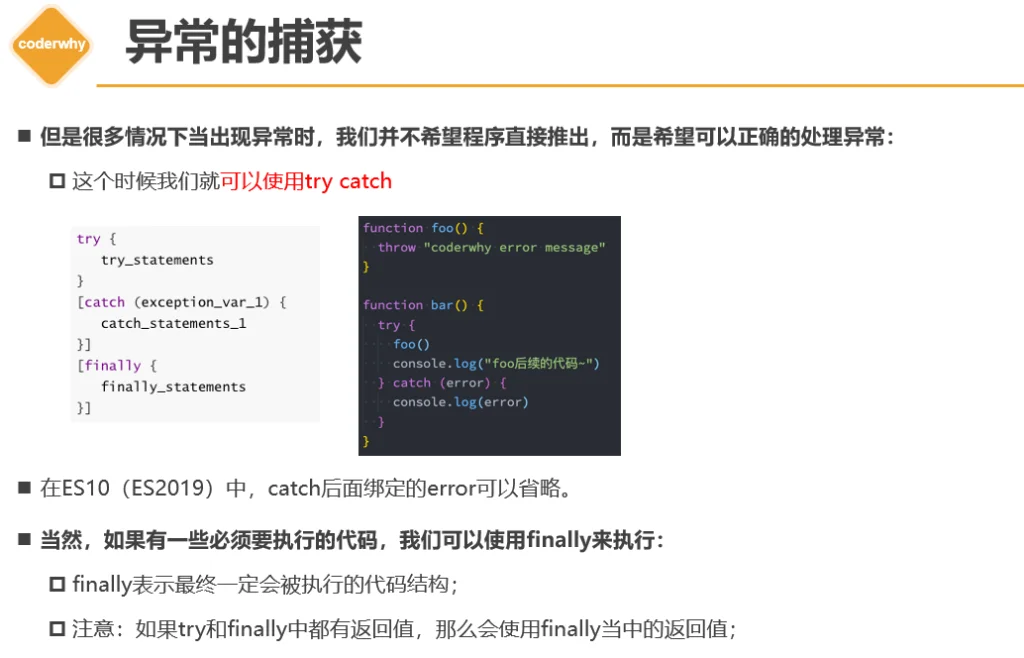
A synchronous try/catch cannot catch an exception thrown in a future callback or automatically handle an unawaited Promise rejection. Throw Error objects to retain useful stack information. Use finally for cleanup and avoid returning from it, which can override a result or exception.
22 Web Storage
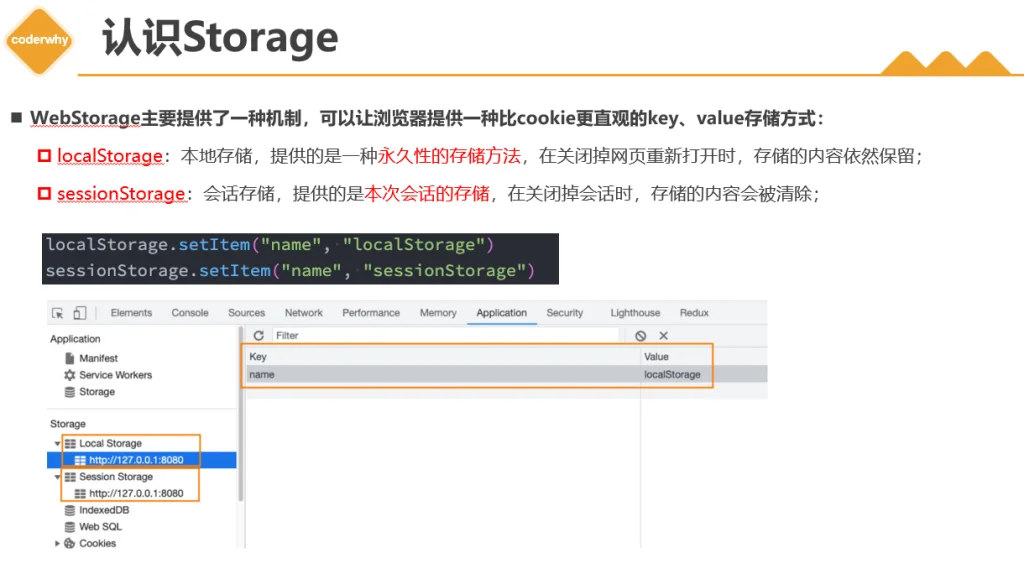
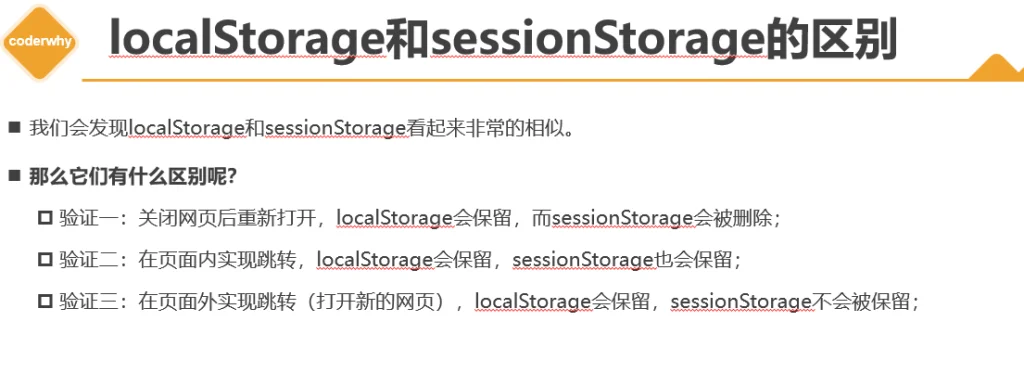
Browser-only. Storage keys and values are strings, and access is synchronous. Serialize objects explicitly. localStorage usually survives sessions but can be cleared or restricted; it is not permanent. sessionStorage is partitioned by origin and top-level browsing context, usually ending with the tab session while surviving reloads.
Access, quota limits, privacy policies, and JSON parsing can throw. Handle failures according to product needs. Avoid clear() when it would erase unrelated same-origin data. A storage event normally reaches other documents sharing the relevant storage area, not the document making the change. Web Storage reference.
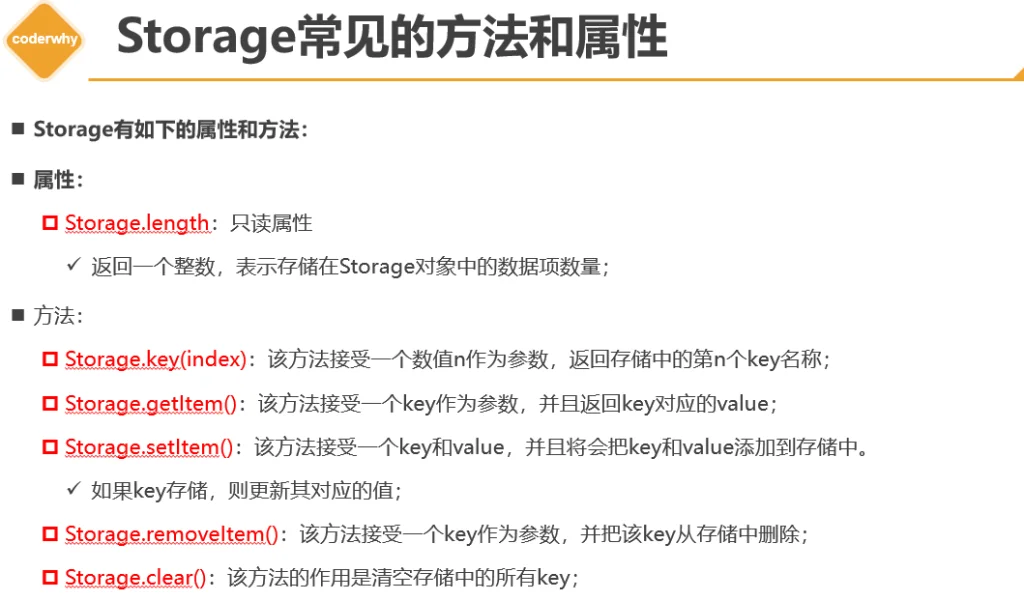
function createJsonStorage(storage, prefix = "notes:") {
  return {
    set(key, value) {
      const serialized = JSON.stringify(value)
      if (serialized === undefined)
        throw new TypeError("Value is not JSON serializable")
      storage.setItem(prefix + key, serialized)
    },
    get(key) {
      const raw = storage.getItem(prefix + key)
      return raw === null ? undefined : JSON.parse(raw)
    },
    remove(key) {
      storage.removeItem(prefix + key)
    },
  }
}
try {
  const cache = createJsonStorage(window.localStorage)
  cache.set("preferences", { theme: "dark" })
  console.log(cache.get("preferences"))
  cache.remove("preferences")
} catch (error) {
  console.error("Storage unavailable or data invalid", error)
}
23 Regular expressions
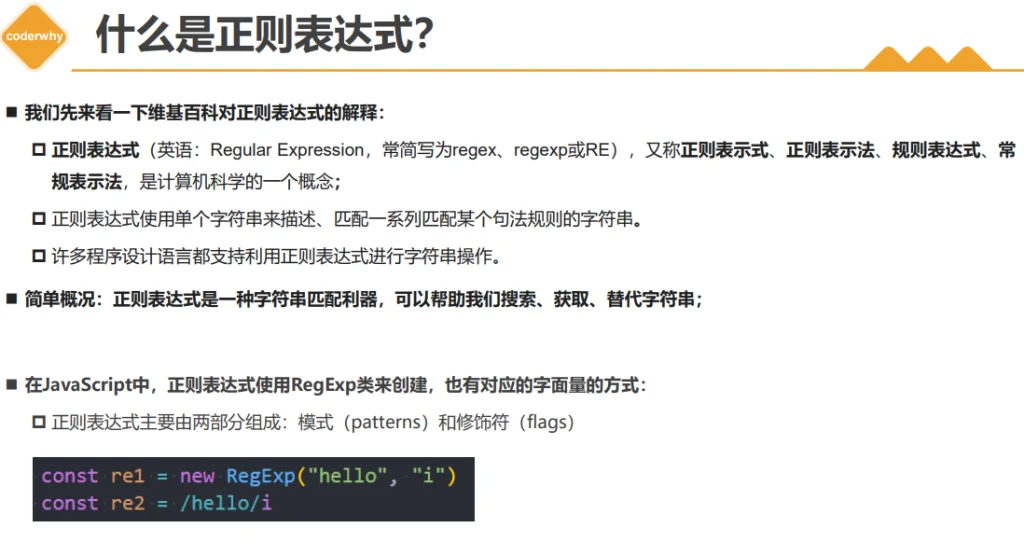
A regular expression has a pattern and flags. Common flags are g for global matching, i for case-insensitivity, m for multiline anchors, s for dot-all, u for Unicode mode, and y for sticky matching. Escape backslashes again in constructor strings: new RegExp('\\d+') equals /\d+/.
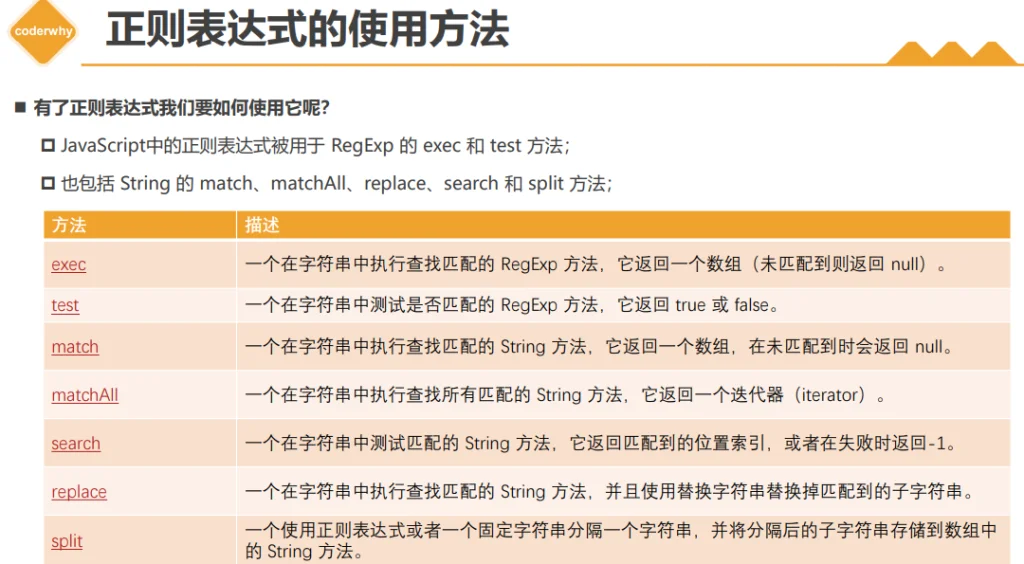
| Method | Result | Caveat |
|---|---|---|
| test | boolean | g / y modify lastIndex |
| exec | Match array or null | Includes captures and index information |
| match | Match array or null | g changes the result shape |
| matchAll | Iterator of matches | A RegExp argument requires g |
| search | First index or -1 | Useful for locating a match |
| replace / replaceAll | New string | replaceAll requires g for RegExp arguments |
| split | Array of parts | Capturing groups may also appear |
const text = "item-12 item-34"
console.log(text.replace(/\d+/g, "#")) // "item-# item-#"
console.log([...text.matchAll(/item-(\d+)/g)].map((match) => match[1])) // ["12", "34"]
const pattern = /a/g
console.log(pattern.test("a"), pattern.test("a")) // true false
pattern.lastIndex = 0
console.log(pattern.test("a")) // true
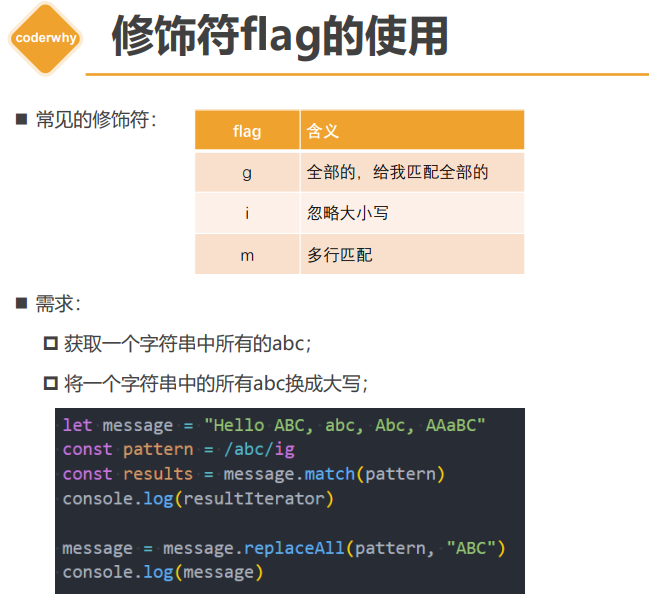
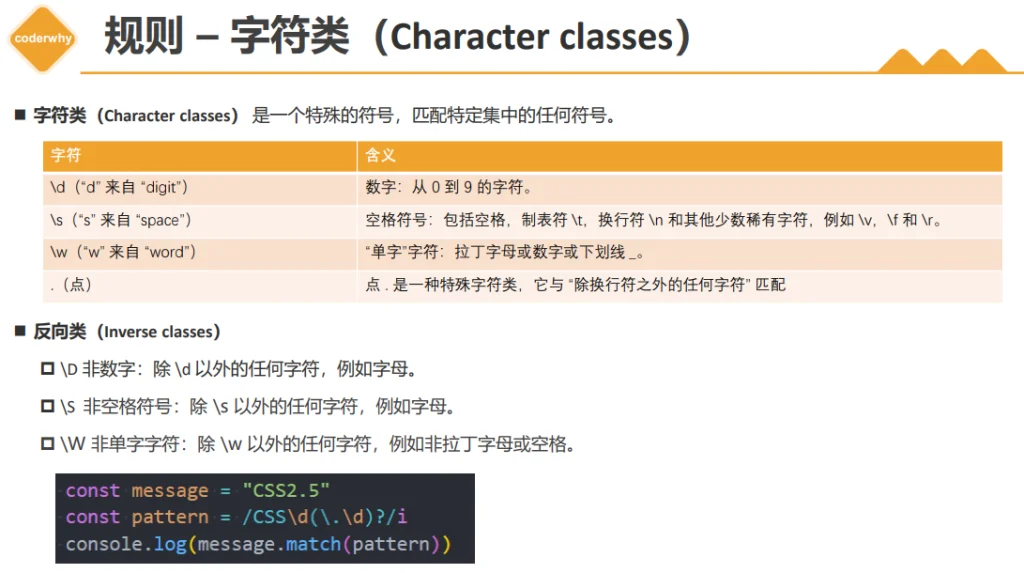
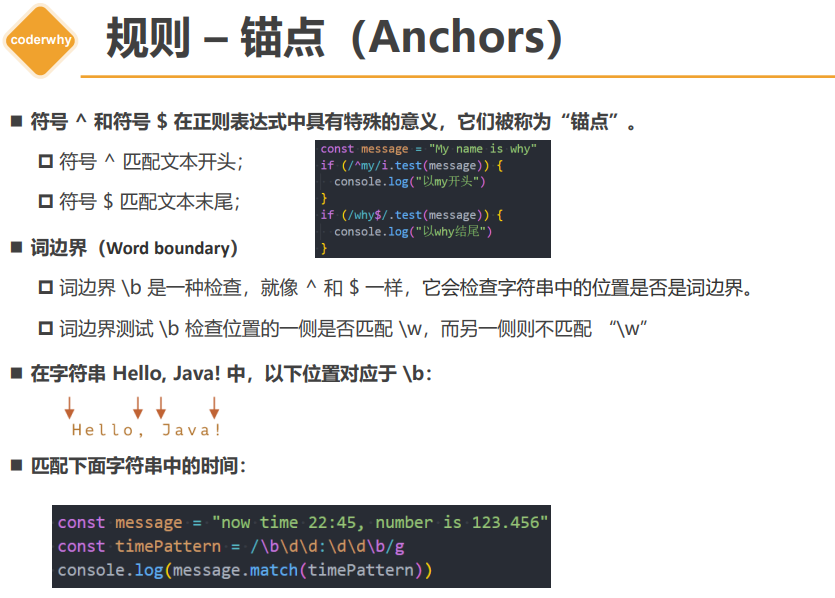
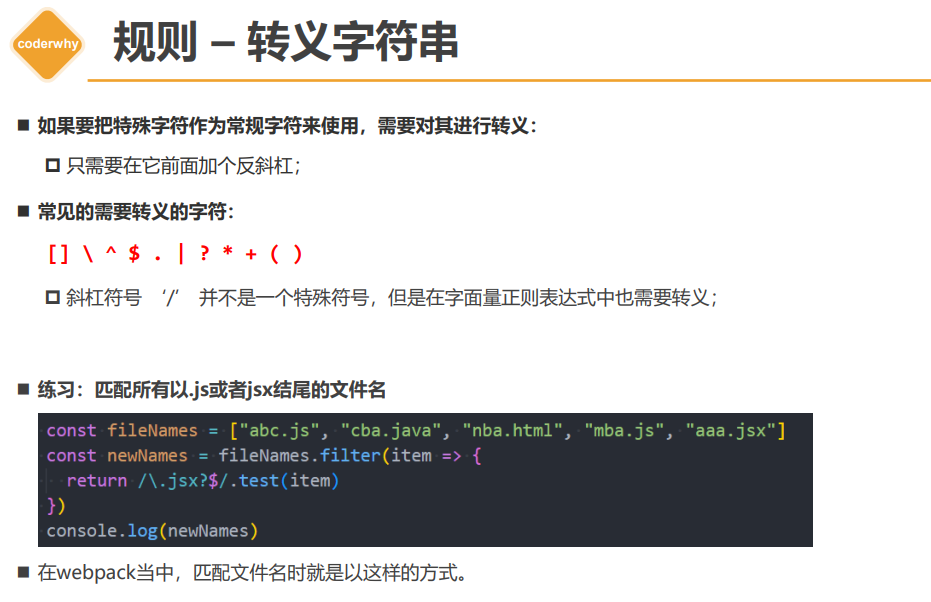
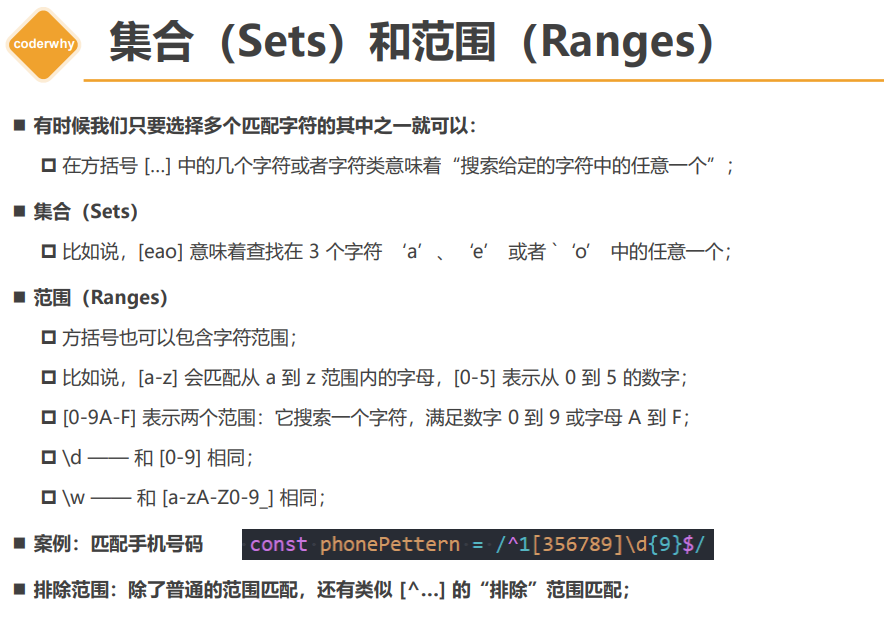
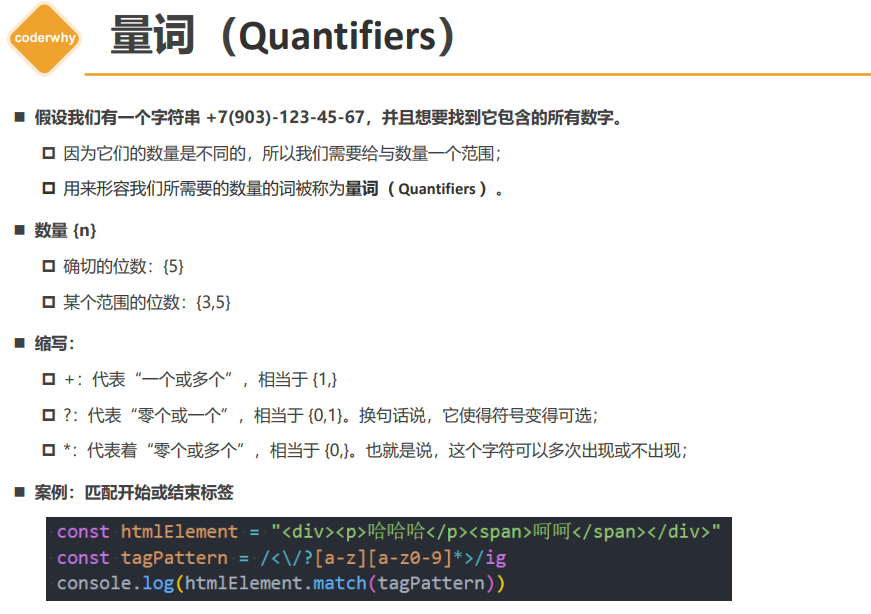
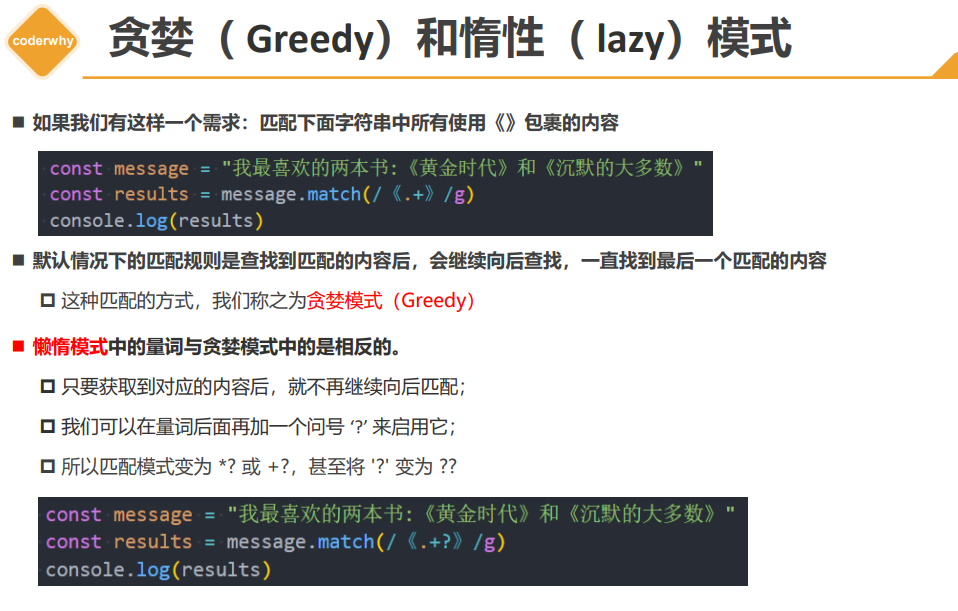
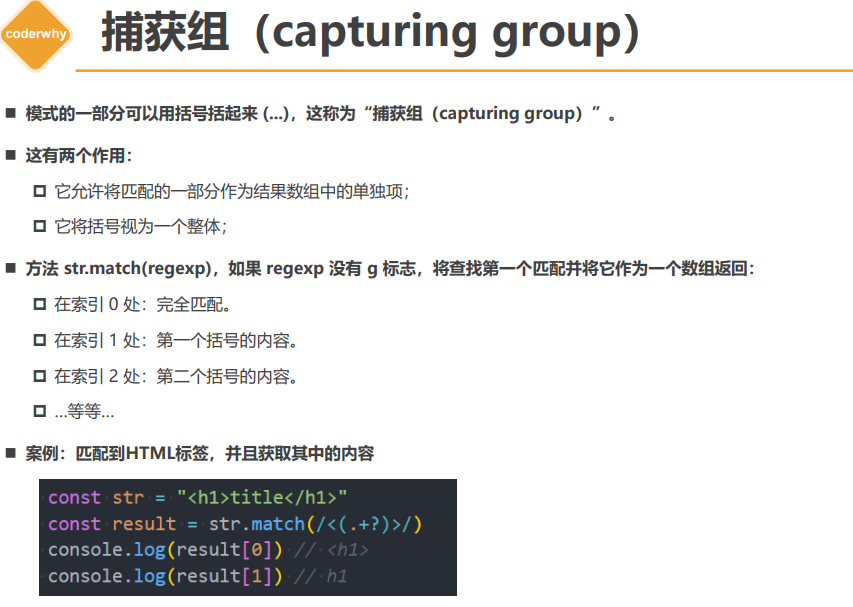
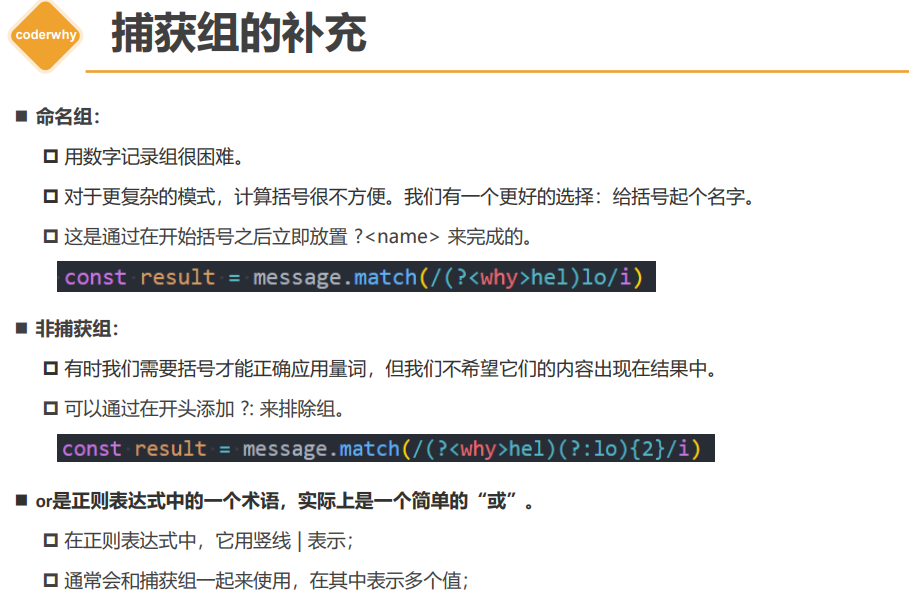
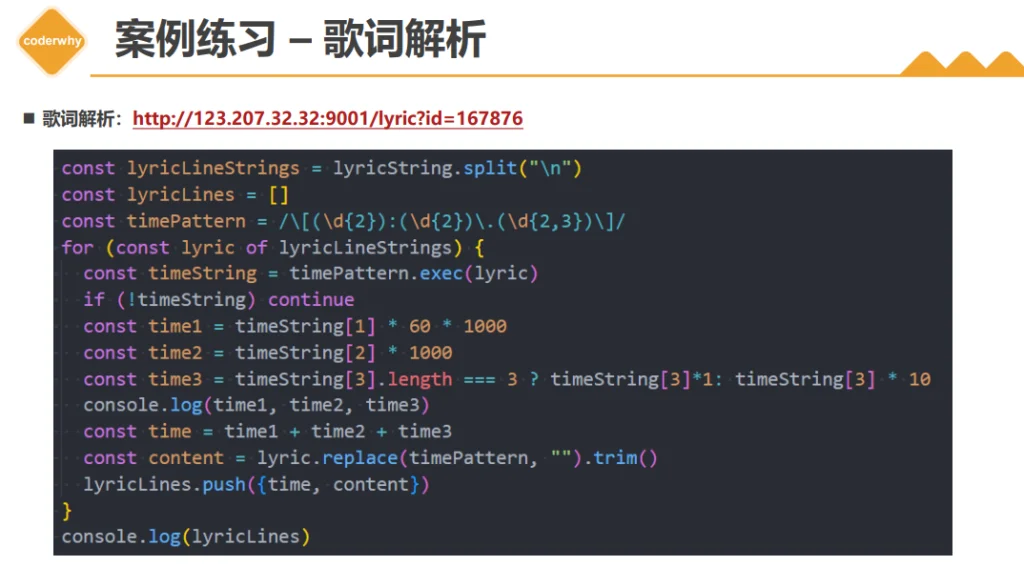
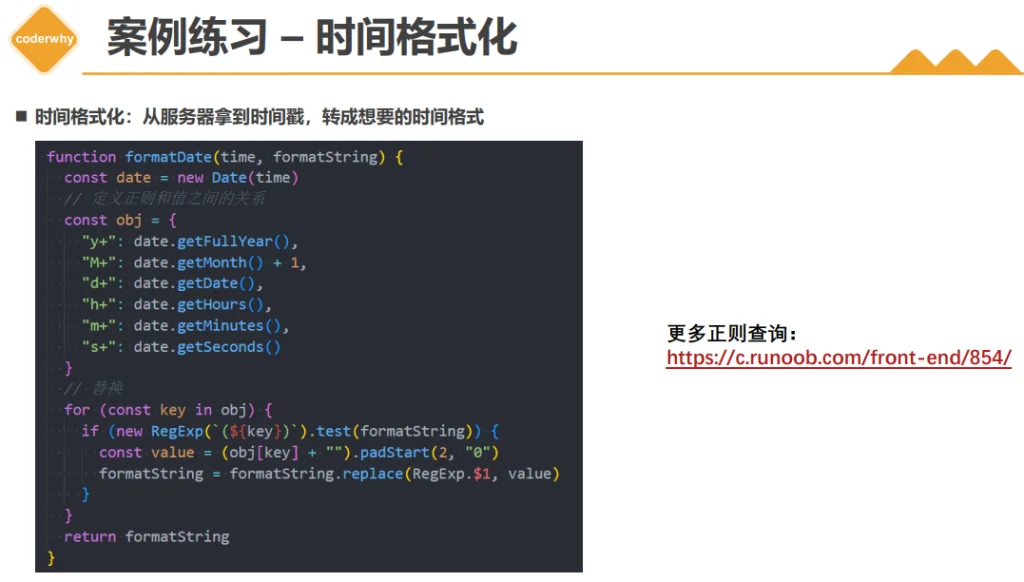
Do not treat a reused g / y expression as a stateless validator without considering lastIndex. \d matches ASCII digits; design Unicode matching for the actual requirement. Nested quantifiers can cause excessive backtracking, and one loose expression is not a complete validation system.
24 Debouncing and throttling
Repeated-event scenarios
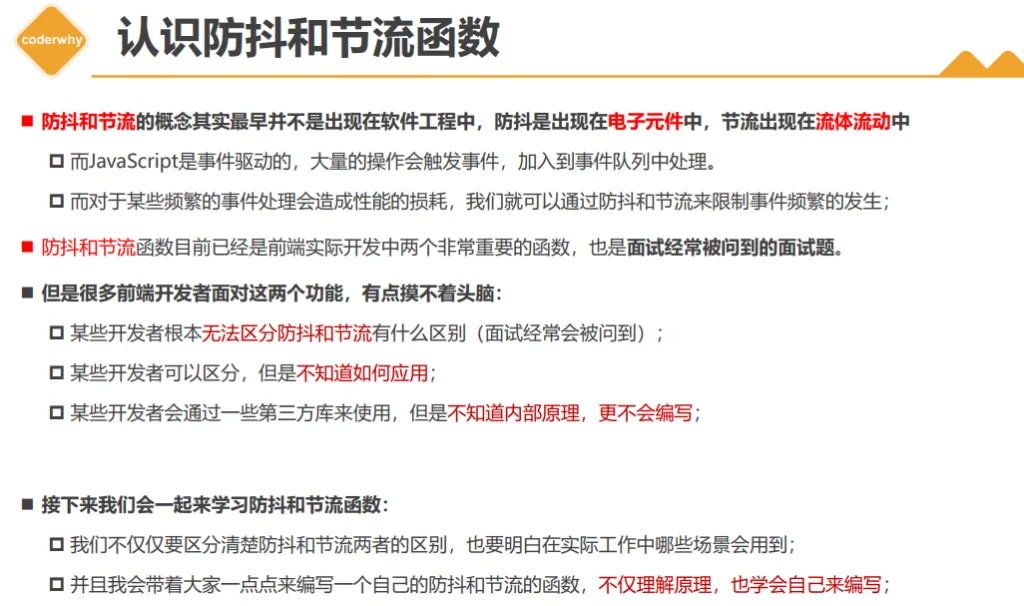
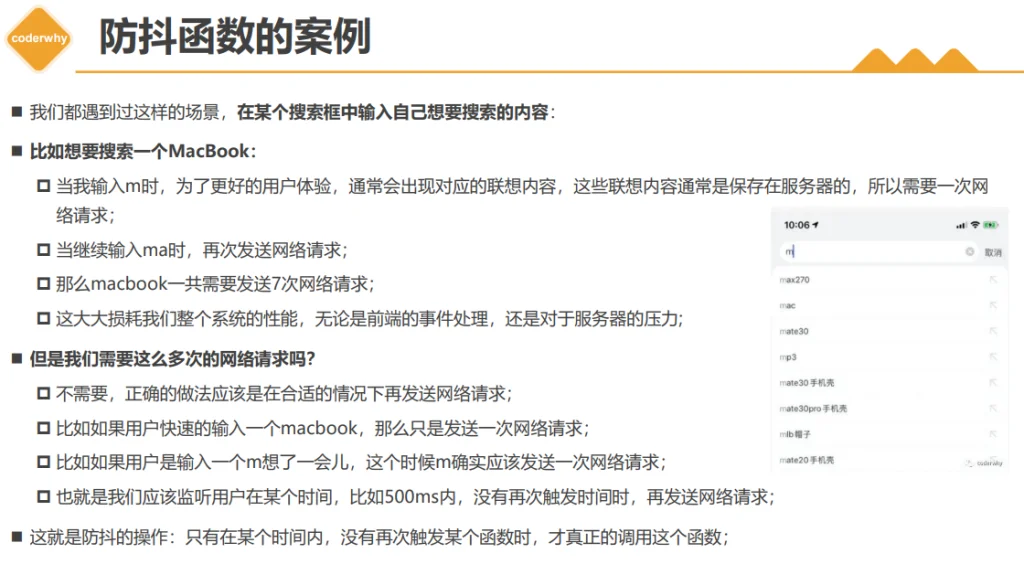
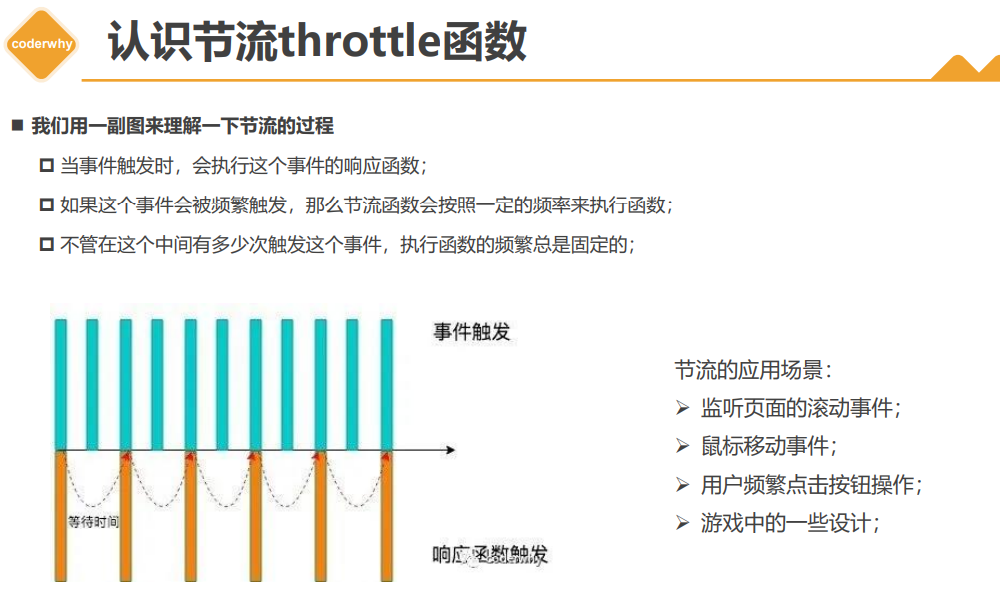
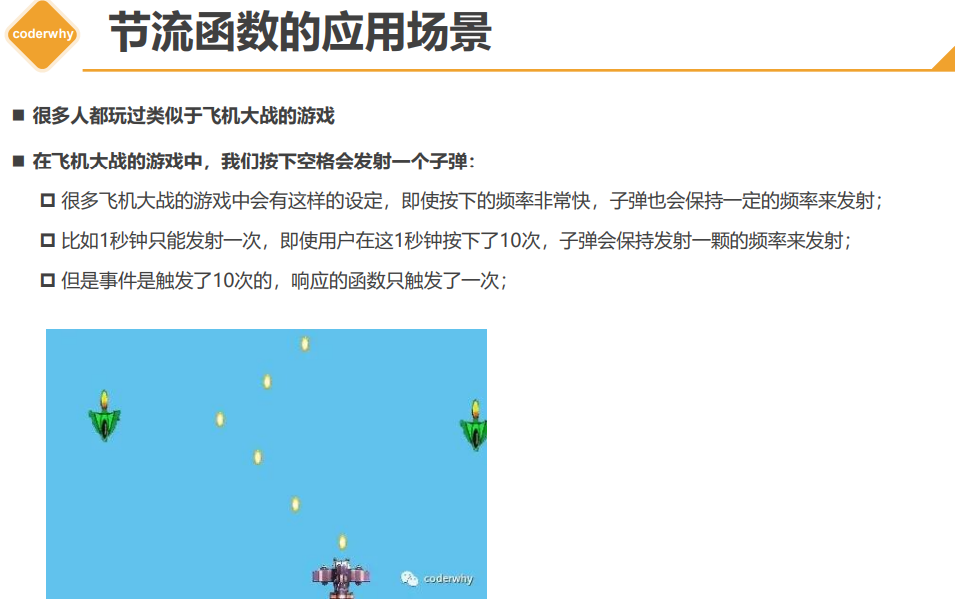
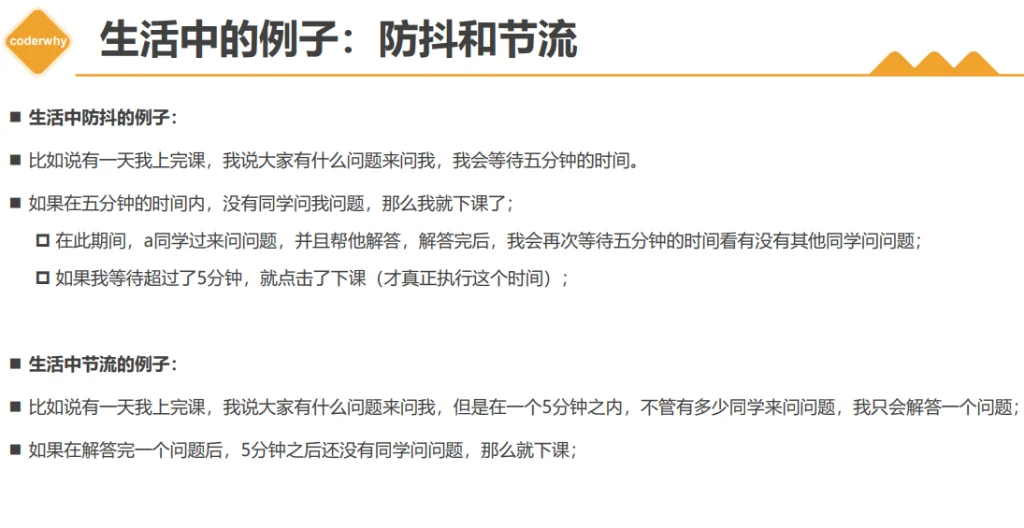
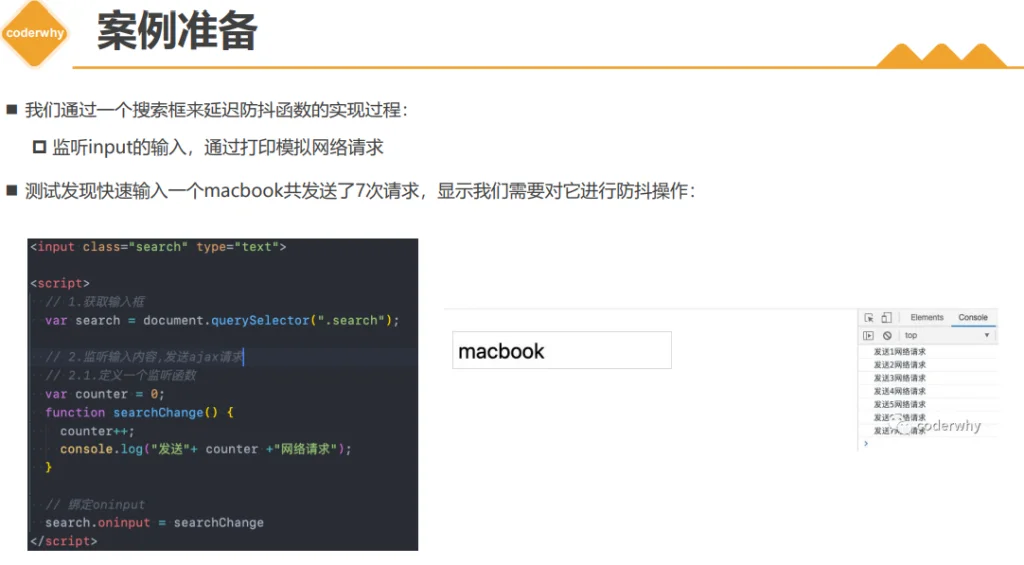
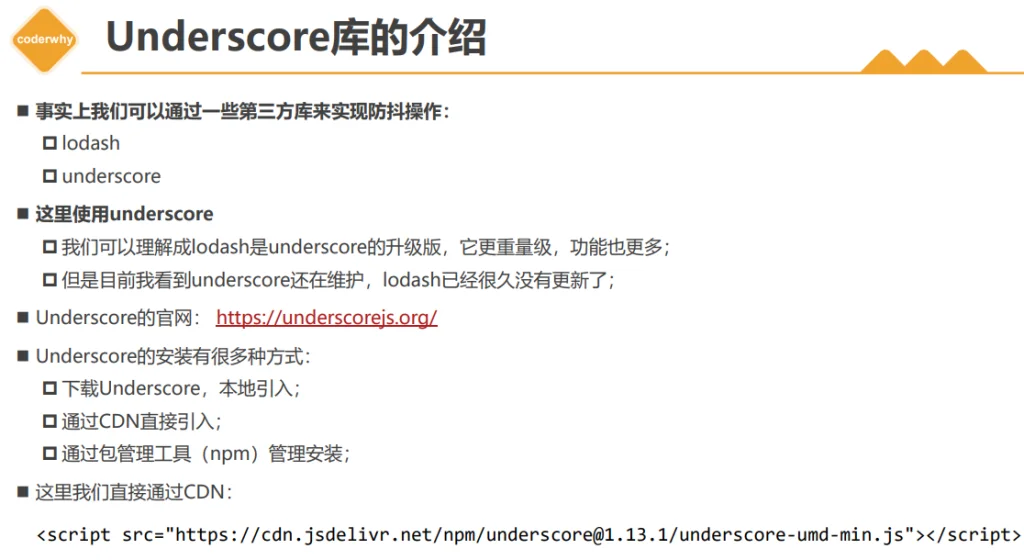
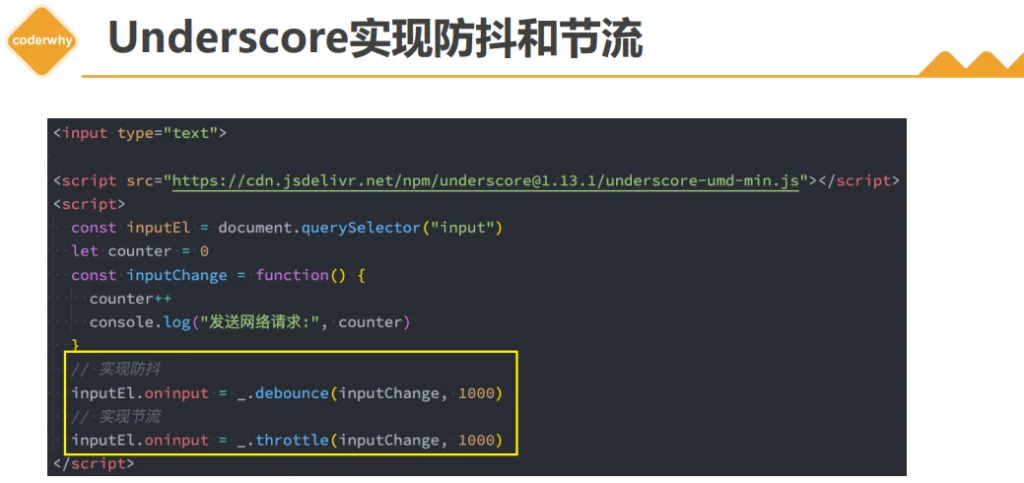
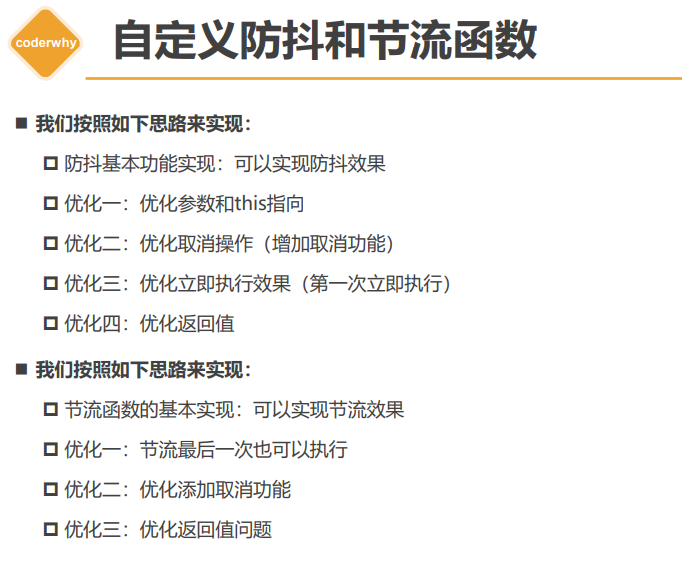
Debouncing runs after calls stop for a period, such as for search input. Throttling limits the execution rate during continuous calls, such as scroll handling. Always state leading/trailing behavior instead of relying on the helper's name.
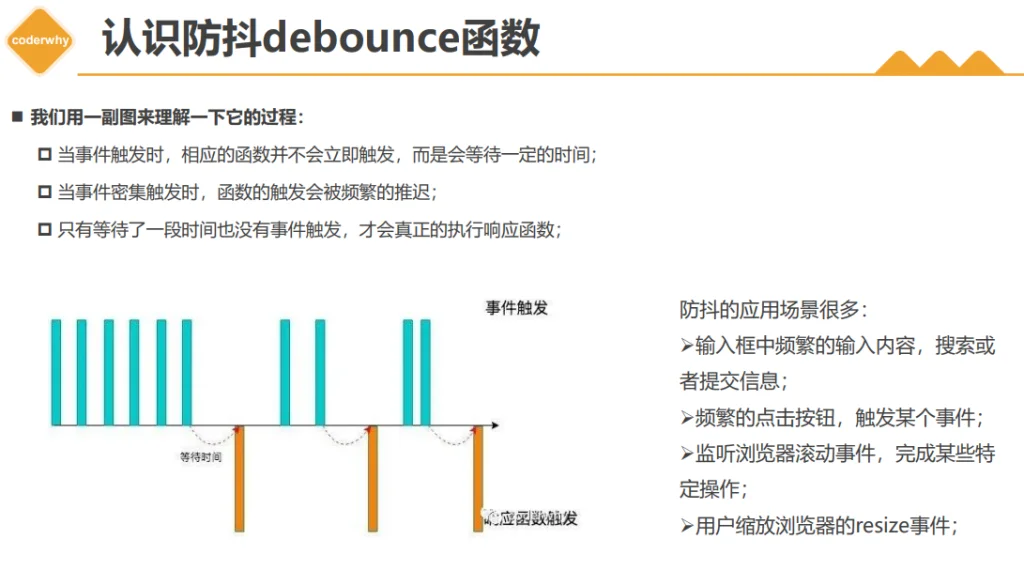
Trailing debounce
This helper honors delay, preserves the latest receiver and arguments, and exposes cancel(). Deferred execution does not provide a synchronous business result.
function debounce(fn, delay) {
  let timer
  let receiver
  let args
  function cancel() {
    clearTimeout(timer)
    timer = undefined
    receiver = undefined
    args = undefined
  }
  function wrapped(...nextArgs) {
    clearTimeout(timer)
    receiver = this
    args = nextArgs
    timer = setTimeout(() => {
      const currentReceiver = receiver
      const currentArgs = args
      cancel()
      Reflect.apply(fn, currentReceiver, currentArgs)
    }, delay)
  }
  wrapped.cancel = cancel
  return wrapped
}
const log = debounce(console.log, 20)
log("first")
log("last") // "last"
Leading-only throttle
This version executes at the start of a window, drops calls within it, and does not replay the last call. Cancellation clears the timer and resets the window.
function throttle(fn, delay) {
  let timer
  function wrapped(...args) {
    if (timer !== undefined) return
    timer = setTimeout(() => {
      timer = undefined
    }, delay)
    return Reflect.apply(fn, this, args)
  }
  wrapped.cancel = () => {
    clearTimeout(timer)
    timer = undefined
  }
  return wrapped
}
const log = throttle(console.log, 20)
log("first") // "first"
log("dropped")
When wiring browser events, remove listeners and call cancel() during teardown. If a delayed callback needs an event's currentTarget, capture the element or input value synchronously and pass it into the debounced function; currentTarget is no longer reliable after dispatch.
25 References, shallow copies, and deep copies
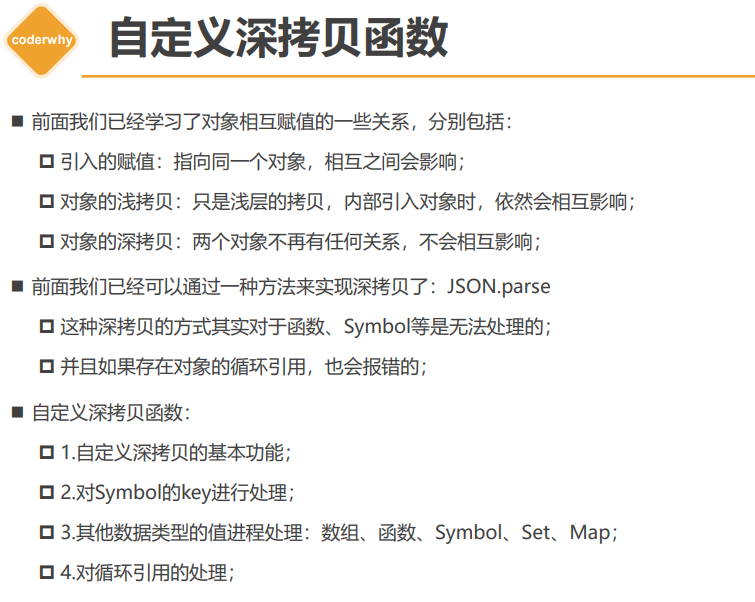
Assignment copies a value; object values refer to the same object. Spread and Object.assign() copy one level, leaving nested references shared. A JSON round trip is suitable only for JSON-serializable data: it loses or changes information such as undefined, functions, symbols, dates, and special numbers, and fails for cycles or BigInt.
structuredClone() handles cycles, Date, Map, Set, and other supported data, but not functions or DOM nodes. It does not fully preserve custom class prototypes, accessors, or property descriptors. It is a host API, not an ECMAScript object method. structuredClone reference.
const original = { profile: { name: "Jack" } }
original.self = original
const shallow = { ...original }
const deep = structuredClone(original)
console.log(shallow.profile === original.profile) // true
console.log(deep.profile === original.profile) // false
console.log(deep.self === deep) // true
A deliberately limited handwritten clone
This helper supports plain objects, arrays, and their own data properties, using WeakMap to preserve cycles and shared references. It rejects custom prototypes, accessors, and functions rather than silently corrupting them. Production requirements involving Map, Set, typed arrays, or other types need dedicated support or an appropriate library.
function cloneData(value, seen = new WeakMap()) {
  if (typeof value === "function")
    throw new TypeError("Functions are unsupported")
  if (value === null || typeof value !== "object") return value
  if (seen.has(value)) return seen.get(value)
  const prototype = Object.getPrototypeOf(value)
  if (
    prototype !== Object.prototype &&
    prototype !== null &&
    prototype !== Array.prototype
  ) {
    throw new TypeError("Unsupported prototype")
  }
  const result = Array.isArray(value) ? [] : Object.create(prototype)
  seen.set(value, result)
  for (const key of Reflect.ownKeys(value)) {
    const descriptor = Object.getOwnPropertyDescriptor(value, key)
    if (!("value" in descriptor))
      throw new TypeError("Accessors are unsupported")
    descriptor.value = cloneData(descriptor.value, seen)
    Object.defineProperty(result, key, descriptor)
  }
  return result
}
const shared = { score: 1 }
const source = { first: shared, second: shared }
source.self = source
const copy = cloneData(source)
console.log(copy !== source, copy.first === copy.second, copy.self === copy) // true true true
26 Event buses and subscription cleanup
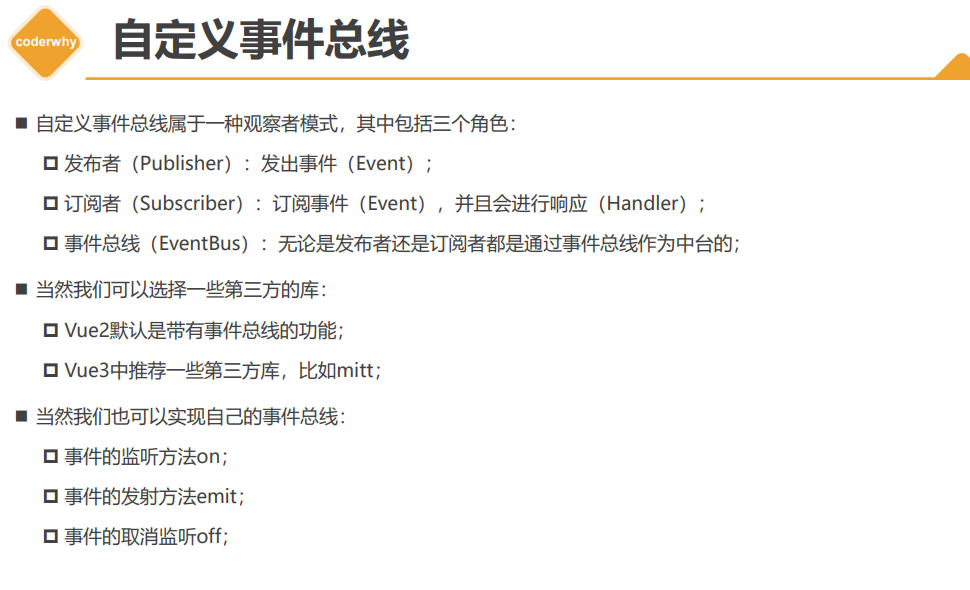
An event bus connects publishers and subscribers through event names. This version invokes synchronously in registration order, deduplicates the same callback per event, snapshots listeners for each emission, and propagates exceptions, stopping that emission. on() returns an unsubscribe function for teardown.
class EventBus {
  #events = new Map()
  on(event, listener) {
    const listeners = this.#events.get(event) ?? new Set()
    listeners.add(listener)
    this.#events.set(event, listeners)
    return () => this.off(event, listener)
  }
  off(event, listener) {
    const listeners = this.#events.get(event)
    if (!listeners) return
    listeners.delete(listener)
    if (listeners.size === 0) this.#events.delete(event)
  }
  once(event, listener) {
    const wrapped = (...args) => {
      this.off(event, wrapped)
      listener(...args)
    }
    return this.on(event, wrapped)
  }
  emit(event, ...args) {
    for (const listener of [...(this.#events.get(event) ?? [])])
      listener(...args)
  }
}
const bus = new EventBus()
const unsubscribe = bus.on("saved", (id) => console.log("saved", id))
bus.once("saved", (id) => console.log("once", id))
bus.emit("saved", 1)
unsubscribe()
bus.emit("saved", 2)
Output is saved 1 and once 1; the second emission calls nobody. once removes its wrapper before invoking user code to avoid re-entry through that callback. More complex nested emissions, exception isolation, and asynchronous listeners require additional contracts. An event bus does not replace explicit data flow; missing unsubscription can retain unused objects.
27 HTTP, XHR, and Fetch
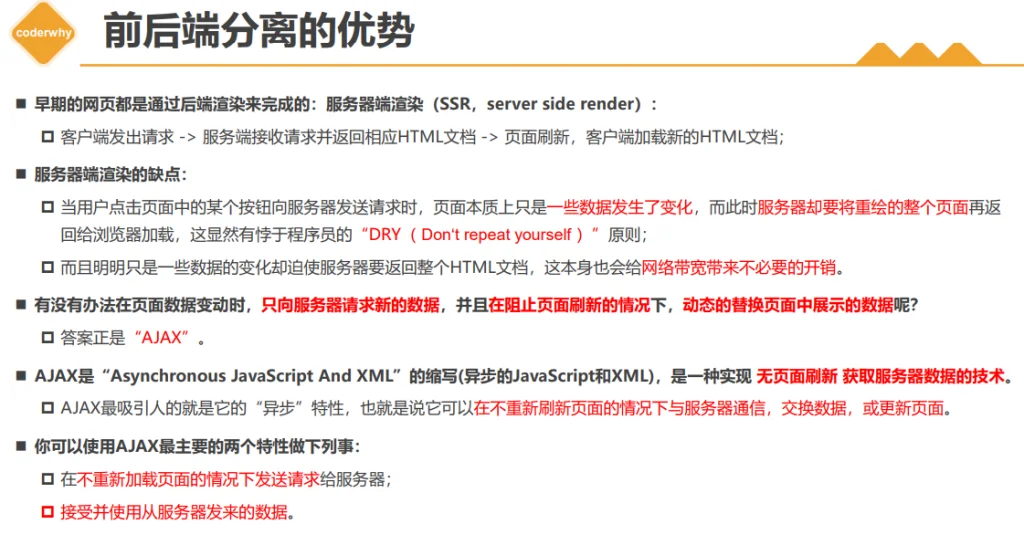
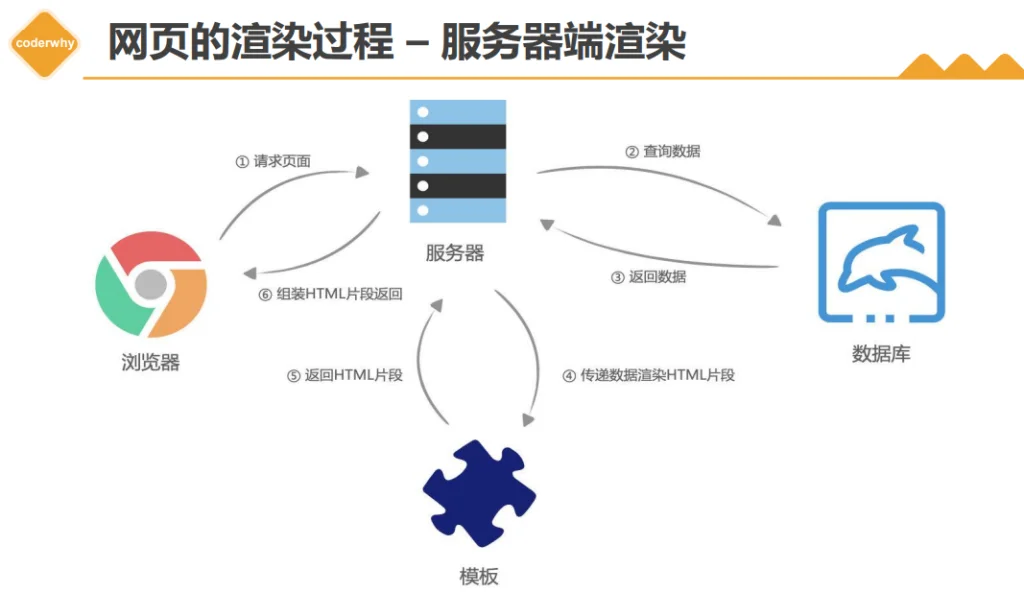
SSR and frontend–backend separation
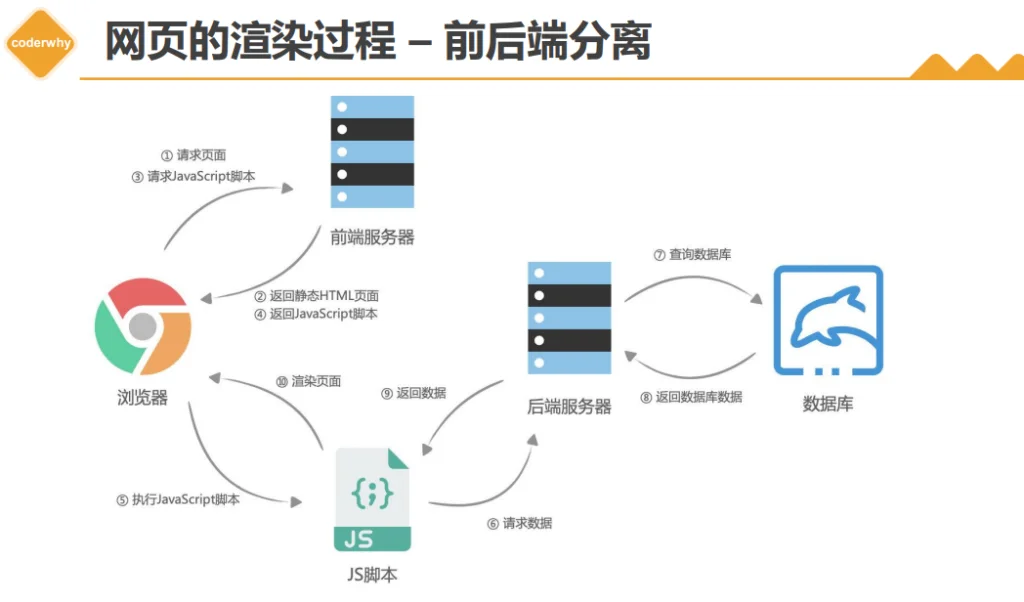
SSR generates HTML on the server; client rendering builds or updates the interface in the browser. Separating frontend and backend concerns describes responsibility and API boundaries and does not rule out SSR. AJAX exchanges data without a full-page reload; it requires neither XML nor XHR specifically.
HTTP requests and responses
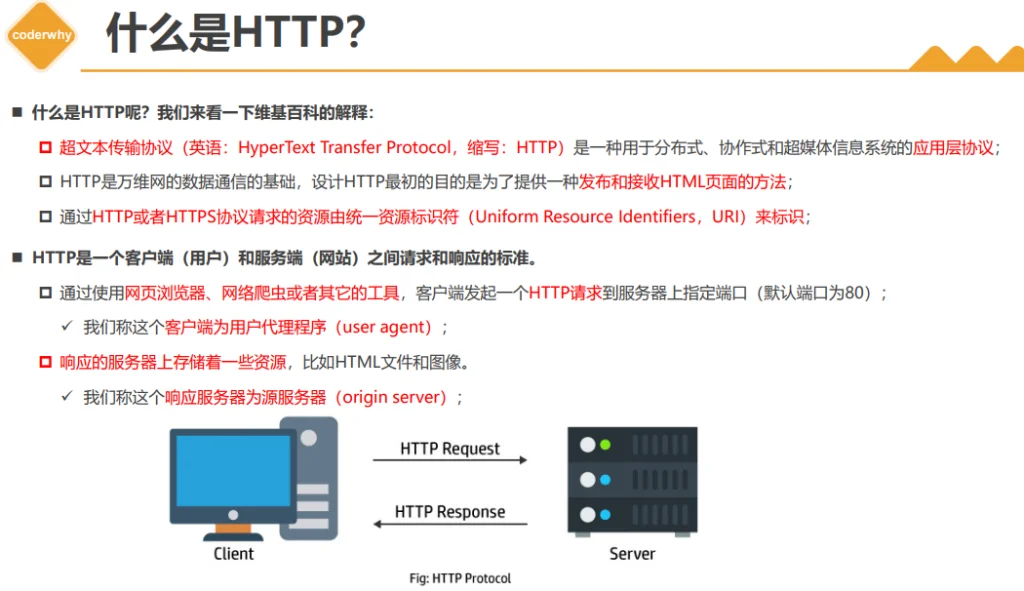
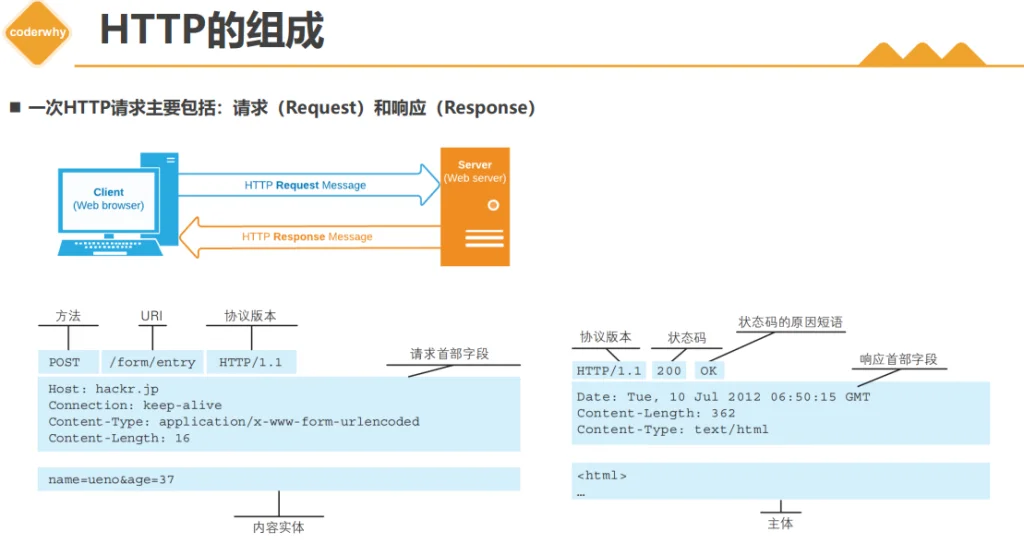
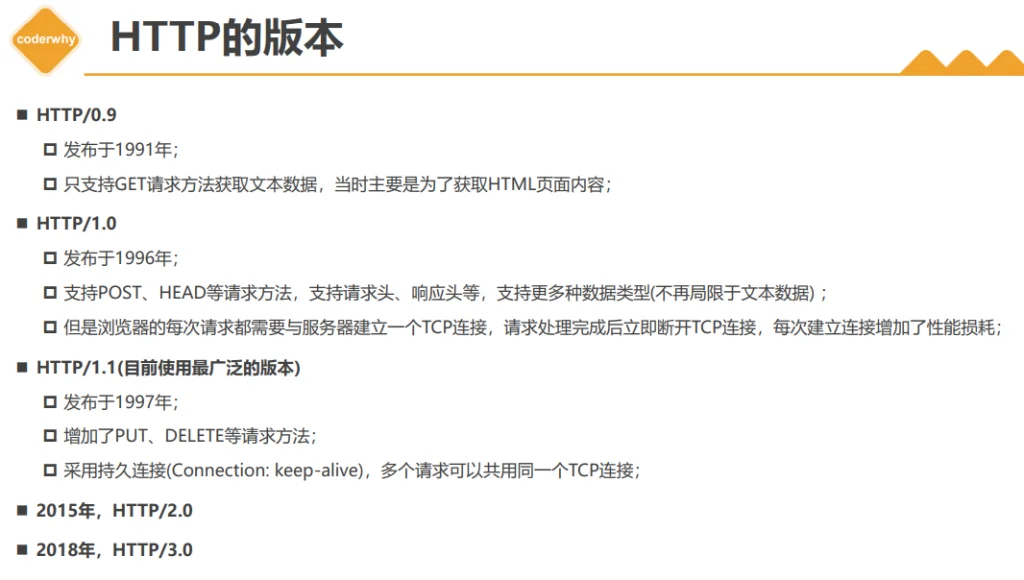
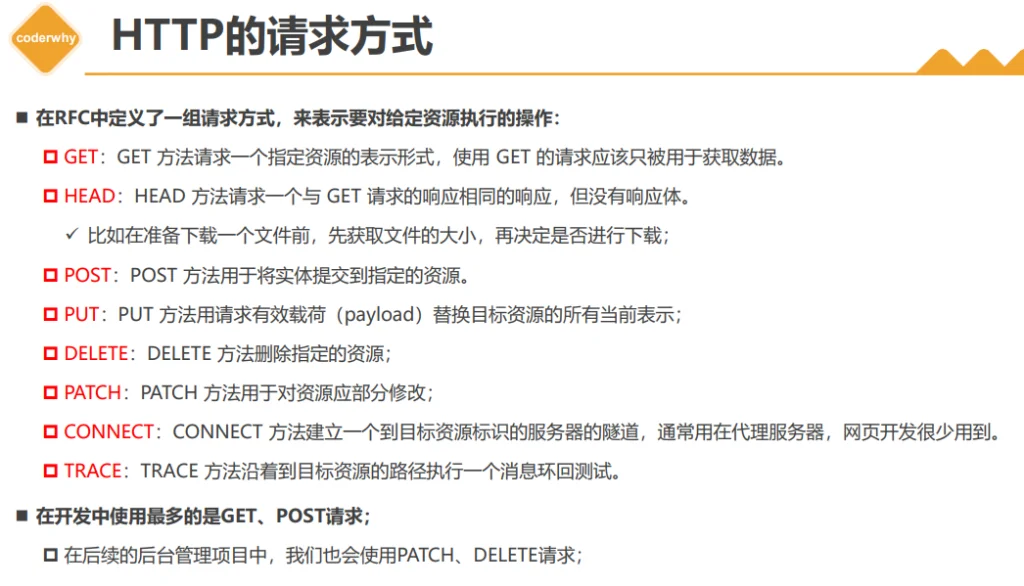
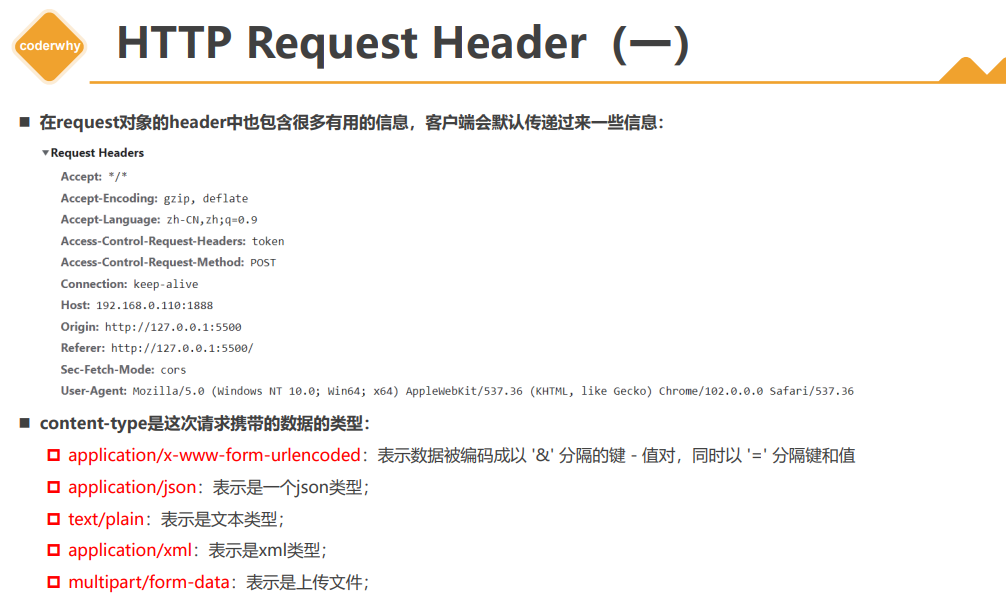
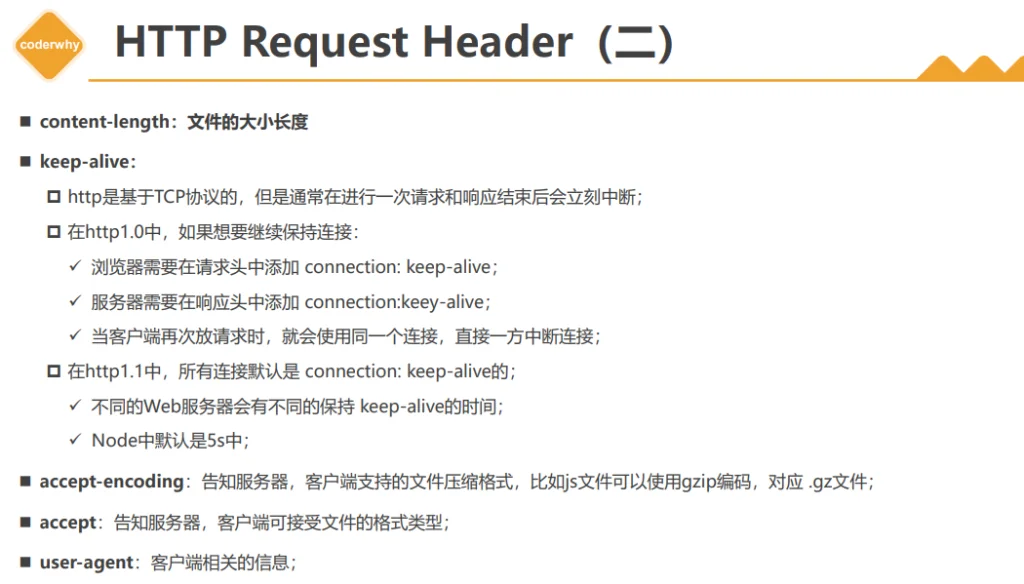
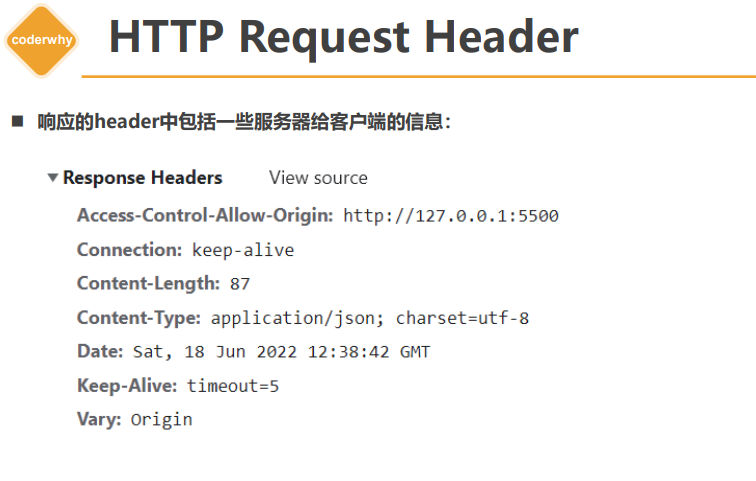
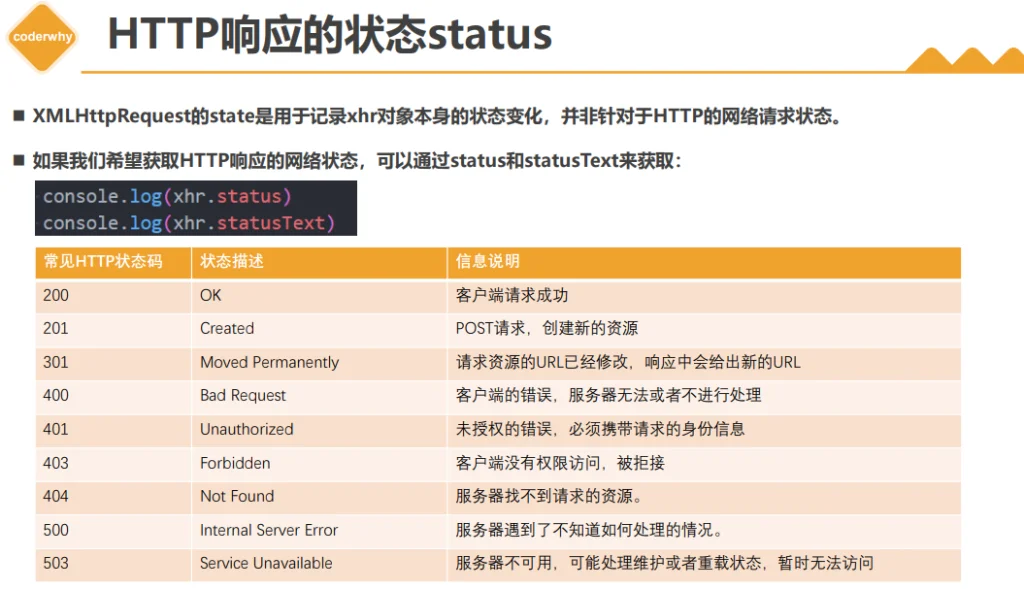
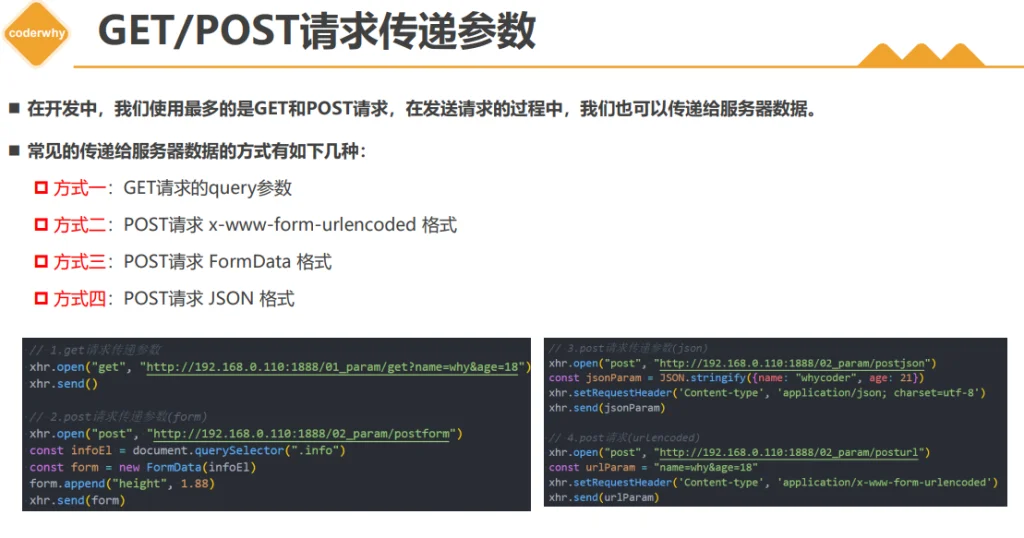
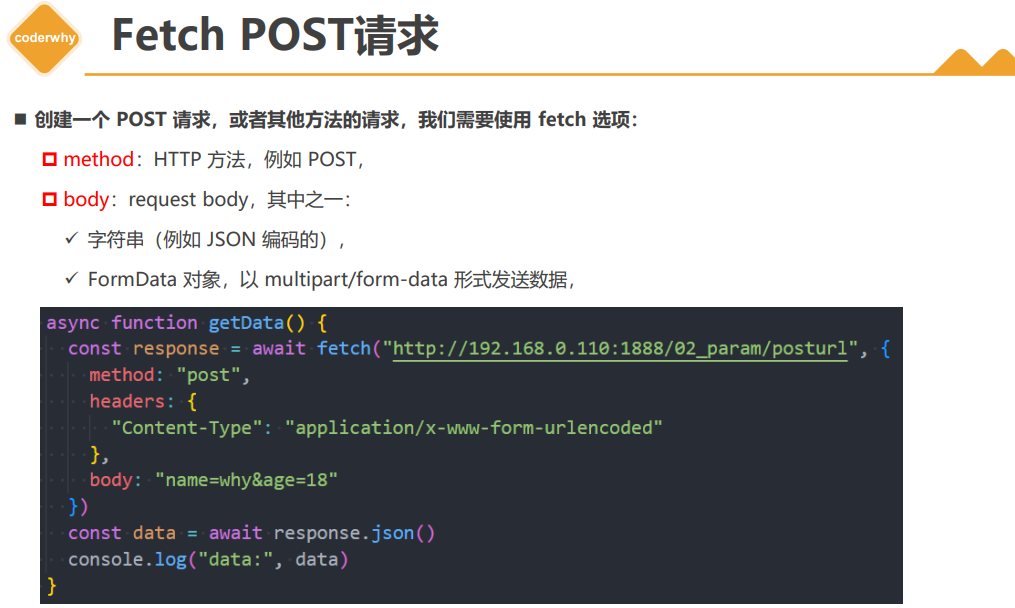
An HTTP request contains a method, target, headers, and optional body; a response contains a status, headers, and optional body. GET retrieves resources, POST commonly submits data, PUT generally replaces a resource, PATCH partially updates one, and DELETE requests removal. Follow the actual API contract.
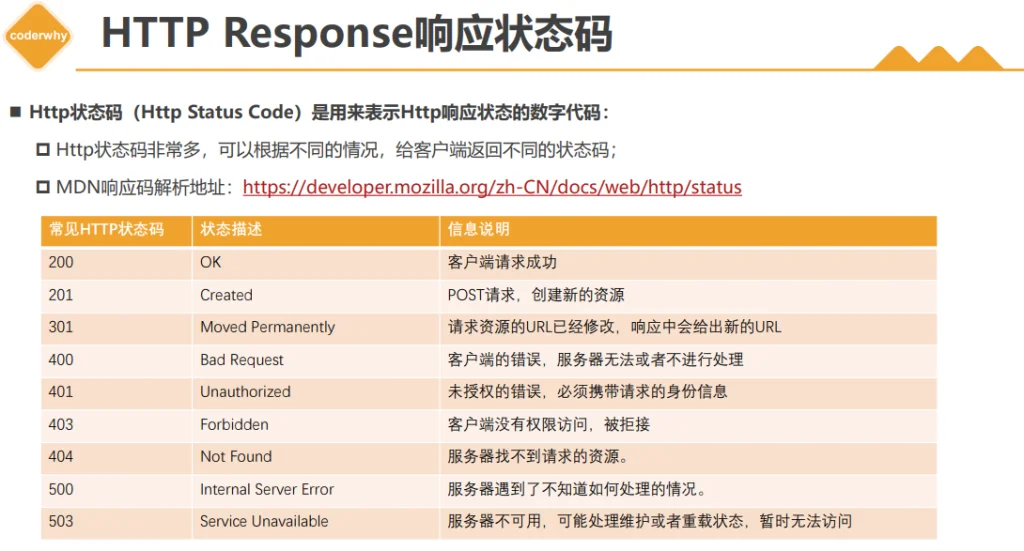
HTTP response statuses
| Status family | Meaning | Handling |
|---|---|---|
| 2xx | Success | 204 has no content to parse as JSON |
| 3xx | Redirection or cache validation | 304 relates to conditional-request caching |
| 4xx | Request-related errors | 401 requires authentication; 403 denies access; 404 means not found |
| 5xx | Server errors | Consider idempotency and backoff before retrying |
XMLHttpRequest
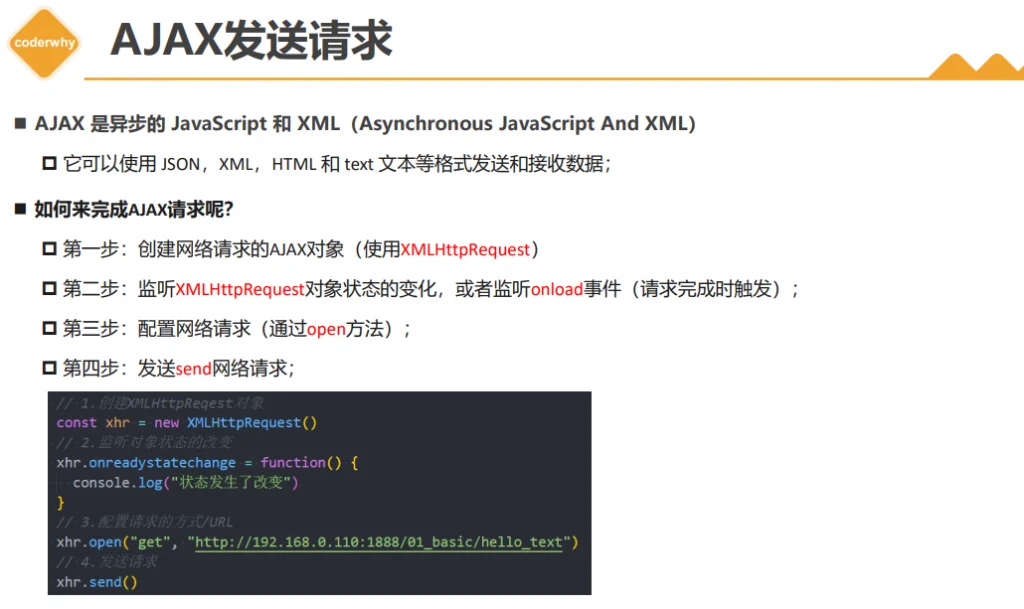
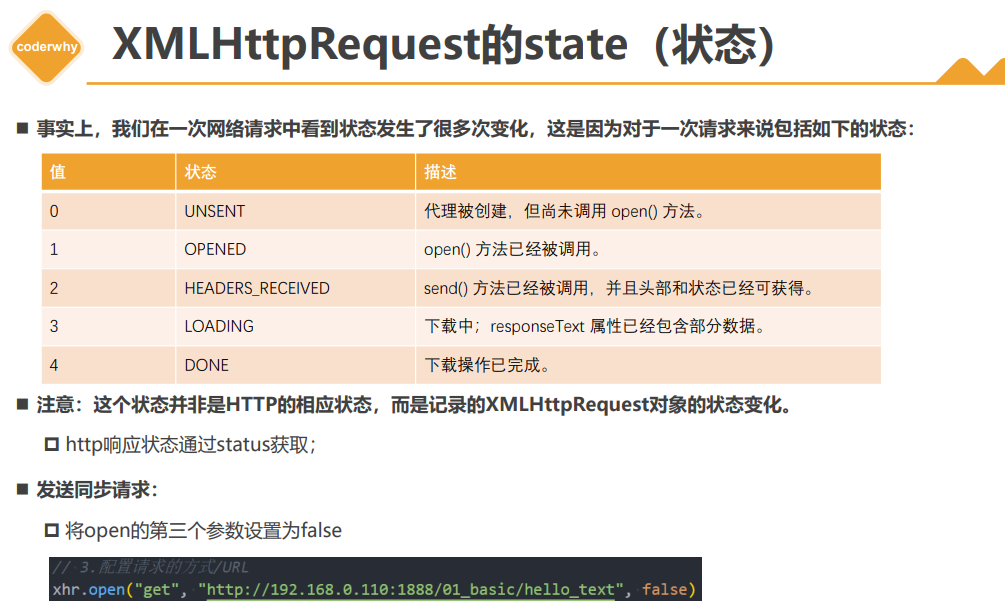
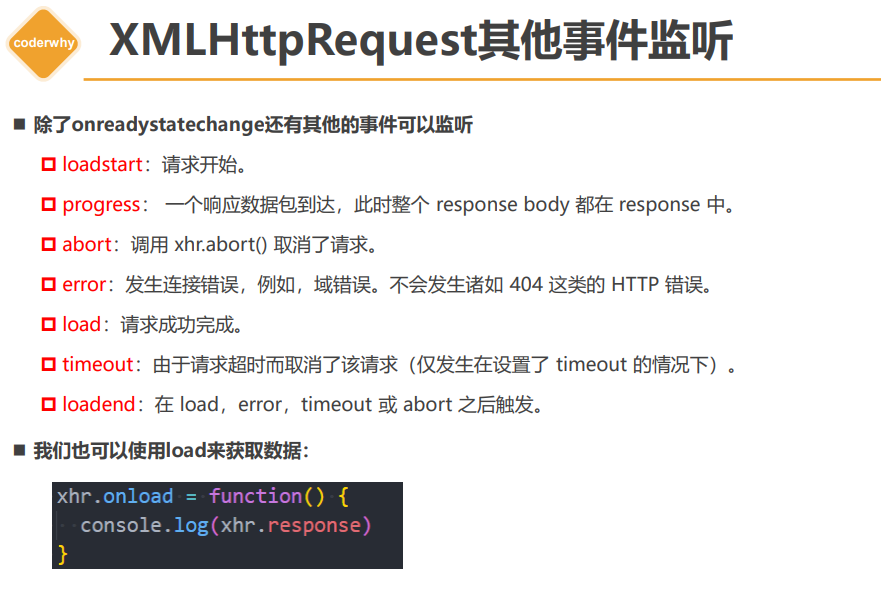
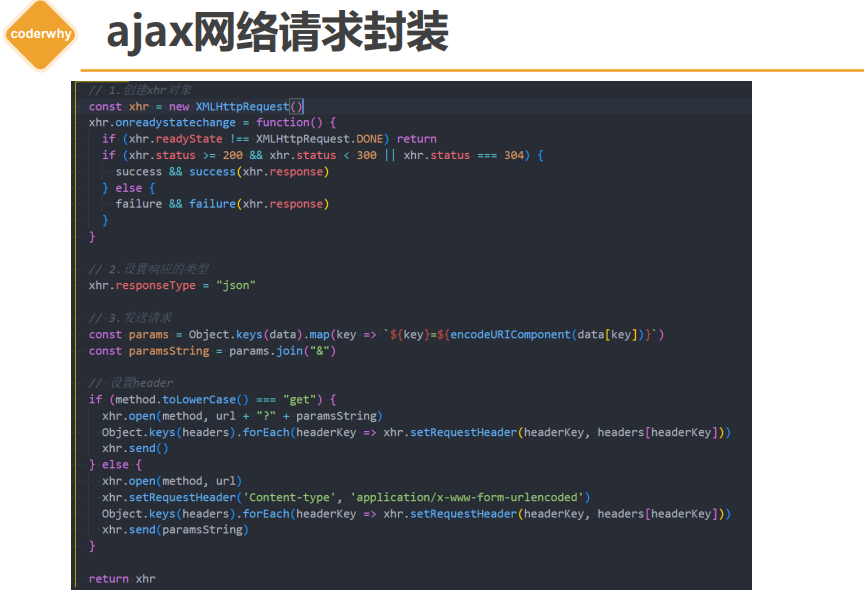
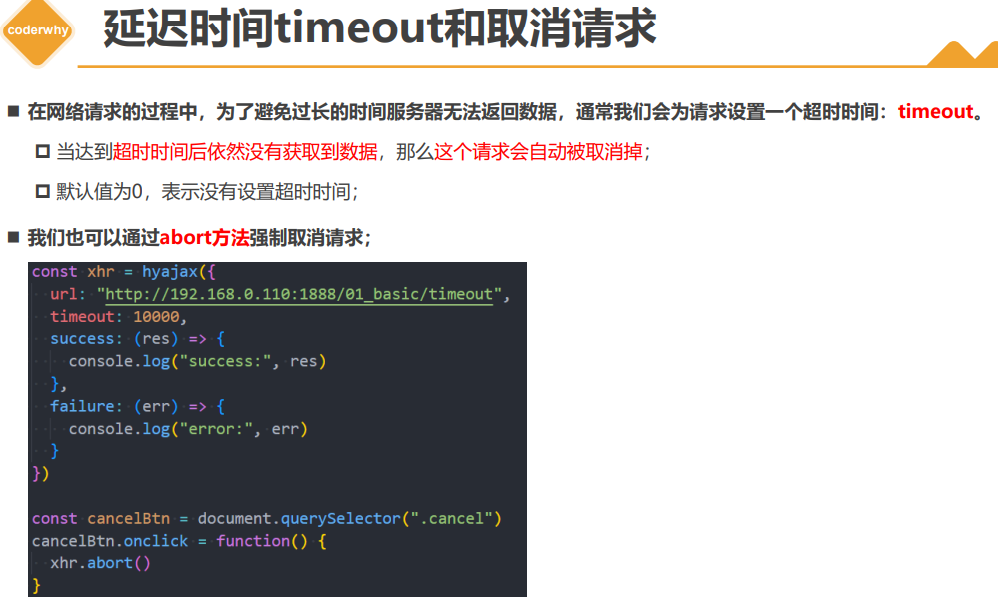
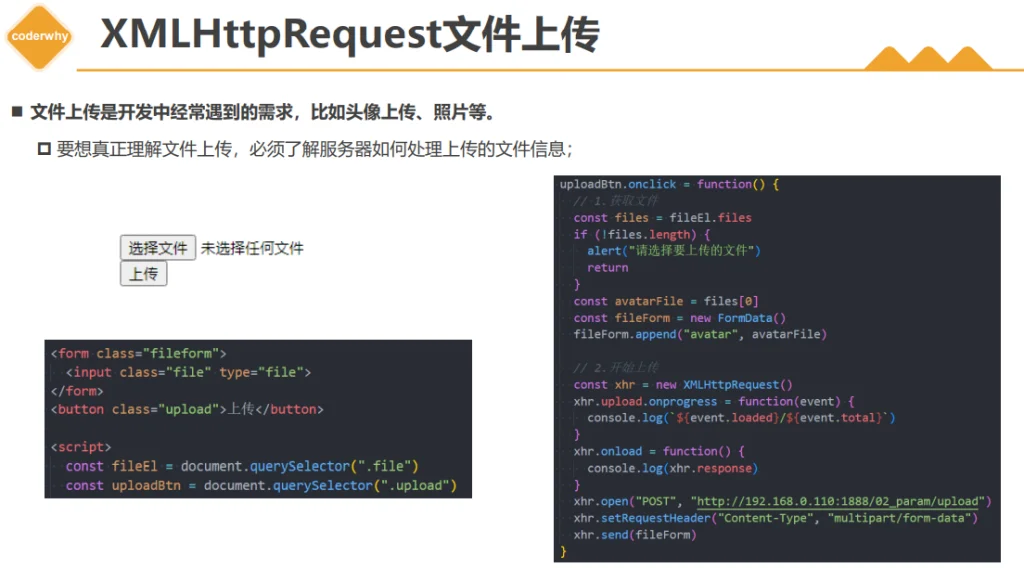
Browser-only. open() configures a request; it does not turn configuration code into a task. send() starts the asynchronous request. With readystatechange, wait for readyState === XMLHttpRequest.DONE before processing the full response. load means transfer completion, so still check the HTTP status.
const xhr = new XMLHttpRequest()
xhr.open("GET", "/api/notes")
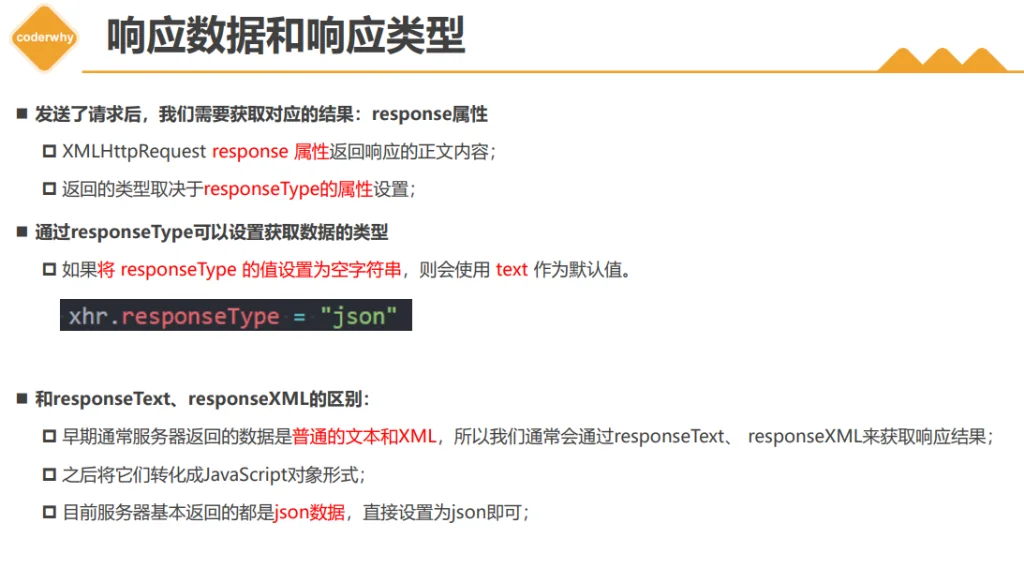
xhr.responseType = "json"
xhr.timeout = 5000
xhr.onload = () => {
  if (xhr.status < 200 || xhr.status >= 300) {
    console.error("HTTP", xhr.status)
    return
  }
  console.log(xhr.response)
}
xhr.onerror = () => console.error("Network error")
xhr.ontimeout = () => console.error("Request timed out")
xhr.onabort = () => console.log("Request aborted")
xhr.send()
Fetch: status checks, parsing, and cancellation
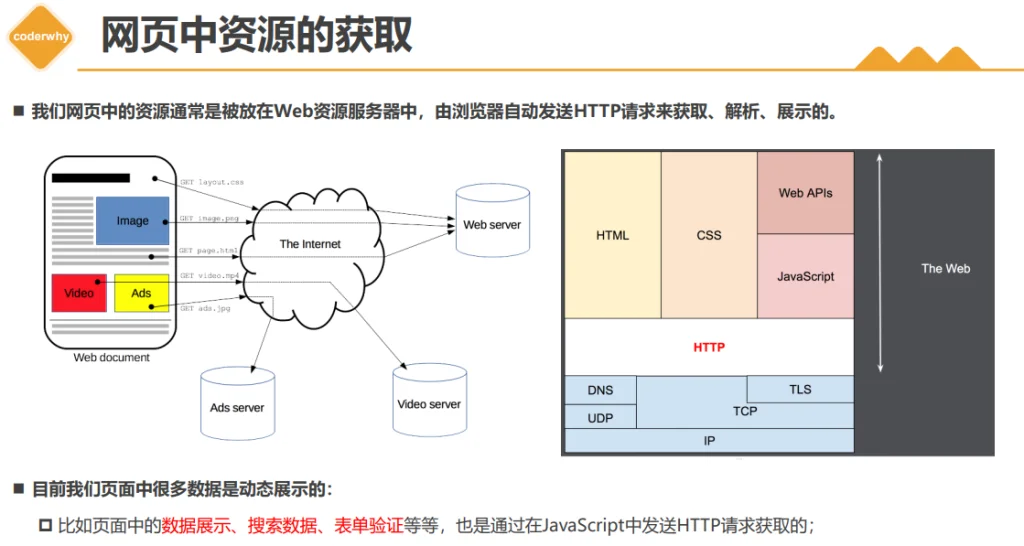
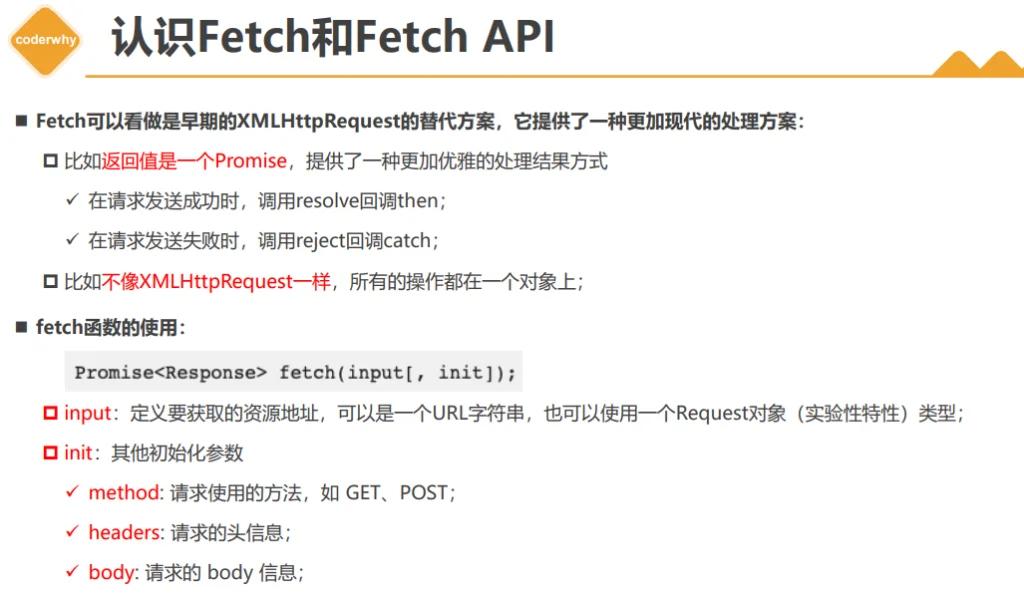
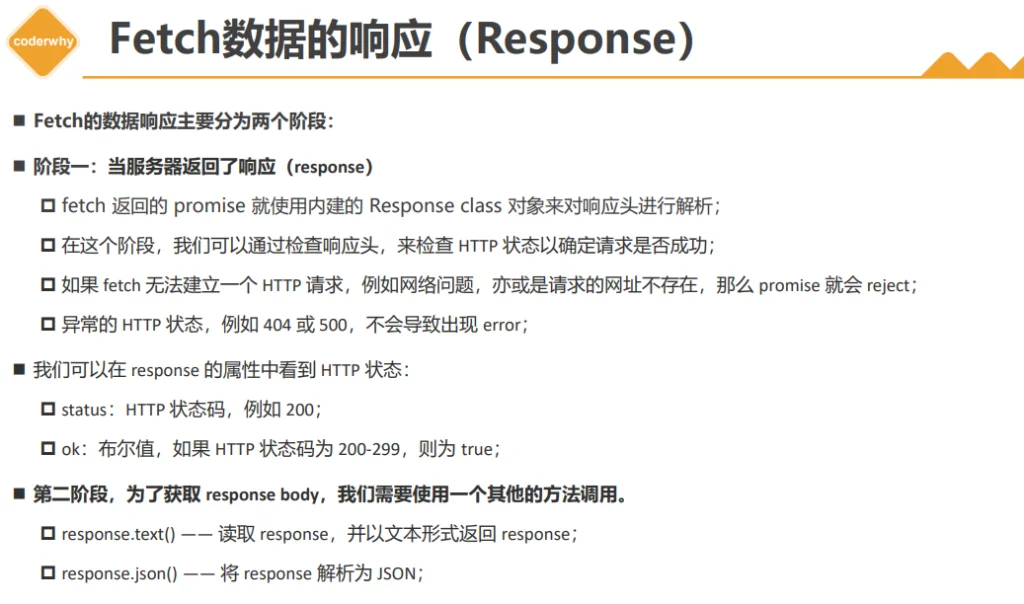
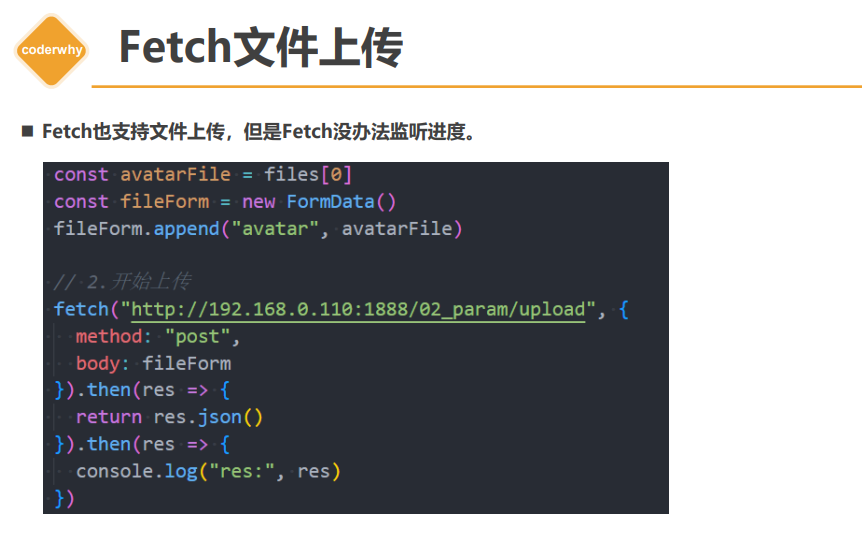
Browser example requiring a same-origin JSON endpoint. Fetch does not automatically reject for ordinary HTTP 404 / 500 responses; check response.ok. JSON parsing can also fail, and a response body is normally consumed once. AbortController can cancel a request or body consumption, but cannot undo work already completed on the server. Using Fetch.
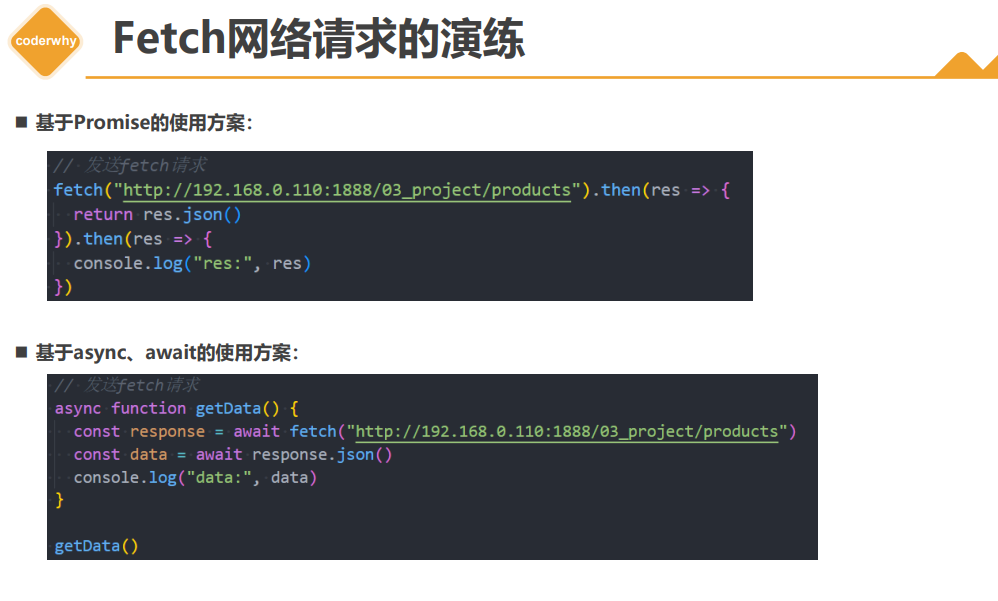
async function getNotes(signal) {
  const response = await fetch("/api/notes", { signal })
  if (!response.ok) throw new Error("HTTP " + response.status)
  if (response.status === 204) return []
  return response.json()
}
async function load() {
  const controller = new AbortController()
  const timer = setTimeout(() => controller.abort(), 5000)
  try {
    console.log(await getNotes(controller.signal))
  } catch (error) {
    if (error?.name === "AbortError") console.log("Request aborted")
    else console.error(error)
  } finally {
    clearTimeout(timer)
  }
}
load()
Cross-origin access is subject to the same-origin policy and CORS, whose response headers are set by the server. mode: 'no-cors' does not provide readable cross-origin JSON. Credentialed requests require compatible client credentials settings, server CORS headers, and cookie policies.
28 Review checklist
| Topic | Can you explain it precisely? |
|---|---|
| this | Ordinary calls, receivers, explicit binding, construction, and arrows |
| Execution | Lexical environments, TDZ, closures, lazy parsing, and tree shaking |
| Object model | Internal prototypes, prototype properties, descriptors, and shallow freezing |
| Modern syntax | Nullish coalescing versus logical OR, optional chaining, and collection identity |
| Async code | Resolved versus fulfilled, propagation, combinators, and microtask order |
| Utilities | Debounce/throttle policies, cloning boundaries, and subscription cleanup |
| Networking | HTTP failures, parsing errors, cancellation, and cross-origin constraints |
Further reading: ECMAScript language specification. Distinguish language rules from browser and Node.js host behavior. Each example promises only the scope described alongside it.