My notes on Node.js core modules, web frameworks, and databases. Figures and code remain interleaved in their original order.
Example setup: The original examples use CommonJS. Save them as .cjs, or use a separate directory with type: commonjs. Run blocks separately rather than concatenating them. Install framework dependencies and supply local test files yourself. Original code, comments, output strings, and Chinese screenshots are retained for comparison; corrections appear beside the relevant sections.
The Node.js runtime
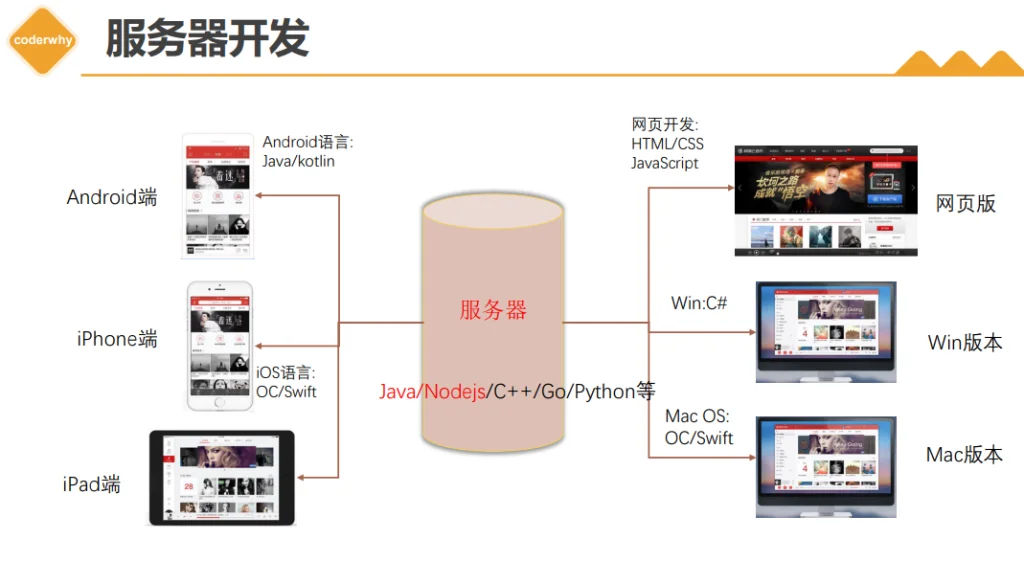
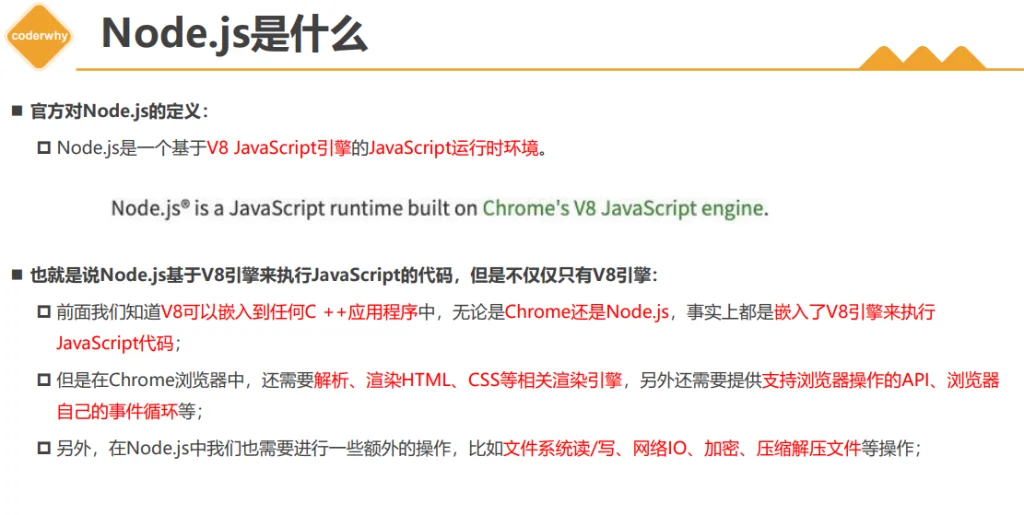
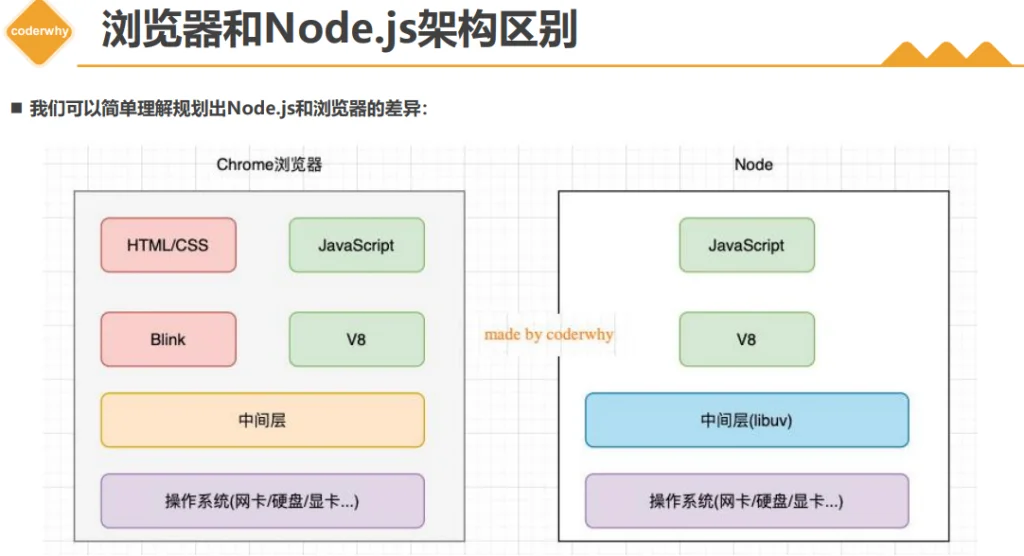
Start with the runtime, then move from files, events, and binary data into server development.
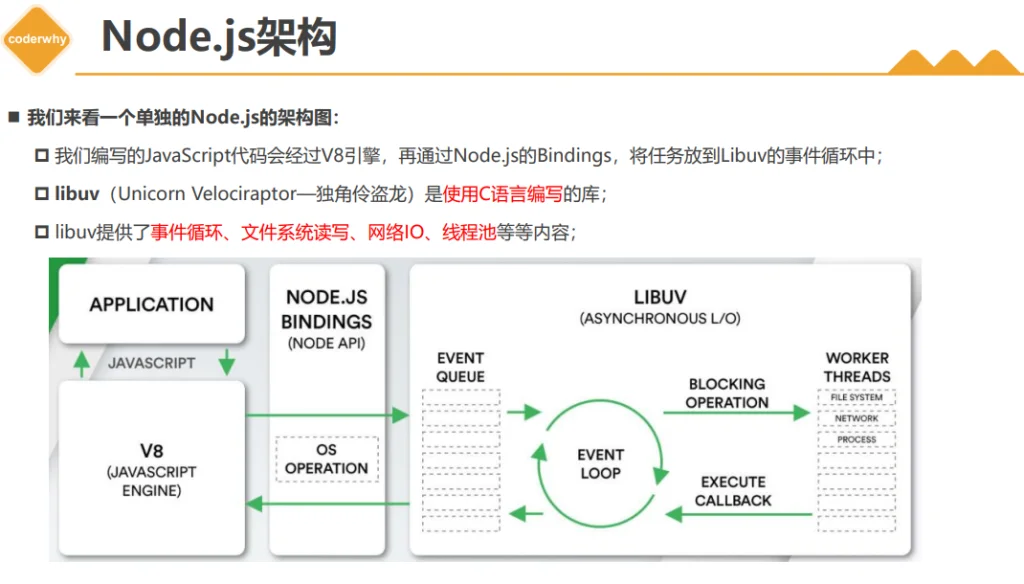
fs: the file system
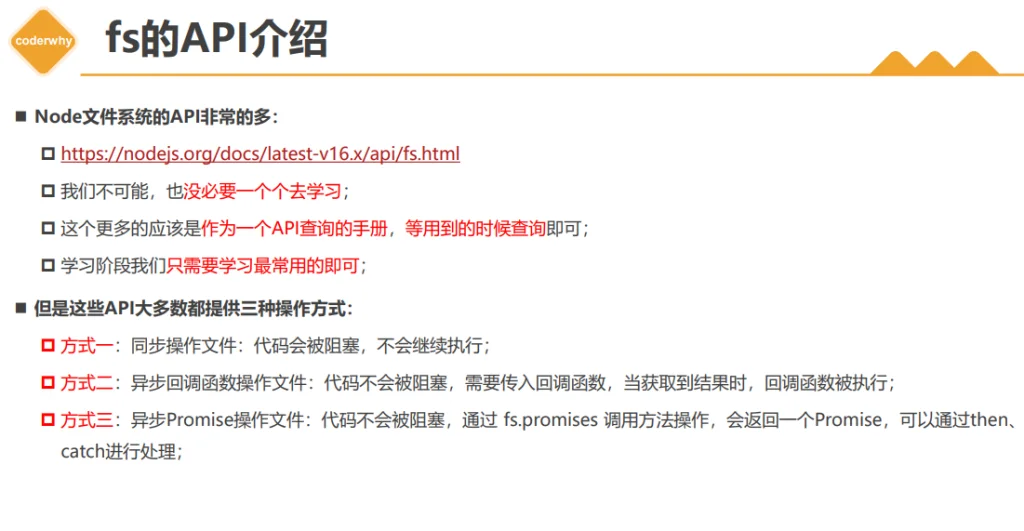
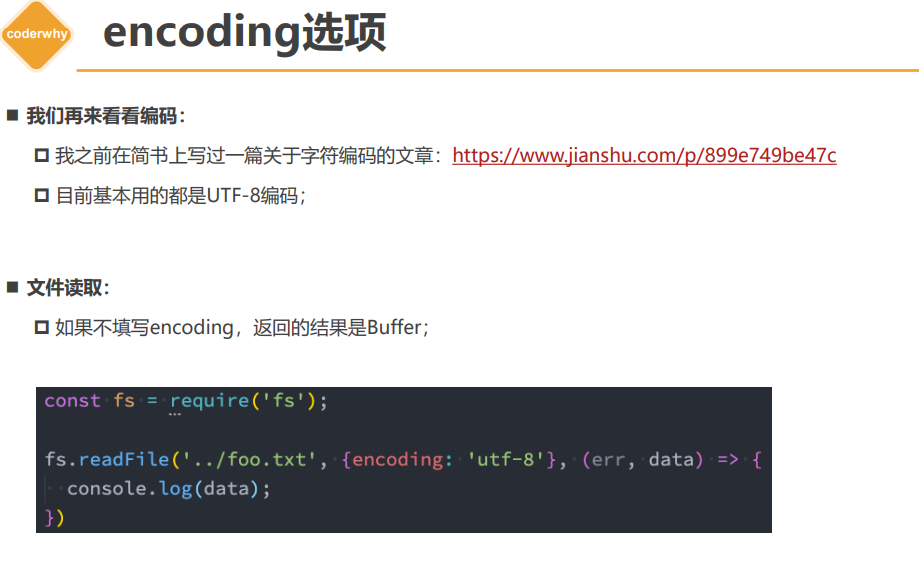
Synchronous APIs block JavaScript execution; callback and Promise APIs support asynchronous file operations. Reading without an encoding returns a Buffer. File system documentation.
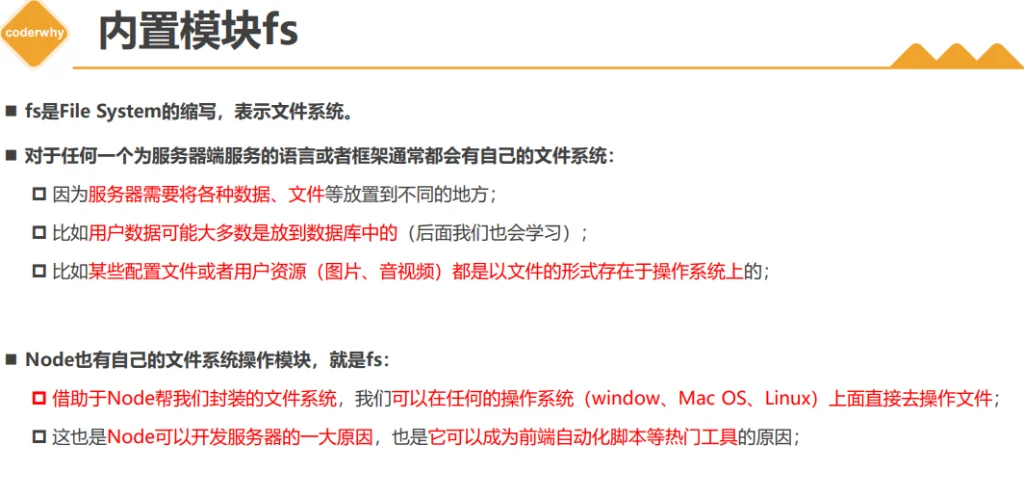
fs API
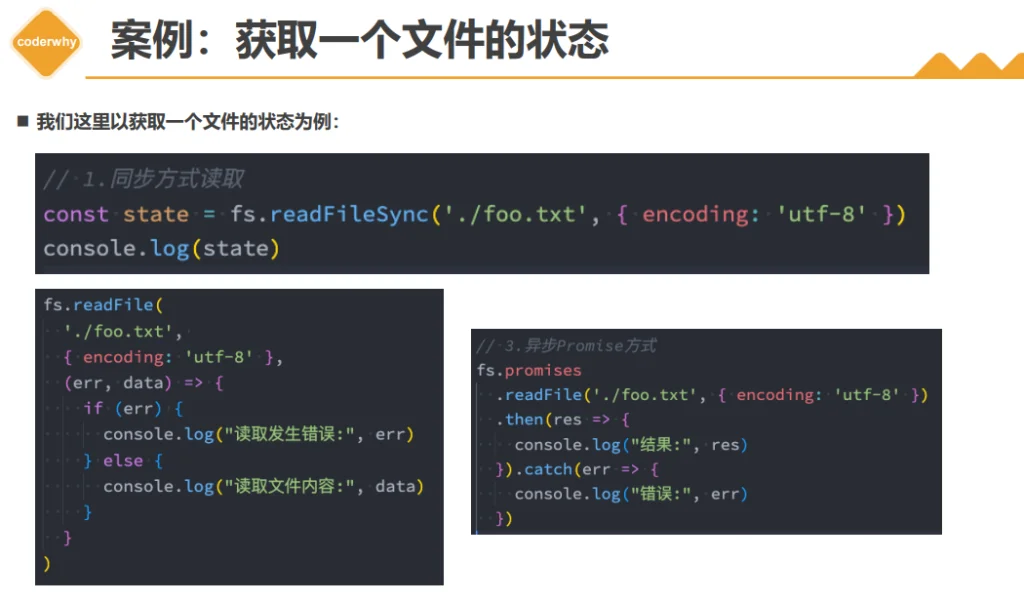
// node中支持CJS更多
const { isUtf8 } = require("buffer");
const fs = require("fs");

// 1.同步读取
// 直接读出来是buffer
const res1 = fs.readFileSync("./abc.txt", {
  encoding: "utf-8",
});
console.log(res1);

// 2.异步读取
// 通过回调函数 打印对应的代码
// 不会阻塞后续代码的运行 读到文件再传入
// 回调函数嵌套 容易形成回调地狱
const res2 = fs.readFile(
  "./abc.txt",
  {
    encoding: "utf-8"
  },
  (err, data) => {
    console.log(data);
  },
);

// 3.异步读取 promise
fs.promises
  .readFile("./abc.txt", {
    encoding: "utf-8",
  })
  .then((res) => {
    console.log(res);
  })
  .catch((err) => {
    console.log("发生了错误", err);
  });
File descriptors
Correction: the original
fs.close(fd)below is missing its callback. Usefs.close(fd, callback)and close successfully opened files on error paths too. With promises, callFileHandle.close()infinally.
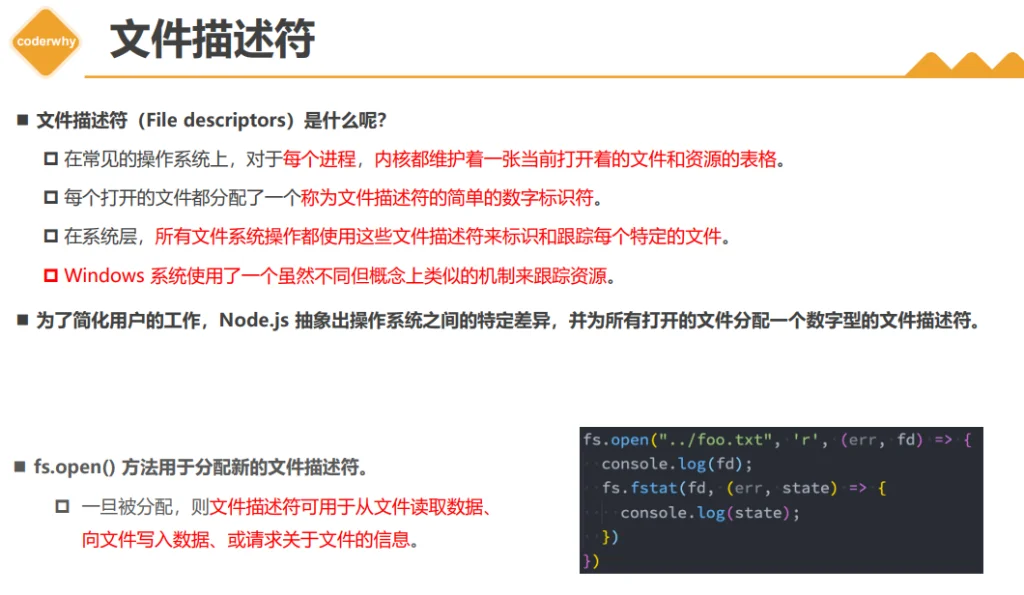
const fs = require("fs");

// 打开一个文件 并未进行操作
fs.open("./abc.txt", (err, fd) => {
  // fd 是数字类型的文件描述符
  if (err) {
    console.log("文件打开错误", err);
    return;
  }
  // 获取文件描述符
  console.log(fd);
  // 读取到文件的信息
  fs.fstat(fd, (err, stats) => {
    if (err) return;
    console.log(stats);

    // 要手动关闭文件
    fs.close(fd)
  });
});
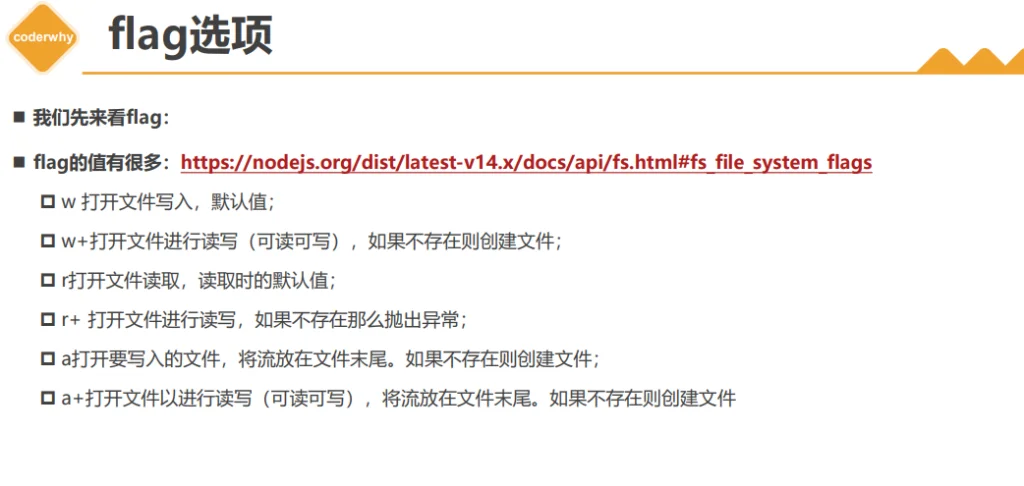
Reading and writing files
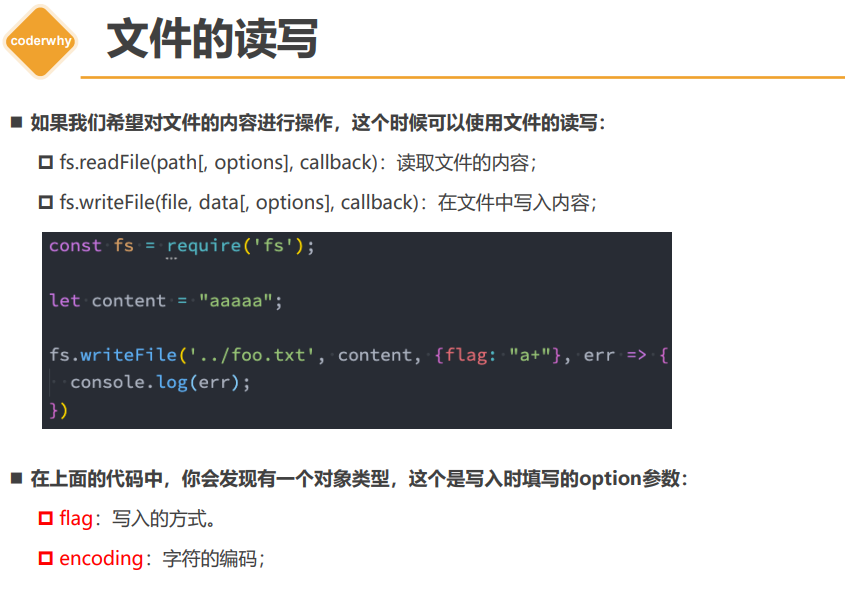
const fs = require("fs");

const content = "hello world";

// 文件的写入操作
// 第三个参数 可选
fs.writeFile("./ccc.txt", content, { flag: "a+", encoding: "utf-8" }, (err) => {
  if (err) {
    console.log("文件写入错误", err);
  } else {
    console.log("文件写入成功");
  }
});
Working with directories
Check the callback error before iterating over directory entries. Use
join()fromnode:pathto combine paths. Some error handling is omitted in the original examples.
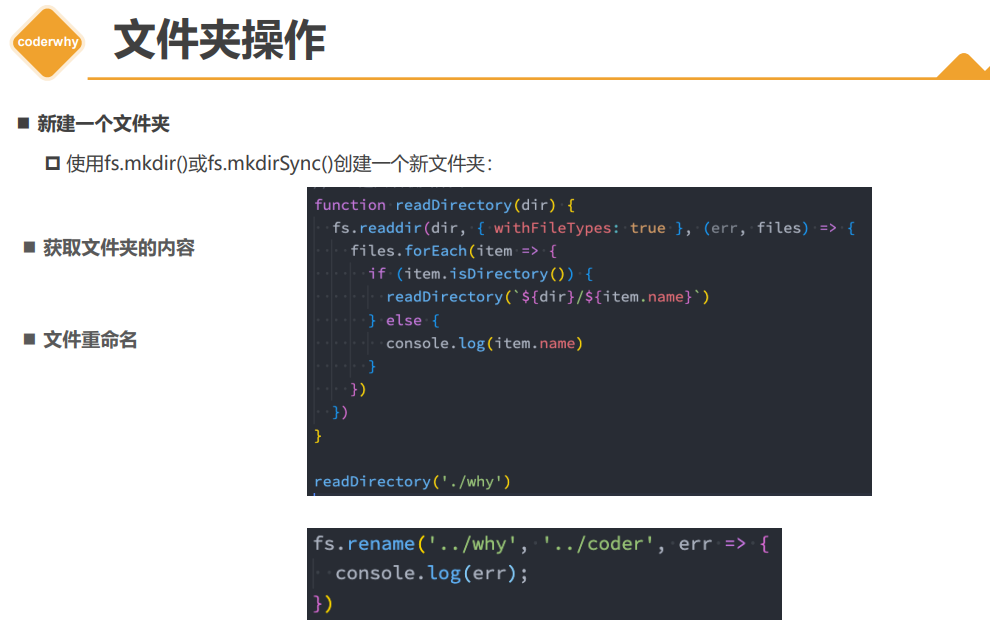
const fs = require("fs");

// 创建文件夹dirc
// fs.mkdir("./why", (err) => {
//   console.log(err);
// });

// 获取文件夹的内容
// fs.readdir("./why", (err, files) => {
//   console.log(files);
// })

// 读取文件夹 并且获取文件夹中的信息
// Symbol 2 文件夹 1 文件
// fs.readdir("./why", { withFileTypes: true }, (err, files) => {
//   files.forEach((item) => {
//     // 判断是不是文件夹
//     if (item.isDirectory()) {
//       console.log("文件夹", item.name);
//     } else {
//       console.log("文件", item.name);
//     }
//   });
// });

// 递归读取所有的文件 (到底层)
function readDir(path) {
  fs.readdir(path, { withFileTypes: true }, (err, files) => {
    files.forEach(item => {
      if (item.isDirectory()) {
        readDir(`${path}/${item.name}`)
      } else {
        console.log(item.name);
      }
    })
  });
}


readDir("./why")
const fs = require("fs")

// 可以对文件/文件夹 进行重命名
// fs.rename("./why", "./kobe", (err) => {
//   console.log(err);
// })

fs.rename("./kobe", "./why", (err) => {
  console.log(err);
})
events: event handling
Use
onto subscribe,emitto dispatch, andoffto unsubscribe.onceruns once. EventEmitter calls listeners synchronously; timers scheduled inside listeners run separately.
Basic usage
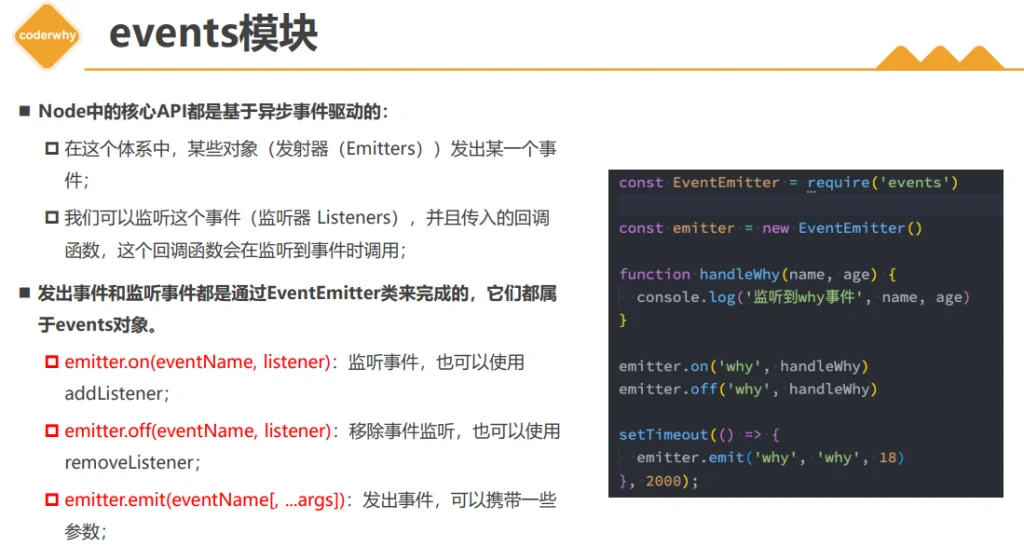
const EventEimtter = require("events")

// events中的事件总线

function handleWhyFn() {
  console.log("监听why的事件");
}

// 创建实例
const emitter = new EventEimtter()

// 监听事件
emitter.on("why",handleWhyFn)

// 发射事件
setTimeout(() => {
  emitter.emit("why", "coderwhy", 18, 1.88)

  // 取消事件监听
  emitter.off("why", handleWhyFn)

  setTimeout(() => {
    emitter.emit("why")
  }, 1000);
}, 2000);
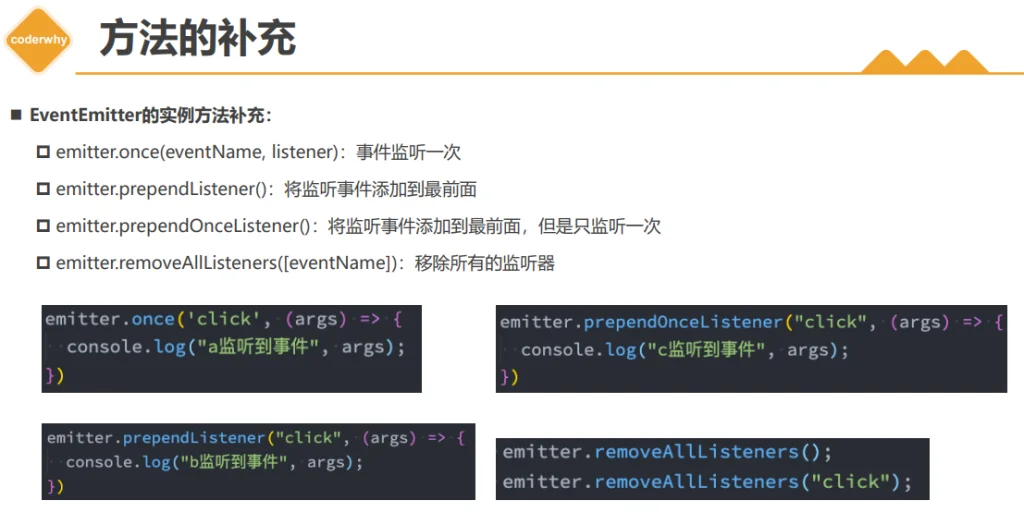
Other methods
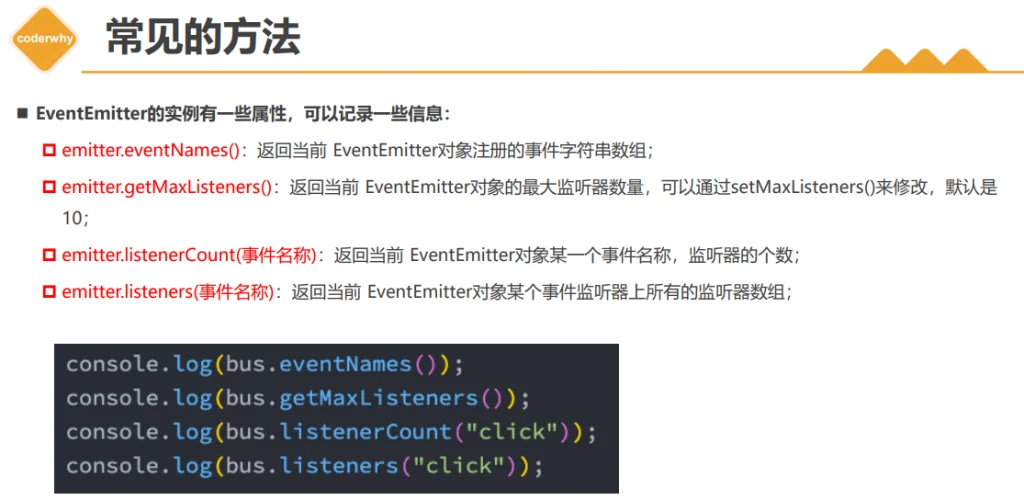
const EventEimtter = require("events");

const ee = new EventEimtter();

ee.on("why", () => {});
ee.on("why", () => {});
ee.on("why", () => {});

ee.on("kobe", () => {});
ee.on("kobe", () => {});

// 1.获取所欲监听事件的名称
console.log(ee.eventNames());

// 2.获取监听的最大的监听个数
console.log(ee.getMaxListeners());

// 3.获取某一个事件名称对应的监听器个数
console.log(ee.listenerCount("why"));

// 4.获取某一个事件名称对应的监听器函数(数组)
console.log(ee.listeners("why"));
const EventEimtter = require("events");

const ee = new EventEimtter();

// 1.once:事件监听只监听一次(第一次发射事件的时候进行监听)
ee.once("why", () => {
  console.log("on监听why");
});

// 2.将事件监听添加到最前面
ee.prependListener("why", () => {
  console.log("on监听why2");
});

// 3.将事件监听添加到最前面 只执行一次
ee.prependOnceListener("why", () => {
  console.log("on监听why3");
});

// 4.移除所有的监听事件
// 不传参的情况下 移除所有的监听事件
ee.removeAllListeners()

ee.emit("why")
ee.emit("why")
ee.emit("why")
Buffer
A Buffer represents bytes. String conversion depends on the encoding. Use
Buffer.from()andBuffer.alloc(); the commented-outnew Buffer()in the original notes is legacy syntax.
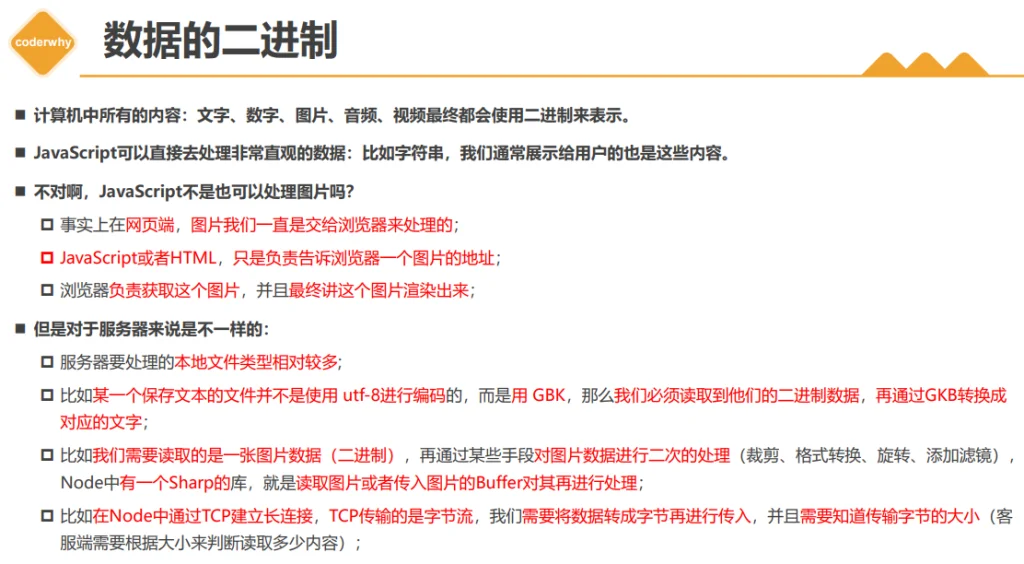
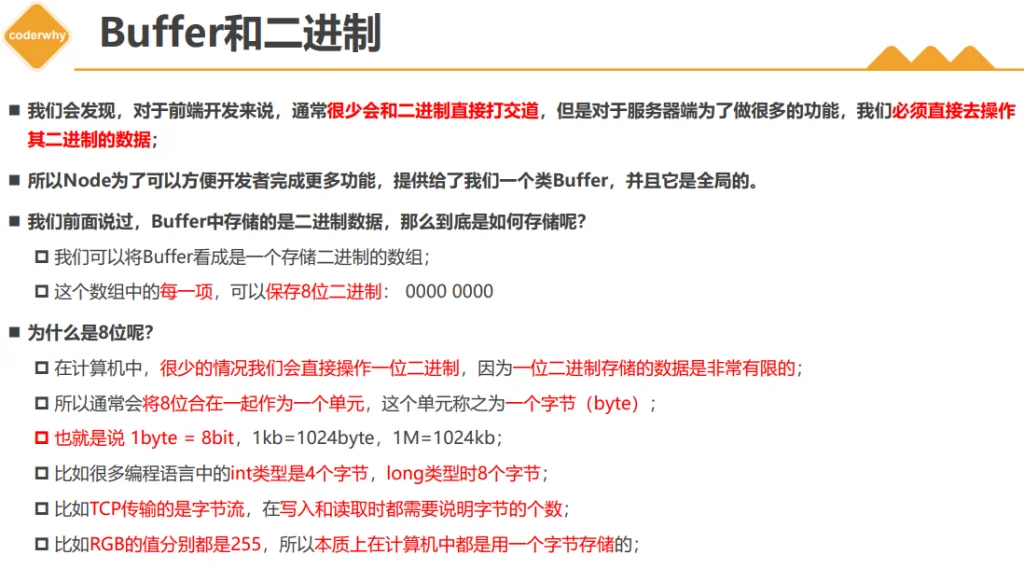
Buffers and strings
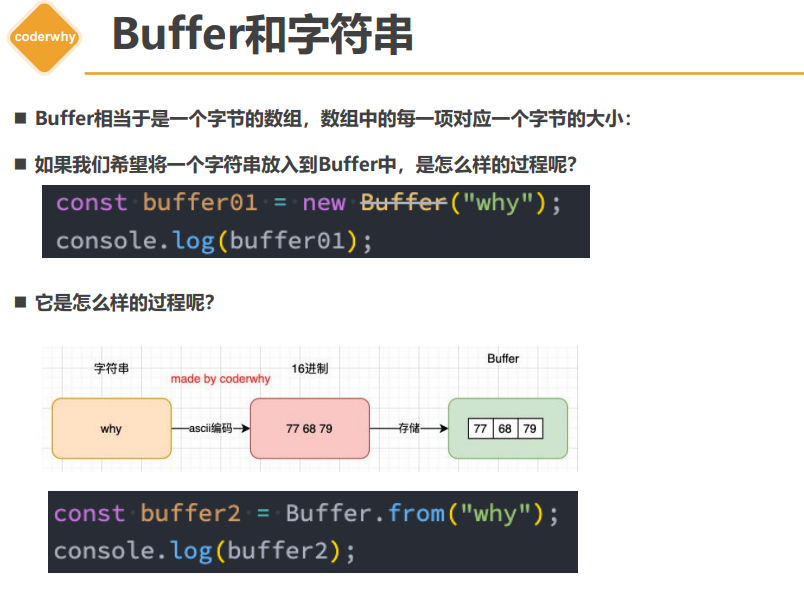
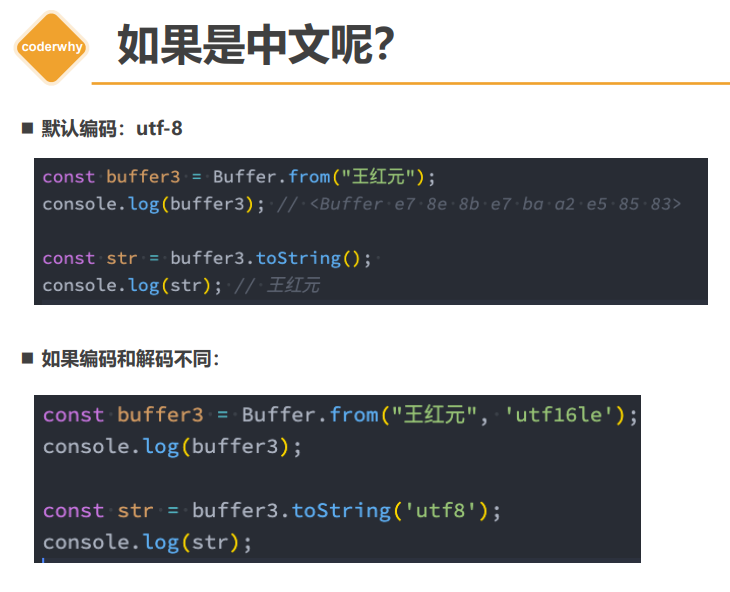
// 1.创建一个buffer
// const buf = new Buffer("hello")
// console.log(buf);

const buf2 = Buffer.from("world")
console.log(buf2);
console.log(buf2.toString());
Other Buffer conversions
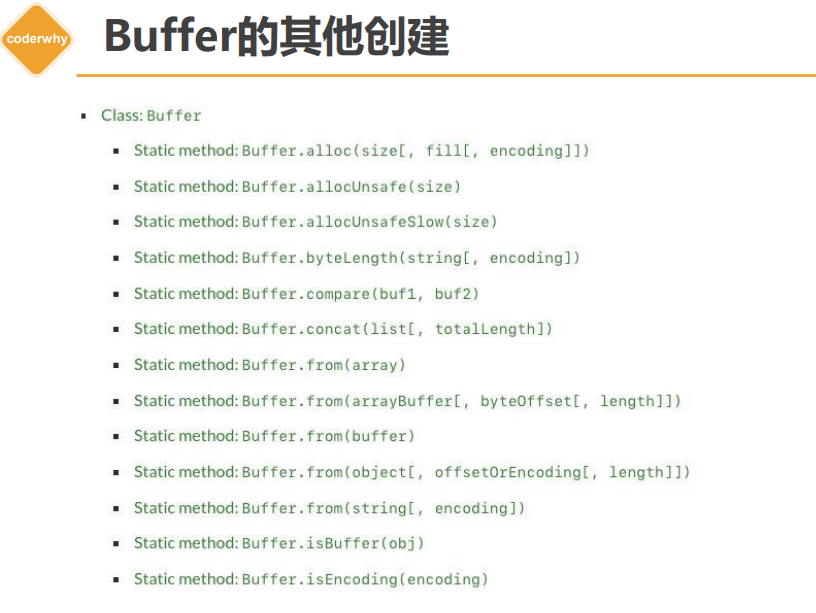
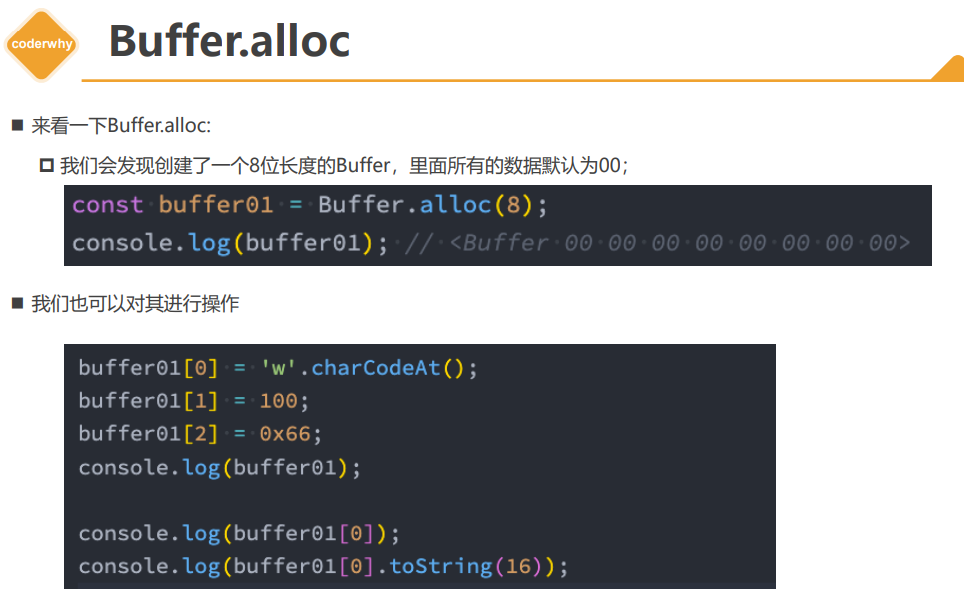
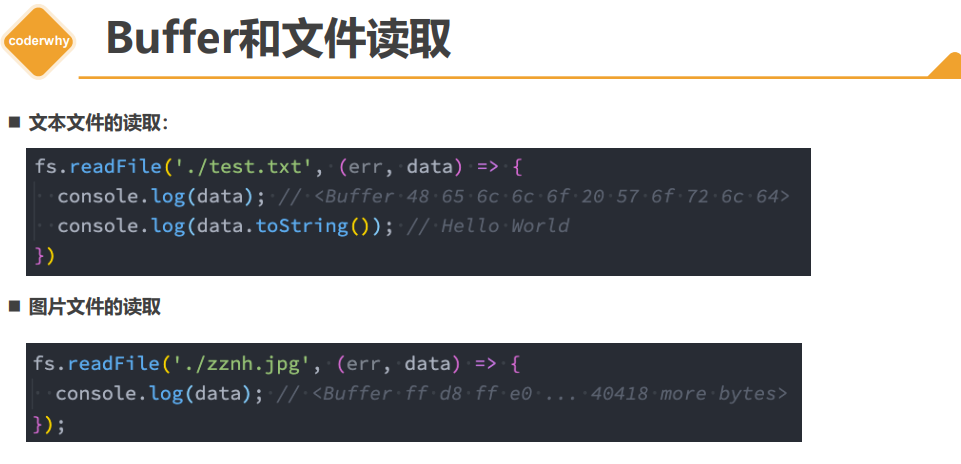
Buffer allocation and memory
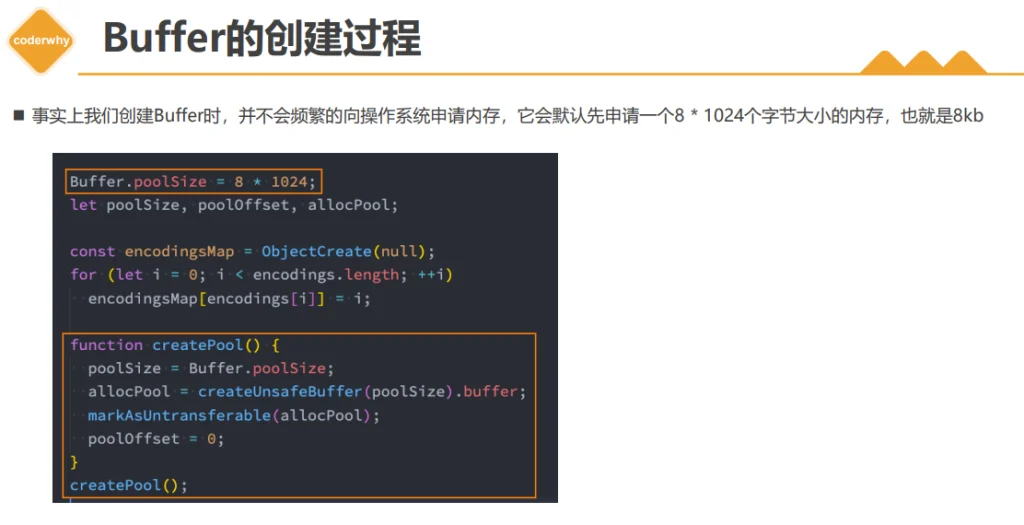
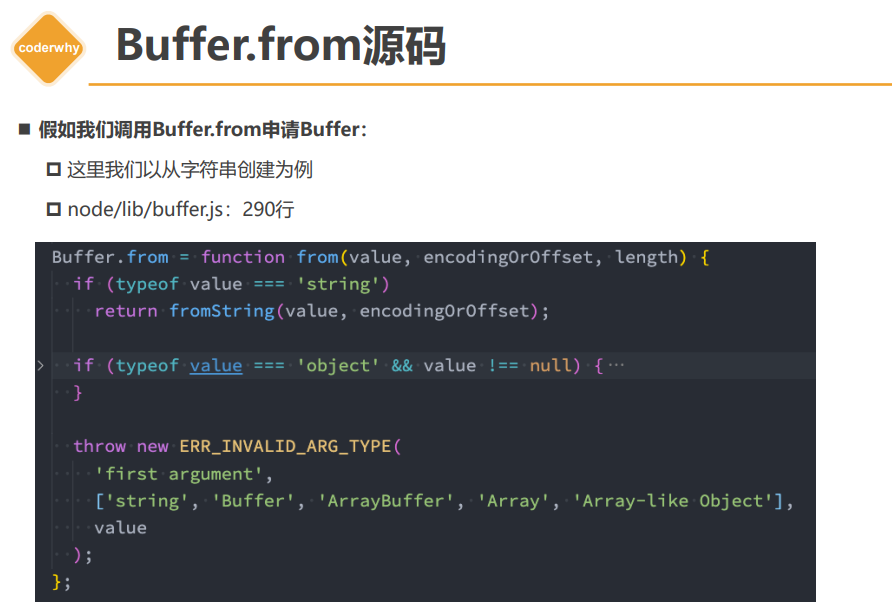
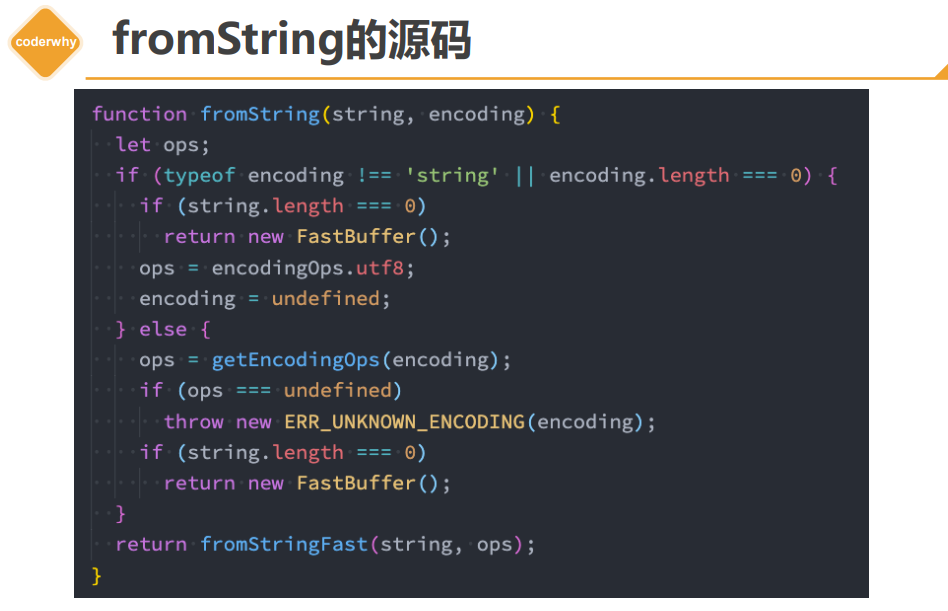
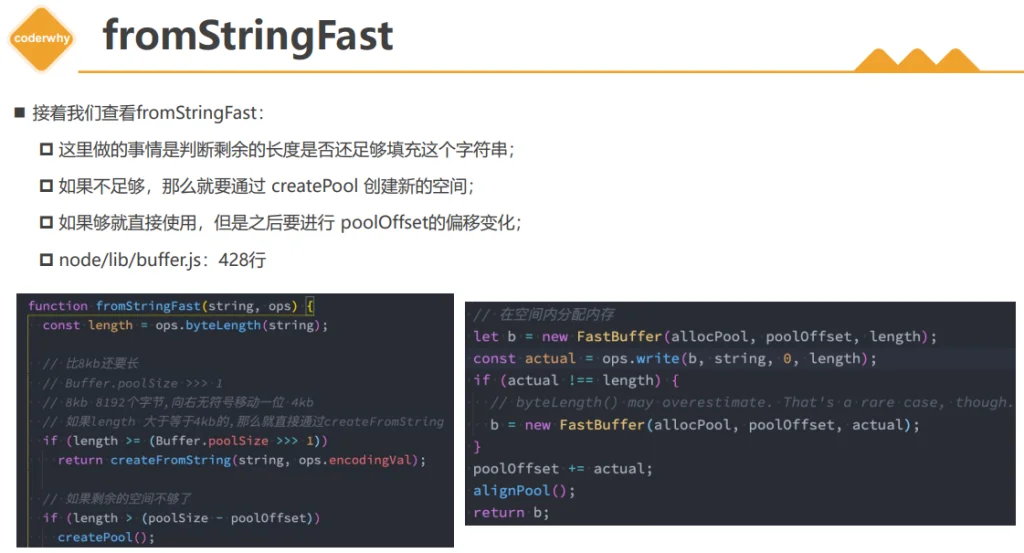
const fs = require("fs")

// 创建一个Buffer对象
// alloc向操作系统 申请一块内存空间 8是8字节
const buf = Buffer.alloc(8)

// 手动的对每个字节进行操作
console.log(buf);
buf[0] = 100
buf[1] = 0x66
console.log(buf);
console.log(buf.toString());

// 转化进行的是ASCII编码
buf[2] = "m".charCodeAt()
console.log(buf);
const fs = require("fs");

// 1.从文件中读取buffer
fs.readFile("./aaa.txt", { encoding: "utf-8" }, (err, data) => {
  console.log(data);
});

fs.readFile("./aaa.txt", (err, data) => {
  console.log(data);
});

fs.readFile("./aaa.txt", (err, data) => {
  data[0] = 100
  console.log(data.toString());
})

// 读取一张图片的二进制 (Node中的sharp库)
fs.readFile("./sora.jpg", (err, data) => {
  console.log(data);
})
Reading and writing streams
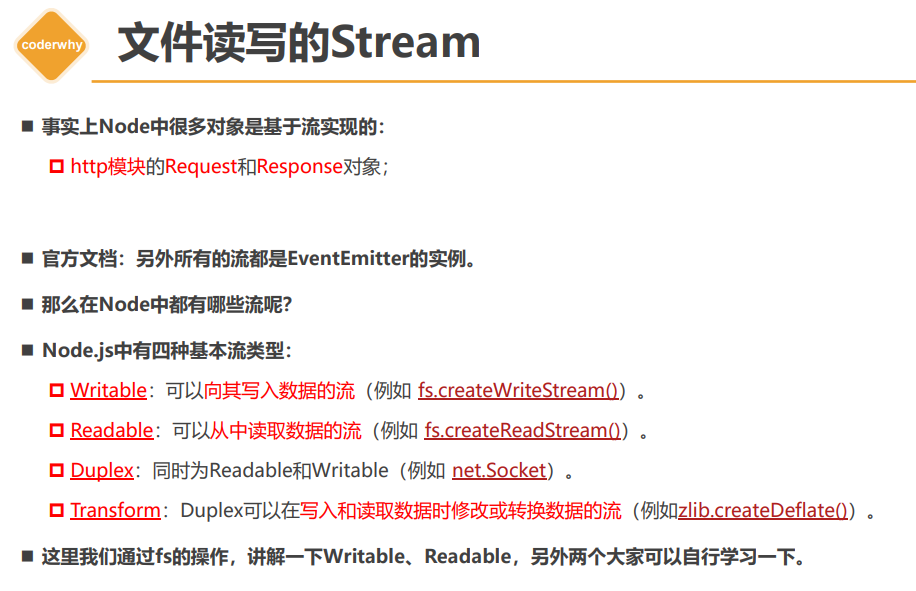
The four stream types are Readable, Writable, Duplex, and Transform. Streams process chunks; when
write()returnsfalse, wait fordrainto respect backpressure. Stream documentation.
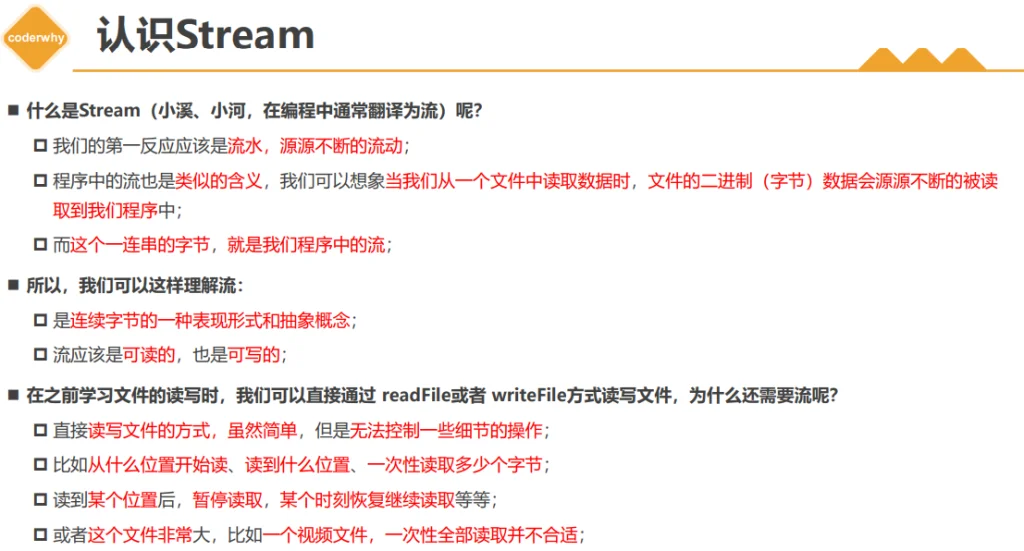
Four types of stream
Readable streams
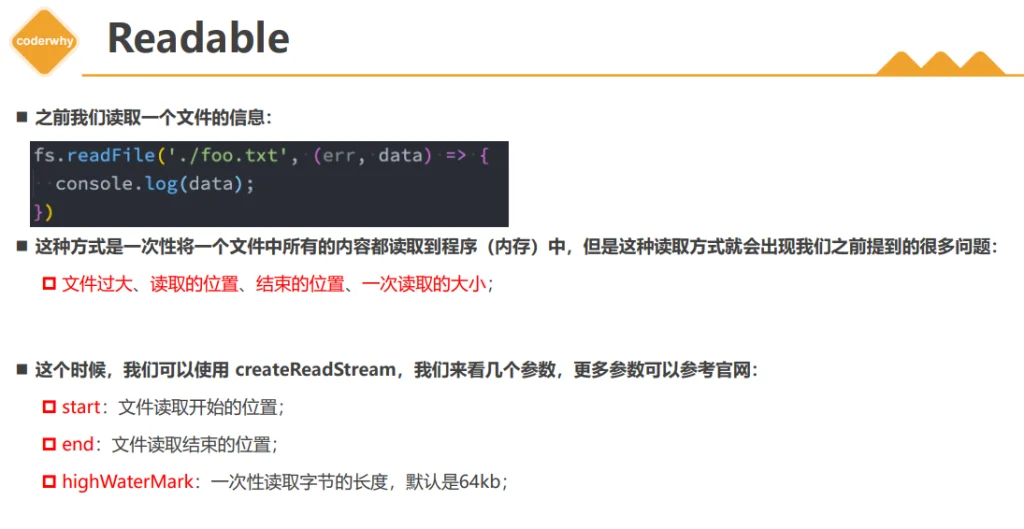
const fs = require("fs");

// 1.一次性读取
// 缺点1:没办法精确的读取位置
// 缺点2:读取到某个位置 暂停、回复读取
// 缺点3:文件文件非常大的时候 多次读取
// fs.readFile("./aaa.txt", (err, data) => {
//   console.log(data);
// });

// 2.通过流读取文件
// 创建一个可读流
// start end: 从哪里开始/结束 包含end
const readStream = fs.createReadStream("./aaa.txt", {
  start: 8,
  end: 22,
  // 3个一次
  highWaterMark: 3,
});

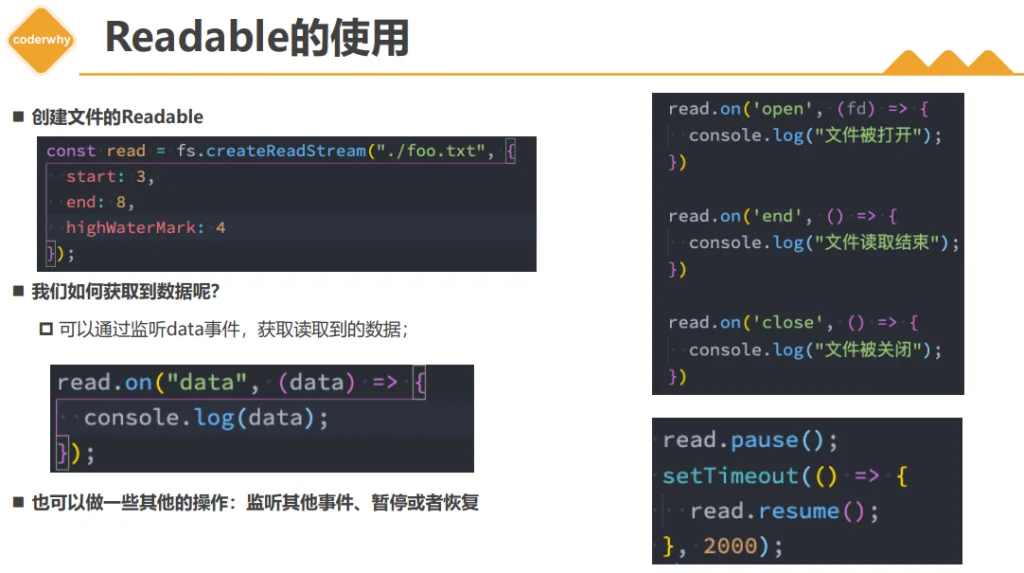
readStream.on("data", (data) => {
  console.log(data.toString());

  readStream.pause()

  setTimeout(() => {
    readStream.resume()
  }, 2000);
})
const fs = require("fs");

// 1.通过流读取文件
const readStream = fs.createReadStream("./aaa.txt", {
  start: 8,
  end: 22,
  // 3个一次
  highWaterMark: 3,
});

// 2.监听读到的数据
readStream.on("data", (data) => {
  console.log(data.toString());
})

// 3.补充其他监听事件
// fd 指的是文件描述符(File Descriptor)
readStream.on("open", (fd) => {
  console.log("通过流将文件打开", fd);
})

readStream.on("end", () => {
  console.log("已经读到end位置");
})

readStream.on("close", () => {
  console.log("文件读取结束,并且被关闭");
})
Writable streams
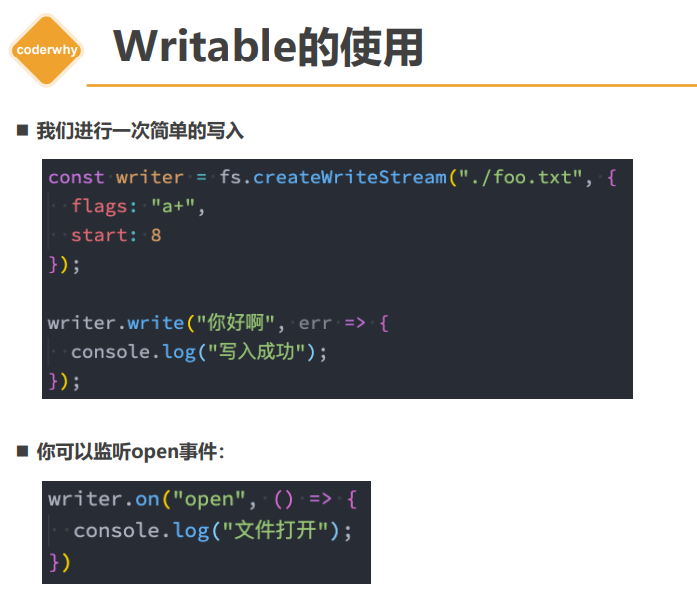
const fs = require("fs");

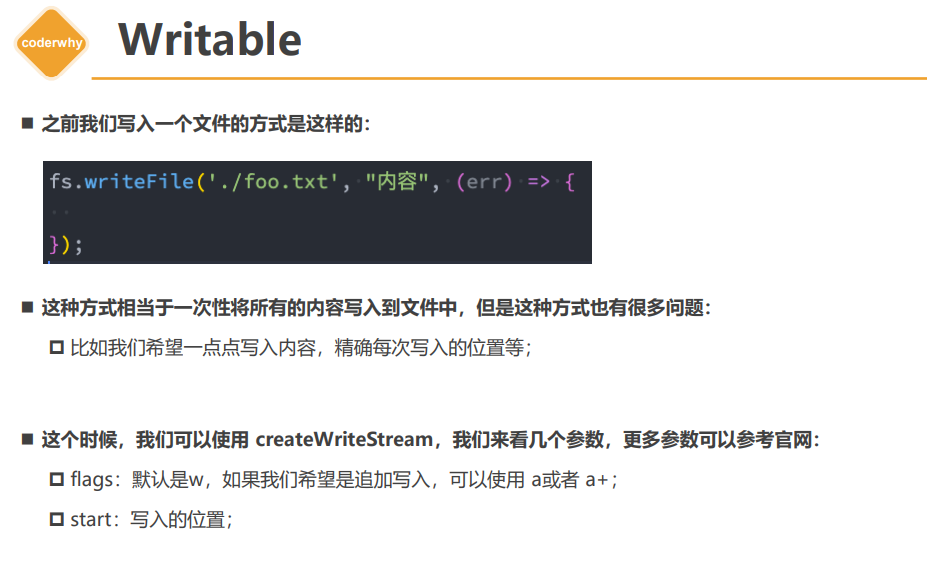
// 1.一次性写入内容
// fs.writeFile("./bbb.txt", "hello world", {
//   encoding: "utf-8",
//   // 追加
//   flag: "a+",
// }, (err) => {
//   console.log("文件写入错误", err);
// })

// 2.创建写入流
// start
const writeSteam = fs.createWriteStream("./bbb.txt", {
  flags: "a+",
});

writeSteam.on("open", () => {
  console.log("文件打开");
});

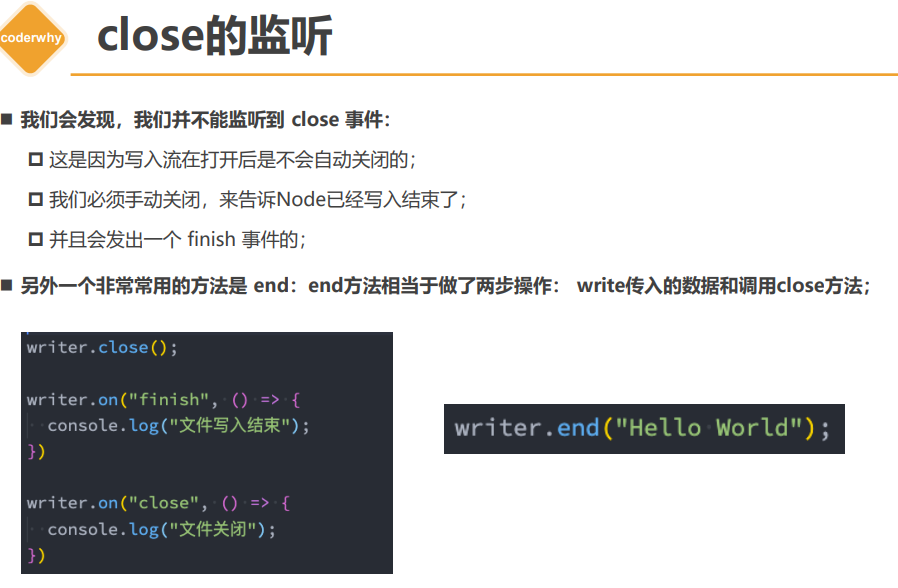
writeSteam.on("finish", () => {
  console.log("文件写入完成");
});

writeSteam.on("close", () => {
  console.log("文件关闭");
});

writeSteam.write("jack chiang");

// 3.写入完成时,需要手动关闭
// writeSteam.close()

// 4.end方法
// 最后内容写入 关闭文件
writeSteam.end("hahahaha");
The pipe method
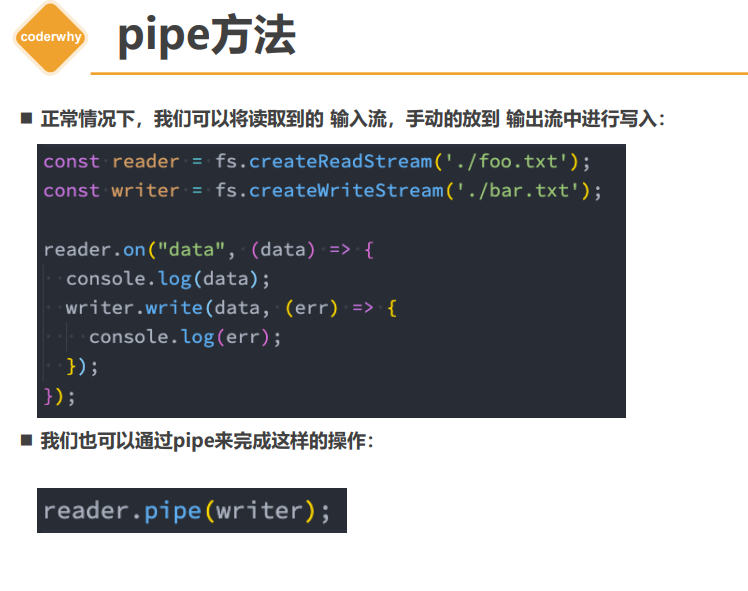
pipe()handles ordinary data flow and backpressure but does not clean up an entire chain on errors. Usepipeline()fromnode:stream/promiseswhen error propagation and stream cleanup are required.
const fs = require("fs");

// 1.方法一:一次性读取和写入
// fs.readFile("./aaa.txt", (err, data) => {
//   fs.writeFile("./aaa_copy.txt", data, () => {
//     console.log("写入文件完成");
//   })
// });

// 2.方法二:创建可读流和可写流
const readStream = fs.createReadStream("./aaa.txt")
const writeStream = fs.createWriteStream("./aaa_copy.txt")

// readStream.on("data", (data) => {
//   writeStream.write(data)
// })

// readStream.on("end", () => {
//   writeStream.close()
// })

// 3.可读流和可写流间建立一个通道
readStream.pipe(writeStream)
HTTP and web servers
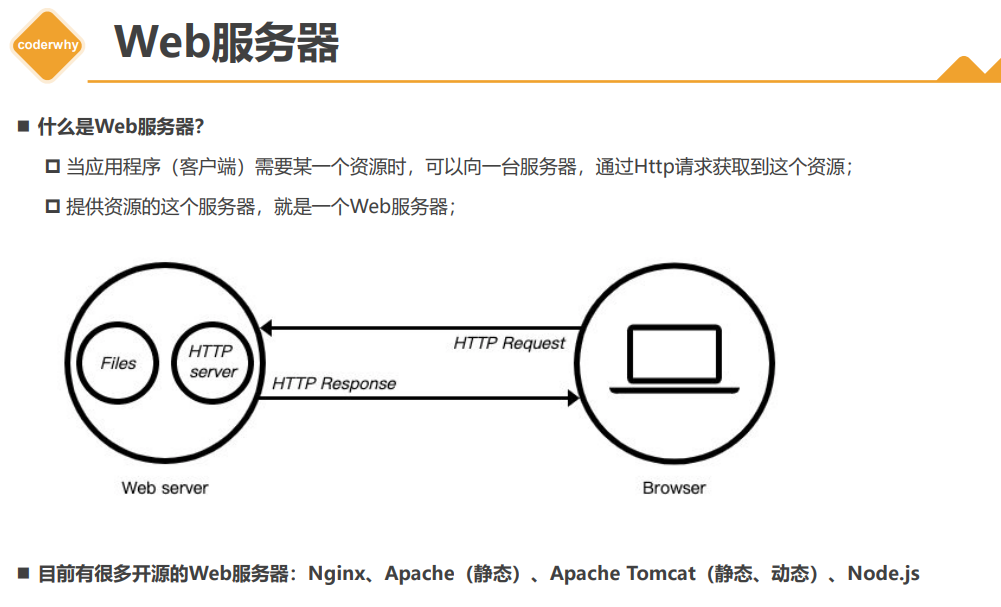
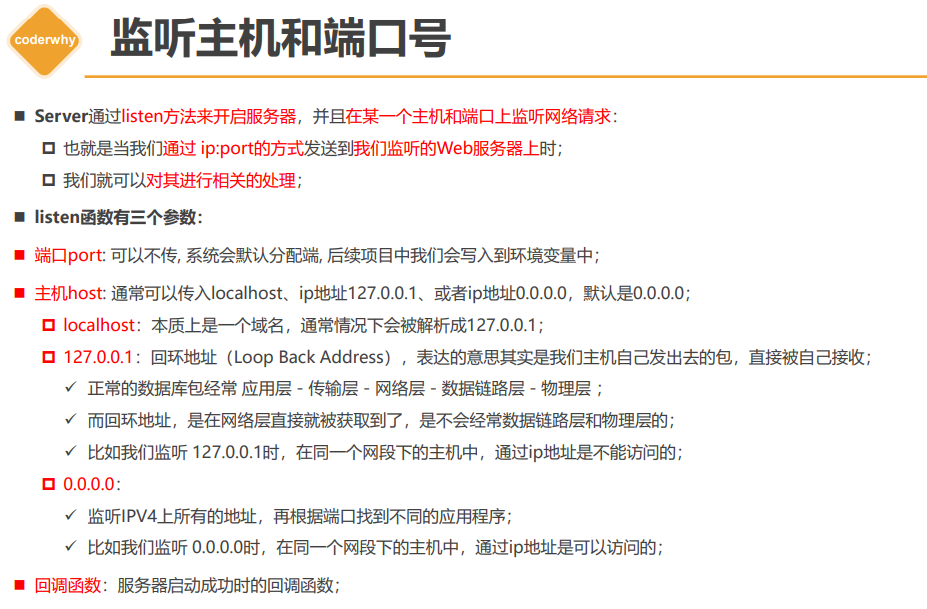
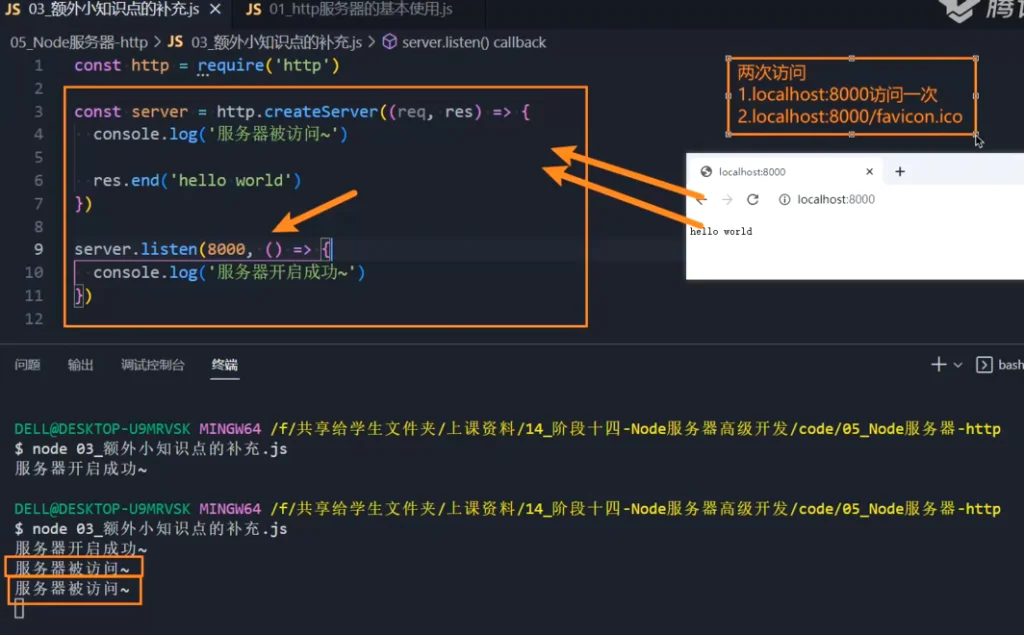
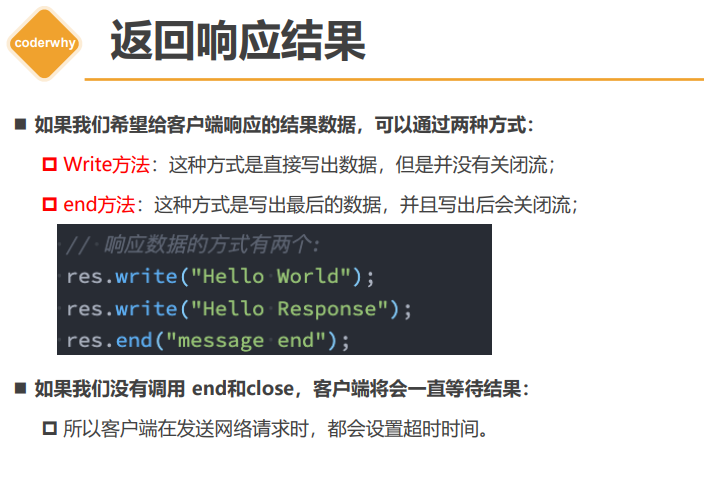
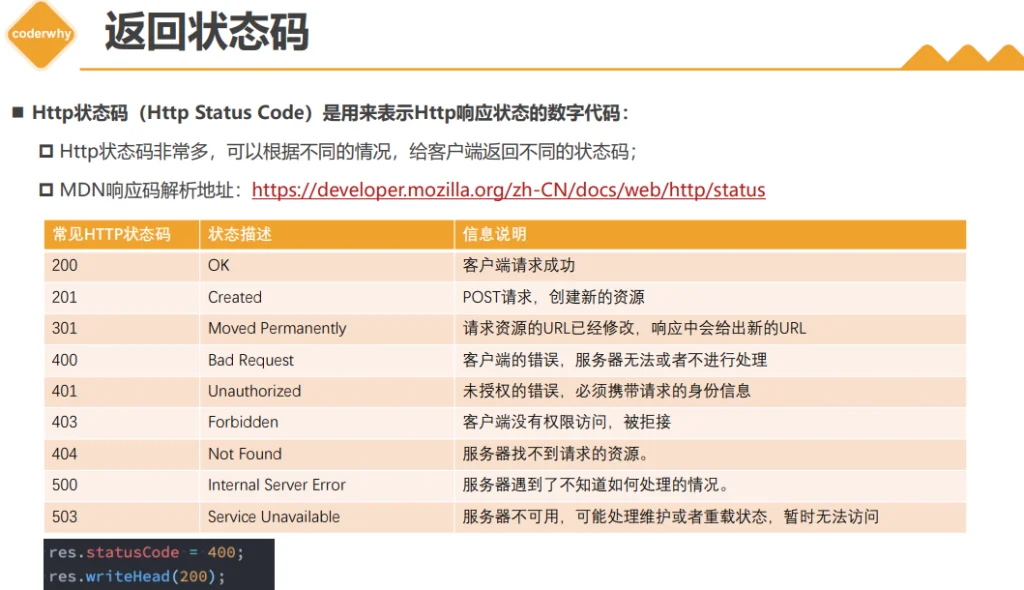
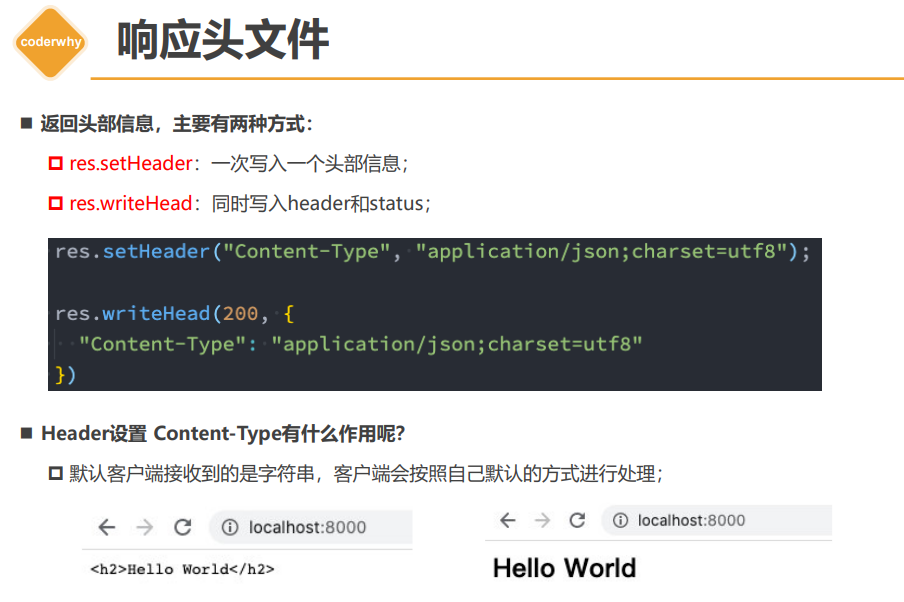
Read the URL, method, headers, and body from the request; set the status, headers, and body on the response. Ports range from 0 to 65535; listening on port
0asks the system to assign an available port. HTTP documentation.
The http module
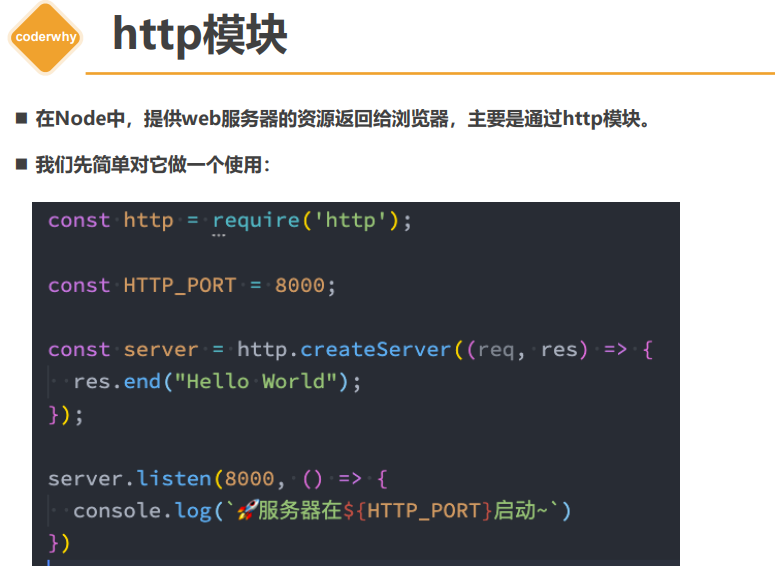
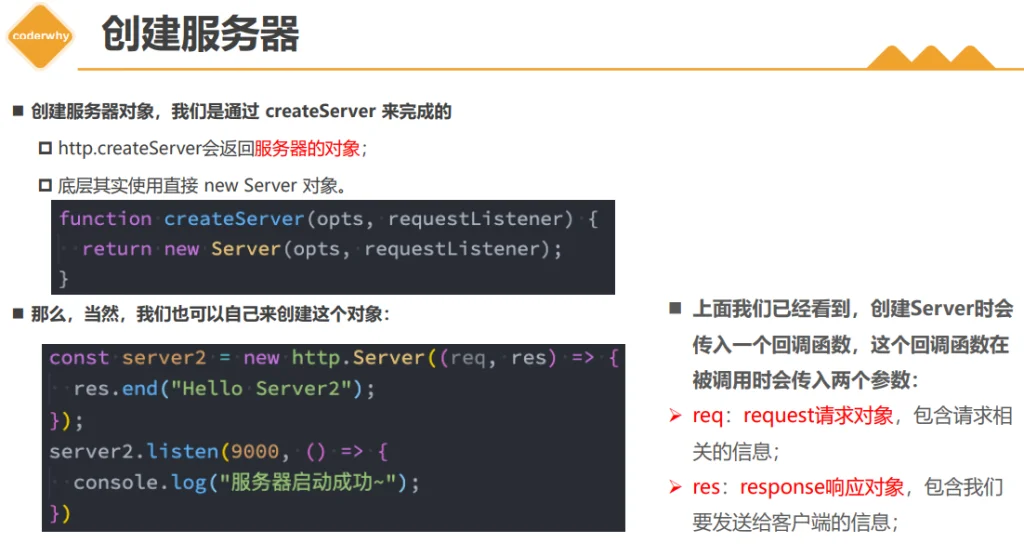
const http = require("http")

// 创建一个服务器
const server = http.createServer((request, response) => {
  // request包含客户端的所有信息
  // url method headers 携带的数据
  // response对象用于给客户端返回结果
  response.end("hello world")
})

// 开启的服务器 并且告知监听的端口
// 监听端口的时候 监听1024以上的端口 65535以下的端口
// 1025-65535
// 2个字节 256*256 => 0-65536
server.listen(8888, () => {
  console.log("服务器开启成功");
})
The request object
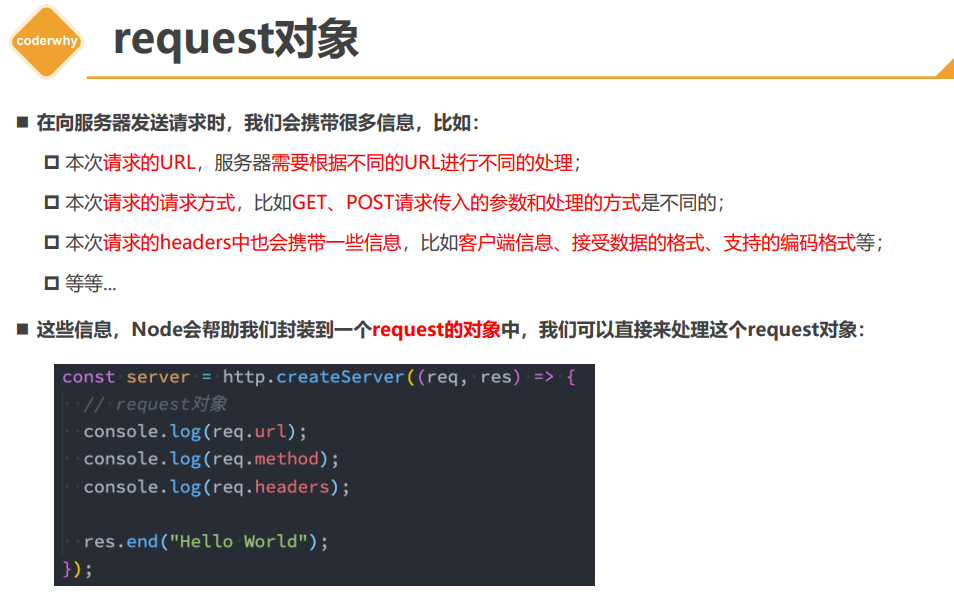
URLs and request methods
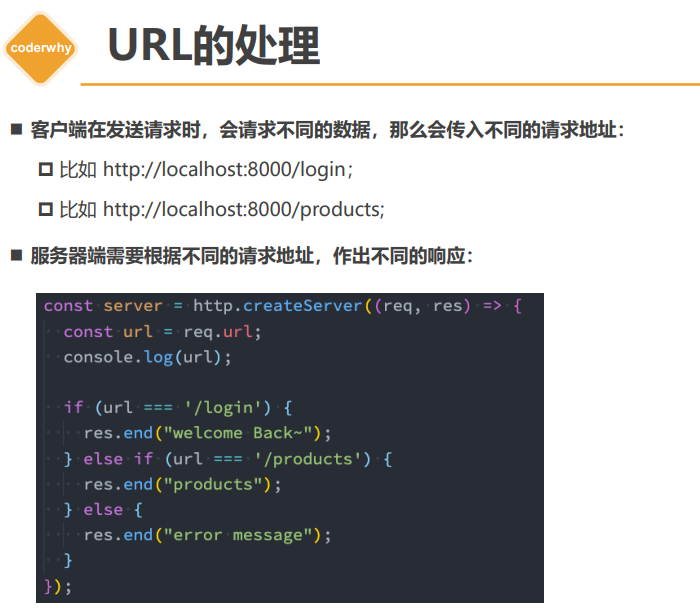
const http = require("http");

const server = http.createServer((req, res) => {
  const url = req.url;
  const method = req.method;

  if (url === "/login") {
    if (method === "POST") {
      res.end("登录成功");
    } else {
      res.end("不支持的请求方式,请检测你的请求方式---");
    }
  } else if (url === "/products") {
    if (method === "GET") {
      res.end("商品列表");
    } else {
      res.end("不支持的请求方式,请检测你的请求方式---");
    }
  } else {
    res.end("不存在的url,请检查url地址");
  }
});

server.listen(8888, () => {
  console.log("服务器开启成功");
});
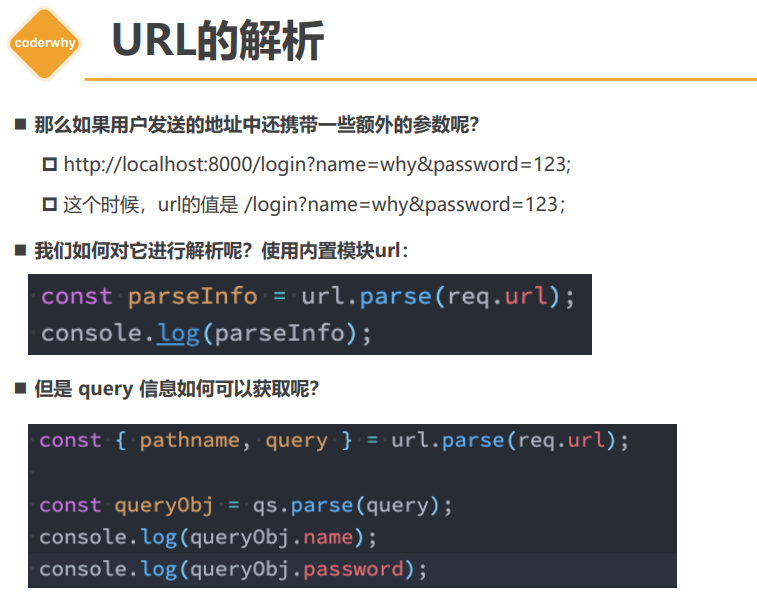
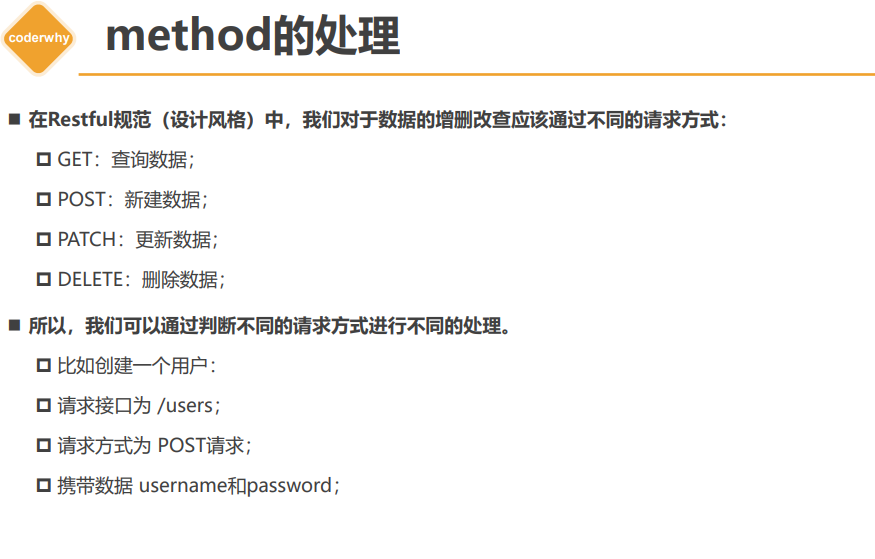
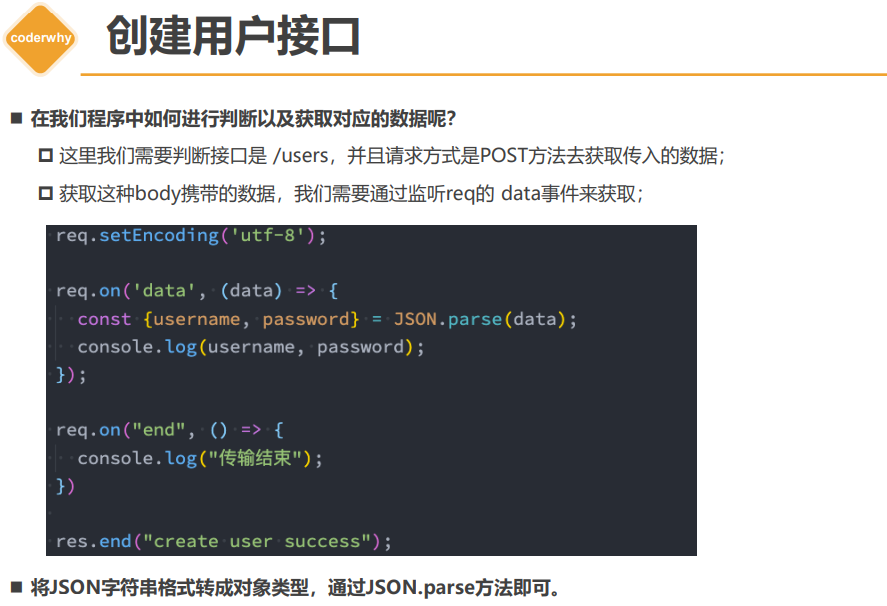
Handling client data
Correction: a request body may span multiple
datachunks. Accumulate it with a size limit, parse JSON afterend, and handle invalid JSON, stream errors, and aborted requests. The fixed credentials only demonstrate branching.
const http = require("http");
const url = require("url");

const server = http.createServer((req, res) => {
  // 参数1:query类型的参数
  // 解析url
  const urlInfo = url.parse(req.url);
  const urlPath = urlInfo.pathname
  // console.log(urlInfo.query, urlInfo.pathname);

  // 解析query
  const params = new URLSearchParams(urlInfo.query)
  console.log(params.get("id"));

  res.end("hello world");
});

server.listen(8888, () => {
  console.log("服务器开启成功");
});
const http = require("http");
const url = require("url");

const server = http.createServer((req, res) => {
  let isLogin = false;
  // request 本质上是一个可读流
  req.setEncoding("utf-8");

  req.on("data", (data) => {
    const loginInfo = JSON.parse(data);

    if (loginInfo.name === "coderwhy" && loginInfo.password === "123456") {
      isLogin = true;
    } else {
      isLogin = false;
    }
  });

  req.on("end", () => {
    if (isLogin) {
      res.end("登录成功");
    } else {
      res.end("输入有误");
    }
  });
});

server.listen(8888, () => {
  console.log("服务器开启成功");
});
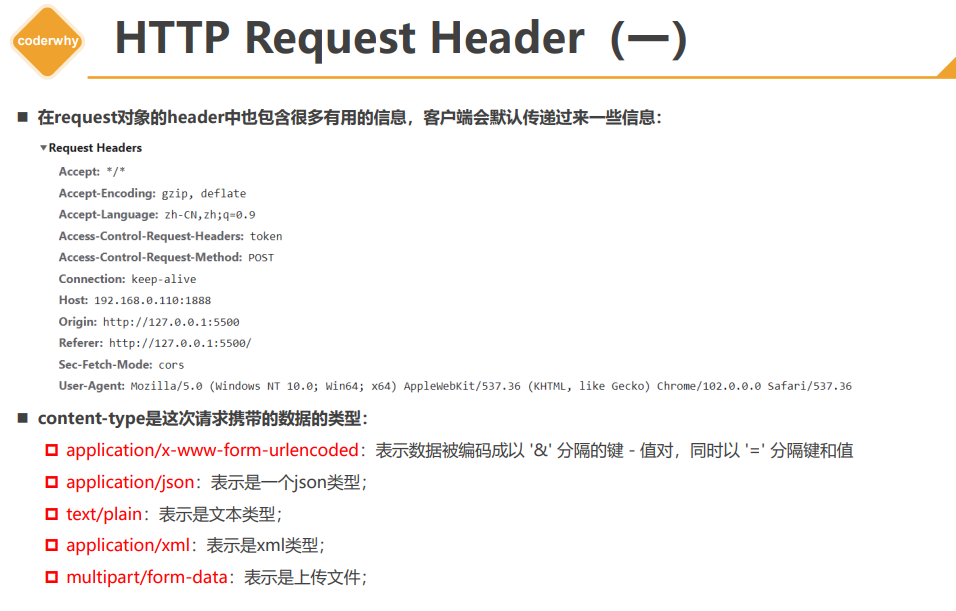
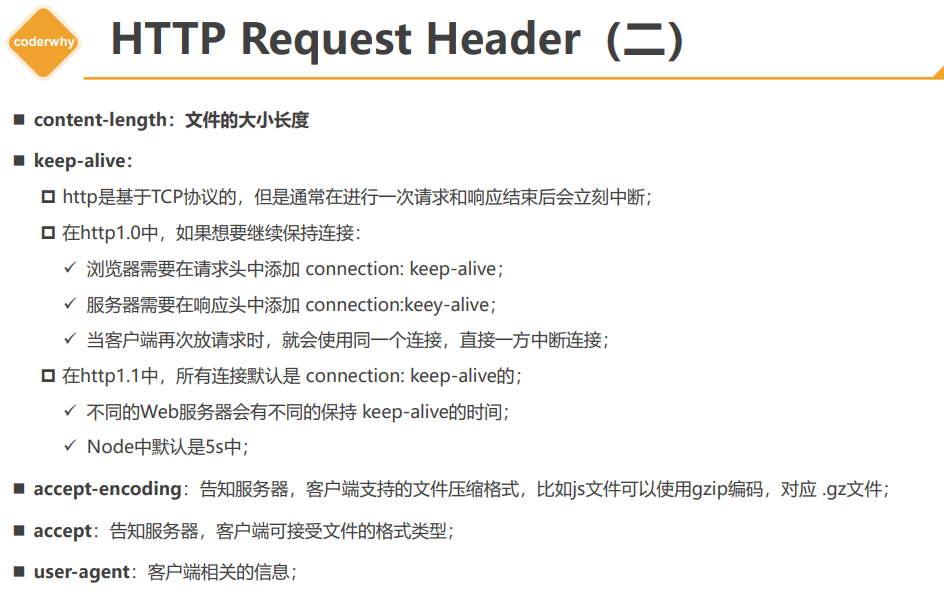
HTTP request headers
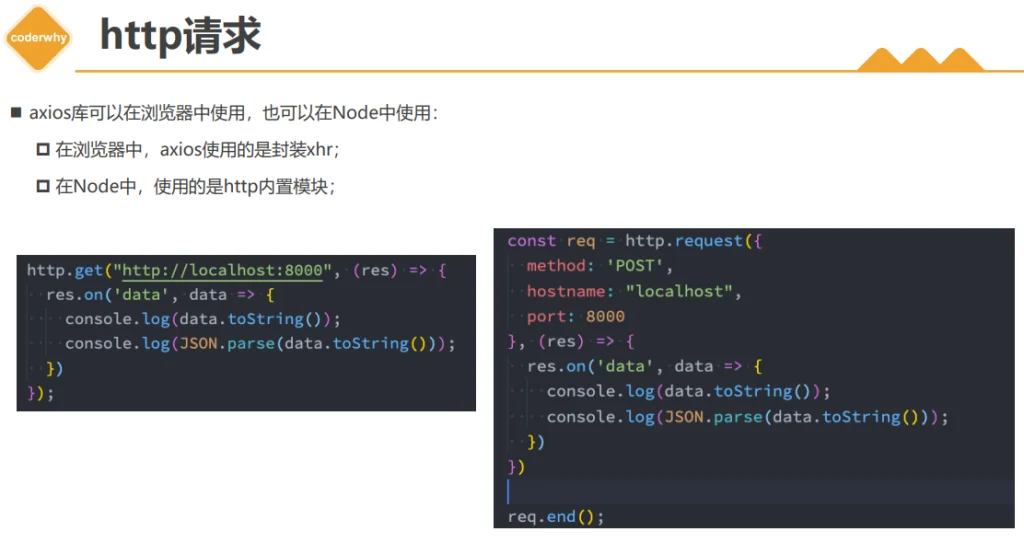
Using Axios in Node.js
This section preserves the original HTTP client usage screenshot. Axios is an external dependency that must be installed separately.
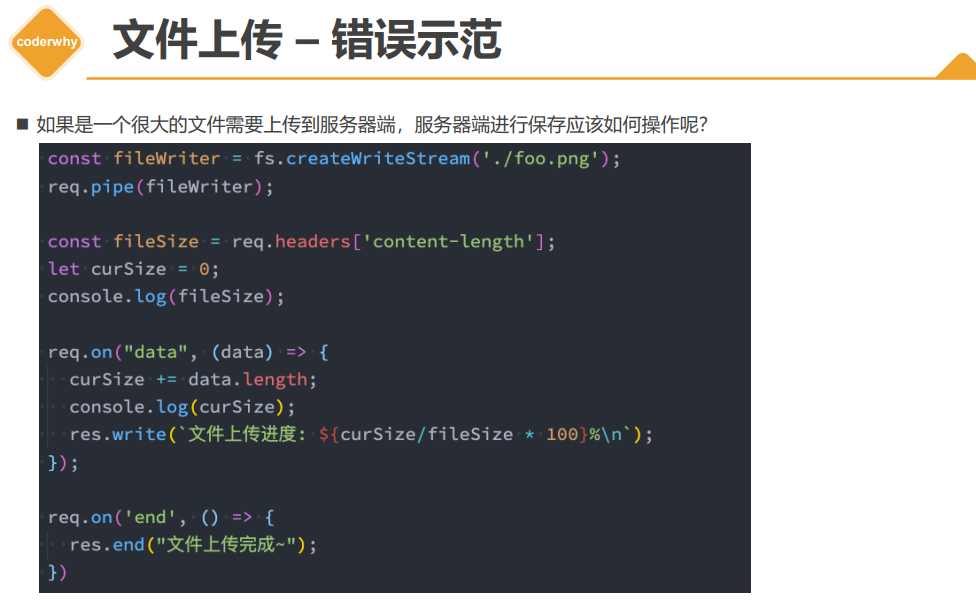
File upload details
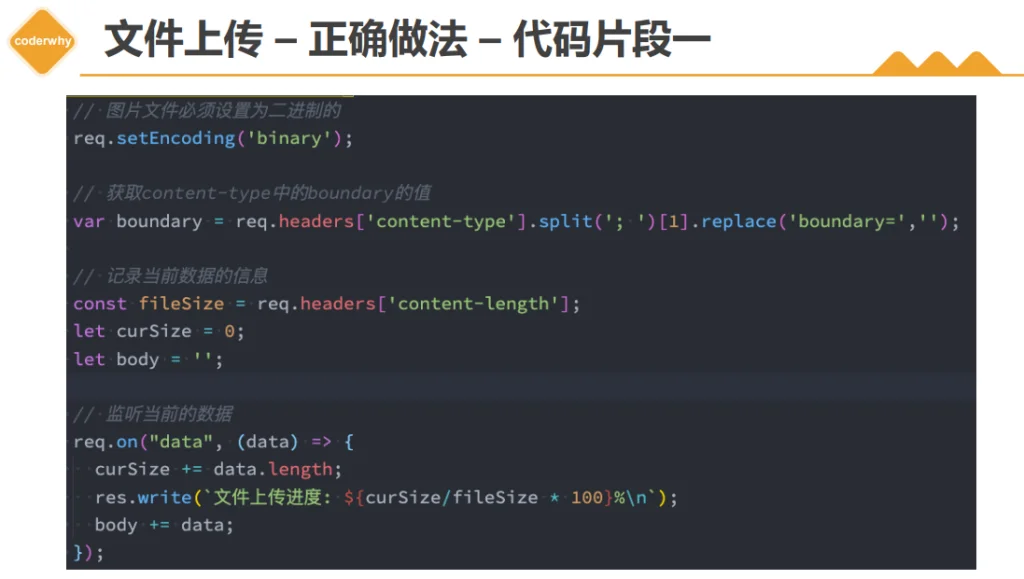
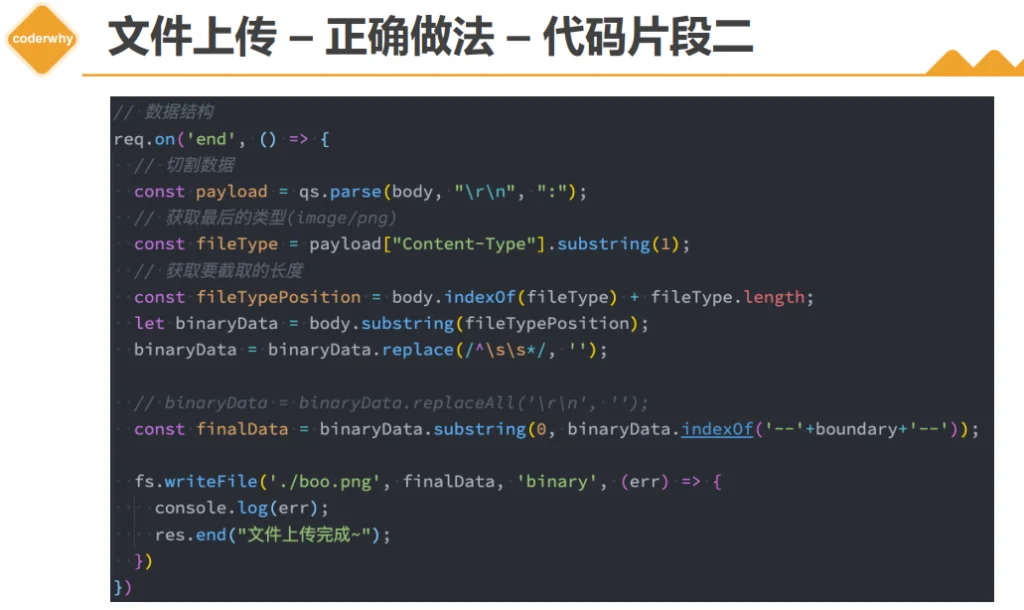
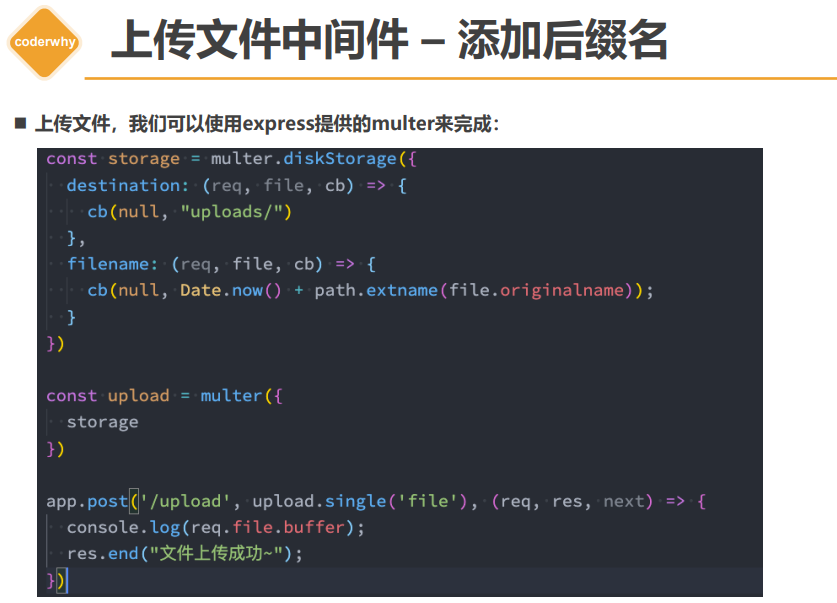
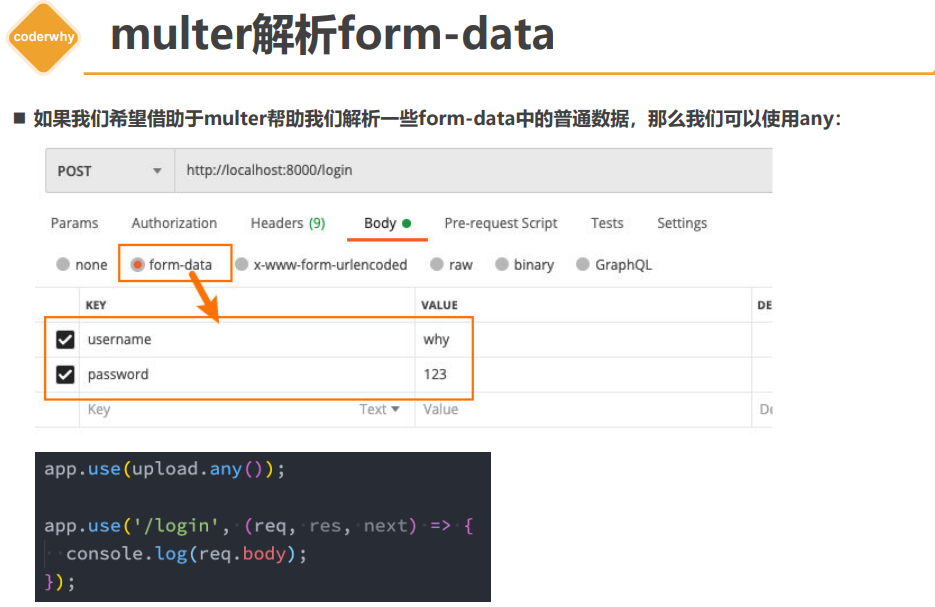
File uploads commonly use
multipart/form-data. JSON and URL-encoded parsers do not replace a multipart parser; Multer is covered below.
Express
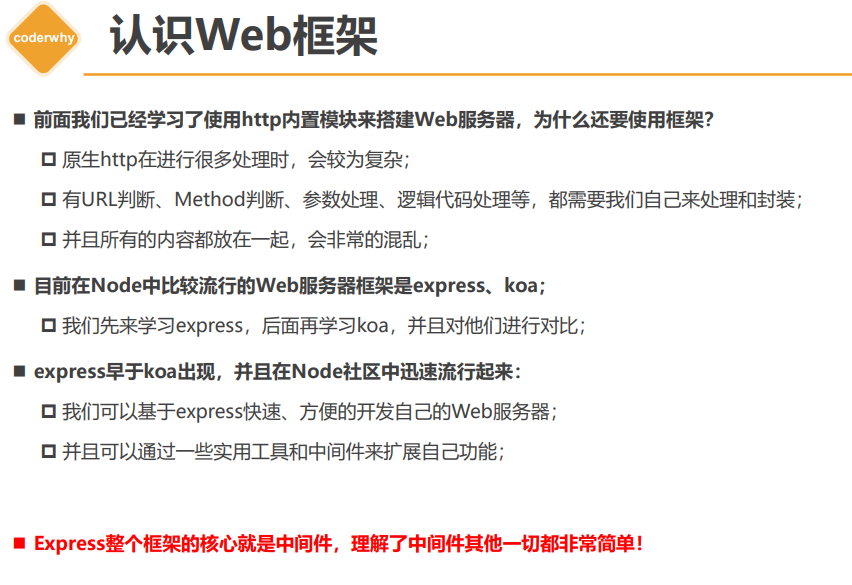
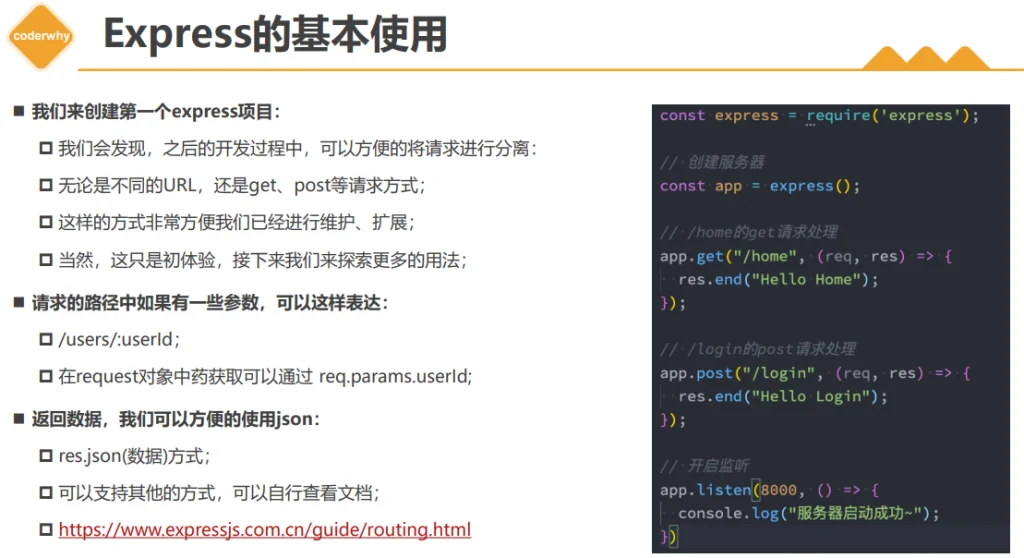
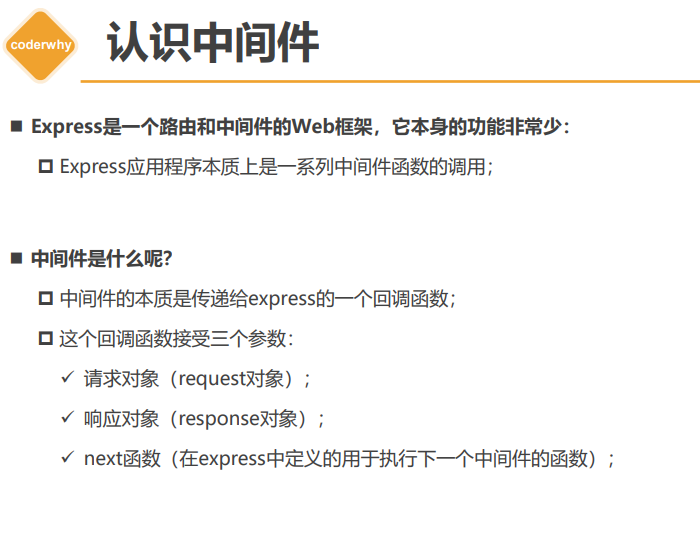
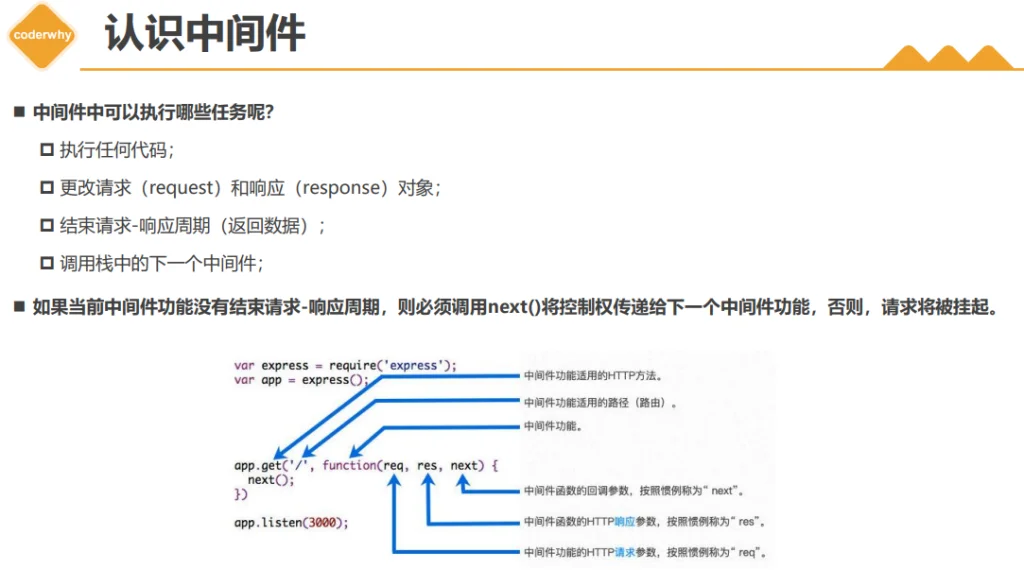
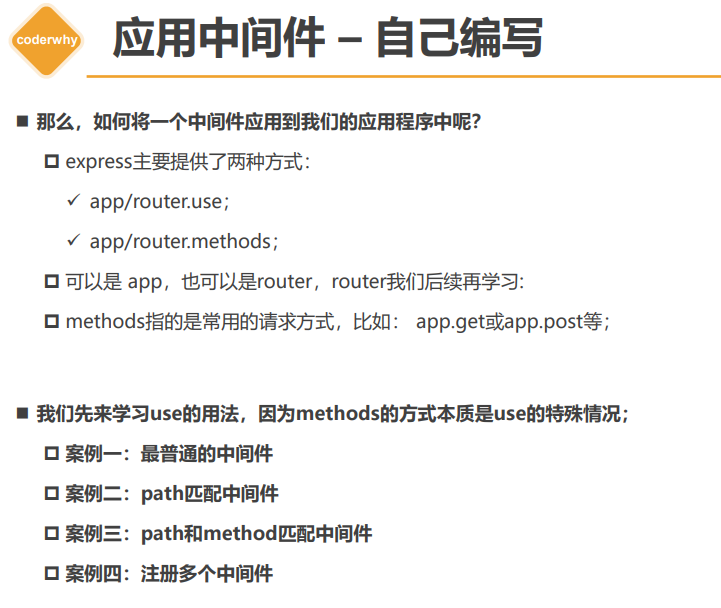
Express organizes routes, parsing, and responses through middleware executed in registration order. Middleware should finish the response or call
next()to pass control onward.
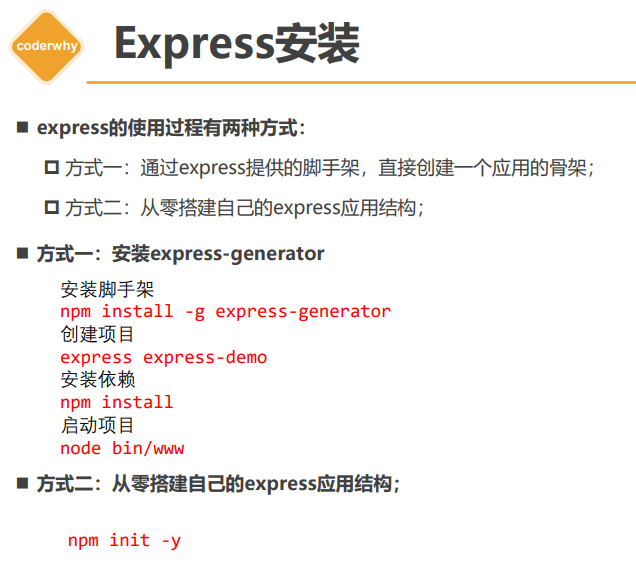
Installing Express
Express documentation
https://www.expressjs.com.cn/guide/routing.html
Understanding middleware
Express request-handling callbacks are called middleware; different middleware types have their own function signatures.
Body parsing middleware
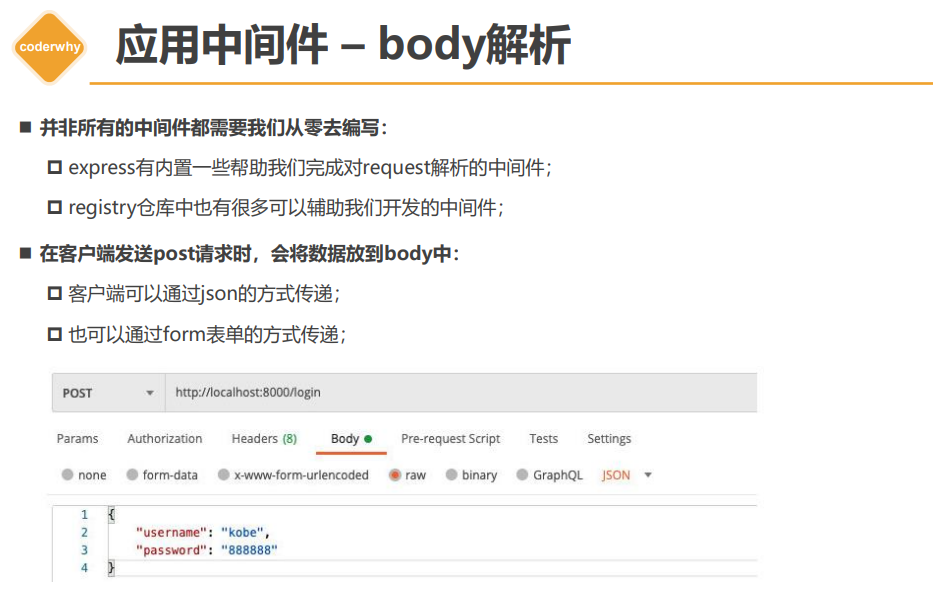
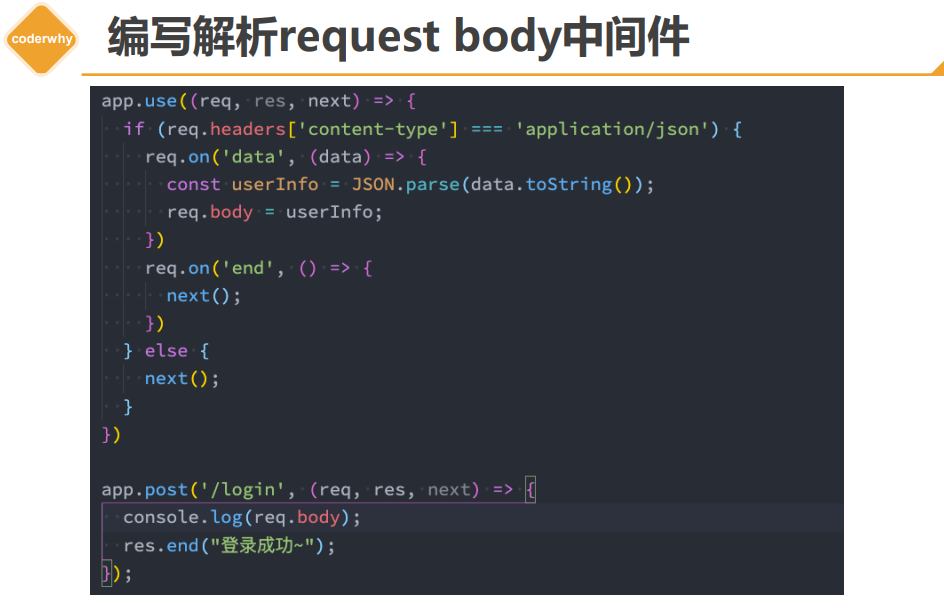
Built-in middleware
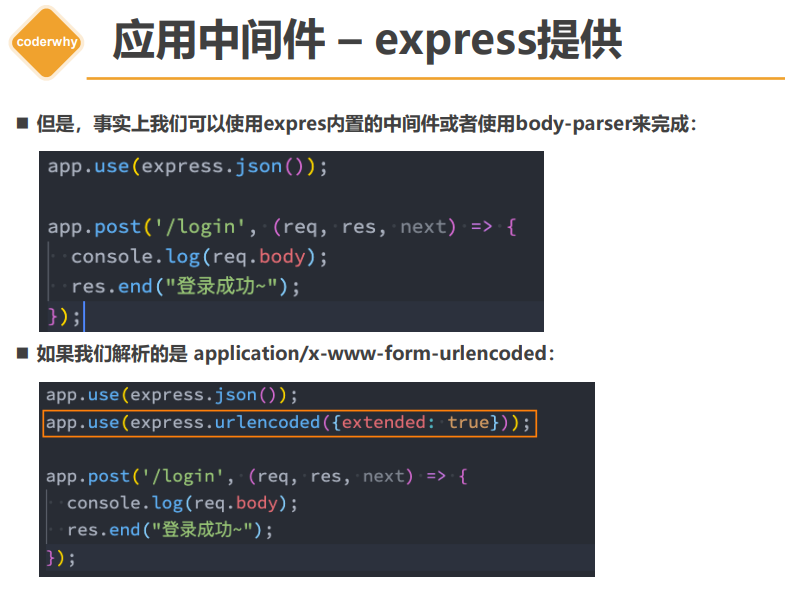
Third-party middleware
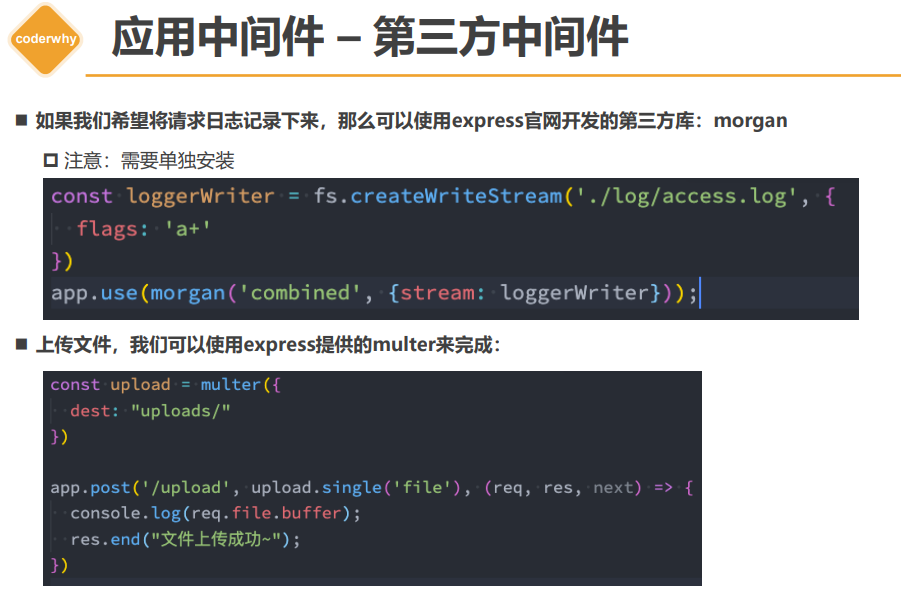
Multer upload middleware
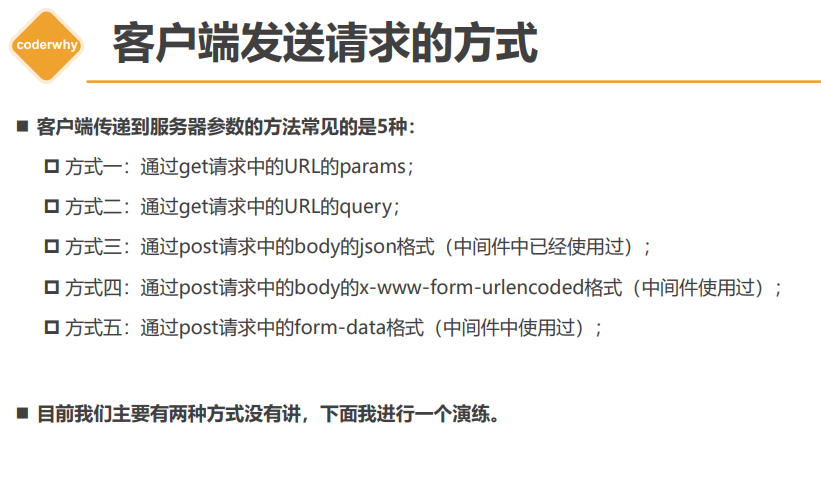
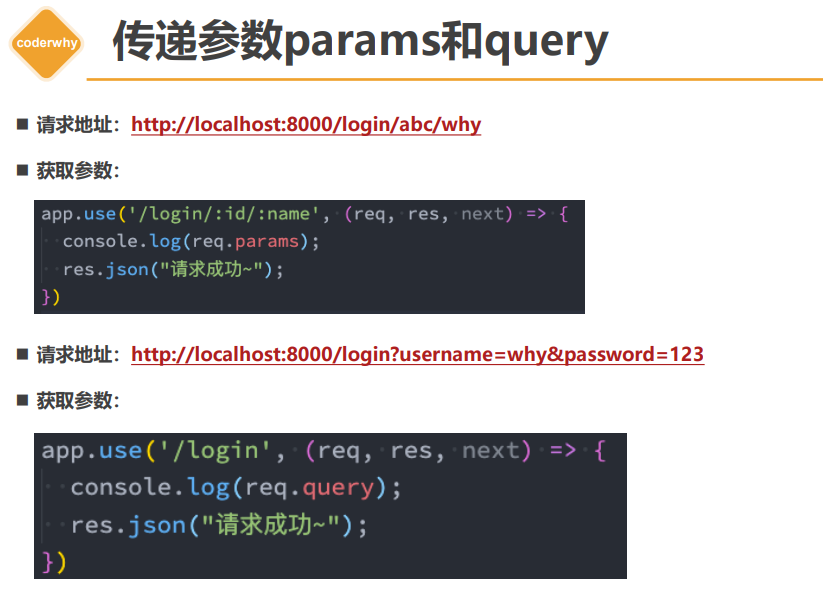
Route and query parameters
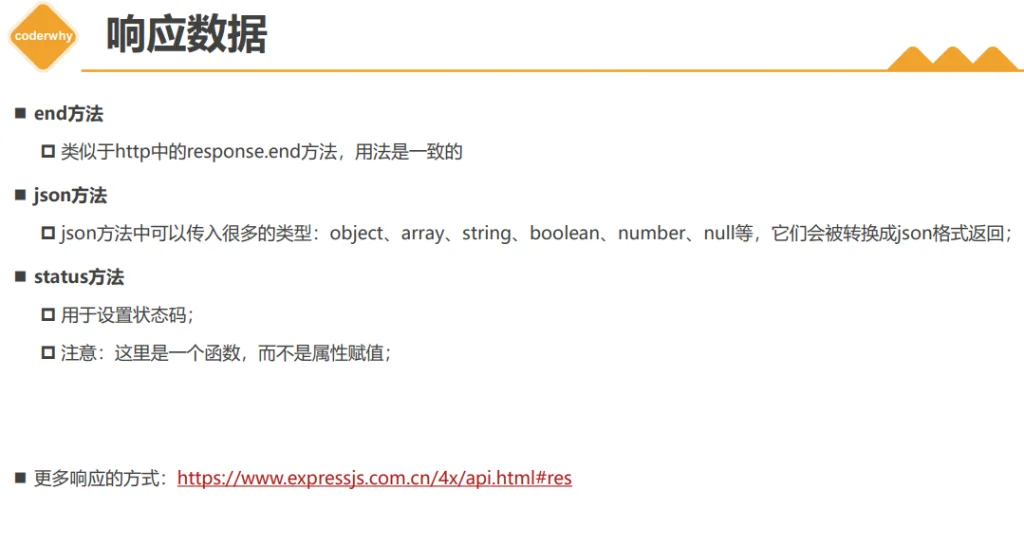
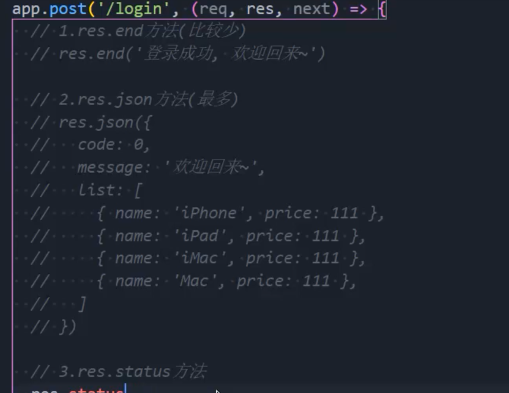
Sending responses
Express routing
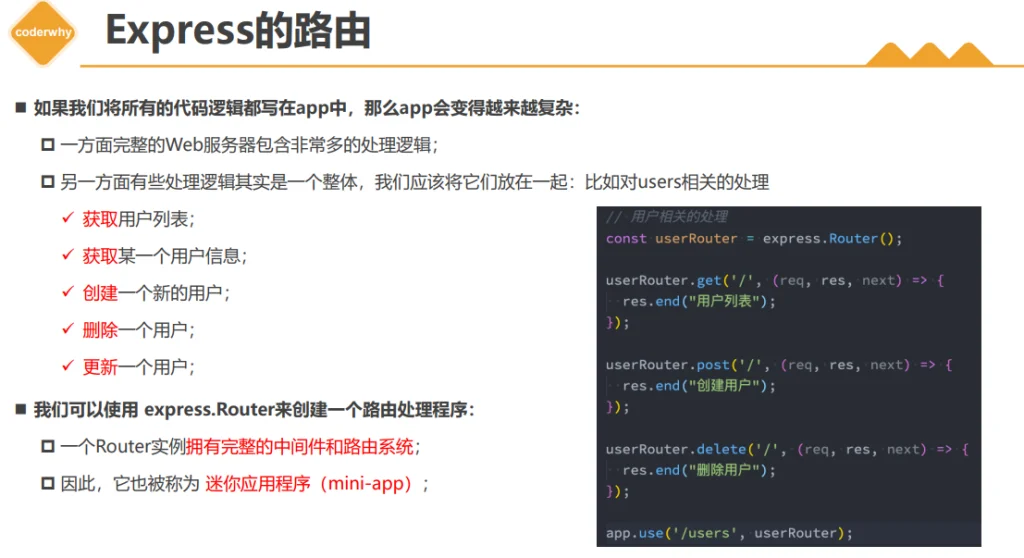
The following blocks belong in the entry file and
router/userRouter.cjs. The original extensionlessrequire("./router/userRouter")must becomerequire("./router/userRouter.cjs")when using a.cjsfile.
const express = require("express");
const userRouter = require("./router/userRouter")

const app = express();

// 编写中间件
app.post("/login", (req, res, next) => {});
app.get("/home", (req, res, next) => {});

// 用户的接口
// 1.将用户的接口直接定义到app中
// app.get("/user", (req, res, next) => {});
// app.get("/user/:id", (req, res, next) => {});
// app.post("/user/:id", (req, res, next) => {});
// app.delete("/user/:id", (req, res, next) => {});
// 更新用户
// app.patch("/user/:id", (req, res, next) => {});

// 2.定义到单独的路由对象中
// const userRouter = express.Router();
// userRouter.get("/", (req, res, next) => {
//   res.json("用户列表数据");
// });
// userRouter.get("/:id", (req, res, next) => {
//   const id = req.params.id;
//   res.json("某一个用户的数据" + id);
// });
// userRouter.post("/:id", (req, res, next) => {
//   res.json("创建用户成功");
// });
// userRouter.delete("/:id", (req, res, next) => {
//   const id = req.params.id;
//   res.json("删除某一个用户的数据" + id);
// });
// userRouter.patch("/:id", (req, res, next) => {
//   const id = req.params.id;
//   res.json("修改某一个用户的数据" + id);
// });

// 让路由生效
app.use("/users", userRouter);

app.listen(8888, () => {
  console.log("express启动成功");
});
const express = require("express");

const userRouter = express.Router();

userRouter.get("/", (req, res, next) => {
  res.json("用户列表数据");
});
userRouter.get("/:id", (req, res, next) => {
  const id = req.params.id;
  res.json("某一个用户的数据" + id);
});
userRouter.post("/:id", (req, res, next) => {
  res.json("创建用户成功");
});
userRouter.delete("/:id", (req, res, next) => {
  const id = req.params.id;
  res.json("删除某一个用户的数据" + id);
});
userRouter.patch("/:id", (req, res, next) => {
  const id = req.params.id;
  res.json("修改某一个用户的数据" + id);
});

module.exports = userRouter
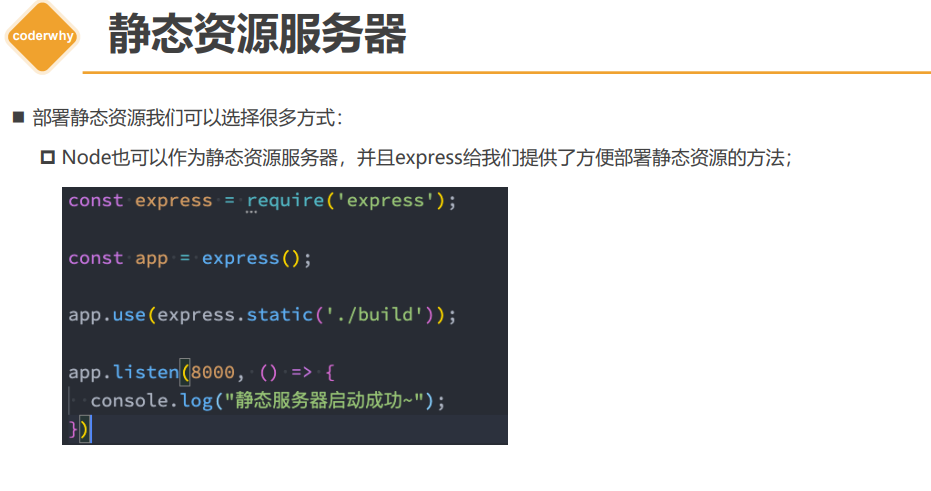
Serving static files
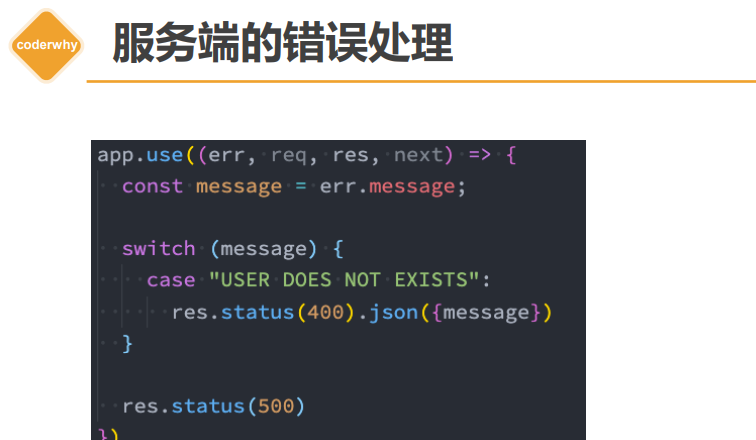
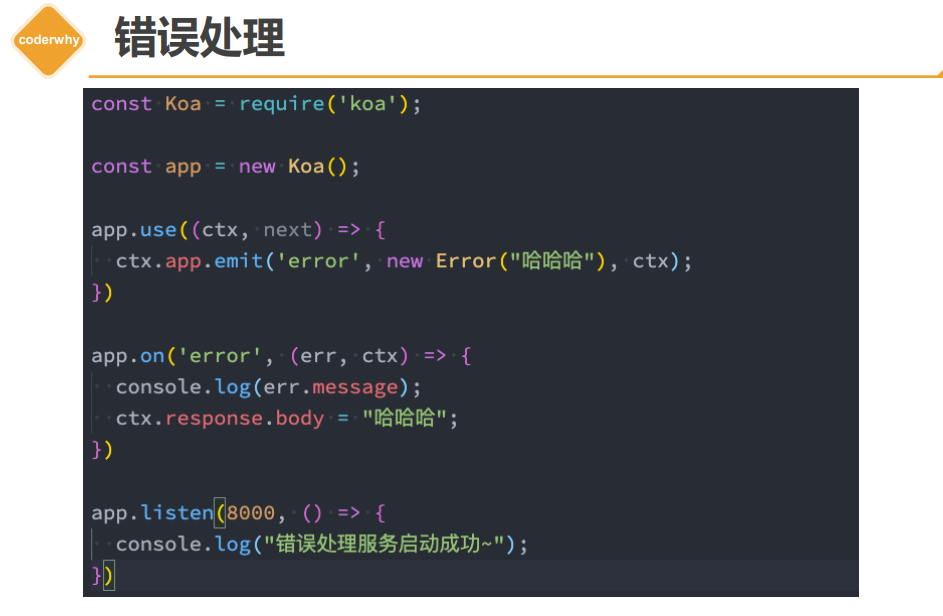
Server error handling
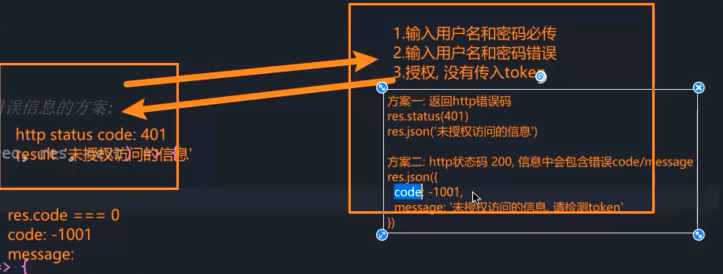
Place four-argument error middleware after routes. The original business codes illustrate branches; APIs also need suitable HTTP statuses. Forward asynchronous rejections to
nextin Express 4; Express 5 forwards rejections from returned handler promises. Error handling documentation.
const express = require("express");

const app = express();

// 解析json
app.use(express.json());

/**
 * 服务器给客户端返回错误信息的方案:
 * 1.返回错误码
 * 2.返回200 并且返回code 和message
 */

// 编写中间件
app.post("/login", (req, res, next) => {
  // 获取用户名和密码
  const { username, password } = req.body;
  // 对用户名和密码进行验证
  if (!username || !password) {
    next(-1001);
  } else if (username !== "coderwhy" || password !== "123456") {
    next(-1002)
  } else {
    res.json({
      code: 0,
      message: "登陆成功",
      token: "323dfafadfa3222",
    });
  }
});

// 错误处理的中间件
app.use((err, req, res, next) => {
  const code = err;
  let message = "未知错误信息";

  switch (code) {
    case -1001:
      message = "没有输入用户名和密码";
      break;
    case -1002:
      message = "用户名或密码输入错误";
      break;
  }

  res.json({ code, message });
});

app.listen(8888, () => {
  console.log("express启动成功");
});
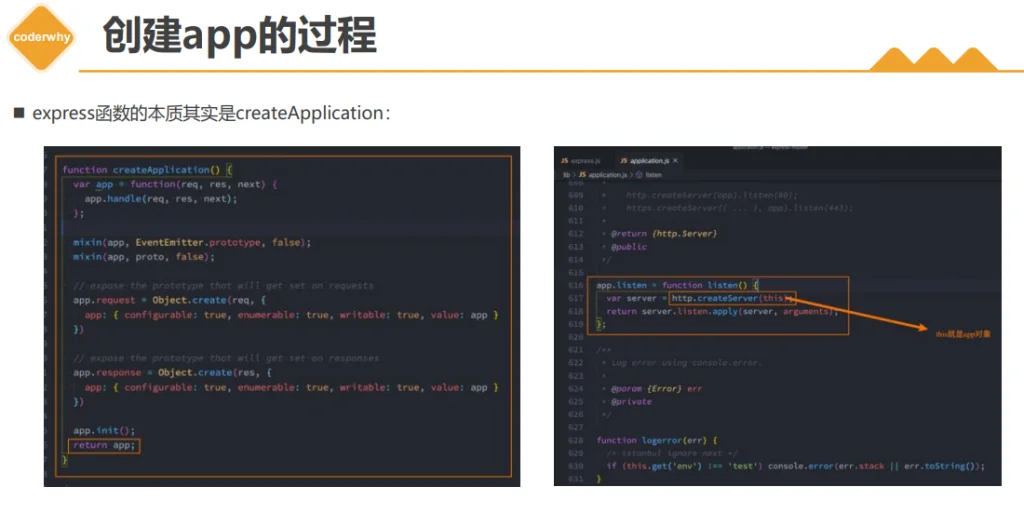
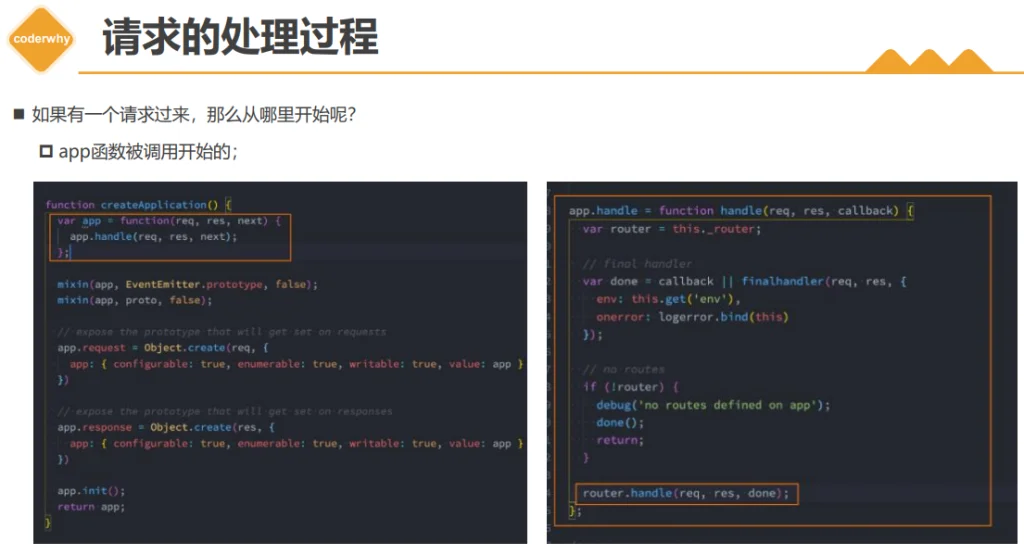
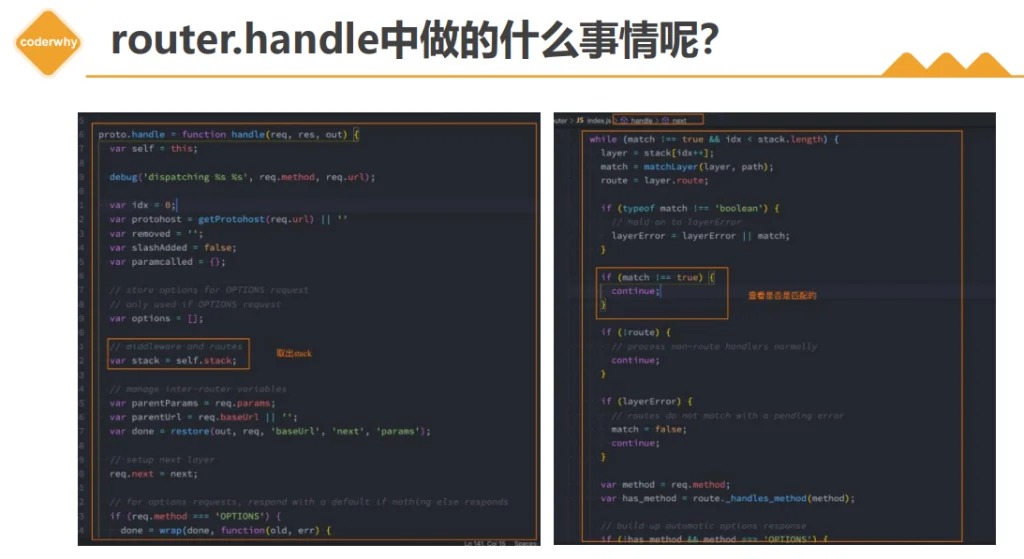
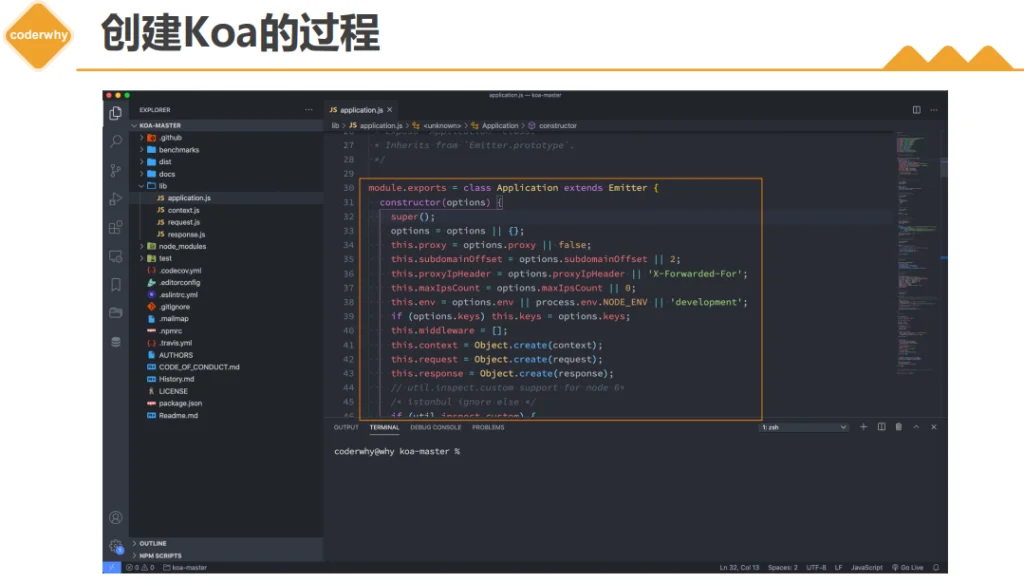
Creating an app
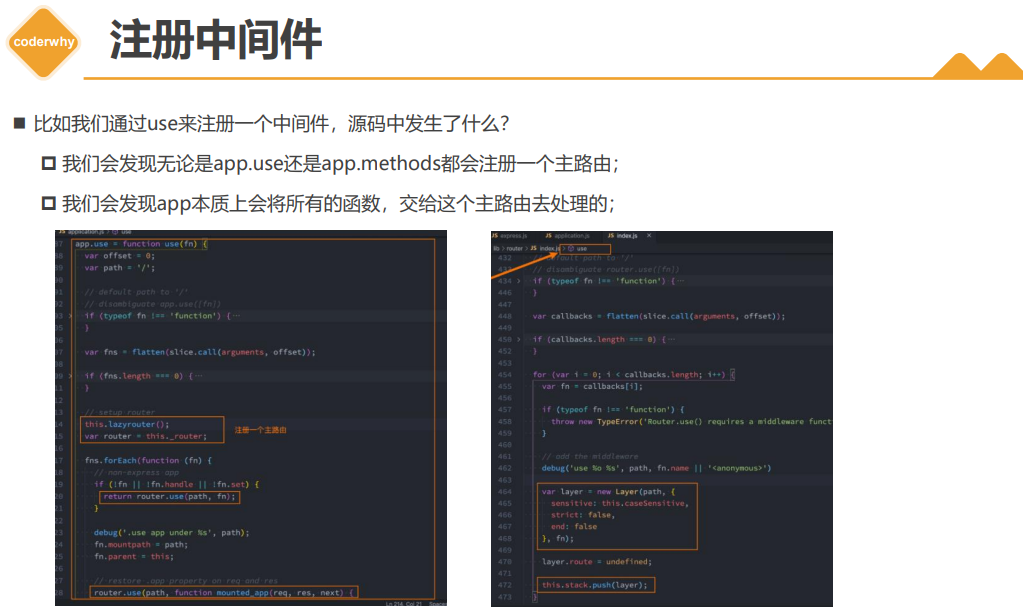
Registering middleware
Request processing
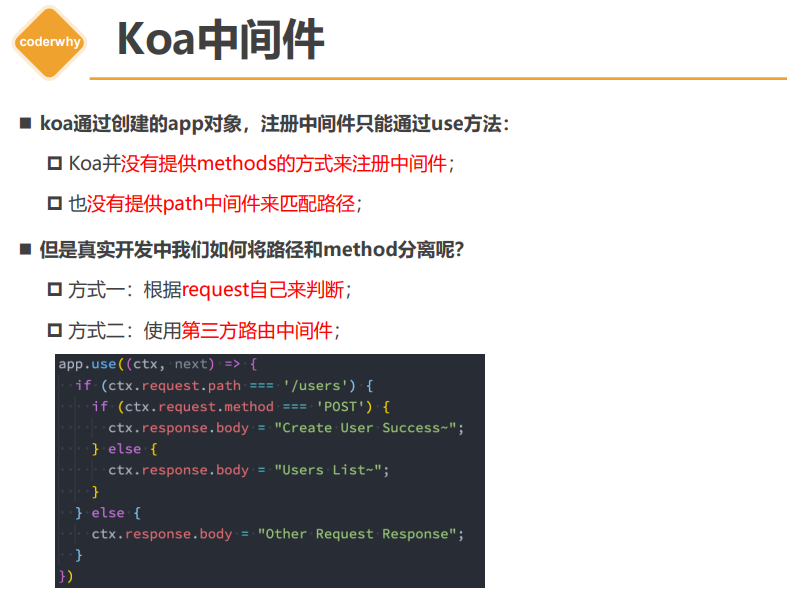
Koa
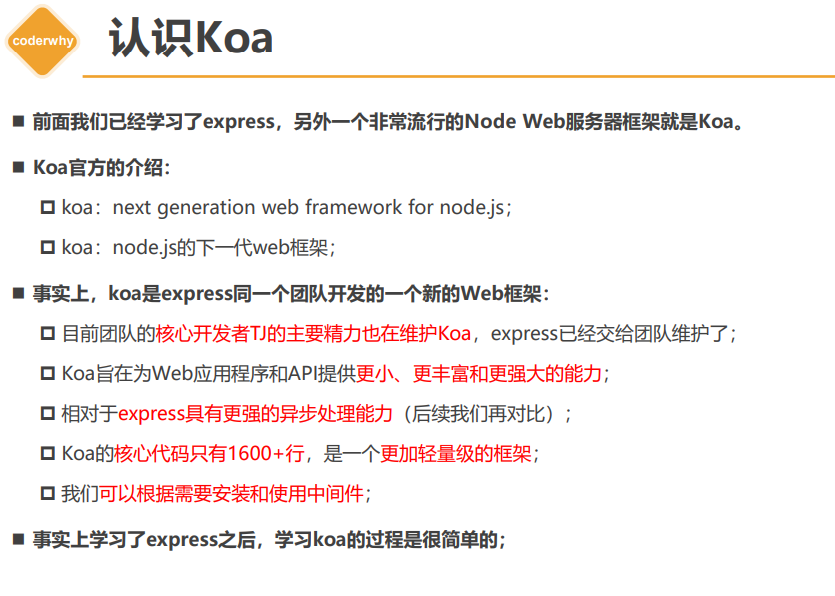
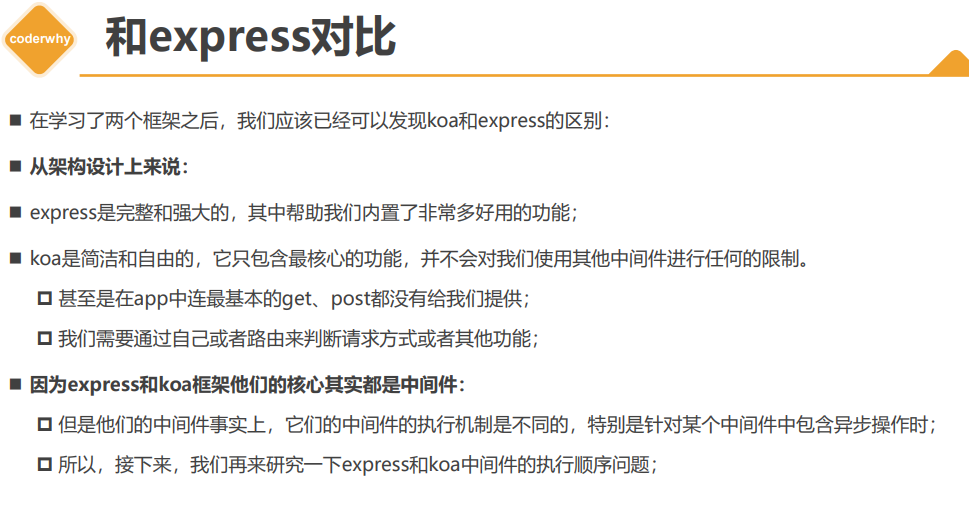
Koa's
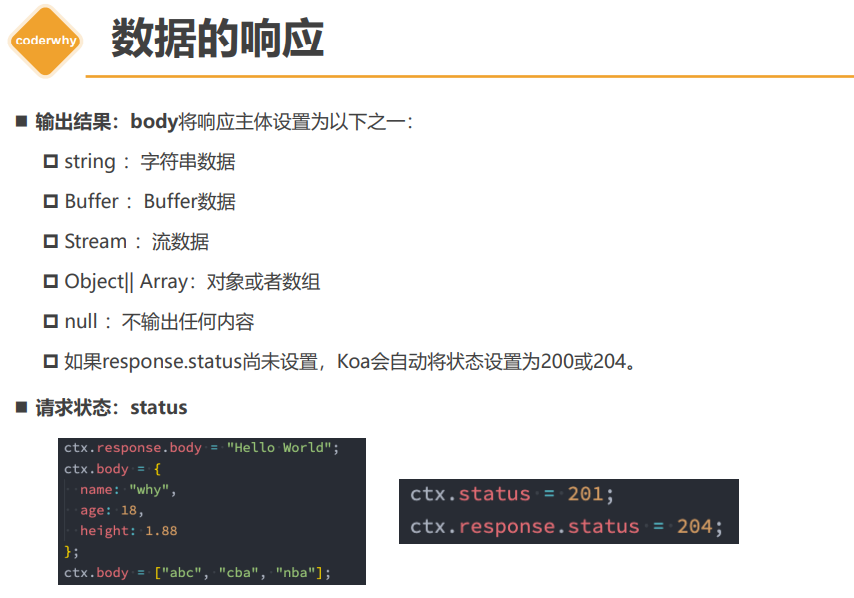
ctxwraps the current request and response. Routing, body parsing, uploads, and static files require separate middleware; Express middleware cannot be used directly as Koa middleware.
Getting started with Koa
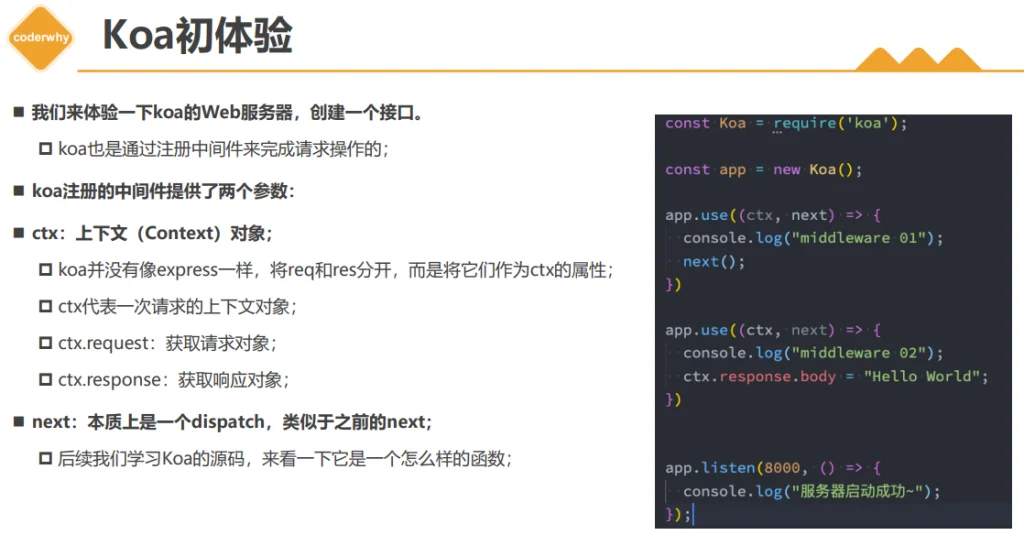
const Koa = require("koa");

const app = new Koa();

// 注册中间件
// koa的中间件 两个参数 ctx next
app.use((ctx, next) => {
  ctx.body = "hahaha"
})

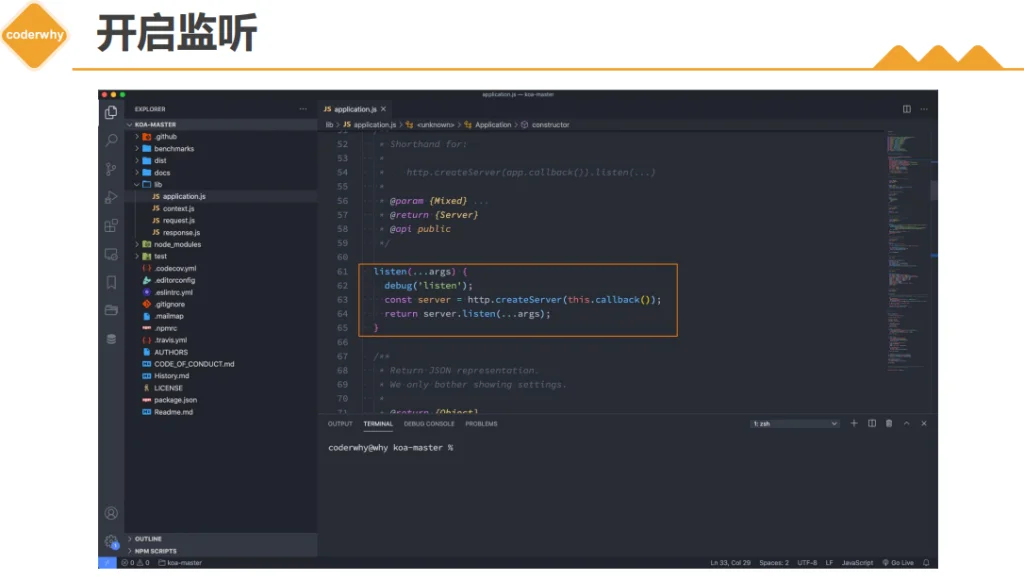
app.listen(6000, () => {
  console.log("koa服务器启动成功!");
});
Koa middleware
const Koa = require("koa");

const app = new Koa();

app.use((ctx, next) => {
  // 1.请求对象
  console.log(ctx.request);
  console.log(ctx.req);

  // 2.响应对象
  console.log(ctx.response);
  console.log(ctx.res);

  // 3.其他属性
  console.log(ctx.query);
})

app.listen(6000, () => {
  console.log("koa服务器启动成功!");
});
Using a router
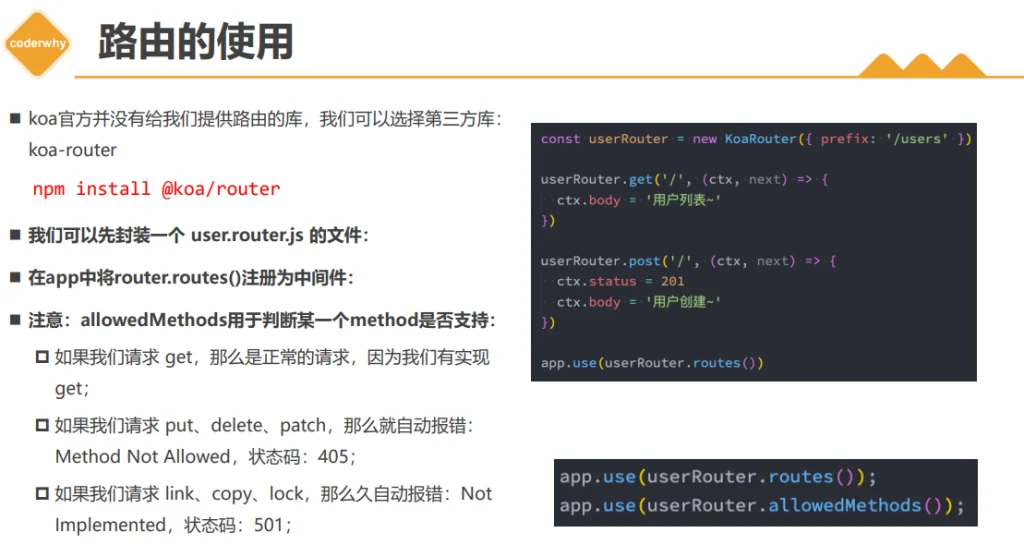
const Koa = require("koa");
const KoaRouter = require("@koa/router")

const app = new Koa();

// 创建路由对象 统一前缀 /users
const userRouter = new KoaRouter({ prefix: "/users" });

// 在路由中注册中间件
userRouter.get("/:id", (ctx, next) => {
  ctx.body = "user lists"
});

// 让中间件生效
app.use(userRouter.routes())
// 错误方法会提示
app.use(userRouter.allowedMethods())

app.listen(6000, () => {
  console.log("koa服务器启动成功!");
});
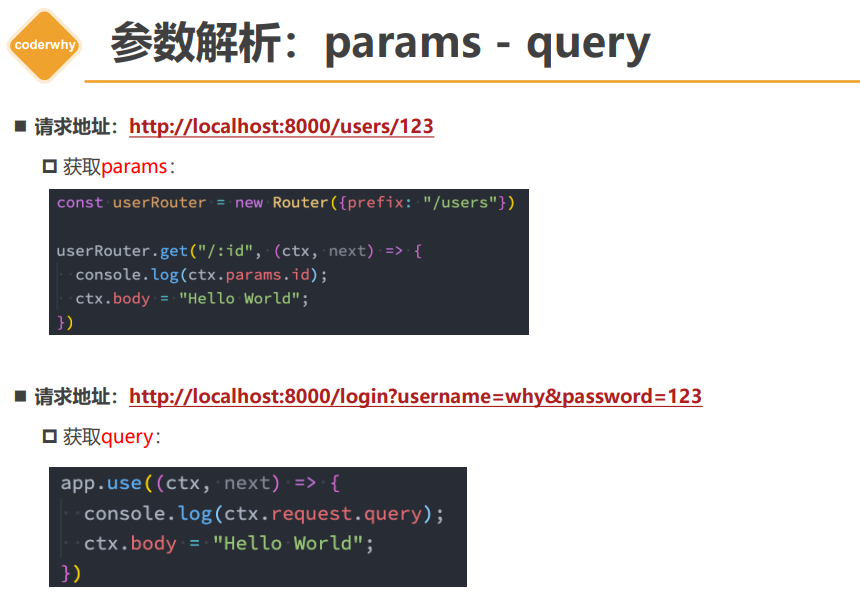
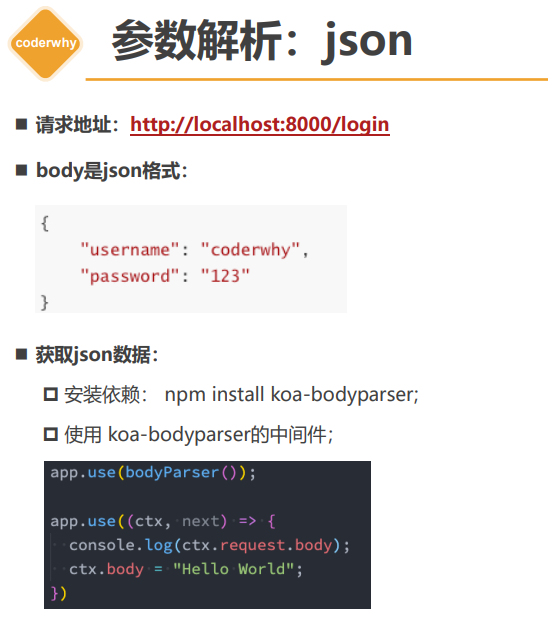
Parsing params and query
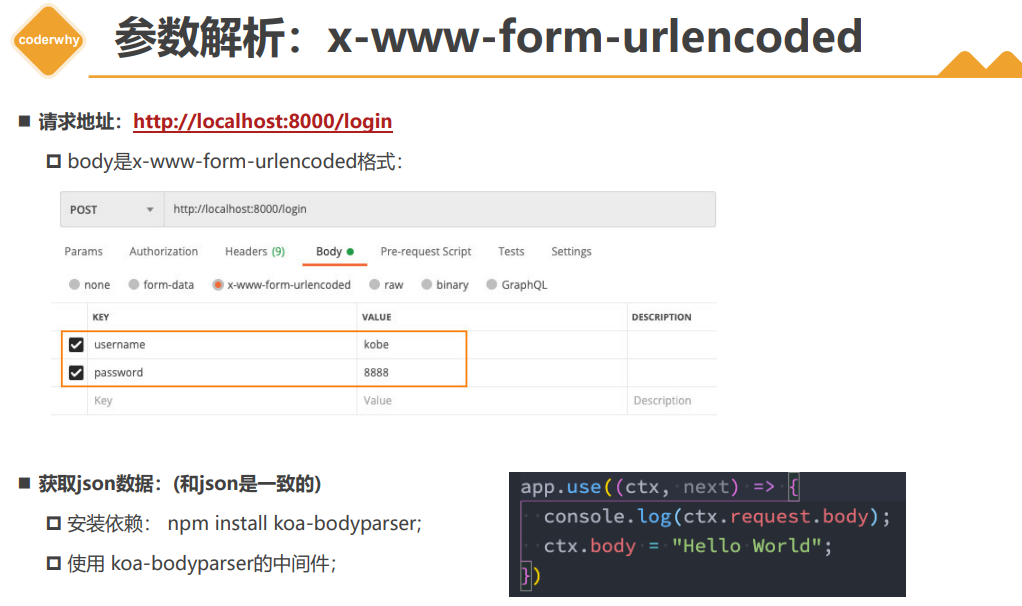
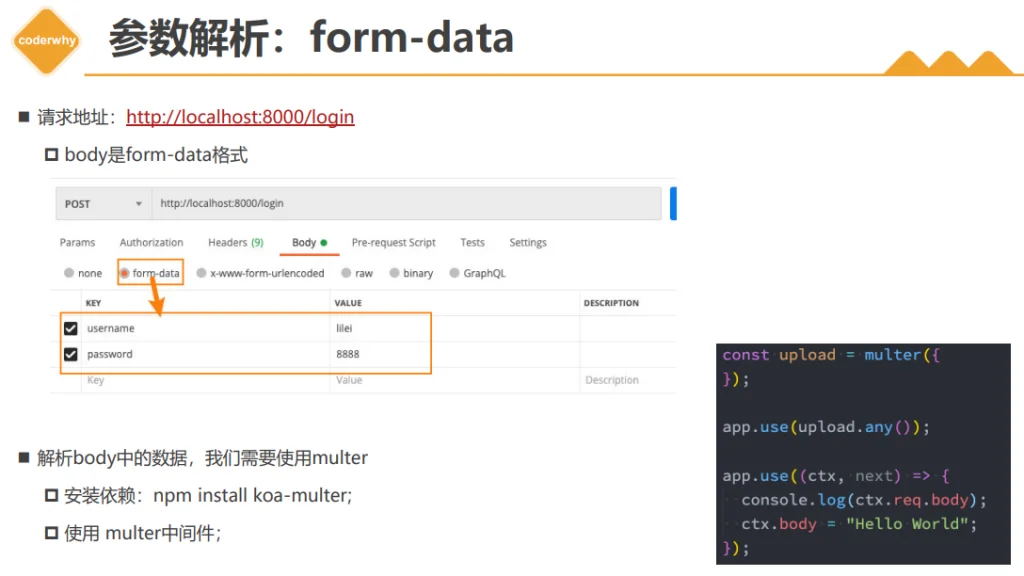
Uploading files with Multer
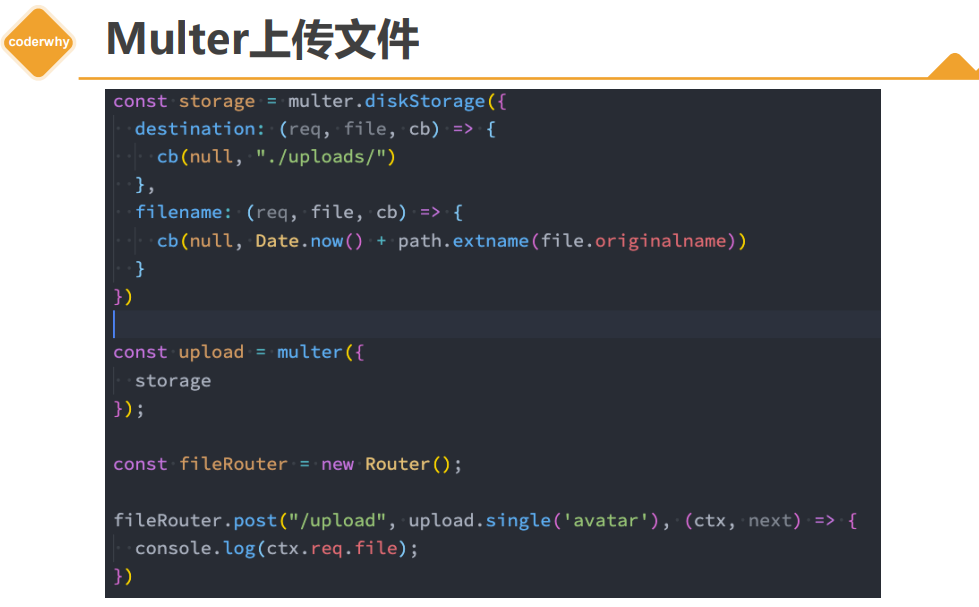
Static file serving
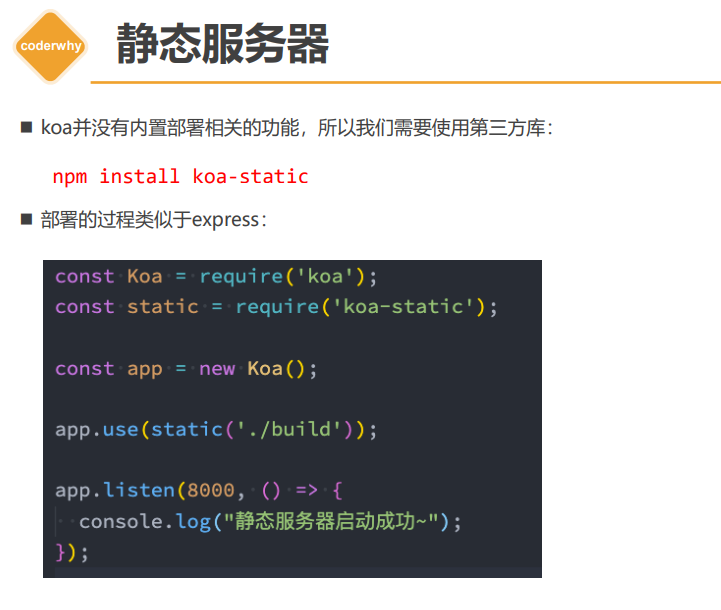
Response data
Error handling
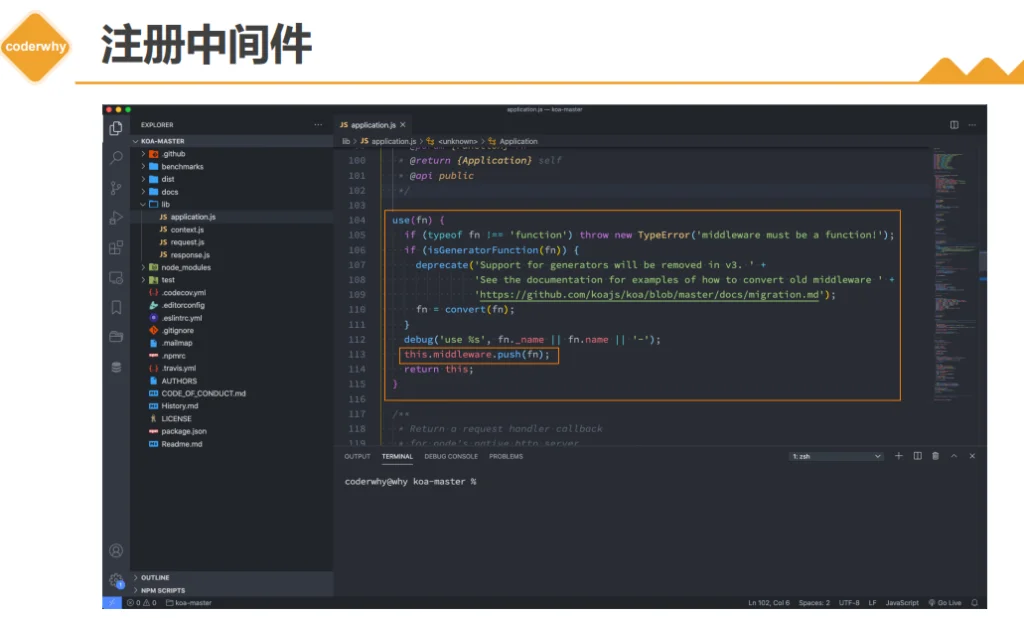
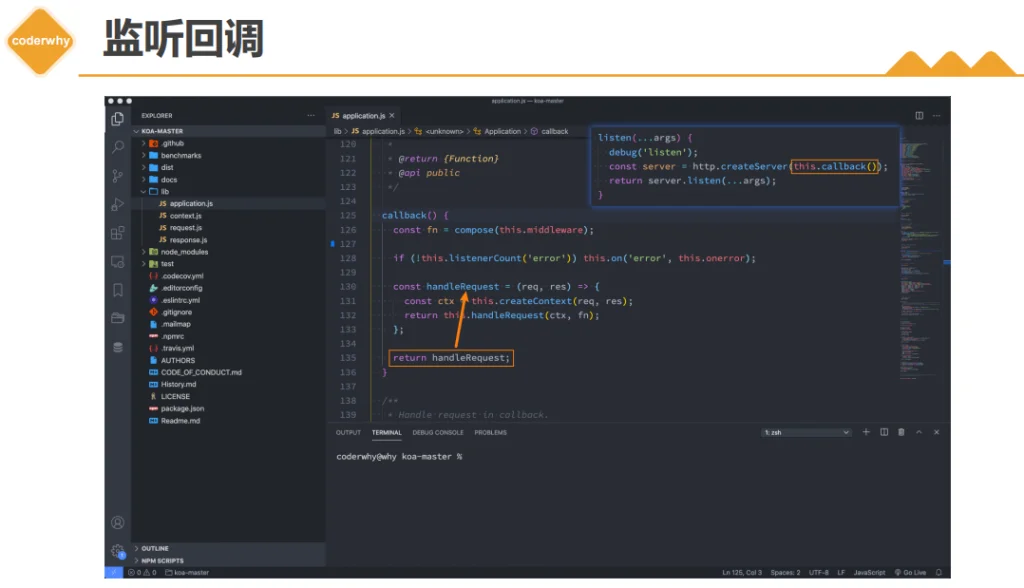
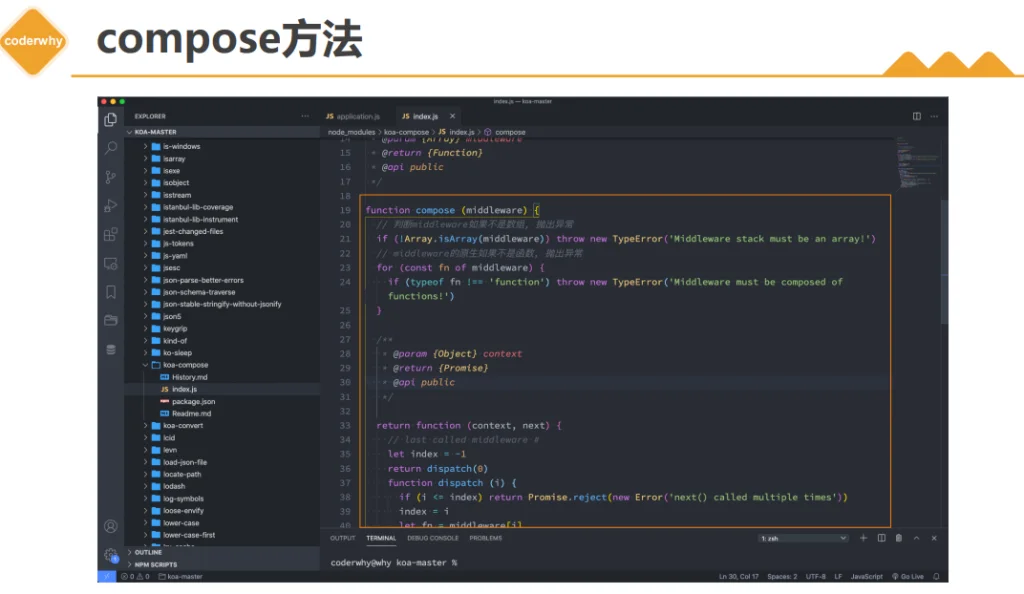
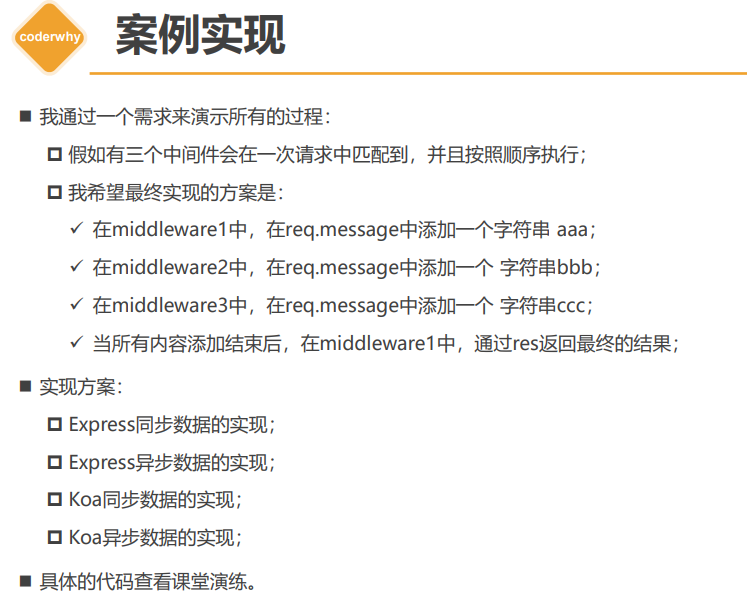
The Koa onion model
Use
async (ctx, next)andawait next()to resume upstream code after downstream middleware finishes. This produces the onion flow; omittingawaitchanges ordering and error propagation. Koa documentation.
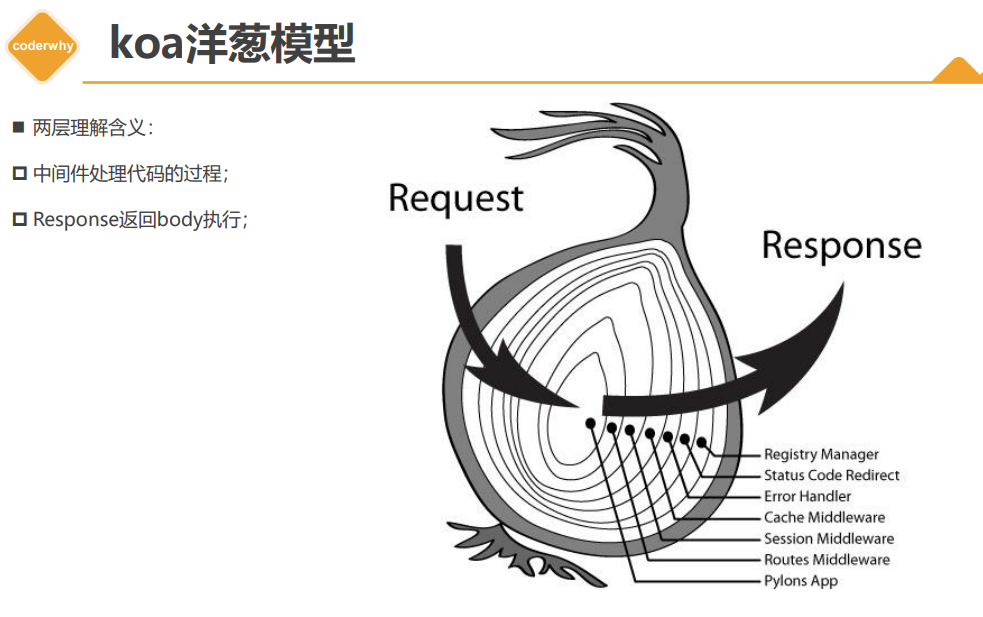
MySQL databases
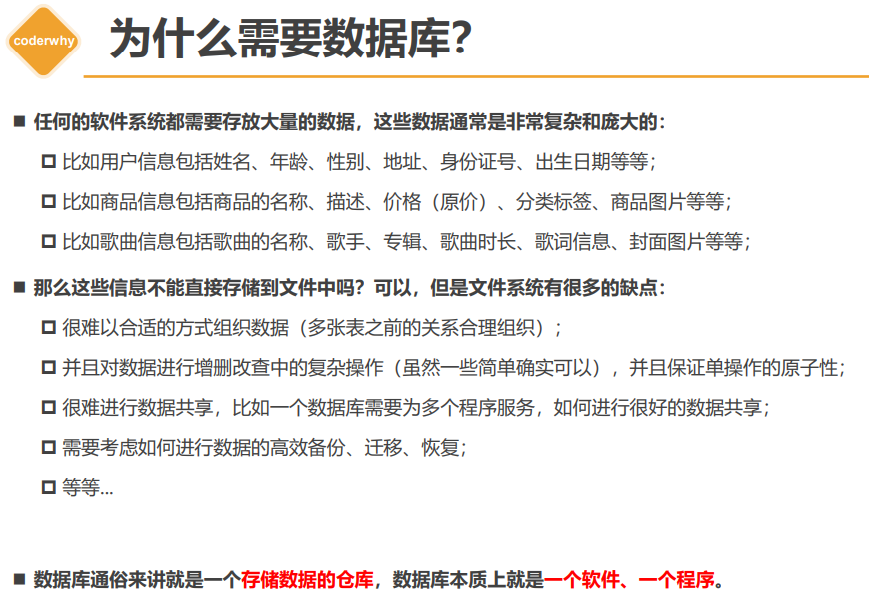
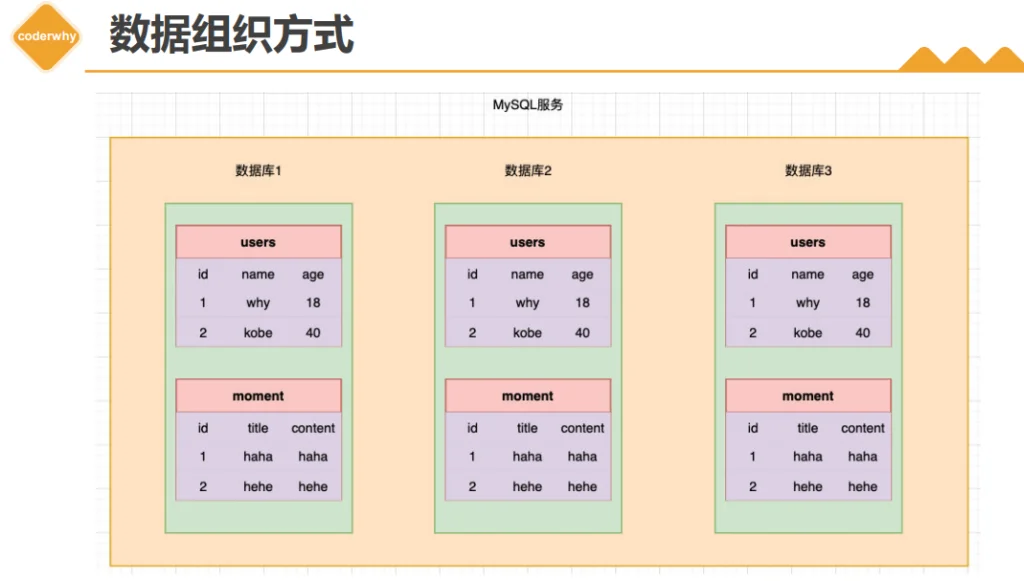
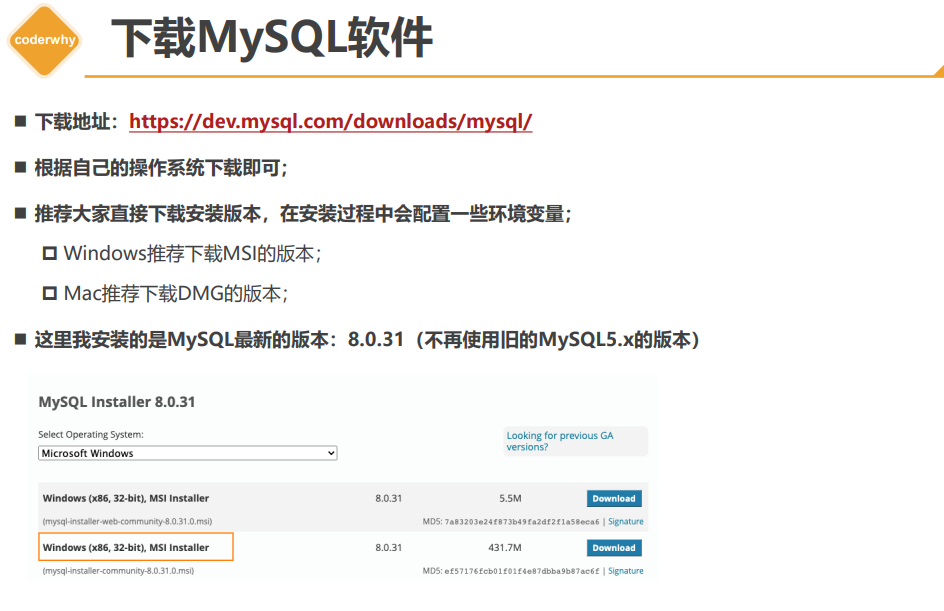
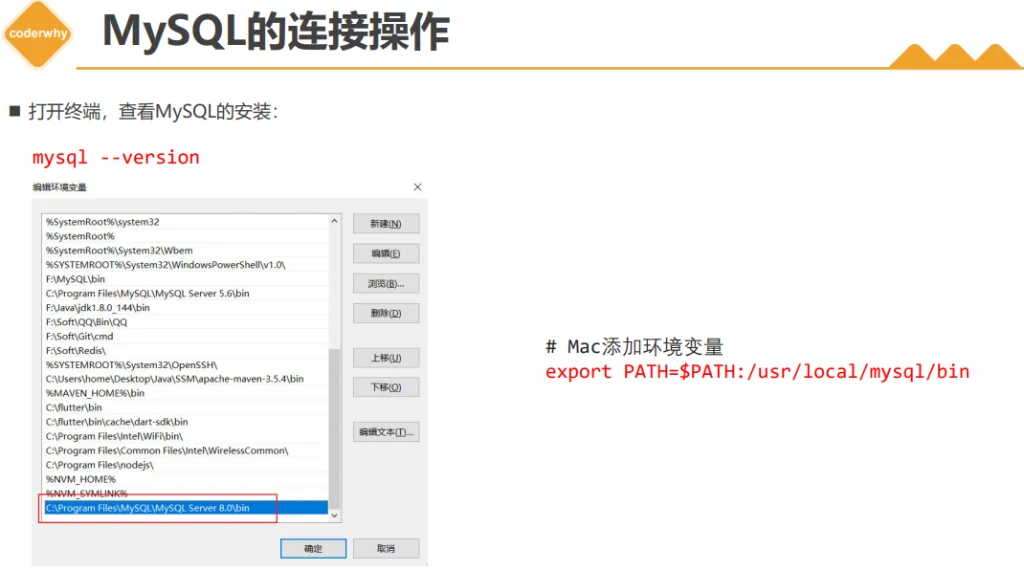
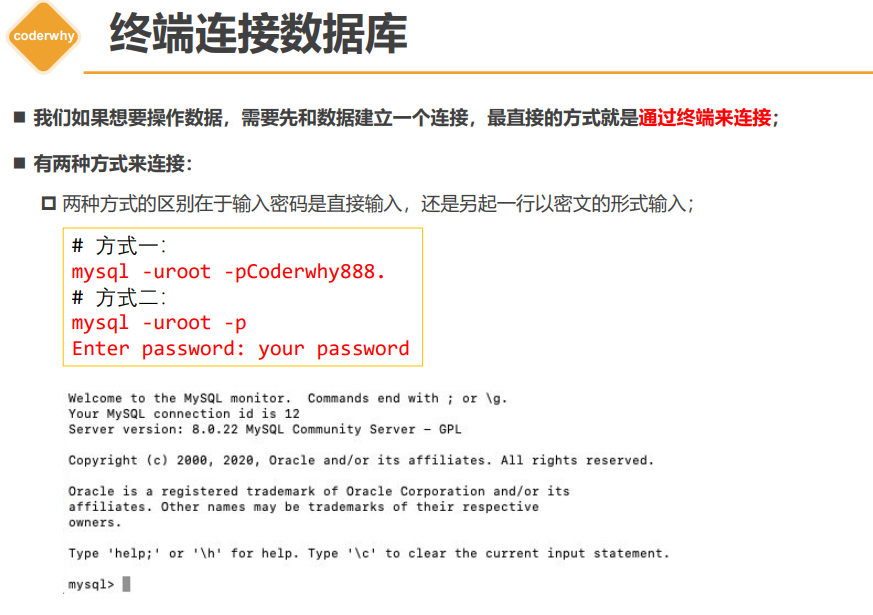
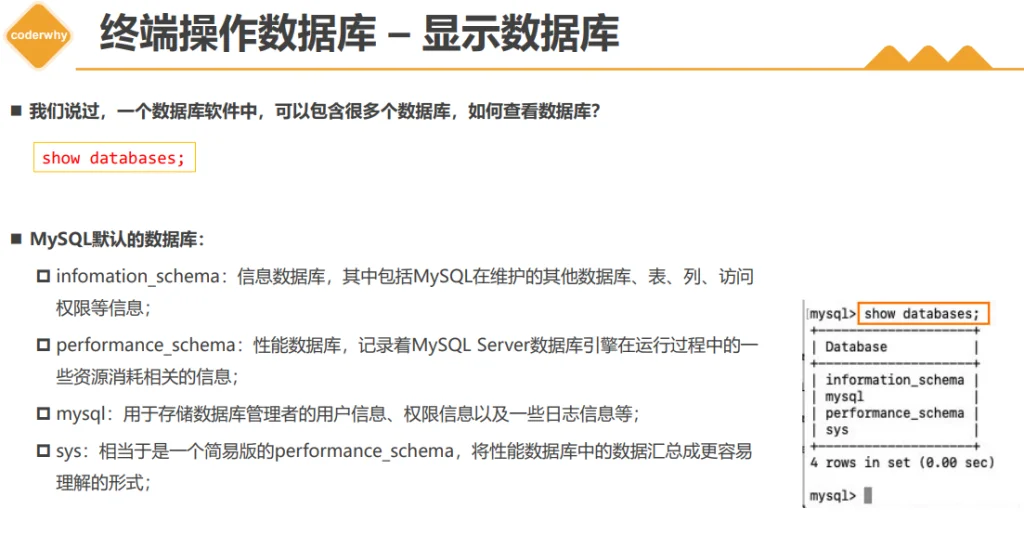
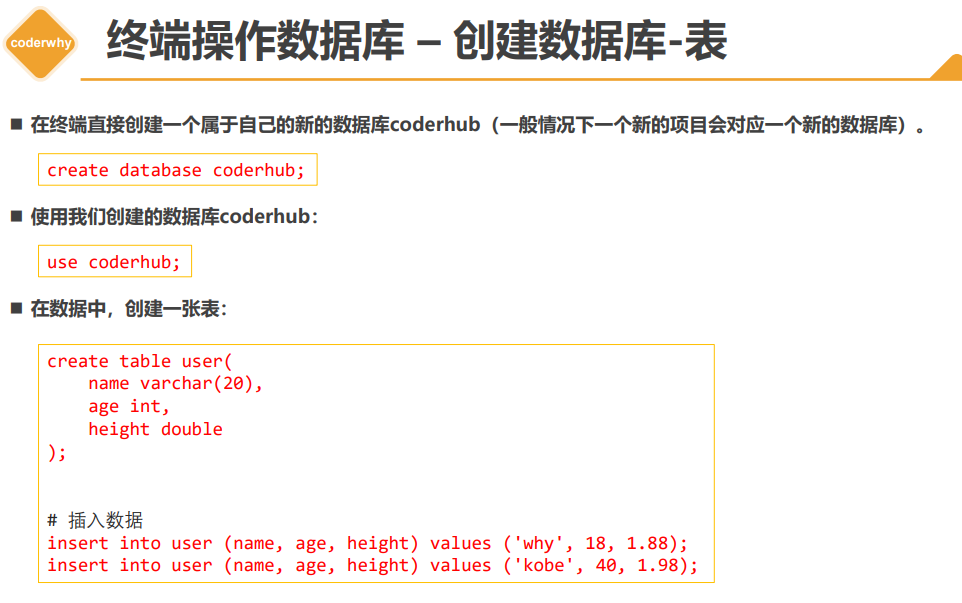
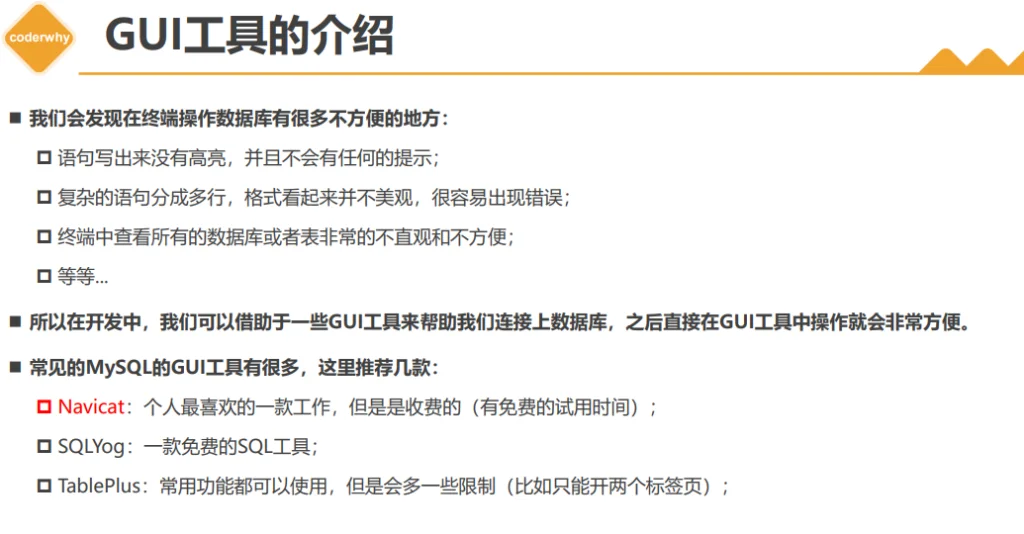
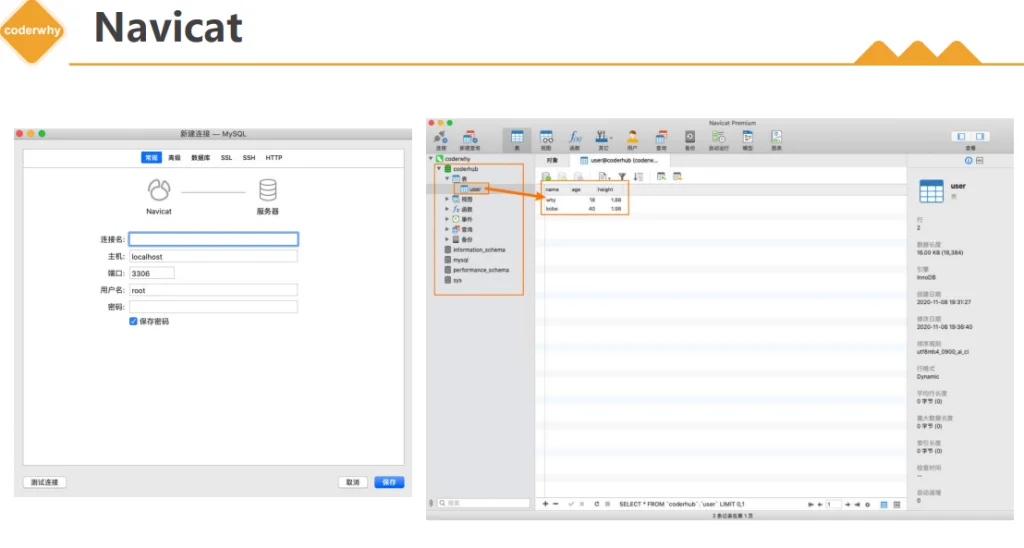
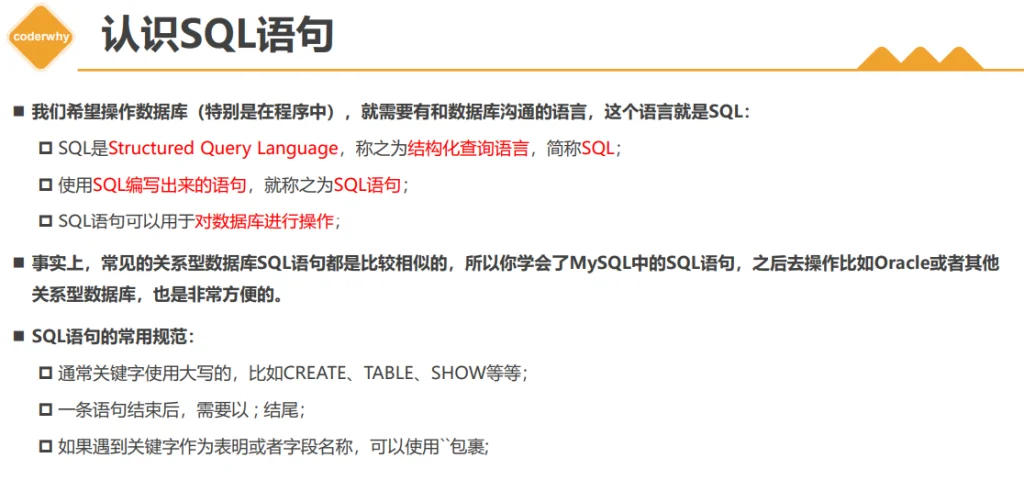
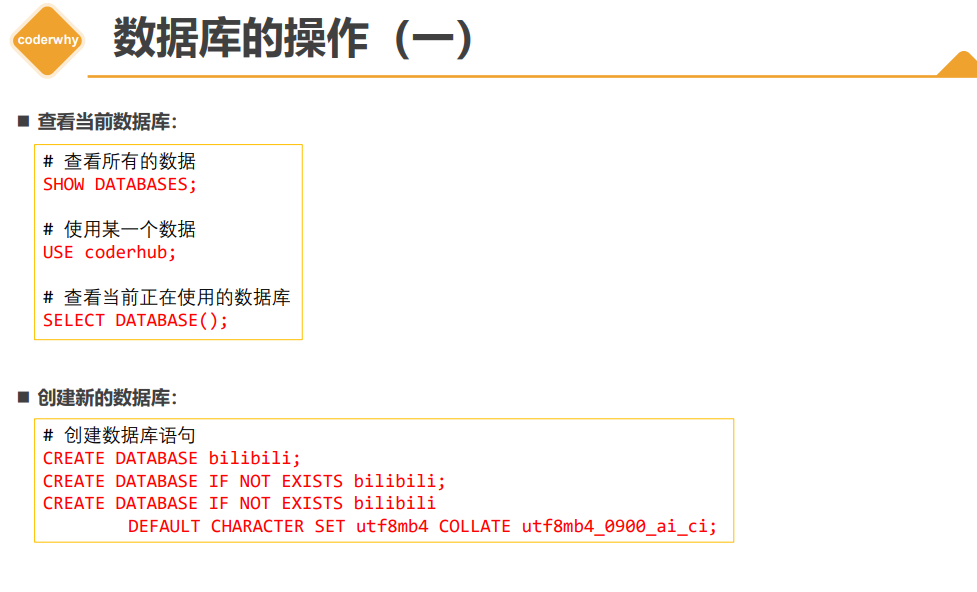
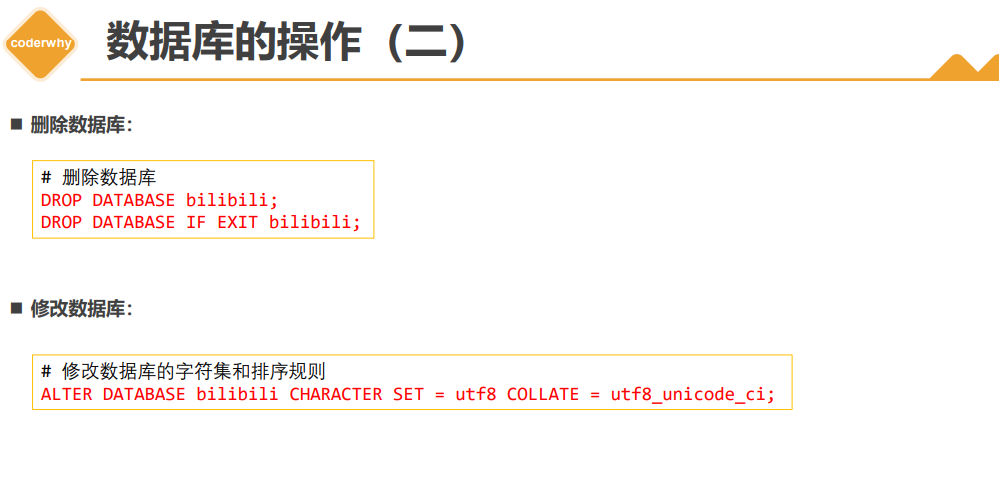
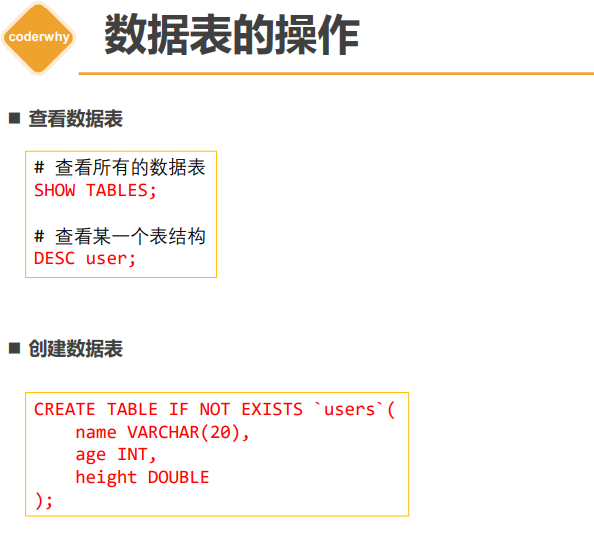
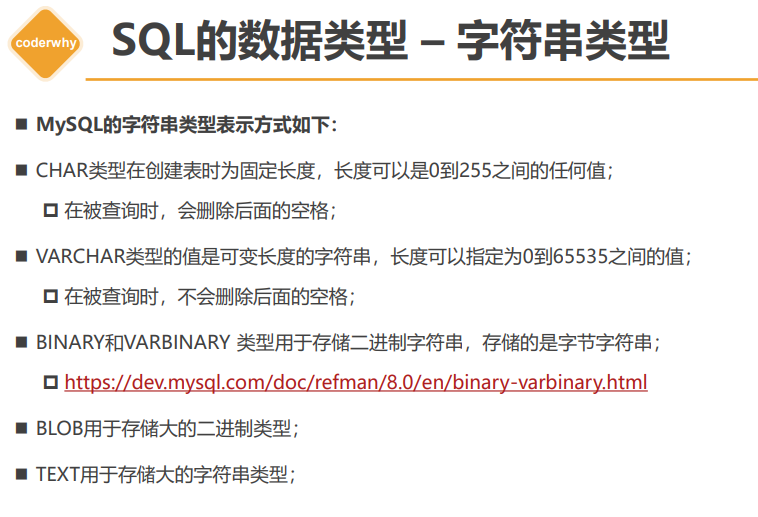
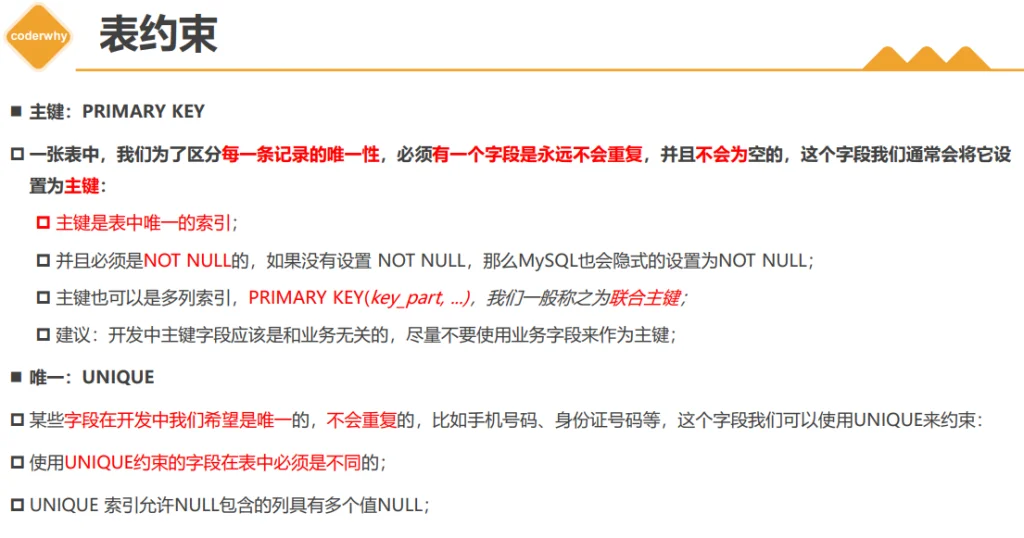
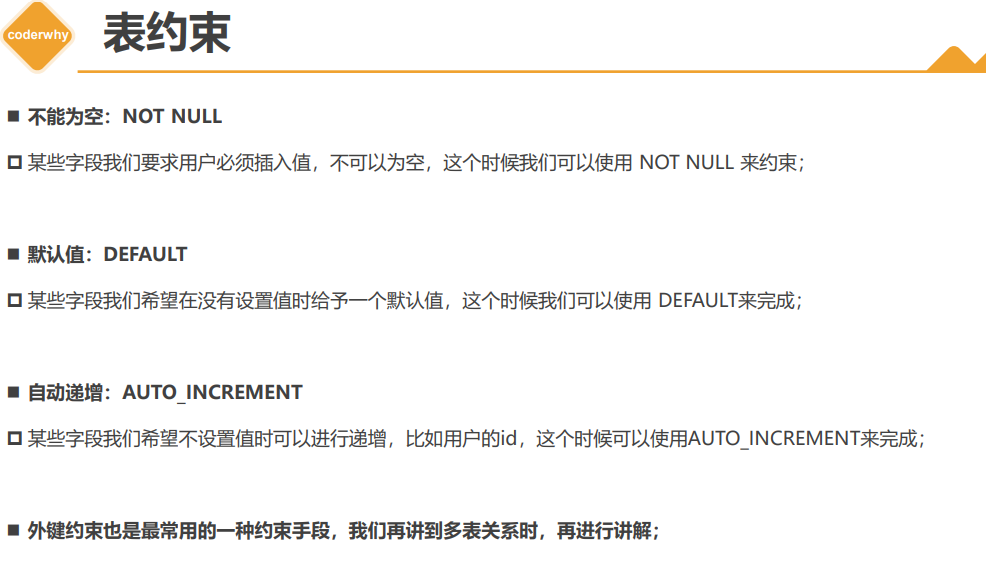
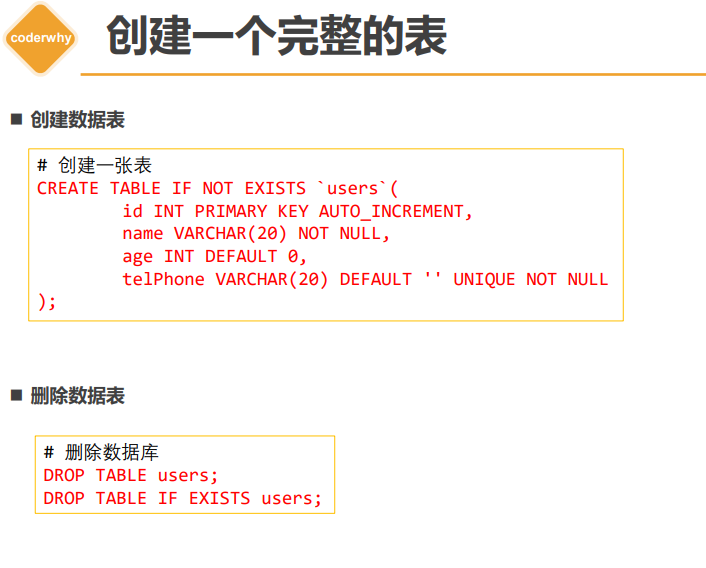
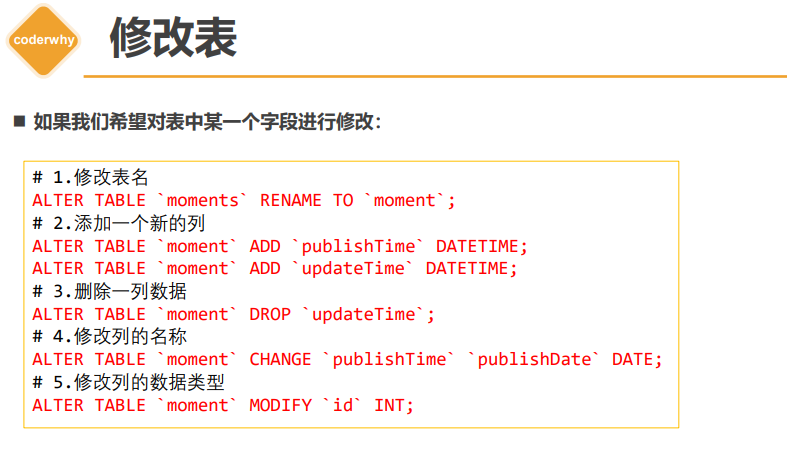
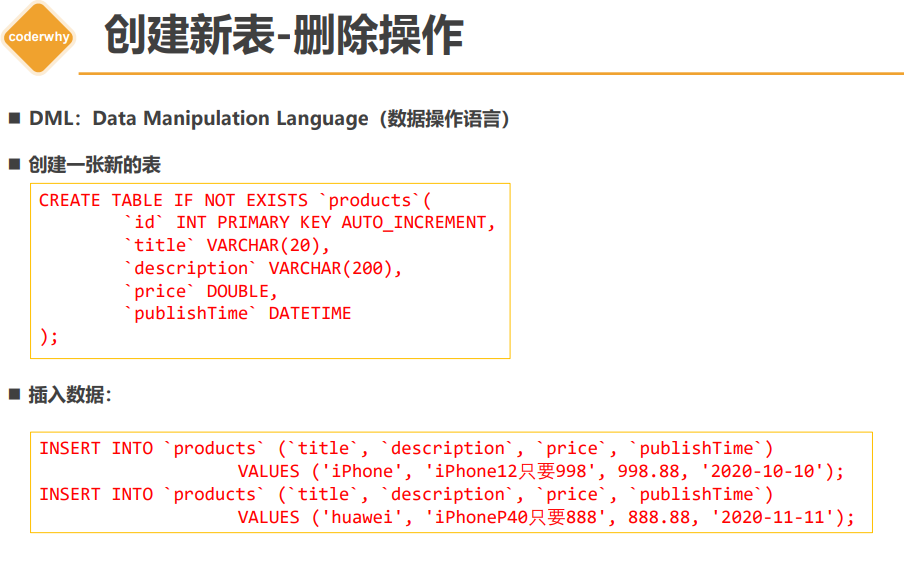
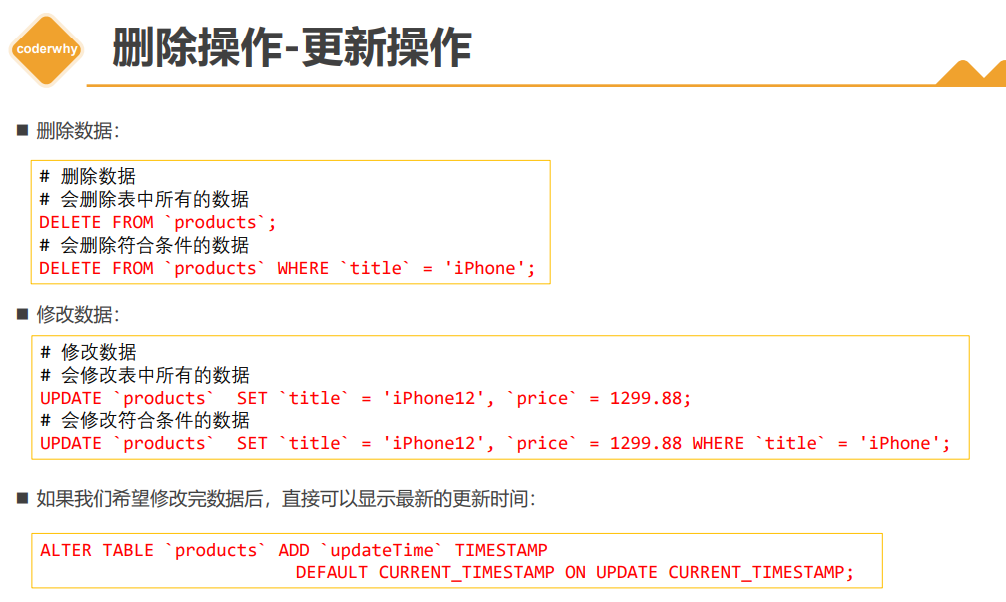
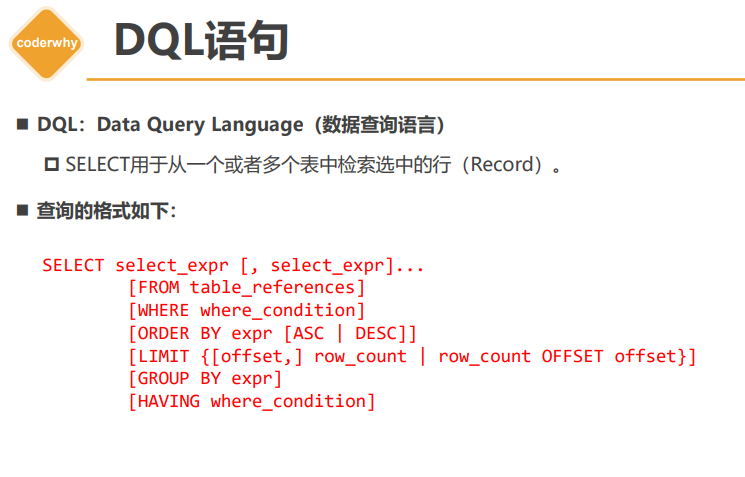
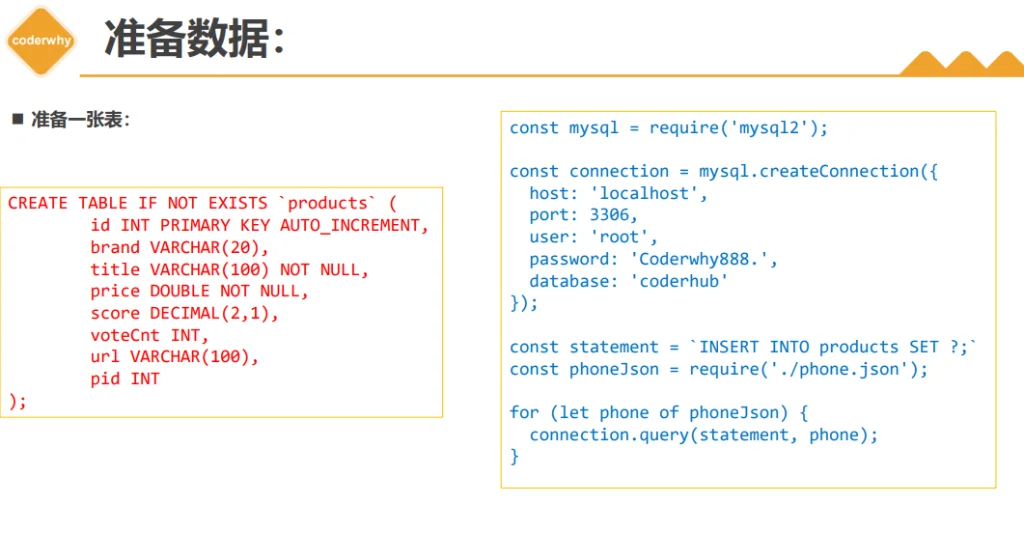
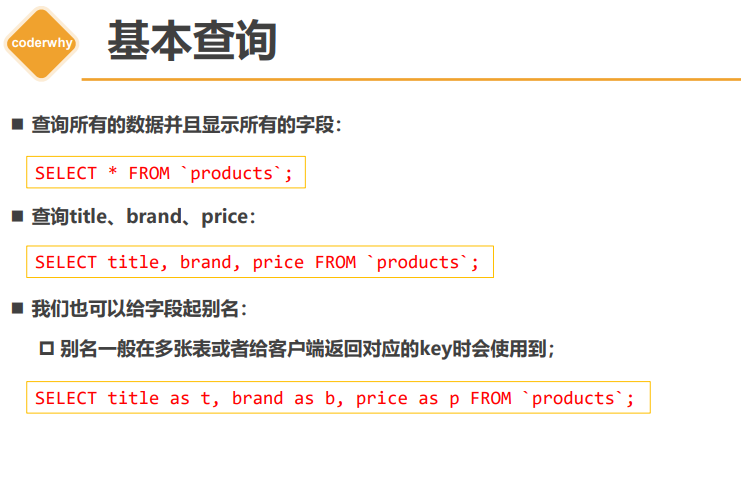
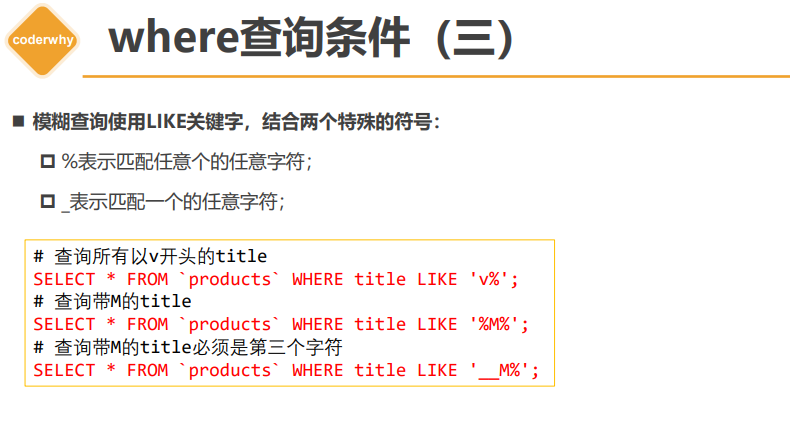
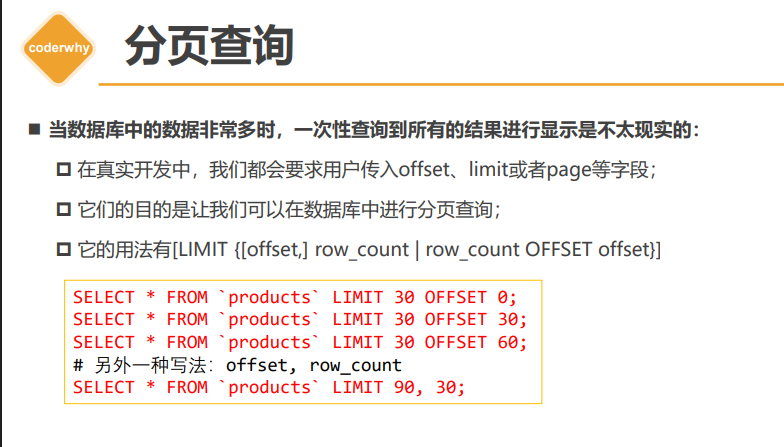
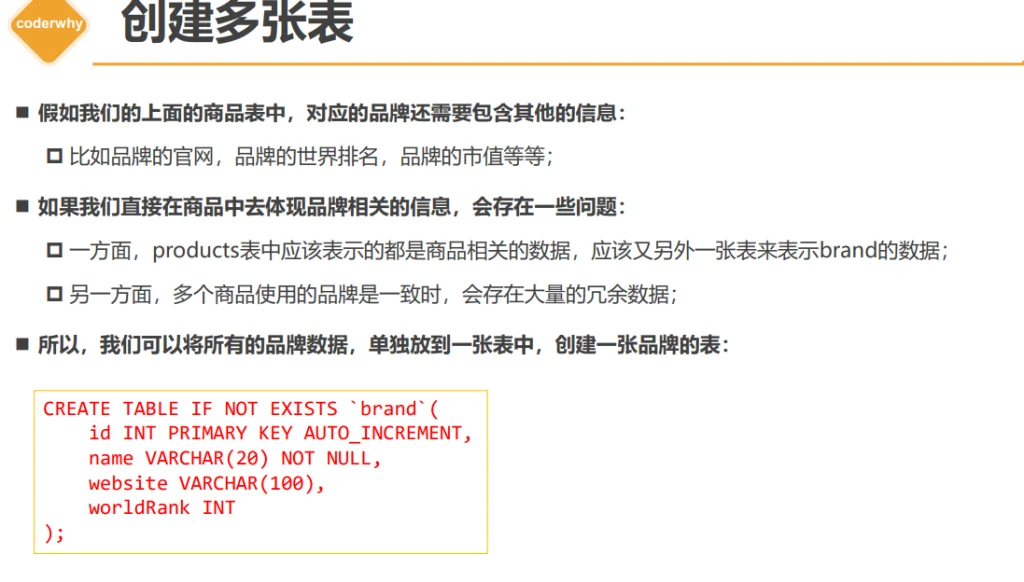
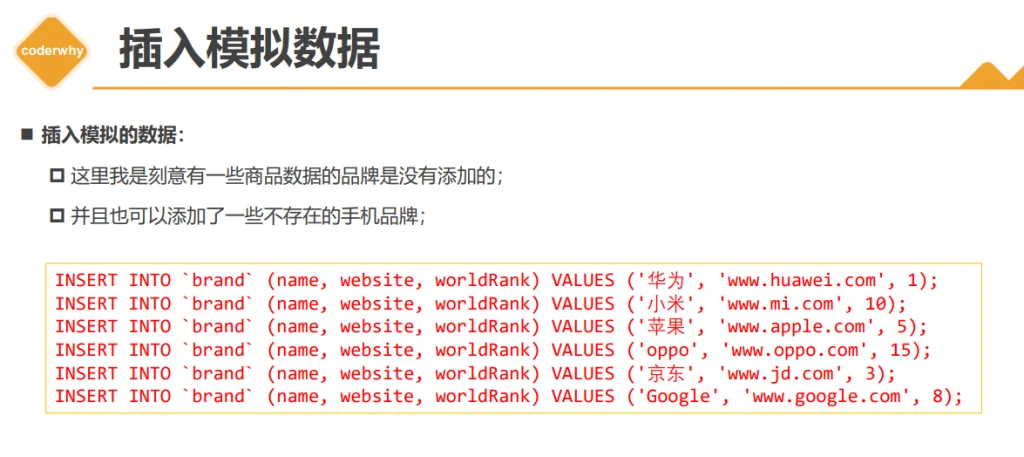
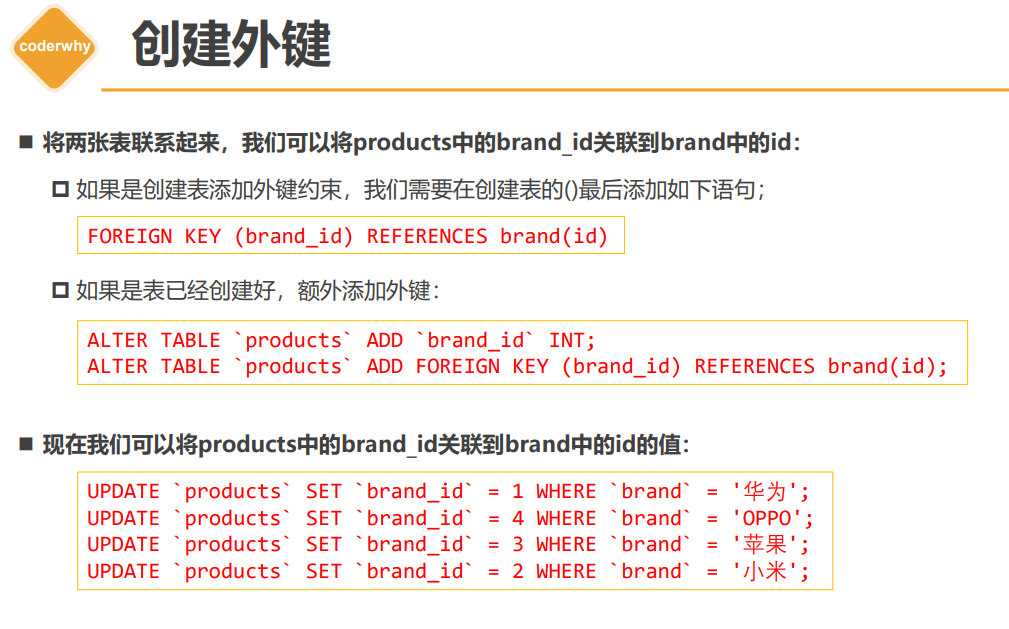
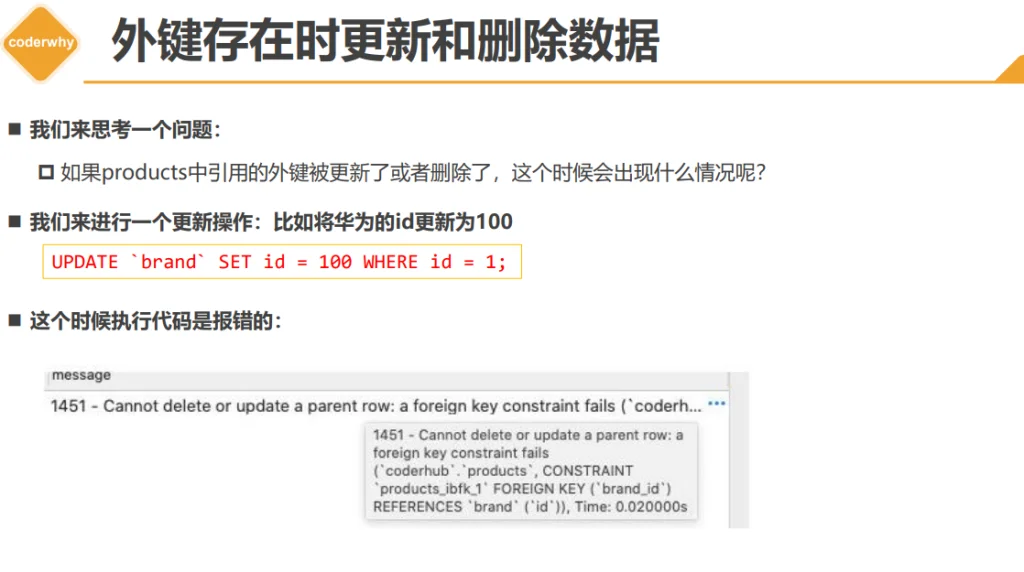
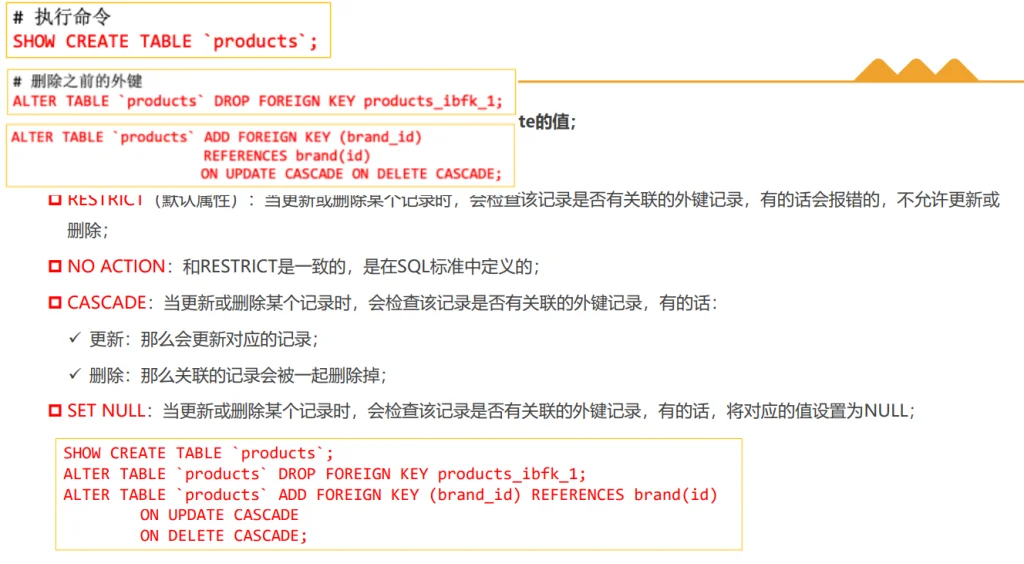
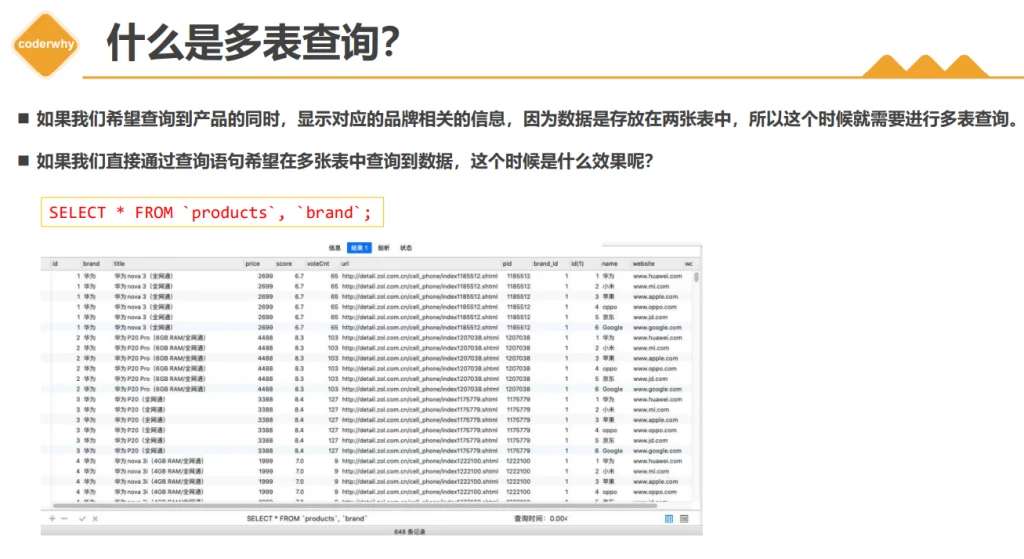
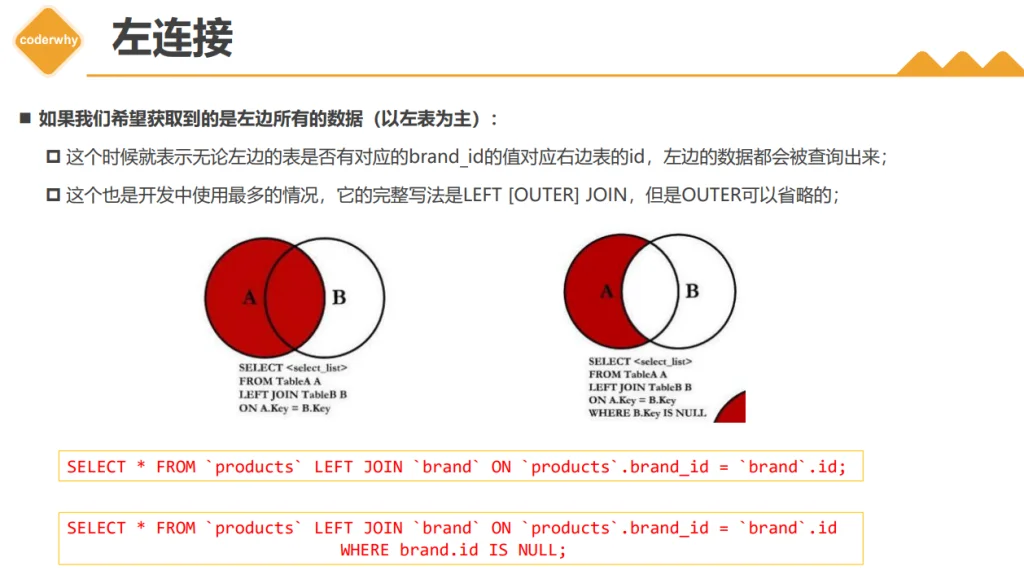
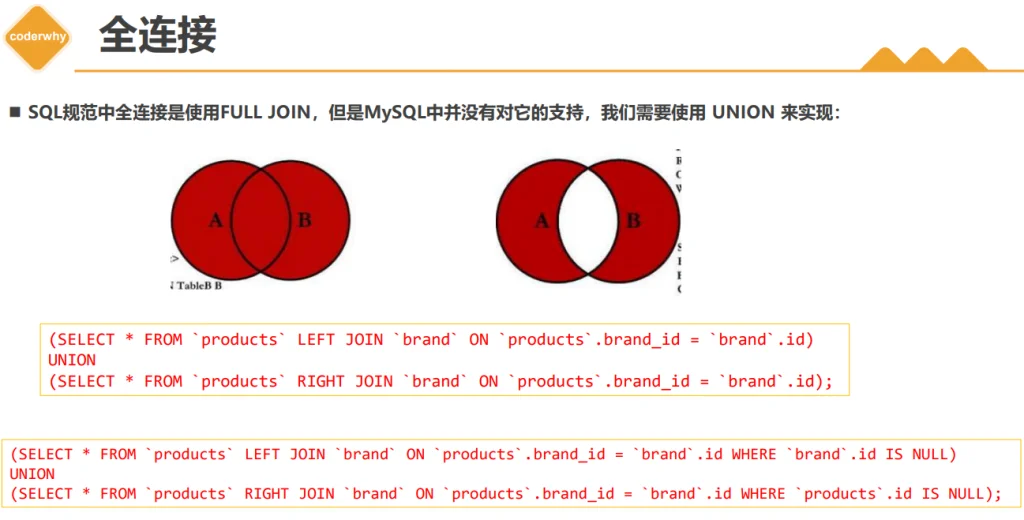
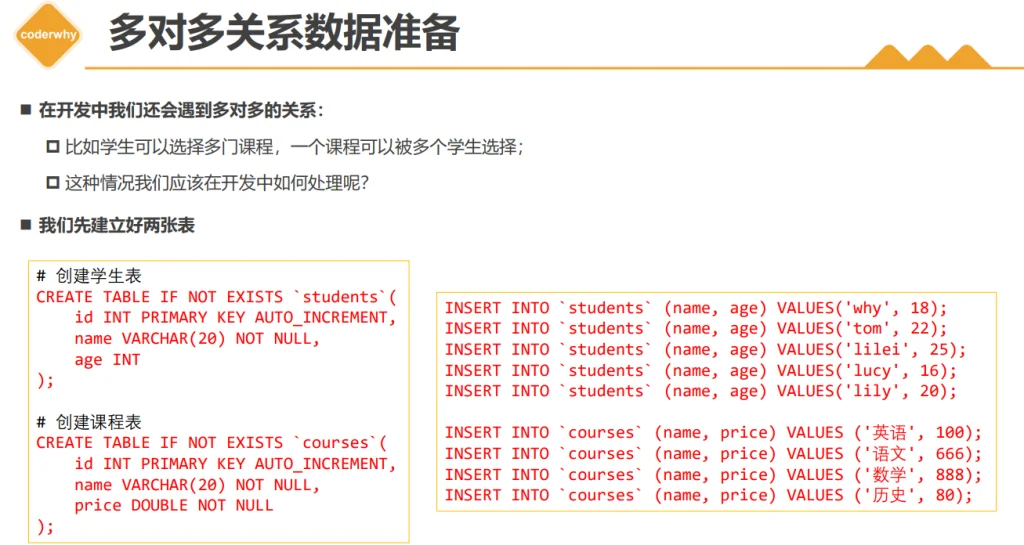
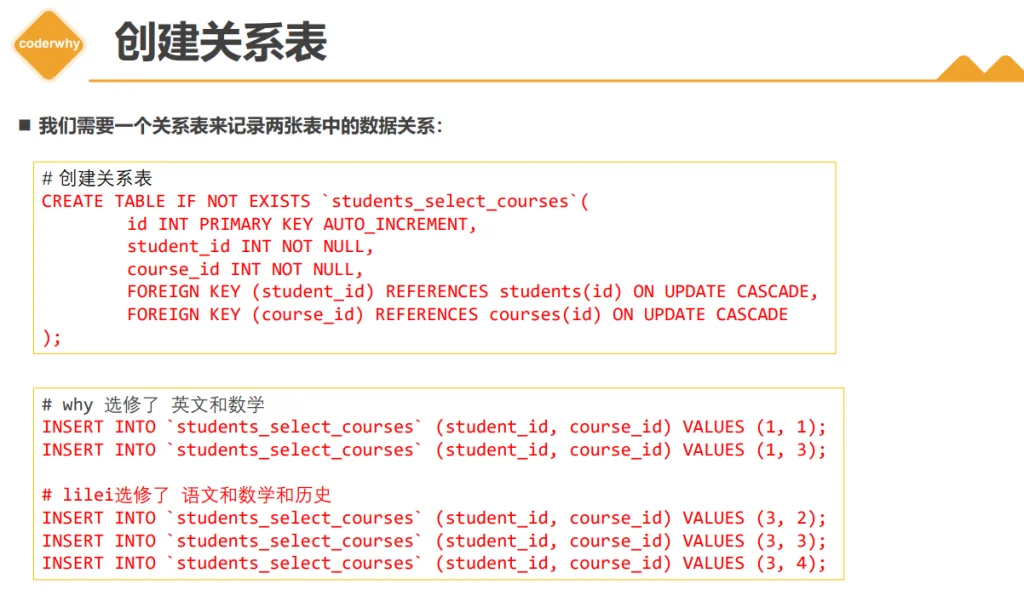
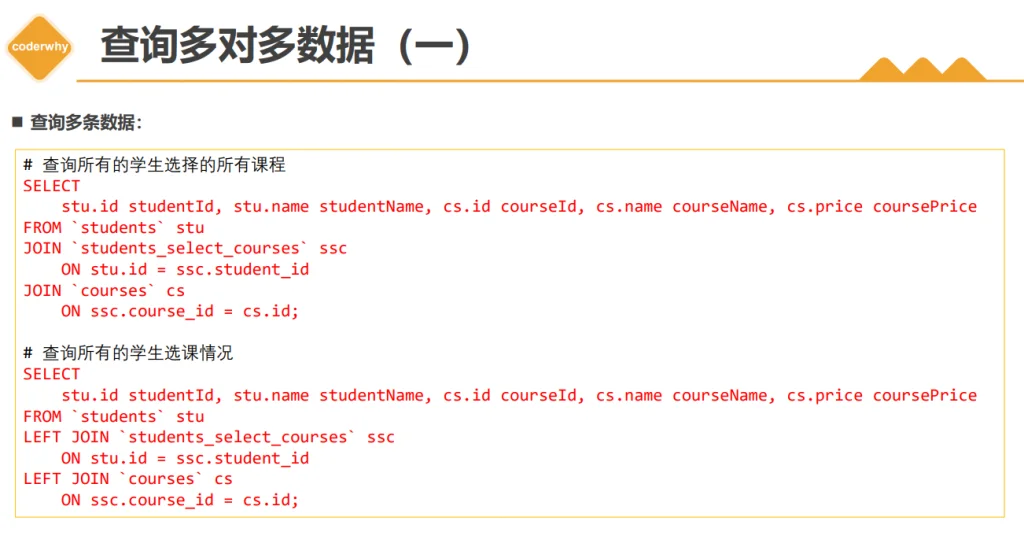
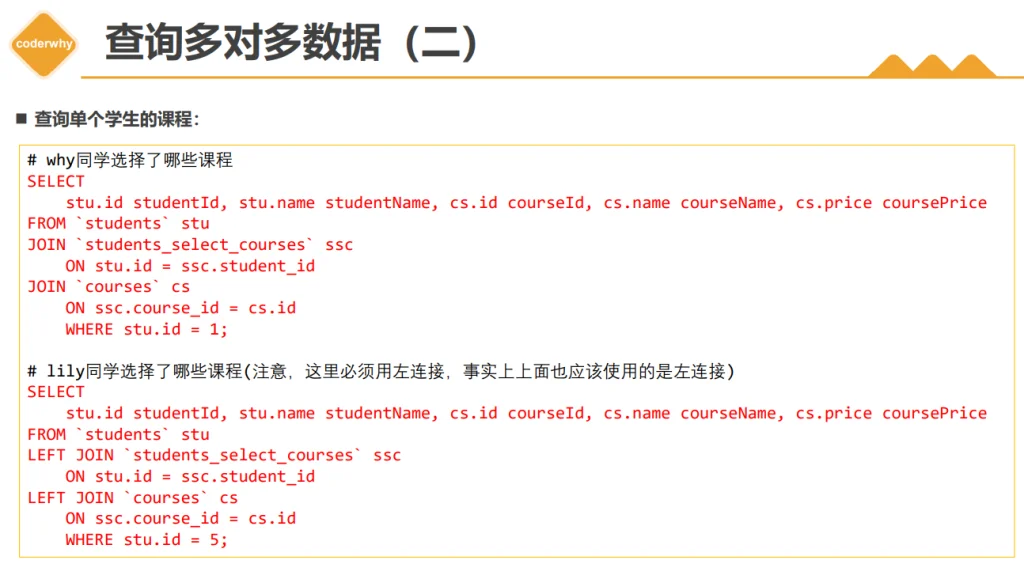
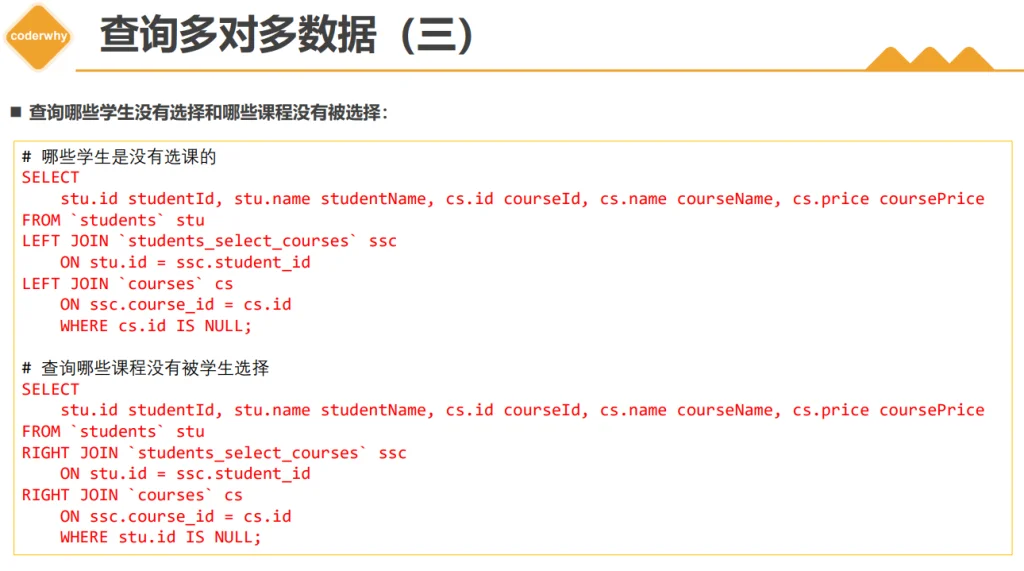
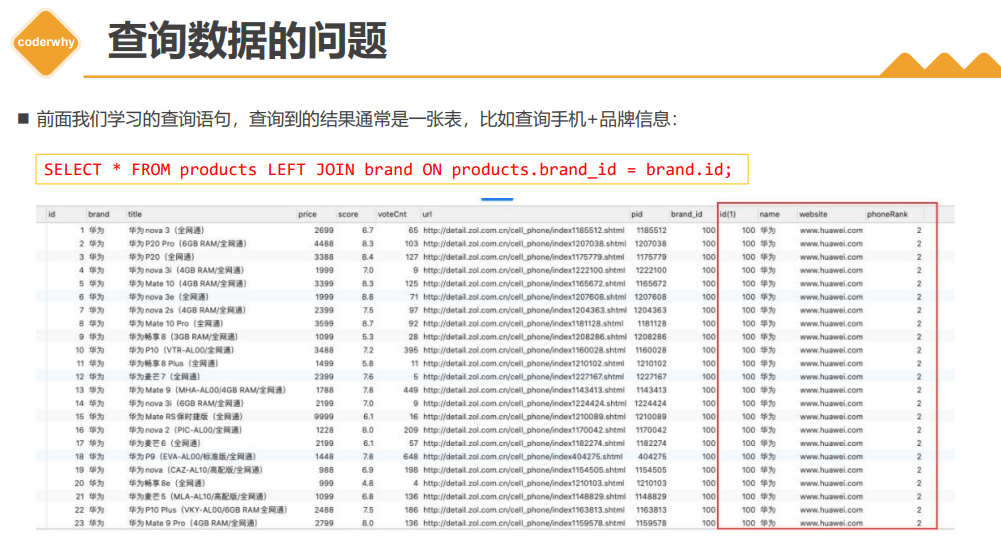
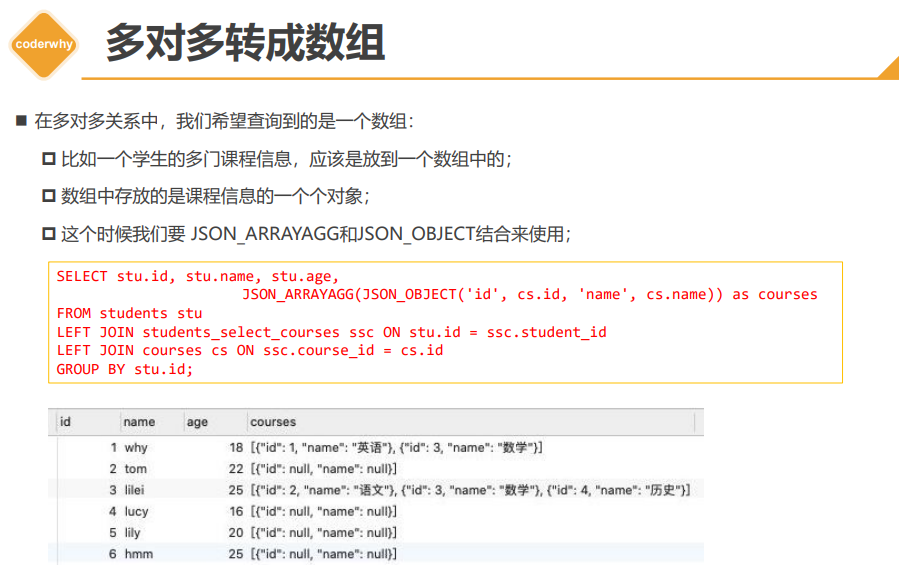
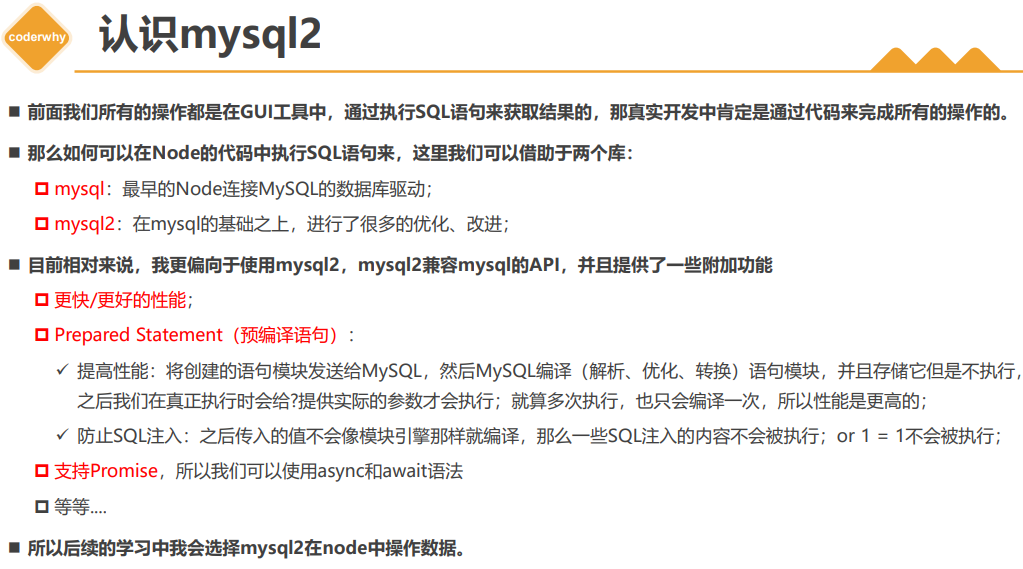
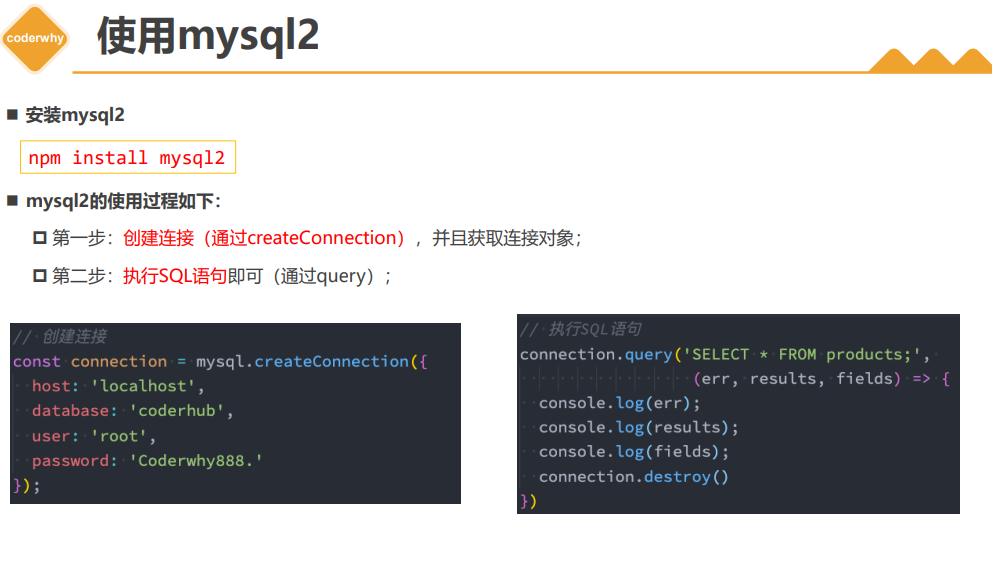
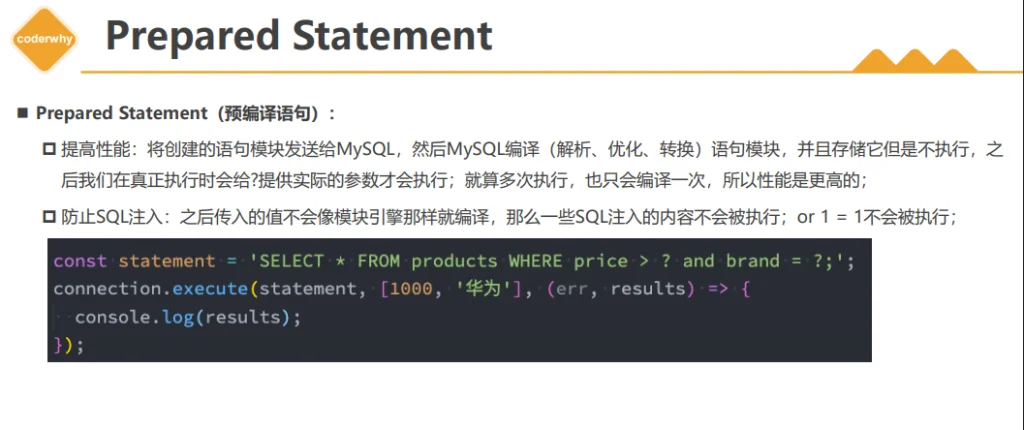
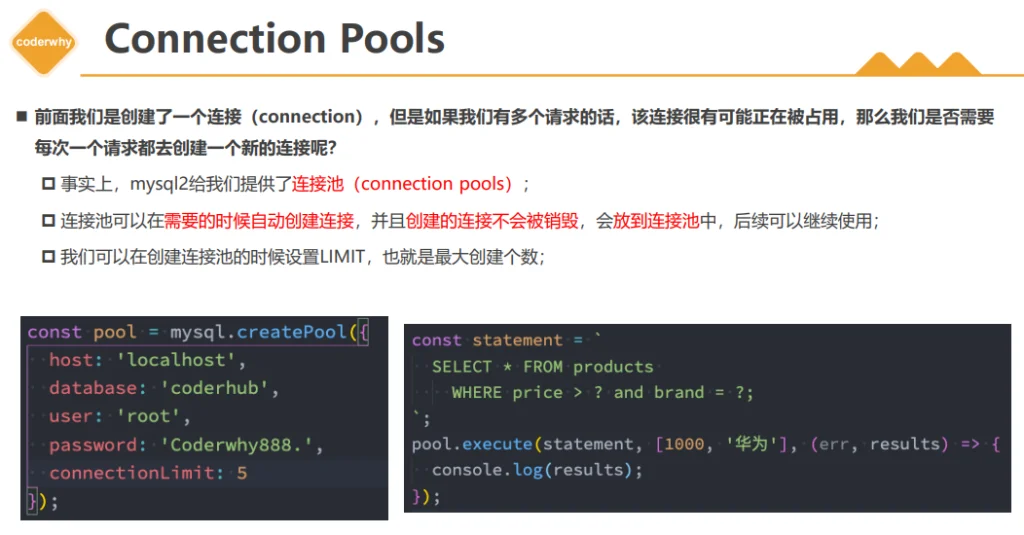
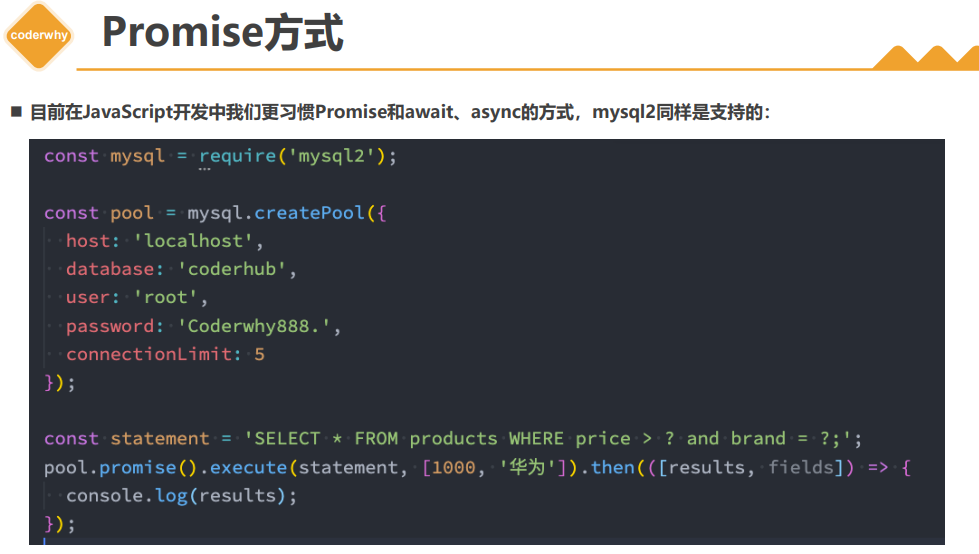
The database lesson screenshots remain in their original order. Database addresses, accounts, and schemas belong to the original course environment; prepare your own MySQL instance and data before running them.

















Project practice
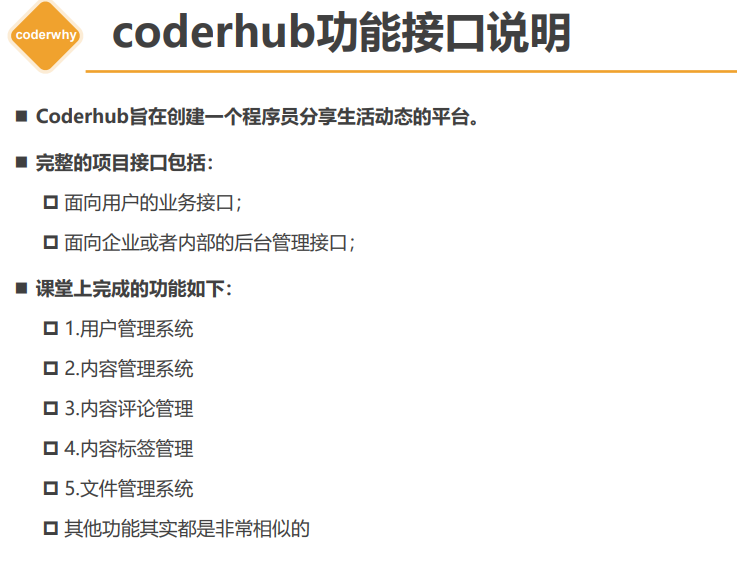
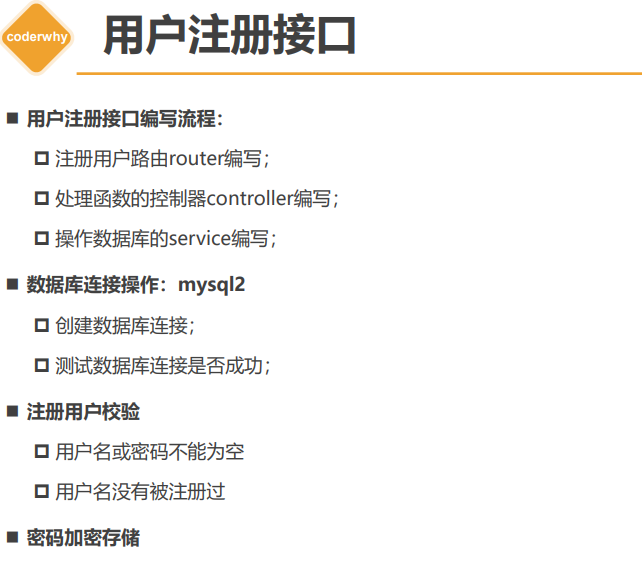
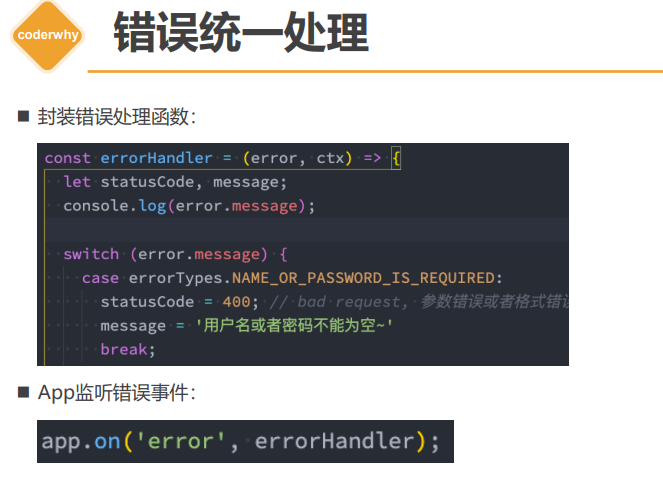
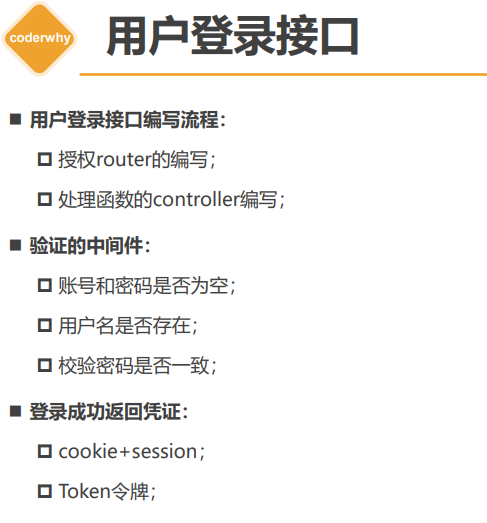
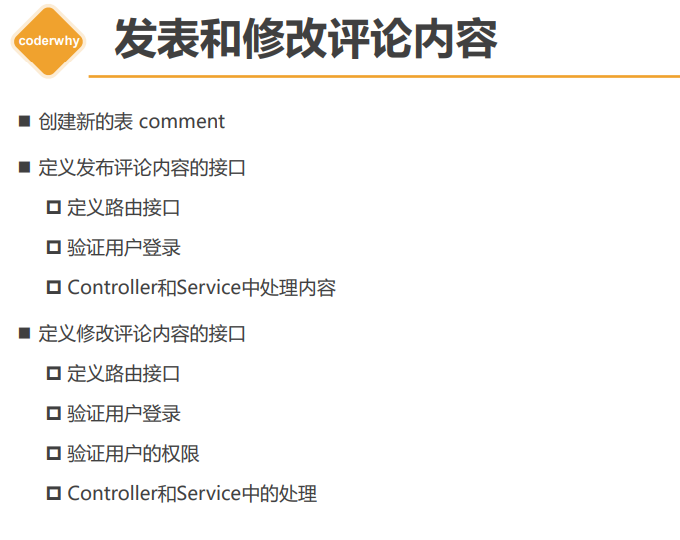
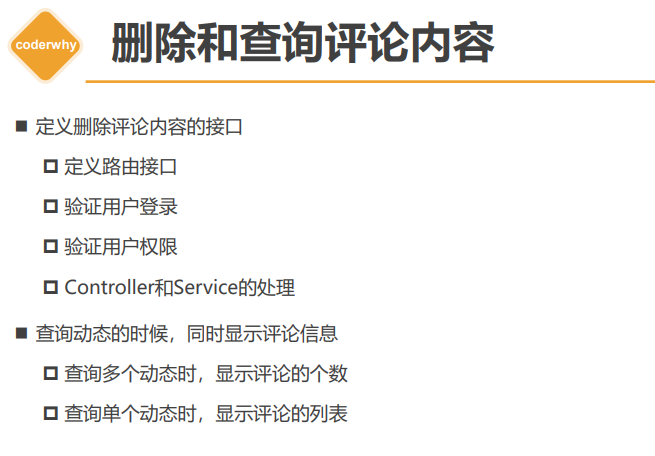
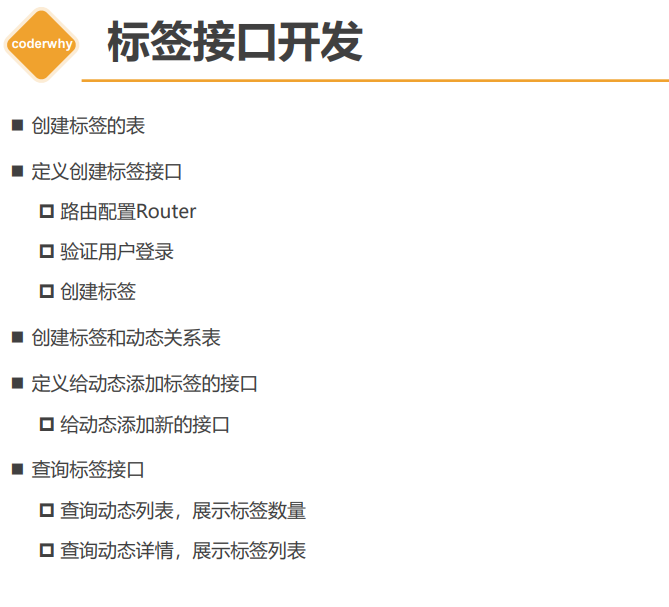
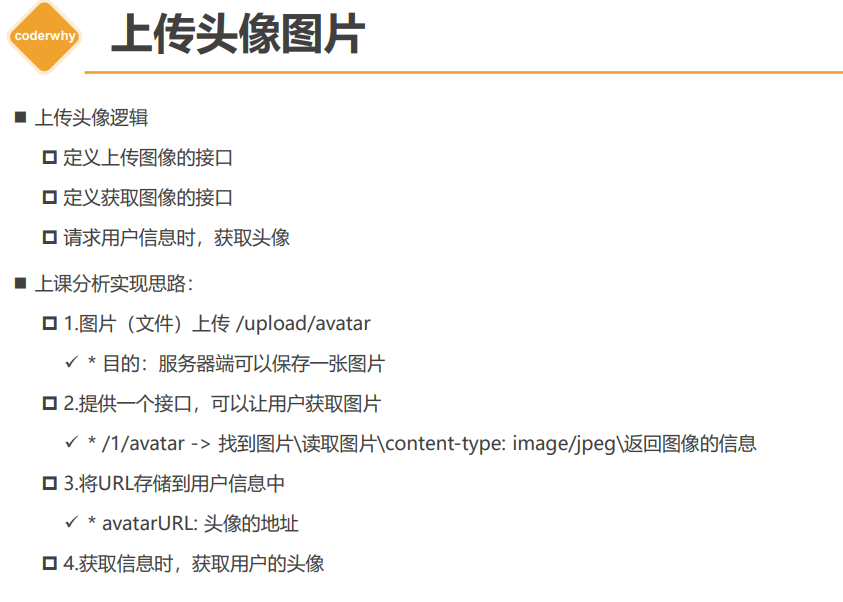
The original project steps and structure screenshots connect the preceding topics. Referenced endpoints, files, and databases are not services provided by this blog.