01 Deploying Go Project with Docker

There is a common paradigm for deploying Go projects using Docker.
That is phased construction
Build in Stages
Briefly explain phased construction
We all know that deploying Go only requires the compiled executable file, and does not require the Go environment.
Then we can first build the project in a container with a Go environment, and obtain the executable file after the build.
Then put this executable file into a relatively small image container
package main

import "github.com/gin-gonic/gin"

func main() {
  r := gin.Default()
  r.GET("/", func(context *gin.Context) {
    context.String(200, "看到消息就说明部署成功了")
  })
  r.Run(":5000")
}
Fortunately, Docker supports multi-stage builds
FROM golang:alpine AS builder

# 构建可执行文件
ENV CGO_ENABLED 0
ENV GOPROXY https://goproxy.cn,direct
RUN sed -i 's/dl-cdn.alpinelinux.org/mirrors.aliyun.com/g' /etc/apk/repositories

WORKDIR /build
ADD go.mod .
ADD go.sum .
ADD main.go .
RUN go build -o main


FROM scratch
WORKDIR /app
COPY --from=builder /build/main /app
CMD ["./main"]
docker build -t go1 .
docker run -itd --name go1 -p 5000:5000 go1
Of course, what I have written here is the simplest Go project.
No configuration files were used, and no external services such as a database were connected.
Using Configuration File Mapping
package main

import (
  "github.com/gin-gonic/gin"
  "gopkg.in/yaml.v3"
  "log"
  "os"
)

type Conf struct {
  System struct {
    Name string `yaml:"name"`
  } `yaml:"system"`
}

func main() {
  r := gin.Default()

  byteData, err := os.ReadFile("settings.yaml")
  if err != nil {
    log.Fatal(err)
  }
  var conf Conf
  err = yaml.Unmarshal(byteData, &conf)
  if err != nil {
    log.Fatal(err)
  }

  r.GET("/", func(context *gin.Context) {
    context.JSON(200, gin.H{"code": 0, "msg": "看到消息就说明部署成功了", "data": gin.H{"name": conf.System.Name}})
  })
  r.Run(":5000")
}
Run container
docker run -itd --name go1 -p 5000:5000 -v G:\\IT\\go_pro\\go_study\\go_study\\31.部署\\settings.yaml:/app/settings.yaml go1
Connect External Services
Taking MySQL as an example, MySQL might be on our internal network server
It is also possible to start a MySQL container separately.
In the face of the first situation, because Docker by default connects containers to the host's Docker0 bridge, the containers and the host can communicate directly, so just connect directly.
In the case of the second situation, the standalone MySQL container and our project container can connect to each other.
But we don't know the other party's IP address.
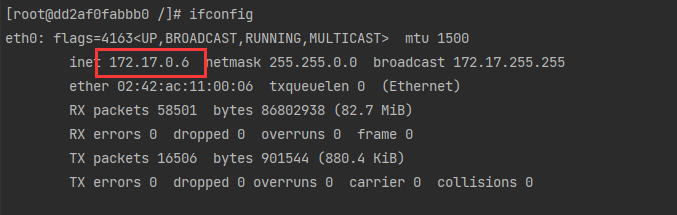
Generally does not use the default network
Instead, use a custom network and specify the container's IP address when creating the container.
Create network
docker network create --subnet=10.1.0.0/24 my-network
Create a container using a custom network
Here I am testing with the previous CentOS container
docker run -itd --name c2 --ip 10.1.0.2 --network my-network fengfengzhidao/centos7-ssh:v1
docker run -itd --name c3 --ip 10.1.0.3 --network my-network fengfengzhidao/centos7-ssh:v1

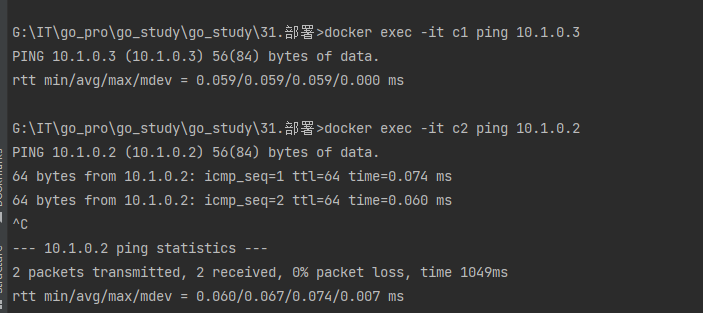
Then combine this knowledge with the project deployment above, and any problem can be solved.